L AI has rocked the video editing in 2026: detect silences, put down subtitles, choose the plans, climb to the rhythm of a podcast, all this is now done in a few clicks. Our ranking 2026 puts in the lead Description for editing complete script-first, Filmora for classic edition boosted to l AI, InVideo AI to transform a record into a video YouTube, Submagic for viral subtitles and FlexClip for fast assembly in line. Five more tools complete the top according to usage. We detail what each one really gives you, free included.
Contents: Essential · Comparison rapid · What is it?AI in video editing · How it works · Our top 10 of the AI Tools of the editing · How to choose · Free limits · Use · FAQ
📌 Essentials
- Better for editing complete : Descript, script-first with transcription and text cutting.
- Best for the enhanced classic edition AI : Filmora, editing traditional timeline with dozens of functions AI.
- Better for content YouTube in a prompt : InVideo AI, full script-to-video.
- Best for subtitles and short-form : Submagic,tool French reference.
- Fastest online : FlexClip, browser editor with AI integrated.
- When to pay : as soon as you produce 3+ videos a week or target an export 1080p watermark-free.
No time to read everything? We summarized this ranking in video (to be found on our channel) YouTube) :
FlexClip returns several times in this ranking. If tool Intrigue you, we've cut everything FlexClip really does in a Complete Guide, functionalitis by functionalitis.
Comparison of 10 AI Tools of the video editing
Summary table tools tested in August 2026, filtered by what they do really well rather than by their brochure. All verified information on active free accounts.
| Tool | Specialty | Free plan | Export | Watermark |
|---|---|---|---|---|
| Description | Editing script-first, transcription | 1 hour transcript/month | 720p | Yes |
| Filmora | Edition timeline + AI Integrated | Unlimited under test | 720p | Yes |
| InVideo AI | Script to video | 10 min/week | 1080p | Yes |
| Submagic | Viral subtitles, short-form | 3 videos ≤60 s | 1080p | Yes |
| FlexClip | Fast online editor | 12 projects, 480p | 480p | Yes |
| OpusClip | Automatic long-to-short cutting | 60 min upload/month | 1080p | Yes |
| CapCut | Mobile editing + desktop | Unlimited | 1080p | No |
| Kapwing | Online collaborative editor | 4 min/video, 720p | 720p | Yes |
| Runway | Effects AI, rotoscoping | 125 test credits | 720p | Yes |
| Reloop | Repurposing AI multi-platform | Limited test | 720p | Yes |
CapCut remains the only totally free watermark-free on basic functions. Descript and Filmora have the most generous gratuities AI. We go into detail just after we lay the foundation.
See also our guide dedicated: alternatives-Descript.
See also our guide dedicated: alternatives-filmora.
What is it?AI implemented in video editing ?
The term covers three families tools very different, which it is better to distinguish before choosing a software. Many creators complain about tool who « does not do what he should » while the problem comes from a bad family choice at the beginning.
The first family is the editing assisted by AI on a classic editor. Filmora, CapCut, Kapwing, Adobe Premiere Pro (Sensei) remain traditional timeline publishers where AI comes in assistance: silence detection, automatic subtitles, background deletion, color correction. You keep image-by-image control.AI Speeds up ungrateful tasks.
The second family is the editing script driven (script-first). Descript is the representative. You don't cut on the timeline anymore, you cut in the transcribed text of your video. Clearing a word in the script erases the corresponding video portion. This is the best approach for spoken content: podcast video, interview, tutorial training.
The third family is the editing automatic from a set. InVideo AI, Pictory, Lumen5, OpusClip go further: you give a high level set-up (« Cut this video YouTube in 10 shorts TikTok » or « creates an explanatory video on this subject »),AI Select the rushes, cut, subtitle and export. Useful for volume or repurposing.
💡 Tip: first identify your situation. Spoken content and long? Descript. Short visual videos? Filmora or CapCut. Repurposing a video YouTube shorts? OpusClip or Submagic. The best tool is the one that matches your real use, not the one that has the best demo YouTube.
How it works AI in a video editing software ?
Four technological bricks structure the 2026 offer. None tool does not propose them all at the same level: it is the mix that makes the value of a given software.
Automatic silence detection
L AI identifies breaks, hesitations and « Uh. » to cut them in one click. Descript And CapCut are the best in this field. One tutorial 20 minutes is reduced to 14 minutes of net rendering in 30 seconds of processing, without listening to the track again. This is the function that saves the most time in volume.
Transcription and automatic subtitles
Transcription in French, German, English and 30+ other languages is the most mature function in 2026. Submagic, Descript and Kapwing turn over 95% precision on articulated French. Exported subtitles are stylable directly, with viral templates ready to copy for TikTok, Reels and Shorts.
Automatic cutting and repurposing
Take a video YouTube 1 hour and draw 10 relevant TikTok shorts, with the hook in the right place and the subtitles set. OpusClip and Submagic turn with predictive engagement scores: l AI chooses the moments most likely to receive attention. Useful for a creator who wants to recycle his long content in 5-10 short formats.
The generation of effects and rotoscopy
Rotate a subject without a green background (Runway, CapCut), replace a sky, stabilize a tremoring plan, generate a transition AI. These effects were reserved for After Effects three years ago, they are accessible in three clicks now. The free ceiling remains low in this category (heavy treatment), but the quality is there.
Our top 10 of the best AI Tools of the video editing in 2026
Ranking cross quality of rendering, generosity of free and relevance per case of use. Each card returns to our Full Review when it exists. All catches are clickable to the current offer of 09 August 2026.
1. Descript : the editing script-first most developed
Descript invented the editing by the text. You import your video.tool transcribe automatically, and you cut by deleting the words in the script. Each word deletion removes the corresponding video portion. Functions AI Solid: cloned voice, Studio Sound (debugger), Filler Word Removal (removes the « Uh. »Overdub. The free plan offers 1 hour transcript per month, exports 720p with watermark.
For whom: video podcasters, trainers, YouTubers in long spoken format. See our review Complete Descript, our comparison Descript vs CapCut and our duel Filmora vs Descript.
2. Filmora: classic timeline editor enriched with dozens of features AI
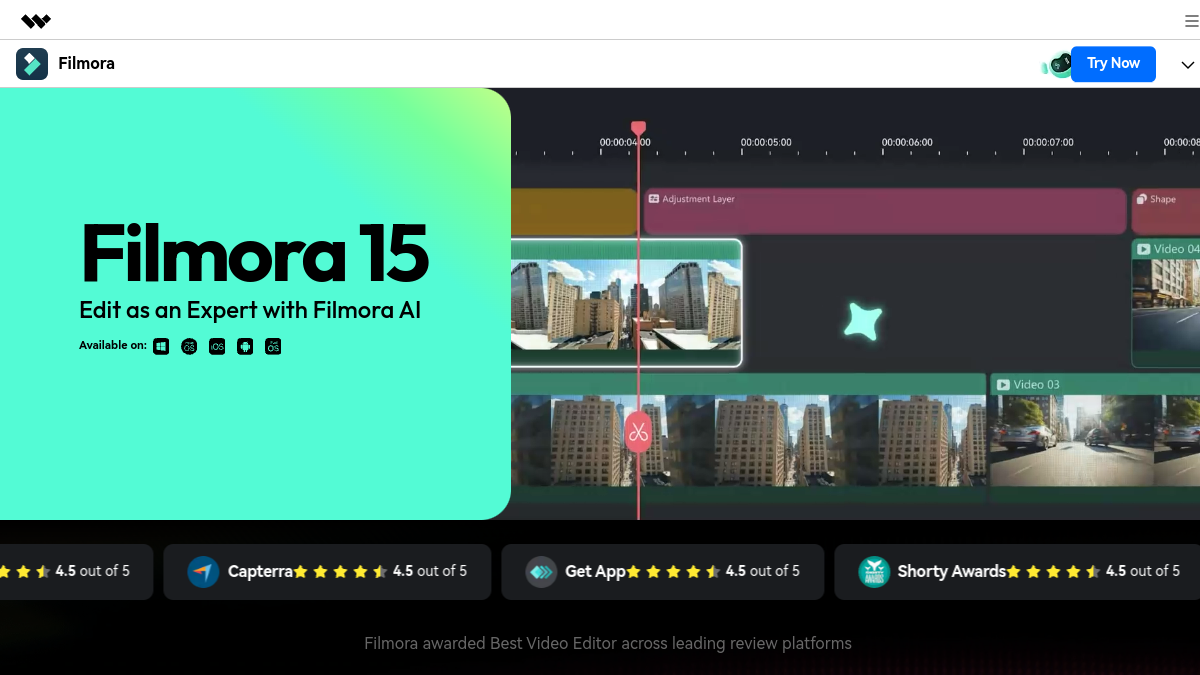
Filmora remains the classic timeline editor of Wondershare, with 40+ functions AI added since 2024: AI Copywriting, AI Portrait, AI Smart Cutout, Text-to-Video, AI Music Generator, subtitles, debugger, upscaler. Accessible interface for beginners, clean results, soft learning curve. The free trial is unlimited in duration but imposes a watermark on exports.
For whom: creators YouTube and TikTok who want a complete editor without going through Premiere. See our review Filmora complete and his duel with Filmora vs Descript.
3. InAI Video: the video YouTube in one order

InVideo AI stands out by automating the entire pipeline. You write « video YouTube 3 minutes on trends AI in 2026 »,tool writes the script, selects the rushes in its integrated bank, adds a voiceover, hold the cuts to pace. The result is raw but publishable, or editable in the built-in editor. Free plan: 10 minutes of video per week, watermark, export 1080p.
For whom: YouTubers in fast production, monetization of niches, explanations. See our review InVideo AI and comparison Submagic vs InVideo.
4. Submagic : the reference subtitles and short form

Submagic was born French, and it feels like: the viral subtitle templates are calibrated for TikTok, Reels, Shorts, with an impeccable rendering in French. L tool detects the rhythm of the voice, holds the appearance word by word, adds B-roll cars, dynamic transitions and relevant emojis. Free plan: 3 videos of 60 seconds maximum, watermark, export 1080p.
For whom: short-form designers, coaches, community managers. See our review Submagic complete, our decryption of tariffs and duels vs CapCut and vs Descript.
5. FlexClip: fast online editor without installation

FlexClip works fully in the browser. Library of ready-to-use templates, image and sound bank royalty-free, AI Tools : text-to-video, auto subtitles, debugger, image-to-video. The free plan allows up to 12 simultaneous projects, exports 480p with watermark. Simple solution for occasional use or for a beginner who does not want to install anything.
For whom: solo entrepreneurs, corporate social networks, beginners. See our review Complete FlexClip.
6. OpusClip: cutting a video YouTube in ten TikToks automatically

OpusClip does one thing and does it very well: take a long video (podcast, live, interview) and extract the best moments in vertical shorts with subtitles, auto hook and viral score. The free plan accepts 60 minutes of download per month, 1080p exports with watermark. The predictive score is surprisingly reliable to prioritize shorts to be published first.
For whom: video podcasters, coaches, YouTubers who want to recycle their long content without spending 6 hours.
7. CapCut: free watermark-free mobile and desktop

CapCut remains the market anomaly: free, unlimited, watermark-free on basic functions, available mobile and desktop. Clean timeline editing, functions AI solids (subtitles, silent detection, effects), integrated sound bank. Developed by ByteDance (TikTok), with what it implies on the given side. Functions AI advanced (upscale, pro depressor) switch to paid Pro.
For whom: any TikTok creator, all beginners, all those who refuse to pay. See our comparison Descript vs CapCut and Submagic vs CapCut.
8. Kapwing: online collaborative editor
Kapwing plays the map of online collaborative publishing, as Google Docs for the video. Fluid interface, functions AI : subtitles, depresser, background deletion, script-to-video. Free plan: videos up to 4 minutes, watermark, export 720p. Positioning particularly relevant for marketing teams that work with several on the same assets.
For whom: marketing teams, agencies, designer-mounter tandems.
9. Runway: the effects AI level

Runway democratized the video effects AI since 2018: rotoscoping (detouring without green background), inpainting (erasing an object in motion), motion tracking, generator text to video Gen-4. The free plan offers 125 test credits (non-renewable), 720p exports with watermark. To be reserved for tasks where the effect AI is the real added value, not the editing current.
For whom: assemblers who have a need for a heavy effect, VFX artists. See our review Full Runway.
10. Reloop: repurposing AI multi-platform

Reloop transforms a single video into multiple platform-optimised formats (Instagram Reels, TikTok, YouTube Shorts, LinkedIn) with automatic adjustments of cropping, text on screen, rhythm and miniature. Additional positioning of OpusClip: Reloop is stronger on multi-channel adaptation, OpusClip on raw cutting. Limited free trial, 720p exports with watermark.
For whom: multi-platform creators, social agencies, community managers. See our review Complete reloop.
How to choose the right one tool AI of the video editing ?
Five criteria fall between two tools Who seem close. Here they are ranked in order of importance according to the actual use of the creators, not according to the brochure.
Target format and editorial purpose
Long spoken format (podcast, training, tutorial): Descript or Filmora. Vertical short form (TikTok, Reels): Submagic or CapCut. Repurposing a long video in small formats: OpusClip or Reloop. Video YouTube generated from a prompt: InVideo AI. Effect AI Pointu (rotoscoping, inpainting): Runway. First choose your purpose, then I tool.
The learning curve
Filmora, CapCut, Kapwing and FlexClip are 30 minutes away. Descript asks for a day to integrate its script-first logic. Runway takes a few days to control the advanced effects. If you produce in volume from the first week, leave on a tool Simple. If you aim for pro quality in the long term, invest in learning hours.
The generosity of the free plan
CapCut: unlimited watermark-free. Filmora: unlimited but with watermark. Descript 1 hour transcript per month. InVideo 10 minutes of video per week. Submagic Three short videos. OpusClip: 60 min upload per month. Runway: 125 test credits. At zero budget, CapCut remains the best gateway.
Whether or not a watermark is present
Watermark kills credibility on a chain YouTube Monetized or a client commercial. CapCut remains the only one on the list not to impose on its core functions. All others require a paid plan for a clean export. Switch directly to 15-30 €/month is often more profitable than hacking to hide a watermark by hand.
Ecosystem and integration
Filmora integrates with Wondershare (image, PDF, filmstock). Descript connects to Zoom, Riverside, Zencastr for podcast recordings. Kapwing works well with Notion and Slack for the teams. Adobe Sensei is part of Creative Cloud. If you're already on an ecosystem (Adobe, Notion, Zoom pro), stay in the family saves time.
Free limits and when to pay a tool of the editing AI
Three thresholds change the calculation in favour of the payer.
The weekly volume. As soon as you get 3 videos a week or more, you spend half your time juggling between quotas and accounts. A plan at 15-30 € Every month gives you that time. This is the real calculation: your time billed or your production time is worth more than the subscription.
Commercial resolution. A video for Meta Ads, a channel YouTube monetized, to a client, must be in 1080p watermark-free. No free plan checks these two boxes on InVideo, Submagic, Descript, FlexClip, Kapwing or Runway. You have to pass on a starter plan of the tool or temporarily switch to CapCut (the only one watermark-free) for final export.
Functions AI progress. Cloned voice (Descript Overdub), upscaling 4K, high quality rotoscoping, pro debugger, bank of premium rushes: these bricks pass almost systematically into Pro. Test in free allows to validate the comfort of use, but a real flow pro demand them.
⚠️ Attention: free testing of Descript Filmora and Kaiber do not automatically renew themselves. Once consumed, you must either pass by paying or create a new account with another address. Daily quotas (CapCut, OpusClip) remain the best long-term option without a budget.
Case of practical use: YouTube, TikTok, advertising, podcast
Edit video YouTube long with AI
For a video YouTube 5 to 20 minutes, the combination that works best in 2026 combines Description for transcription and text cutting, Filmora or CapCut for final visual assembly, and Submagic for viral subtitles on key moments. Our guide monetization YouTube with AI details the complete pipeline.
Create a TikTok or Viral Reels
Vertical format, 15 to 60 seconds, hook strong in the first 3 seconds. Submagic for subtitle formatting, CapCut for trending templates, or OpusClip if you recycle a video YouTube existing. The complete set for TikTok AI covers the 6 tools which the creators who turn to the million views use.
Generate a Meta Ads ad or a creative UGC
For a credible advertising creation, go on a tool Specialist: Creatify, Arcads or Reloop. They generate virtual actors holding a product or speaking to the camera in ad-friendly format. The free is symbolic, providing a budget from the first serious A/B test.
Edit video podcast or interview
Best workflow 2026 combines Description (transcript + text cut + deletion of « Uh. ») and ElevenLabs Studio for voiceover intro/outro. Our guide create a podcast with AI details the pipeline with the tools compatible.
FAQ: Frequently Asked Questions AI in video editing
What AI choose to make a video editing ?
The best choice depends on the target format. For long spoken content, Description remains unbeatable. For classic edition with AI in assistance, Filmora. For shortform and viral subtitles, Submagic. To generate a video YouTube from a mere prompt, InVideo AI. There's no need tool universal, the mix by use gives the best results.
Is ChatGPT can make video editing ?
No, ChatGPT Don't cut video. On the other hand, it can write a script, generate a detailed timeline, suggest B-rolls or write subtitles from a transcription. The typical stream: script written by ChatGPT, filming or generation, then editing in Descript, Filmora or CapCut. ChatGPT is the brief,AI video is running.
Is CapCut a AI ?
CapCut is not a AI pure, it is a classic video editor of ByteDance (mother house of TikTok) enriched with many functions AI Since 2023: automatic subtitles, silence detection, background suppression, depressor, upscaler, style effects. L AI is an integrated assistant, not the main engine. It is also the only one of the top 10 to stay free watermark-free on basic functions.
Is there a AI able to realize a video editing Full?
Yes, InVideo AI and OpusClip the closest editing fully automatic. InVideo generates a video YouTube from a simple prompt (script, rushes, voiceover, fixed cuts). OpusClip takes a long video and automatically draws optimized shorts. None of them replace an editor for fine creative work, but both produce a published rendering in minutes.
Can we do some video editing AI free and without registration?
No, none. tool serious proposal video editing AI Without account. Models use too many GPU resources to be offered anonymously. On the other hand, registration is free for all tools and a disposable e-mail is enough to test in 30 seconds without hiring its main address.
L AI Can it automatically mount from rough rushes?
Yes, with limits. OpusClip and Reloop treat long rushes to extract relevant extracts. Description transcribed and proposed a text cut. For a editing full narrative from unspoken rushes, none tool The general public achieved the quality of a human assembler in 2026. The best thing is to prepare a script upstream, then use it AI to cut at the right pace.
🎯 Verdict
If you regularly raise spoken content, take Description : script-first logic changes life and free is still usable. For classic edition and TikTok, keep CapCut permanently open (free, watermark-free). Add Submagic for viral subtitles and Filmora When you want a richer timeline. The Trio Descript more CapCut plus Submagic covers 90% of the needs of a solo creator in 2026, with a controlled monthly investment.
To restore a second life to a video too compressed or in low resolution, check out our comparison of the 8 AI Tools to improve the quality of a video with verdicts per case of use.
Go further on the editing AI
- Alternatives to Descript
- Alternatives to Filmora
- Alternatives to FlexClip
- Alternatives to InVideo
- Alternatives to Submagic
- Alternatives to Fliki AI
- Filmora vs. InVideo : comparison
- Submagic vs InVideo : comparison
- Descript free: what you can do
- FlexClip free: trial and limit version
- Submagic : rates 2026
To go further on this subject, consult our Complete Guide storyboard AI.