InVideo AI is in 2026 generators The most complete text-to-video on the market, 50 million users, 8 million videos created each month, and a single argument: integrated access to Sora 2 Pro, Veo 3.1, Kling 3.0 and Seedance 2.0 in a single platform, where separate subscriptions would cost more than 450 $/month. Version 4.0 (2026) offers an ultra simple workflow: you type in a quick, easyAI writes the script, selects visuals, generates the voiceover, adds subtitles and transitions, delivers the video in 3 to 20 minutes. Plan More than 28 $/month (50 min AI monthly generation, without watermark, commercial use). Verdict after 3 weeks of testing: the best all-in-one proposal on the market in 2026 for content creators and channels YouTube faceless, less relevant to anyone looking for a precision editor.
📌 Essentials
- Publisher : InVideo (Indian company founded in 2017, based in Mumbai). 50M users, 52.5M $ raised in funding.
- Unique argument 2026 : integrated access to video models AI border, Sora 2 Pro, Veo 3.1, Kling 3.0, Seedance 2.0 in a single interface.
- Workflow signature : prompt text → script + visuals + voiceover + subtitles + music + transitions, delivered in 3-20 min.
- 2 products : InVideo AI (text to video generation) + InVideo Studio (traditional drag-and-drop editor).
- Freetier : 10 min AI generation/week, 4 exports/sem, watermark, 720p, no commercial use.
- Paid prices : Plus 28 $/month (20 $ annual), Max 60 $/month (48 $ Generative for Sora 2 Pro intensive use.
- For whom : marketing creators, channels YouTube faceless, social media managers, agencies. Not suitable for editing frame by frame.
Want to test Sora 2 + Veo 3.1 + Kling 3.0 in a single platform? InVideo AI offers a freetier without credit card.
Contents: What is it?InVideo AI • New products InVideo AI v4.0 • The 8 key features • Prices and plans 2026 • The free plan in practice • Practical test on 3 cases of use • Strengths and Limits • Alternatives • FAQ
What is it?InVideo AI in 2026?
InVideo is a browser-based video creation platform, founded in 2017 by Sanket Shah in Mumbai. Initially positioned as a drag-and-drop editor with templates (InVideo Studio), the company turned massively towards theAI in 2023-2024 with the launch ofInVideo AI, a separate product that generates complete videos from a simple quick text. In May 2026, the two products coexist: InVideo AI for automatic generation, InVideo Studio for traditional publishing.
The term « InVideo » is sought 6,000 times a month in France, « InVideo a » 1,900 times. Total cumulative semantic volume InVideo About 9,000 monthly queries. This is one of the tools text-to-video AI the most popular of the French market, just behind the generalist leaders as Kling AI.
The positioning is clear: target the content creators marketing, channels YouTube faceless, social media managers and agencies who want to produce videos in volume without editing each frame manually. The value proposition: turning an idea into a video that can be published in 5 to 20 minutes, including scripts and stocks. Workflow details faceless in our guide chain YouTube profitable faceless 2026.
To compare with Fliki's direct competitors (InVideo, Pictory, HeyGen, Synthesia), see guide dedicated: the 5 best alternatives to Fliki AI in 2026.
To compare with direct competitors InVideo AI (Fliki, Pictory, HeyGen, Kling, Vidnoz), see guide dedicated: the 5 best alternatives to InVideo AI in 2026.
See also our guide dedicated: InVideo-ai-free.
New products InVideo AI v4.0 in 2026
Version 4.0dInVideo AI deployed early 2026 brings three major breaks that radically change the perceived value of the platform.
1. Integrated access to video models AI border
It's single argumentInVideo in 2026. The platform partnered with OpenAI (Sora 2 Pro), Google (Veo 3.1), Kuaishou (Kling 3.0 + Kling 3.0 Omni) and ByteDance (Feedance 2.0). Accessed separately, these models would cost more than 450 $/month cumulative (ChatGPT Pro to 200 $/month for Sora 2 + dedicated subscriptions Kling, Veo, Seedance). InVideo integrity 200+ modelsAI in a single interface, it is today without direct competitor on this point. Comparison detailed in our Seed 2.0 review and our Kling AI review 2026.

2. Magic Box : natural language edition
Instead of manually editing your video on a timeline, you type commands in natural language: « 3 seconds intro shortcuts », « replace voiceover by a more dynamic female voice », « add bold yellow subtitles ». LAI Run. This is the Magic Box concept, deployed in v4.0. Excellent for fast iterations, less accurate than a classic editor for fine adjustments (image-by-image timing, advanced colorimetric calibration). For agency workflows in volume, this is a time-saving real.
3. AI Avatars + voice clone integrated
InVideo AI v4.0 now includes a libraryavatars AI and voice clone (closing your own voice from a 30-second sample). These functions were previously exclusive to specialized competitors such as Creativey AI or Synthesia. With this addition, InVideo now covers the UGC ads segment in addition to the faceless YouTube, strategic market expansion addressed in 2026.
The 8 key features ofInVideo AI in 2026
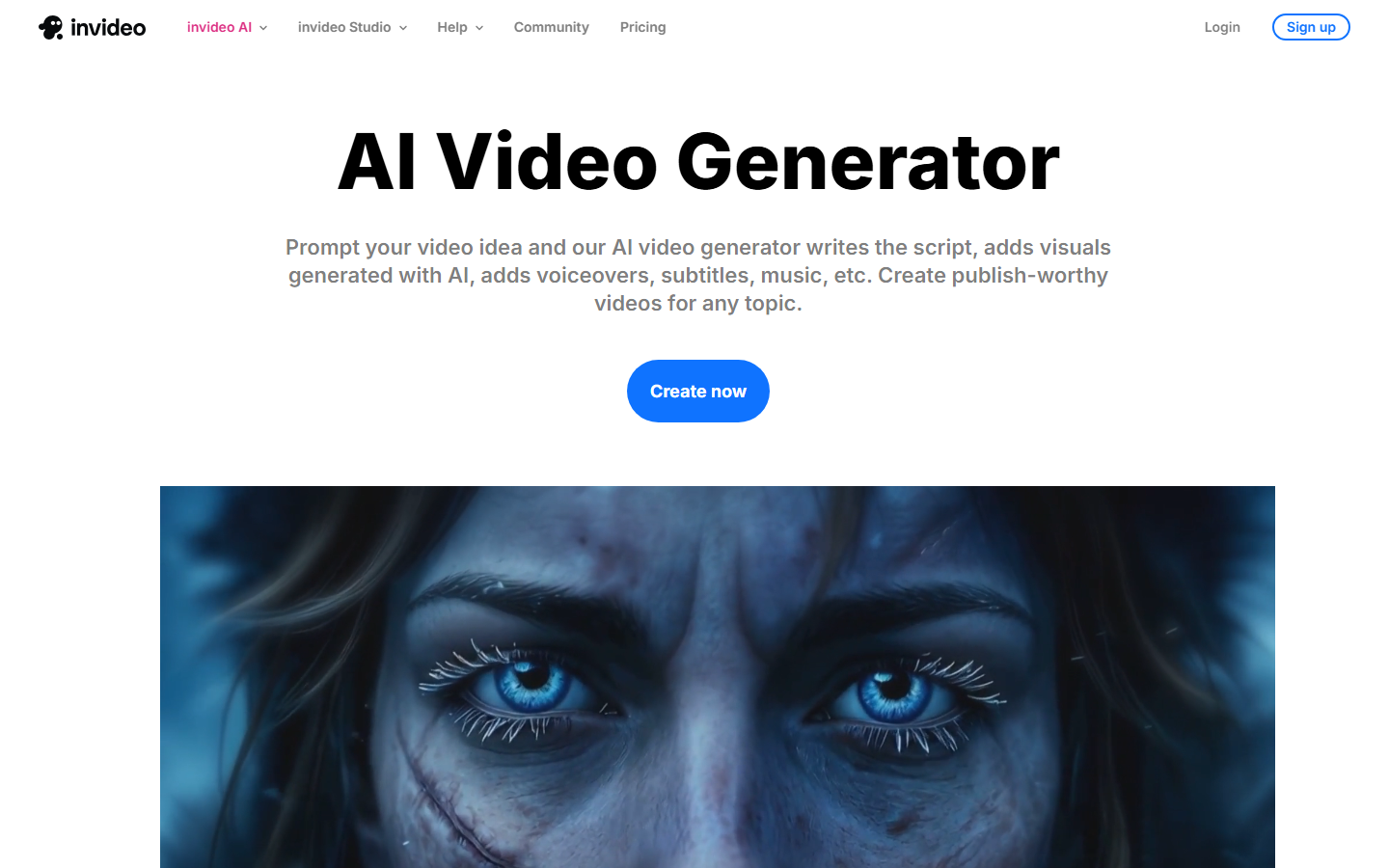
InVideo AI v4.0 presents eight main capabilities that structure the daily experience. Here's what's behind the button « Generate ».
1. AI Text-to-Video Generator
The heart of the product. You type a quick in natural language (« Create a 60-second video about the benefits of morning yoga, warm tone, women's audience 30-50 years old »), and InVideo ensemble orchestra : writing script, selection of visuals from 16M+ assets, generation of a voiceover in 50+ languages, adding synchronised subtitles, transitions and background music. Total time: 3 to 20 minutes depending on the time required. It's the signature function which justifies subscription.

2. Access to 200+ modelsAI
As mentioned in the novelties v4.0, InVideo integrity Sora 2 Pro, Veo 3.1, Kling 3.0, Kling 3.0 Omni and Seedance 2.0 in one platform. To generate a pure text-to-video kinematic clip, choose the template from a drop-down menu. Today it is the most economical way to access Sora 2 Pro (ChatGPT Pro to 200 $/month in direct access, here included in Plus à 28 $/month subject to credit conditions).
3. AI Avatars + Voice Clones for UGC ads
Library AI built-in to generate UGC-style videos without turning in front of the camera. Voice clone from a sample of your voice (30 sec minimum). Less provided than Creativey AI on the number of davatars (200+ vs. 1,500+) but largely sufficient for which does not only make e-commerce ads.
4. Magic Box : natural language edition
Editing your video via text commands rather than a timeline. Very useful for rapid iterations (« changes voice », « add a 5 seconds intro », « accelerate the pace »). Limited precision for fine frame-by-frame adjustments, but workflow wins for 80% of marketing use cases.
5. AI VFX (Relight, Prop Swap, Virtual Production)
Nextspecial effects AI owners: Relight changes the light of a scene without turning the plane, Prop Swap replaces an object in a video, Virtual Production incrust your subject in generated backgrounds AI. Niche but powerful for creative agencies that want VFX workflow without After Effects.
6. AI Workflows (long-form + short-form)
Preconfigured workflows for the most requested formats: explain videos YouTube (4-10 min), Reels Meta (15-60 sec), TikTok (15-60 sec), real estate walkthroughs, product promos. Each workflow automatically optimizes the aspect ratio, duration, rhythm and call-to-action. Our comparison AI for YouTube Shorts 2026 contextualise against competitors.
7. AI Product Photography (catalogue + 360°)
New in 2026: automatic generation of e-commerce products. You upload a product photo,AI generates mockup variants, catalog shots, 360° packshots. Useful for dropshippers and DTC brands who want to enrich their product sheet without photo studio.
8. Stock library 16M+ assets (iStock, Storyblocks, Shutterstock)
Native integration with iStock premium libraries, Storyblocks and Shutterstock. Access to 16 million+ d'assets royalty-free direct from InVideo, without separate subscription. It is one of the largest catalogues in the market in 2026, ahead of competitors who are generally limited to free Pexels and Pixabay.
🎬 The generator text-to-video all-in-one
Access to Sora 2 Pro, Veo 3.1 and Kling 3.0 in a single platform
InVideo AI v4.0 integrates 200+ modelsAI of which video models AI border, 16M+ assets stock, voice clone, AI avatars and AI VFX. Freetier 10 min/week, without credit card. Plan More than 28 $/month (20 $ in annual terms).
Freetier · Without credit card · 50+ languages
InVideo AI pricing 2026: How much does it really cost?
The InVideo a pricing structure in three main stages + options for use for premium models. This is the official grid found in May 2026.
| Plan | Monthly price | Generation AI | Included |
|---|---|---|---|
| Free | 0 $ | 10 min/week | 4 exports/sem, watermark, 720p, without commercial use |
| Plus (annual) | 20 $/month | 50 min/month | Without watermark, 1080p, 80 iStock/month, 2 voice clones, commercial |
| Plus (monthly) | 28 $/month | 50 min/month | Same Annual plus without commitment |
| Max (annual) | 48 $/month | 120 videos/month | 4K, 320 iStock, voice clone unlimited, priority rendering |
| Max (monthly) | 60 $/month | 120 videos/month | Same annual Max without commitment |
| General | On request | Extended appropriations | Intensive access Sora 2 Pro, Veo 3.1, Kling 3.0, API, enterprise |
Our reading : the plan More than 20 $/month in annual is the sweet spot for 80% of serious creators, 50 minutes of generation AI monthly cover about 20-30 short videos or 5-8 long videos, with authorized commercial use and 1080p without watermark. Max Plan at 48 $/month in annual is only justified if you produce more than 100 videos per month (agency, channel YouTube growth, marketing team). The Generative plan is for the power users of Sora 2 Pro / Veo 3.1 intensive.
Good plan: annual savings of 28% vs. monthly
If you know you're going to use InVideo regularly (more than 3 consecutive months), move to annual saving 28 % on Plus (20) $ vs 28 $) and 20% on Max (48 $ vs 60 $). Frequent seasonal promotion: Black Friday, end of year, back in September, watch the promo codes InVideo (additional savings of 10-30 per cent).
InVideo Free AI: what does the free plan really allow?
The keyword « InVideo free » is searched 400 times a month in France (+ 50 on « InVideo free » + 60 on « InVideo have in French free »). Let's detail exactly what the free plan allows in 2026.
What is included
10 minutes of generation AI per week + 4 exports per week. No credit card required for registration. Access to full workflow text-to-video, the Magic Box of natural language editing, and a limited selection of models AI (not premium border models). Sufficient to seriously evaluate the platform over 2-3 weeks before signing up.
The real limits of freetier
Four important ceilings. 1) Watermark InVideo on all exports, visible in the lower right, excludes any direct commercial use. (2) Resolution capped at 720 p, insufficient to publish clean on YouTube in 2026 where the minimum 1080p is expected. (3) Prohibited commercial use on the freetier (Terms of Service clause). (4) No access to premium border models (Sora 2 Pro, Veo 3.1 Pro, Kling 3.0 Omni), limited to standard models.
To publish clean from the first export, plan Plus to 20 $/month in annual is the relevant minimum. To compare to other free third parties of the market, see our top 10 AI generators video free 2026.
Access InVideo AI in French
The interface InVideo is available in English, not applicable InVideo AI in French native in May 2026. However, the engine supports rapids in French and generates voiceover French of very good quality (50+ supported languages including French with several natural voices). You can therefore produce videos in French even if IUI remains in English. For a 100% Francophone experience on generators video AI, aggregator Deevid AI remains the most accessible option on the interface side.
Practical test on 3 cases of use
We tested InVideo AI Plus for 3 weeks out of 3 representative cases. Here are the results without a marketing filter.
Case 1: Video explaining YouTube 4 minutes in French
Purpose: Create a video explaining YouTube 4 minutes in French on « the 5 steps to start a chain YouTube faceless » from a simple prompt.
Result : excellent. InVideo generated a structured script in 5 coherent sections, selected relevant B-rolls from iStock, added a voiceover natural French (Aria, the warmest voice), inserted dynamic subtitles. Total time: 14 minutes from rapid export 1080p. The result is published as it is after a slight retouch of pacing on a transition. Note: 8,5/10. The sweet spotInVideo AI, the case wheretool demonstrates its value to chains YouTube Faceless.
Case 2: Kinematic clip via integrated Sora 2 Pro
Premium border model test: generate a cinematic clip 8 seconds via Sora 2 Pro since InVideo, prompt « A misty mountain forest at sunrise, drone shot ascending slowly through pine trees, golden rays piercing through fog, cinematic depth of field ».
Result : excellent for quality, but quickly consumes credits. The clip generated via Sora 2 Pro is film quality, fluid, temporally stable, convincing depth. A generation of 8 seconds Sora 2 Pro consumes about 6-8 minutes of the monthly quota (of the 50 min plan Plus). Note: 9/10 Gross quality, 6/10 on credit saving. For intensive use of Sora 2 Pro, the Max or Generative plan is best.
Case 3: Ad UGC short-form for Meta Ads
Test avatars + voice clone function to generate an ad UGC 30 seconds vertical (Meta Ads / TikTok).
Result : good, but below UGC specialists. The library InVideo (200+) is less supplied than Creativey AI (1,500+) and lip-sync is slightly less natural. For who doesn't only of the UGC ads e-commerce, InVideo remains very usable. For intensive marketing performance agencies, Creatify or Arcads keep the advantage. Note: 7/10. Sufficient for 80% of the needs, but not the specialty ofInVideo.
Strengths and limits observed in real use
Major forces
- Integrated access to video models AI border (Sora 2 Pro, Veo 3.1, Kling 3.0, Seedance 2.0), without direct competitor in 2026 for price/quality ratio.
- Most complete text-to-video workflow from the market, from quick to video published in 5-20 minutes including script, voiceover, subtitles, transitions, music.
- Magic Box, fast iterations without a classic timeline, time-saving actual for 80% of adjustments.
- Stock library 16M+ assets (iStock, Storyblocks, Shutterstock) integrated, no need for separate subscription.
- Multilingual medium 50+ languages including French with natural voices, ideal for targeting several markets.
- Voice clone + avatars AI added in v4.0, expands the UGC ads use case in addition to the faceless YouTube.
- Annual pricing very competitive, 20 $/month Annually more remains lower than most equivalent competitors.
Limitations to be incorporated
- Command accuracy AI inconsistent : the Magic Box sometimes executes differently than the intention, 10-15% manual adjustments necessary.
- The copy generated remains « safe » rather than « sharp », for really powerful scripts, better write yourself and use InVideo for visual production only.
- Fragmented pricing : between AI gen duration and number of stocks and voice clones, monitoring the monthly quota requires attention.
- Rapid consumption of credit on frontier models Sora 2 Pro and Veo 3.1 burn quickly the 50 min of the Plus. Calibrate your plan accordingly.
- Not applicable in native French, an Anglo-Saxon interface, even if the engine perfectly supports the French prompts and voices.
- Not suitable for editing precision, for frame-by-frame adjustments or advanced calibration, a classic editor like Filmora or DaVinci Resolve remains indispensable.
- Avatars UGC less supplied experts Creatify or Arcads (200+ vs 1,500+).
Alternatives to InVideo AI for your profile
Depending on your usage case, several alternatives deserve consideration in 2026. Our comparison Top 10 AI Software video 2026 gives the general context.
Filmora: for the editing classic with AI
If your need goes beyond the pure text-to-video generation and includes editing precision (calibration, multitrack, frame-by-frame adjustments), Filmora 15 remains more relevant. Filmora also incorporates Sora 2 and Veo 3.1 natively since 2026, but with a classic workflow timeline. See our Filmora review 2026 and comparison Filmora vs. InVideo.
Creatify AI: for UGC ads e-commerce
If your use case is exclusively UGC ads e-commerce (dropshipping, DTC brands, performance marketing agencies), Creativey AI is more specialized: 1,500+ avatars vs 200+ at InVideo, native URL-to-Video, Batch Mode for intensive A/B testing. See our Creatify AI review 2026.
Synthesia / HeyGen : for the avatars enterprise
For institutional multilingual enterprise communication (internal training, corporate presentations, large-scale multilingual), Synthesia or HeyGen are more specialized in avatar quality and enterprise support. See our alternatives to Synthesia 2026 and alternatives to HeyGen 2026.
DeeVid AI : Francophone aggregator
Deevid AI is a French platform that combines Kling, Veo 3.1, Hailuo and Pika in a 100% Francophone interface. Different approachInVideo : no full text-to-video workflow with script + B-roll + voiceover automated, but direct access to models in a guided interface in French. Additional to InVideo rather than direct competitor, Deevid to generate your clips AI kinematic, InVideo to mount them in full video with voiceover and stocks.
Do you prefer a French interface?
Access the best video models AI in a 100% French interface
DeeVid AI Kling 3.0, Veo 3.1, Hailuo and Pika aggregate in an entirely francophone interface. 100 credits offered for registration. Ideal complement to InVideo AI to generate your cinematic clips in French.
100 credits offered · French interface · No commitment
FAQ: all about InVideo AI in 2026
InVideo Is AI really free?
Yes, partly. The Free Plan offers 10 minutes of generation AI per week and 4 exports/weekNo credit card. This allows to create about 1-2 short videos per week to evaluate the platform. Freetier limitations : watermark InVideo on all exports, resolution capped at 720p, commercial use prohibited, no access to premium border models (Sora 2 Pro, Veo 3.1, Kling 3.0). To publish clean from the first export, plan Plus to 20 $/month in annual is the relevant minimum.
What is the price ofInVideo AI in 2026?
The InVideo a pricing In 2026 there were several stages: Free (0 $, 10 min/sem, watermark), More (20) $/month annually or 28 $/month in monthly, 50 min AI gen/month, 80 iStock, 2 voice clones, 1080p, commercial), Max (48 $/month in annual or 60 $/month monthly, 120 videos/month, 320 iStock, voice clone unlimited, 4K, priority), and General (on quotation, intensive access Sora 2 Pro and Veo 3.1, API enterprise). Annual saves 28% on Plus and 20% on Max.
InVideo Does AI propose Sora 2 and Veo 3.1?
Yeah, that's right.a single argumentInVideo in 2026. Platform integrates Sora 2 Pro, Veo 3.1, Kling 3.0, Kling 3.0 Omni and Seedance 2.0 in one interface, where separate access to these models would cost more than 450 $Accumulated months (ChatGPT Pro to 200 $ for Sora 2 + dedicated subscriptions Kling, Veo, Seedance). Included from the Plus plan with credit quota, intensive access on the Generative plan.
InVideo Does AI work in French?
The interface InVideo remains in English in May 2026, not inInVideo AI in French native. However, the engine perfectly supports the rapids in French and generates voiceover French of very good quality (50+ languages supported with several natural voices per language). You can therefore produce videos in French even with an Anglo-Saxon IU. For a 100% Francophone experience on generators video AI, aggregator Deevid AI remains the most accessible option.
InVideo AI vs. InVideo Studio: What difference?
InVideo offers two distinct products that share the same brand. InVideo AI is the generator text-to-video automatic, you type in a prompt,AI does everything (script, visuals, voiceover, subtitles). InVideo Studio is the traditional drag-and-drop editor with timeline and templates (5,000+), you manually mount your videos like in CapCut or Filmora. Most users in 2026 use InVideo AI, Studio remains useful for anyone who wants manual control.
What is the maximum duration of a video on InVideo AI?
On Plan Plus, you can generate videos up to about 4-5 minutes per session. On Max, up to 10 minutes and more depending on the remaining credits. For very long content (trainings, webinars of more than 30 minutes), you have to cut in several sessions and assemble. Most common use: videos from 1 to 5 minutes for YouTube, or shorts/Reels from 15 to 60 seconds.
InVideo AI vs Filmora: Which Should You Choose ?
Depends on your workflow. InVideo AI excels on the automatic text-to-video generation with integrated script and stock, ideal for chains YouTube faceless and content marketing volume. Filmora excels on the editing precision with timeline, calibration, multitrack, ideal for who manually edits with turned planes or wants a frame-by-frame control. Details in our comparison Filmora vs. InVideo 2026.
InVideo Does AI propose an API?
Yes, the API InVideo is available on the Generative plan (enterprise). It integrates automatic video generation into automated workflows: massive generation for ad agencies, CMS integrations, batch processing for e-commerce. Rate on quotation according to the monthly volume. For Plus and Max users, access is only via the web interface.
🎯 Verdict
In May 2026, InVideo AI v4.0 is the most comprehensive text-to-video proposal in the consumer market. The decisive argument: integrated access to Sora 2 Pro, Veo 3.1, Kling 3.0 and Seedance 2.0 in a single platform, where separate subscriptions would cost more than 450 $Accumulated month. The workflow signature (prompt → full video with script + stocks + voiceover + subtitles + transitions in 5-20 minutes) remains without direct competitor for the channels YouTube faceless, social media managers and marketing content agencies.
Real limits: no native English application, Magic Box precision sometimes inconsistent, copy « safe » rather than « sharp », rapid consumption of credit on border models, and UGC avatars less supplied than specialists (Creatify remain ahead on this point). For Francophones who want a French interface for the generation of clips, Deevid AI is an ideal complement to InVideo.
Our recommendation: start with the freetier InVideo AI (10 min/week without credit card) to validate workflow over 2-3 weeks. If so, the Plan More than 20 $/month in annual is the best value for money For 80% of serious creators, integrated access to border models largely justifies the price. To compare to other options: our comparison Filmora vs. InVideo, our top 10 AI software video 2026 and our guide chain YouTube cost-effective.