Do you still hesitate between the efficiency of a short generator and the versatility of a full video studio? To solve the dilemma submagic vs invideo: which to choose in 2025 ?, we compared their key features, from dynamic captioning to text-to-video. Discover our technical analysis to identify the tool that best fits your content strategy and guarantees an immediate return on investment.
Submagic vs InVideo: the game in the blink of an eye
Submagic: Viral Short Content Specialist
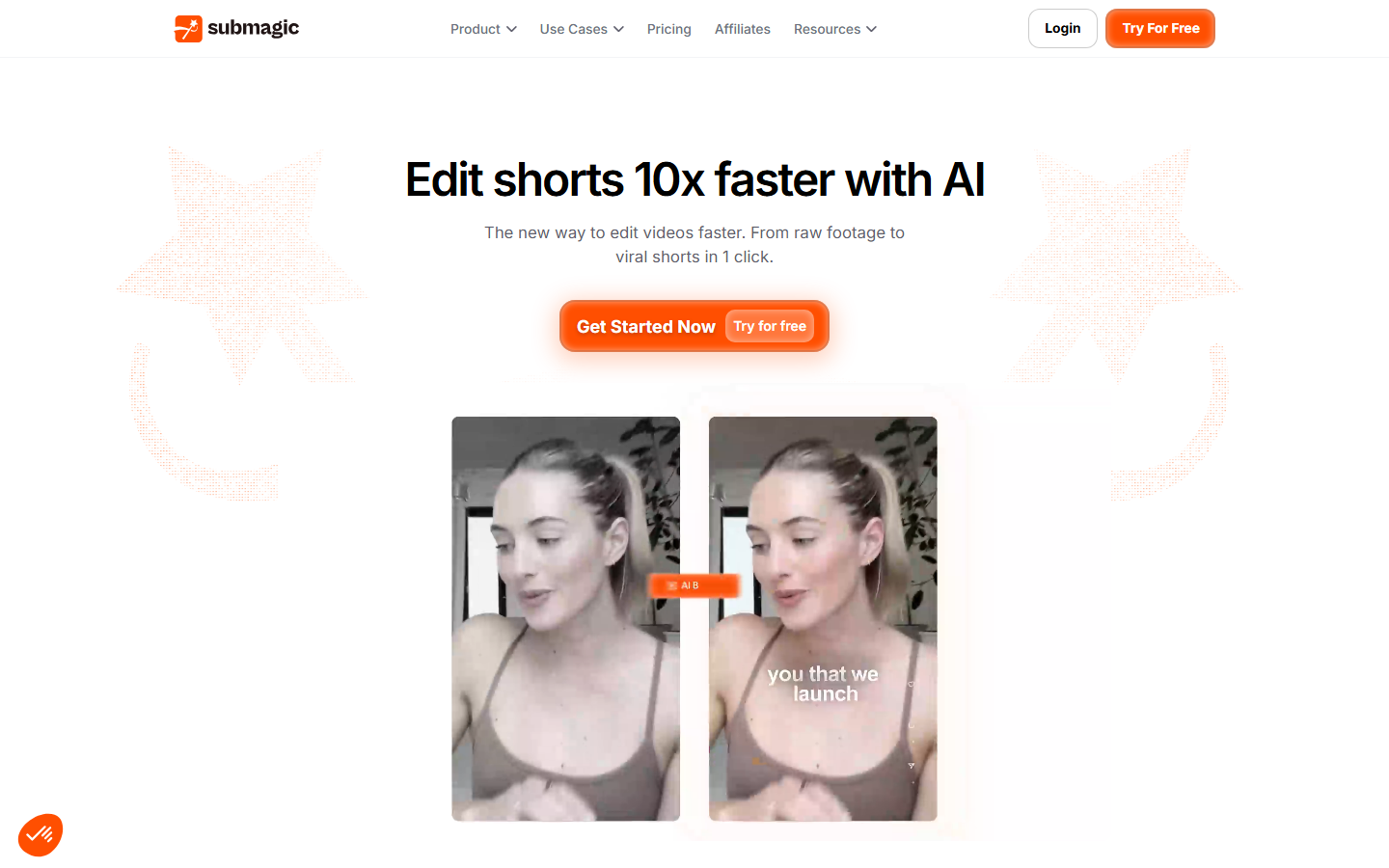
Submagic surgically targets creators of vertical formats such as Reels or TikToks. Engine turns a raw video into a clip ready to publish, relying everything on a speed of execution that approaches immediately and a high automation.
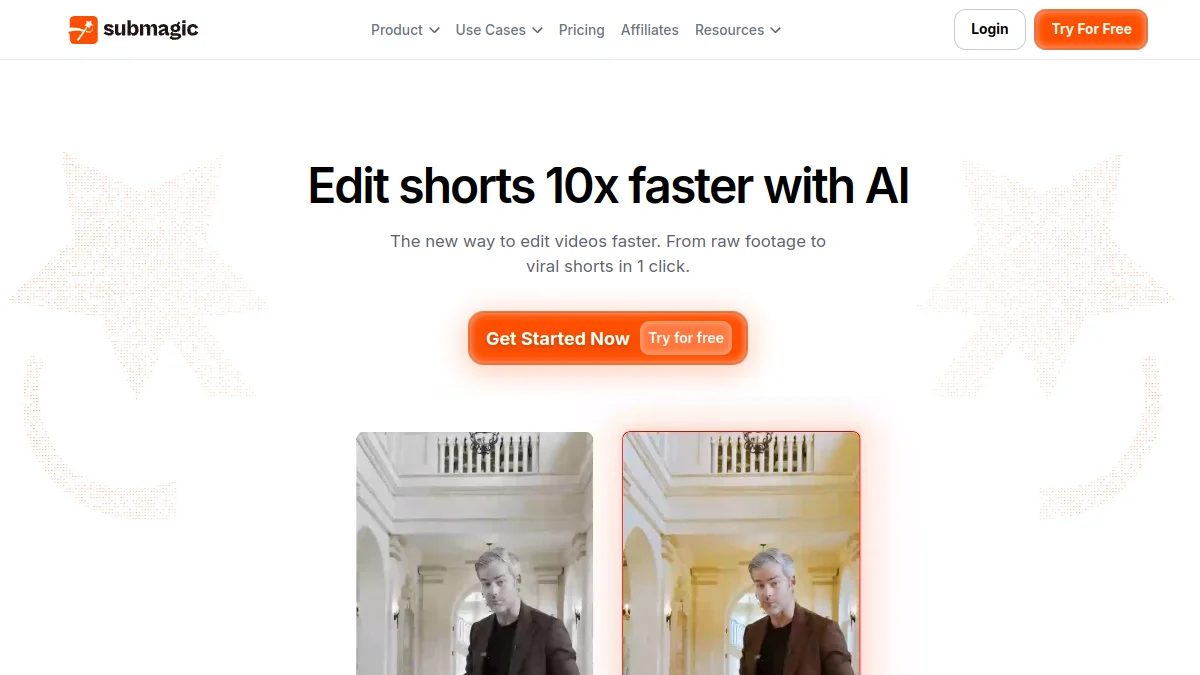
Its strengths include dynamic subtitles, automatic insertion of B-rolls and smart zooms. It's a tool forged by creators which include the current viral codes.
This is the raw solution for those who refuse to lose hours at assembly and require a Maximum engagement on mobile platforms.
🚀 Discover Submagic
Tool #1 to transform your long videos into Viral shorts automatically: dynamic subtitles, B-rolls AI, smart zooms... A massive time saving for TikTok, Reels and YouTube Shorts.
InAI Video: the versatile video creation platform
InVideo AI is positioned as a generalist suite capable of generate an entire video from nothing. Its text-to-video function allows to materialize an idea without having filmed a single second of rush.
Its striking force lies in a massive library of models and media, ideal for marketers or entrepreneurs producing longer YouTube content.
The approach here is panoramic: InVideo covers a much wider spectrum of needs, exceeding the simple mechanics of the vertical short format.
🎬 Test InVideo AI
| Functionality | SUBMAGIC | INVIDEO AI |
|---|---|---|
| Target heart | Shorts, TikTok, Reels (vertical format) | YouTube, marketing, explanation (all formats) |
| AI Creation | ❌ Existing video optimization | ✅ Generation from text (Text-to-Video) |
| Subtitles | ✅ Dynamics, viral, precise (98.8%) | ❌ More basic, less stylized |
| Stock Media | ✅ B-rolls automatic contexts | ✅ Mass library (iStock, etc.) |
| Speed | ✅ Ultra fast (a few clicks) | ❌ Slower (complete creative process) |
The quick verdict: for whom?
Submagic imposes itself as the unquestionable choices for the creators TikTok and Reels looking for formidable efficiency. If you already have your rushes, look no further.
InVideo AI is best suited for entrepreneurs and YouTubers ahead produce various videos, like tutorials or marketing, starting from a simple script.
The debate is not divided by « Good » or « bad »but by alignment with your workflow. You're wasting time if you use the tool inappropriate for your final goal.
Functional Comparison: Submagic vs InVideo AI
Now that the presentations are made, let's go to the heart of the topic: what these two tools really have under the hood.
| Functionality | SUBMAGIC | INVIDEO AI |
|---|---|---|
| The core business | ✅ Transforming long videos into viral shorts | ✅ Creating videos from a quick text (Text-to-Video) |
| AI Subtitles | ✅ Animated and stylized subtitles (hormozi type), ultra-precise | ✅ Automatic but less precise and customizable |
| B-Rolls & Media | ✅ Relevant automatic B-rolls (Magic B-Rolls) | ✅ Access to a huge library (iStock, millions of files) |
| AI Editing | ✅ Auto-cut, silence removal, smart zooms | ✅ Script AI & Scene Generation (more manual) |
| Taking charge | ✅ Extremely simple and intuitive | ❌ Longer learning curve |
| Target audience | ✅ Creators TikTok, Reels, Shorts | ✅ Marketers, YouTubers, trainers |
| Export | ✅ 4K / 60FPS optimized mobile | ✅ HD according to plans |
If you still hesitate, the best way to decide remains Direct test. Test these two solutions on your own projects to see the one that best adapts to your workflow.
The accuracy of subtitles: Submagic's decisive advantage
The quality of subtitles is often a major friction point for demanding creators. Submagic shines here with almost perfect transcription and engaging animation ready to use, eliminating the chore of manual recalibration.
The tool supports more than 50 languages, which is a huge asset for reach an international audience. AI perfectly synchronizes the text and audio, ensuring an impeccable visual rhythm.
Conversely, at InVideo, the subtitles are functional but often require tedious manual adjustments. This initial lack of precision unfortunately cancels part of the time saving promised by automation.
Prompt generation: the quiet force of InVideo AI
InVideo is distinguished by its flagship function: text-to-video, able to materialize an idea in seconds. A simple prompt or script is enough to generate a complete video integrating scenes, voice-over and background music.
It's the ideal tool for those who don't have basic video rushes and should produce content quickly. He excels for explanatory videos, marketing content or the transformation of blog abstracts into visuals.
Submagic does not have this feature and does not seek to have it. Its philosophy is radically different: it is aboutimprove and boost existing content, not to create it from zero from text.
Automatic assembly: who wins the race against the watch?
On the ground of pure efficiency, Submagic comes out great winner thanks to aggressive automation. Its functions as « Magic B-Rolls »the suppression of silences (« Autocut ») and dynamic zooms allow phenomenal time saving.
The user feedback is eloquent: we are talking about 10 hours of installation saved a week for a prolific creator. It is as much time freed for strategy or pure creation.
InVideo offers an AI to script and suggest scenes, but final assembly remains more manual. Automation is less fluid than on Submagic, requiring more human interventions for a polished result.
Submagic vs InVideo: What price differences?
The nerve of war is often the budget. Let's see how our two competitors position themselves to determine where to place your balls.
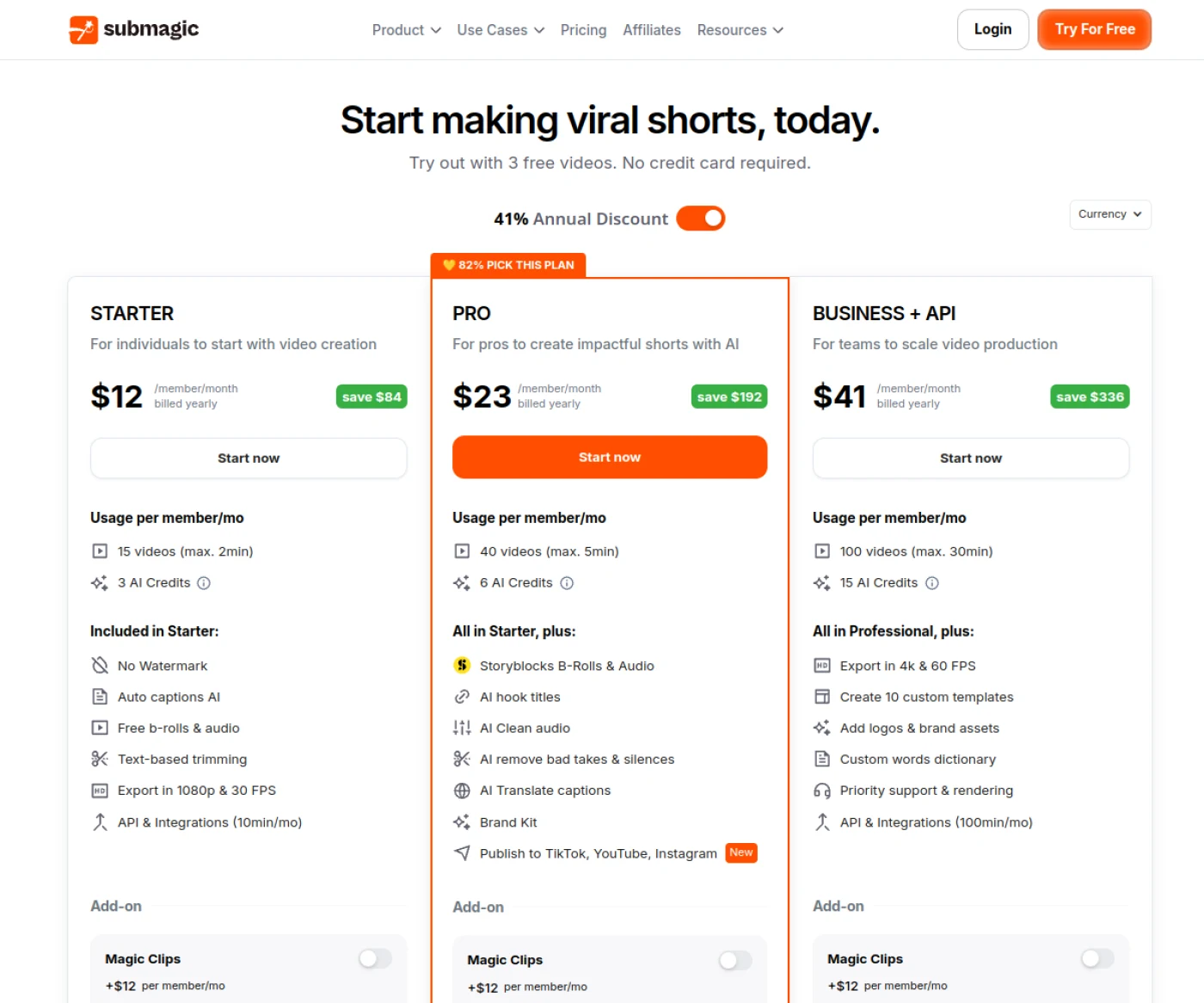
Comparison of tariff offers in 2025
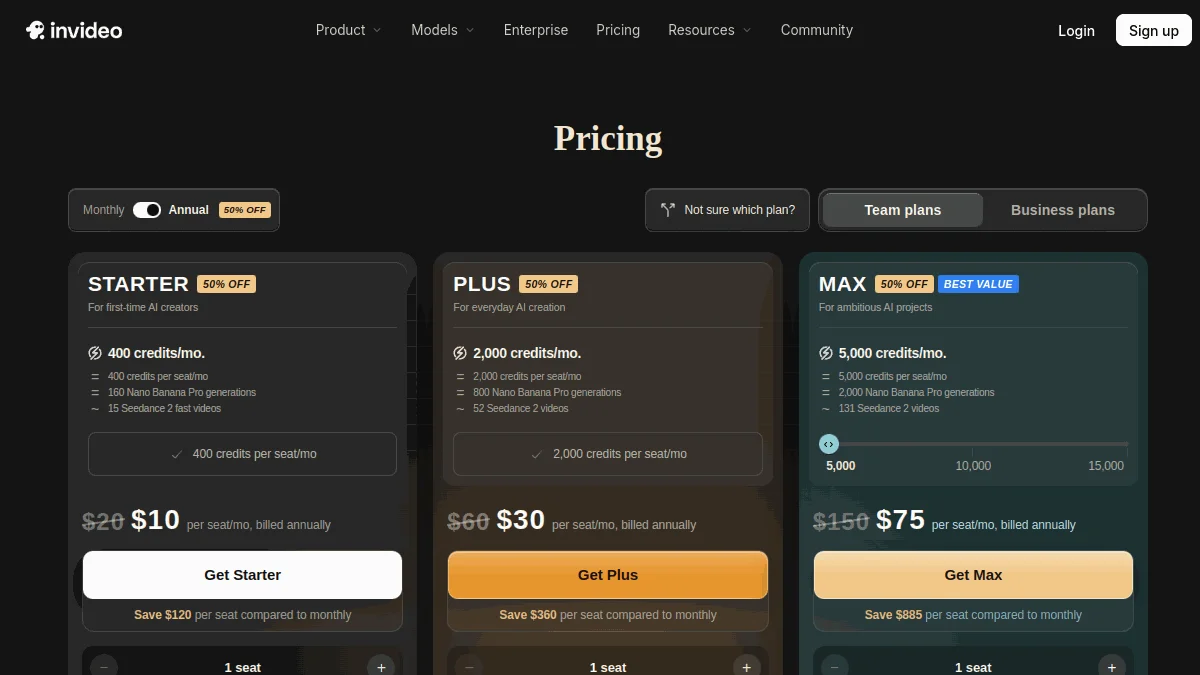
Submagic bill the video. You pay for a specific monthly quota, ranging from 15 videos for the Starter Plan to 100 for the Business. InVideo AI, on the other hand, works differently: it works only by means of credits, spent on each generation according to model, resolution and duration (400 credits per month on the Starter at 20 $, depending on the price page InVideo as at 10 October 2026).
Both platforms offer free versions to test the beast. But beware of limitations: large watermarks and reduced duration block any serious commercial use. It's just to see what's in their stomach.
Note that posted rates often move. The annual subscriptions remain the best option to reduce the bill, usually offering up to 40% immediate discount. Always check the prices live.
Value for money for a short designer
For a creator who bombards on TikTok or Reels, the ROI calculation is quickly done with Submagic. If you earn 10 hours of editing a week on captioning, I-subscription to 19 $ is refunded from the first day.
Submagic – Creating shorts with AI
The Starter Plan Getting Started. You don't need Business options to feel the immediate impact on your productivity and the quality of your captures.
Using InVideo for this specific task would be a strategic error. Its forces are elsewhere and workflow for simply « Pimper » an existing video is much less fluid and profitable.
Investment for an entrepreneur or agency
For an entrepreneur who has to produce varied marketing content, InVideo AI crushes competition. Access to a huge library of free-of-rights images and videos (iStock) alone justifies the subscription price.
The top planes of InVideo are designed for professional and intensive use. They unlock more storage and above all, more generation credits AI to never be short in the middle of the month.
A malignant agency does not choose: it takes both. InVideo generates raw material from scripts, and Submagic transforms it into dynamic short formats ready to become viral.
Who uses Submagic and InVideo? Notice and use
The technique is good, but who really uses these tools on a daily basis? Let's look at the returns from the field for understanding if you are part of the target.
Submagic: secret weapon of TikTok and Instagram creators
Submagic primarily targets content creators, coaches and podcasters who seek to recycle their existing content. Their objective is simple: transform long formats into powerful vertical clips without spending hours there. The speed of execution and immediate visual impact take precedence over pure technique.
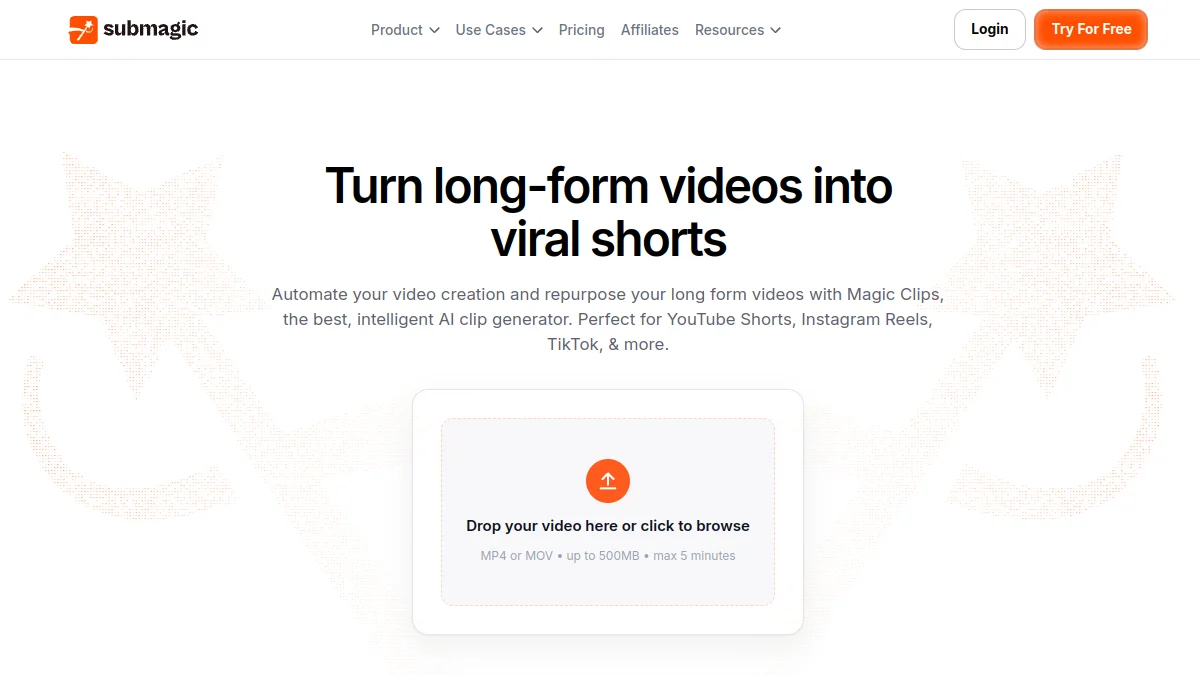
Users report saving up to 10 hours per week on assembly. They particularly appreciate the quality of dynamic subtitles that mimic current viral codes, such as the Alex Hormozi style, thus increasing engagement.
Let's take a classic YouTuber. He isolates one minute from his last video, imports into the tool and gets Optimized shorts for TikTok or Reels in less than 5 minutes. This is automation for immediate visibility.
InAI Video: Ally of Marketers and Trainers
InVideo AI attracts more marketing managers, solo entrepreneurs and online trainers. This profile seeks to create video content without being an expert in technical editing. The tool fills the gap between a raw idea and a diffused production.
The feedback insists on easy to turn a blog article or simple script into a smooth video. Access to a bank of images and videos free of rights is often cited as a major asset to illustrate abstract words.
✨ To create viral shorts automatically, discover Submagic.
✨ To generate a complete video from a text, explore InVideo AI.
Imagine an SME wishing to launch a series of product tutorials. It provides its text scripts to the AI, which generates a full video base with voice-over and visual. The team only needed to refine the final result.
Customer reviews: what users say
On platforms like Trustpilot, Submagic displays a solid score of 4.6/5, acclaimed for its formidable efficiency. InVideo collects more contrasting opinions, rented for its responsive customer support but sometimes criticized on the consistency of its generative AI depending on the complexity of the requests.
- Opinion on Submagic: « One Incredible time saving. My Reels have never been so engaged since I used their dynamic subtitles. » – Content Creator.
- Opinion on Submagic: « AI for B-rolls is bluffing. Sometimes she's wrong, but 80% of the time is perfect and it saves me hours of research. » - Podcaster.
- Opinions on InVideo AI : « Turn my articles into video became a child's play. Ideal to vary my content strategy without spending my days there. » – Pro blogger.
- Opinion on InAI Video: « The media library is the strong point. On the other hand, the interface would deserve to be a little cleaner for novices. » – Marketing Manager.
These testimonies confirm the specialization of each solution: Submagic for rapid virality, InVideo for complete narrative creation.
Alternatives to Submagic and InVideo: what else to find?
Submagic and InVideo dominate the discussions, it's a fact. But believing that they are the only masters on board would be a costly mistake for your workflow. The market is full ofspecialized tools that could better stick.
Direct competitors for shorts
Opus Clip poses as a serious rival to Submagic, especially if your strategy is based on « repurposing ». He excels in extracting viral nuggets from long videos, a very similar approach. Veed.io also tries to impose on this field.
However, Veed.io remains primarily a generalist online video editor. Its captioning functions are correct, but the tool requires more manual manipulation and proves less automated than well oiled mechanics from Submagic.
If you are looking for absolute minimalism, SendShort is an option to consider. It's raw tool: simple cutting, without fioriture, ideal for those who just want vertical content without bulky complex options.
Alternatives for video generation
To transform text into video, Pictory is often a more relevant alternative. It shines especially when it comes to synthesizing long blog articles into dynamic visual sequences, an asset for content managers.
In a completely different register, Synthesia dominates the niche of AI avatars. This is the solution par excellence for creating large-scale enterprise training without ever taking a camera out or paying an actor.
Let's not forget Canva, the Swiss design knife. The tool now incorporates Surprising video features, perfect if you are already immersed in its ecosystem and do not need ultra-complex mounting.
What about the more advanced tools?
If you prefer to keep total control, Filmora remains a sure value of traditional editing. It integrates AI tools such as Auto Reframe or Smart Cutout, but requires real technical skills in return to be controlled.
For agencies that deal with massive volumes, the graphical interface sometimes becomes a brake. Submagic stands out here with a API for agencies, enabling automated production In the background, a real pro differencemaker.
Finally, other tools such as Deevid AI specialize in specific niches, proving that sometimes, a dedicated tool is better than a generalist suite.
Workflow and integration for pros
Beyond the simple solo creator, how these platforms do they really fit into a team workflow or agency? This is often the decisive point in changing the final decision.
Taking charge: simplicity vs. options
Submagic plays the card of theradical efficiency. The interface is designed for speed: it is a tool « Single task » Awesome. You import your video, the AI does the work, you click and export the result. No fuss.
Conversely, InVideo offers a much denser interface. There is a classic timeline, layers and multiple menus, which can frankly intimidate a beginner Just trying to caption a Reel.
The choice will depend on your technical profile. A video editor will find his landmarks on InVideo, while a hurried entrepreneur or marketer will prefer the immediate simplicity of Submagic.
Collaboration and teamwork
InVideo takes a lead here thanks to its native collaboration features. Several members of the same team can intervene on a project, which considerably fluidizes the exchanges without leaving the platform.
It's a undeniable asset for agencies that need to validate montages by demanding customers, or for marketing teams that work remotely on complex campaigns.
Submagic remains designed for a more individual use. Collaboration takes place « Old », outside the tool, sharing exported files, which can slow down validation processes.
Integration and API: Large-Scale Vision
This is where Submagic hit hard for the experts. The tool offers a documented API allowing developers toautomate the creation of shorts on an industrial scale. A real lever for mass production.
For its part, InVideo relies more on integrations via third-party connectors like Zapier. This is more technically accessible for non-developers, but it remains much less powerful for pure automation.
For a media agency that manages hundreds of monthly videos,Submagic API is a major strategic argument. InVideo does not offer this technical flexibility at the moment.
Verdict: Submagic or InVideo, which one to choose in 2025?
So, in the end, who wins this duel? The answer depends entirely on you.
Choose Submagic if...
You're a content creator on TikTok, Instagram Reels or YouTube Shorts.
- Your top priority is time saving and efficiency.
- You want some stylish and engaging subtitles Without effort.
- You're leaving a existing video to cut.
- You are looking for maximize virality Of your clips.
In short, you want a tool that does one thing, but who does it perfectly.
Opt for InVideo AI if...
You're a entrepreneur, marketer or YouTuber.
- You need create videos from a script or a simple idea.
- You want to access a extensive library of models and media.
- You produce different types of formats (sales videos, tutorials, ads...).
- The Team collaboration features are important to you.
Anyway, you're looking for a versatile platform to manage your entire video production.
The end word of VideoIA.fr
There is no « better » tool in absolute. Submagic is a surgical scalpel, perfect for a precise task. InVideo AI is a Swiss knife, versatile but less specialized.
Our advice: Identify your main need. Short optimization? Submagic. The creation of A to Z? InVideo.
The best thing is to take advantage of the free trials. It's the only way to know which fits best to your own way of creating.
➡️ To create Viral shorts in seconds, discover Submagic.
➡️ To generate full videos from a single script, test InVideo AI.
FAQ
What is Submagic's main competitor for shorts?
In 2025, the Submagic's most direct competitor for automated short creation is Opus Clip. Like Submagic, he specializes in « repurposing » long videos in vertical viral clips. However, if you are looking for a more general edition with classic editing features, InVideo remains a solid alternative, although less focused on automation of dynamic subtitles.
What is the best AI to generate videos from A to Z?
If your goal is to create a video from nothing (Text-to-Video), InVideo AI is currently the most efficient solution. Unlike Submagic which improves existing videos, InVideo can generate a script, scenes, voice-over and complete editing from a simple text request, making it the ideal tool for marketers without video rushes.
Submagic or InVideo: What is the best AI mounting software in 2025?
There is no single winner, because they meet opposite needs. Submagic is the best choice for content creators (TikTok, Reels) looking to caption and boost existing videos in record time. Conversely, InVideo is the best software for companies wishing to produce various marketing videos (explicative, advertising) thanks to a huge bank of models and media.
To locate this tool face the whole market, browse our comparison best video software AI.