« CapCut Pro free » is one of the most tempting searches about this software, and one of the most tricky. The short answer: CapCut Pro is not free, but CapCut itself is largely, and there are ways of taking advantage of the editing without paying. This article explains what is really free in 2026, according to the official pages of 23.10.2026, how to avoid being blocked by export, and why the versions « Pro released » circulating is a bad idea.
Information recorded on the official pages of CapCut on 23.10.2026. This page contains partner links.
Contents: Can we get CapCut Pro for free? • What's free in CapCut in 2026 • The limits of the free plan, and how not to be trapped • Free, trial, discount: which option for your profile? • Why Avoid Versions « CapCut Pro free » • Black Friday: the right time to pay less • Really Free Alternatives • FAQ
Essentials
- No CapCut Pro official free : Pro is a subscription (23.99) € per month or 199.99 € per year, as reported on 23.10.2026).
- The free plan exists : editing basic on computer, mobile and web, without subscription.
- The Trap : the items marked Pro block export or add watermark in a free project. Finding them before riding avoids the bad surprise.
- Versions « Pro free » (APK modified, activators) are to be avoided: invisible source, risks for your device and your account, and non-compliance with CapCut conditions.
- Until 30.10.2026 The CapCut Black Friday sale (up to 60% on Pro in the first year, PC only) is the best opportunity to pay less.
Can we get CapCut Pro for free?
Not in an official and sustainable way. CapCut offers four levels: Free, Pro, Ultra and Teams. Pro costs 23,99 € per month or 199.99 € per year, after Package page recorded on 23.10.2026. The details of the rates are in our guide on the CapCut Pro price.
Nevertheless, there are three legitimate ways of paying less, or even paying nothing at first.
- Use free plan avoiding Pro elements. This is the simplest solution, detailed below.
- Enjoy a trial when it exists. The Black Friday sales page indicates that Windows users can start with a free trial before applying the discount. The duration is not specified, and the CapCut help page does not describe Pro's free trial. What appears depends on your account: look in the app.
- Look for an official discount. The help of CapCut mentions regional or student offers « where available ». They are not offered everywhere.
What's free in CapCut in 2026
The free plan covers most of the editing Simple. Based on the CapCut pages and our own reading in the comparison of the alternatives to CapCutIt includes:
- cutting, editing multitrack and key images;
- Basic filters, transitions, text and stickers;
- a free music library with limited access to premium content;
- the green background and some functions AI basic, as a voiceover AI simple;
- online publisher, which opens without credit card, and applications for computer and mobile.
What is not included: cloud storage (the free gigabyte ended in August 2024, according to a CapCut article), credits AI monthly, premium models and effects in full access, and AI Tools advanced such as motion tracking, background suppression or noise reduction, which CapCut classes Pro side.
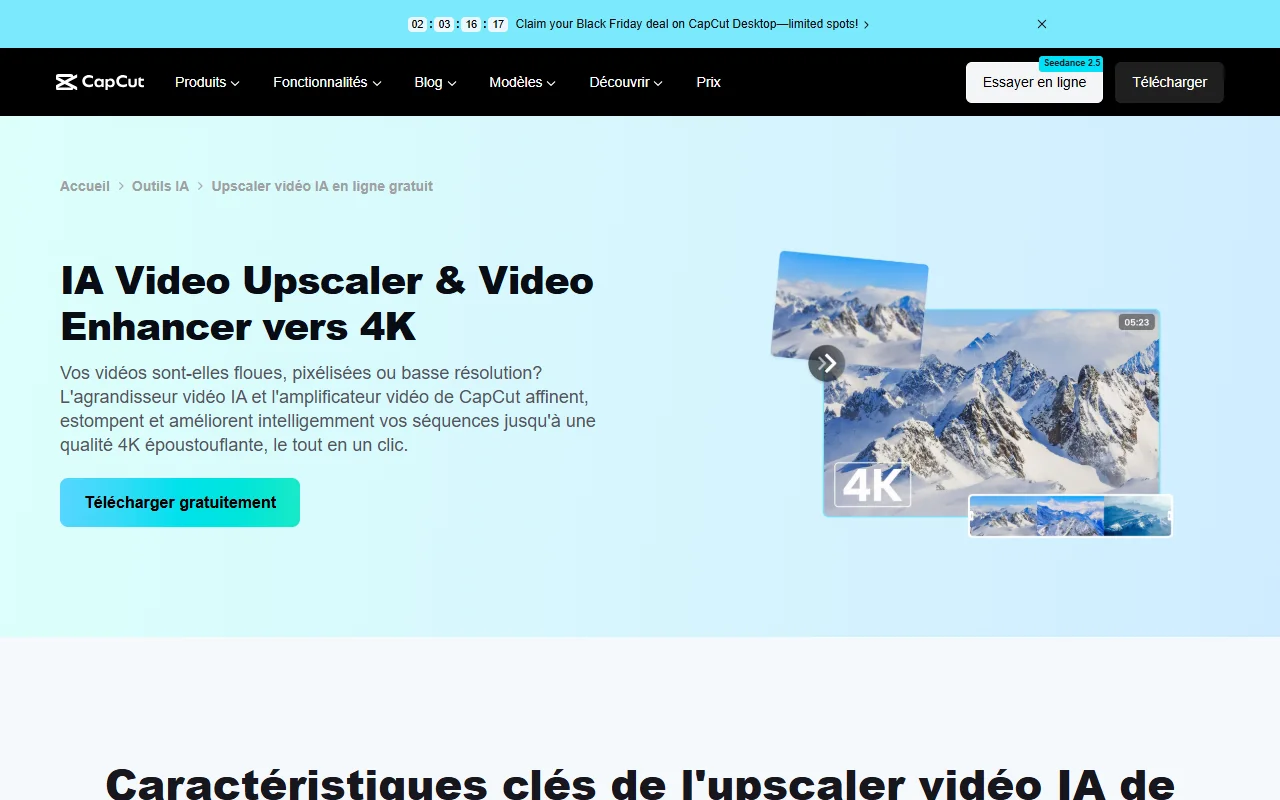
One tool AI free to know: video enlarger
CapCut proposes a video enlarger AI which mounts a video up to 4K. His page presents it as free and does not mention any Pro package or limit of duration or usage. In CapCut Desktop, we import the video, open the Video tab, Basic section, then « Improving quality », choose the scale (HD, UHD or 4K), preview and export. We don't have an encrypted quality test to give you: the effect depends a lot on the original video, as we explain in our guide for improving the quality of a video with AI.
Computer, mobile or web: Which Should You Choose free?
The three versions have a free formula with the same limits on Pro elements. The computer remains the most comfortable for mountings of more than a few minutes: more readable timeline, more stable export, and it is the only version concerned with Black Friday sale. The mobile is suitable for vertical videos mounted with one hand, and the online editor to troubleshoot on a machine that is not yours. Keep in mind that the Pro status, once purchased, is worth on all three: testing for free on one of them does not commit you to anything on others.
The limits of the free plan, and how not to be trapped
The main trap is in one sentence: one can mount a whole video with a Pro element without knowing it, and discover it at export. Effects, models, fonts and some AI Tools marked Pro block export or leave a watermark when the project is free. Here is a simple way to keep a project exportable.
- Find the Pro badge next to each effect, transition, font or model before adding it to the timeline.
- Replace Pro elements by their free equivalent: a basic transition instead of a premium effect, a standard font instead of a Pro font.
- Test a short export as soon as you put the key elements, rather than at the end of a editing Two hours.
- Remove the end screen. The closing watermark can be removed from the timeline in the free version, as explained in the comparison alternatives.
- Keep an eye on the automatic subtitles. CapCut places them among the Pro functions in one article and without mention of a package in another: check your version before making it the basis of a project.
A point of honesty: a high export resolution alone does not justify subscription. An article comparison of CapCut dated September 23, 2026 claims that free users like Pro can export in 8K on computer, while the help page announces the 4K at 60 frames per second as a Pro advantage. The two pages do not say the same thing: test your own project.
Free, trial, discount: which option for your profile?
It all depends on what you're going up and how often you publish. This is how we'd take it.
You run a video from time to time (vacances, birthday, small school project): stay on the free plan. Avoid Pro items, do an export test, and you won't have to pay anything. The mobile app and online editor are usually enough.
You regularly publish on TikTok, Instagram or YouTube Shorts - free of charge, but the limitation of models, fonts and AI Tools You're gonna get in the way. That's the profile Pro makes sense for. Before you subscribe, count the number of times you had to bypass a limit in the last month: if it is every week, the subscription is justified.
You go up for customers or a brand : one tool which blocks export at the last moment is not acceptable. Take Pro (or a paid alternative like Filmora, see our review Filmora) and check the terms of use on content rights before starting.
You just want to test Pro : Take the monthly rather than the annual, or enjoy the Windows trial if it will appear for your account, and consider canceling before renewal. Subscriptions are automatically renewed until they are cut off.
This reasoning is deliberately prudent. The safest thing is to try yourself: the free plan is there for that, and the try only costs time to download the software.
Why Avoid Versions « CapCut Pro free »
Search results are full of videos and forums that promise « CapCut Pro free life » : modified APK files, PC activators, shared accounts. You will not be given any connection, and you are advised not to try them, for very concrete reasons.
- Invisible source. A file modified by a third party can contain anything. Nothing guarantees its content, and you install it on your computer or phone.
- Account and projects involved. Connecting to your CapCut account from a modified version can make it suspend, with your projects and storage.
- No updates or assistance. Functions AI and cloud depend on CapCut servers. A traffic version breaks the first update.
- Conditions of use. Contouring subscription goes against the rules of service.
The calculation is done quickly. Annual Pro is about 16.67 € per month, and CapCut's Black Friday sale can lower this price in the first year. Between this amount and the risk of losing an account or device, the choice is quite clear.
Black Friday: the right time to pay less
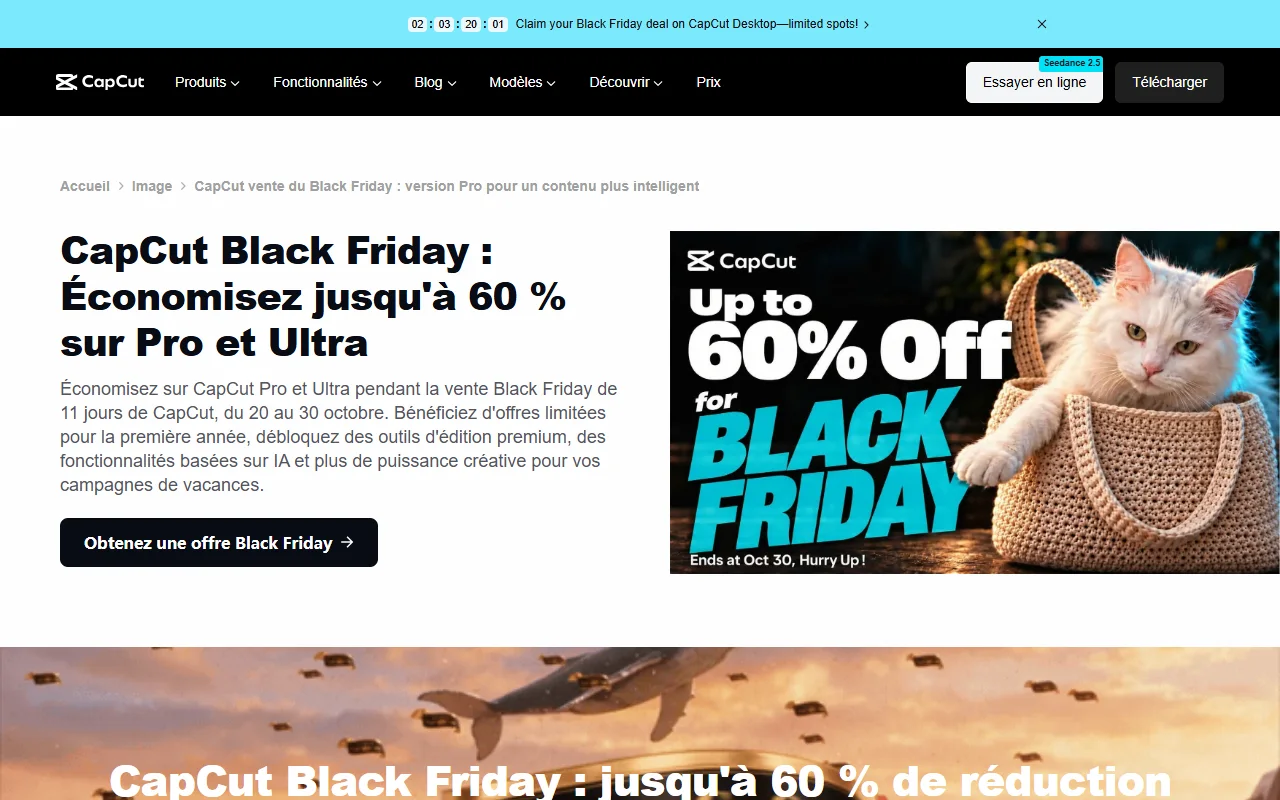
If you have already reached the limits of free, the best opportunity to switch to Pro is CapCut's Black Friday sale: 20 to 30 October 2026, up to -60 % on Pro the first year, only on CapCut Desktop (Windows and Mac). The final price only appears in the app, after connection, and the subscription is then renewed at the normal rate. All details, including inconsistencies on the offer page, are in our article on the CapCut Pro price.
Really Free Alternatives
If the goal is to mount without paying, other free software does the job very well, watermark-free imposed:
- DaVinci Resolve on computer: free, complete, with export until 4K UHD. He asks for learning.
- Issue, the editing d watermark-free with an Instagram account.
- Clipchamp in the browser: see our guide Free Clipchamp.
- Filmora and FlexClip offer tests, with limits or watermark: see our pages Filmora free and Free FlexClip.
The details of each tool is in our comparison of the alternatives to CapCut.
Our verdict
CapCut Pro is not free, and versions that claim to be free often cost more at risk than a subscription. For simple use, the free plan is enough if you avoid Pro elements and if you test export early. If you go up regularly, the annual subscription, especially during the sale of 20 to 30 October 2026 on PC, is the safest way.
See CapCut Pro on the official website
Link partner. Black Friday sale from CapCut until 30.10.2026, on the desktop version.
Frequently Asked Questions
How to get CapCut Pro for free and legally?
There is no official free Pro plan. The legal options are the free plan (by avoiding Pro elements), a possible trial displayed in the app according to your account, or an official discount such as the Black Friday sale until 30 October 2026.
Is CapCut Pro free on PC?
No. The CapCut Desktop software is free to download, but the Pro package is fee: 23,99 € per month or 199.99 € per year after the official page on 23.10.2026. A free trial can be offered to Windows users during Black Friday sale, without specified duration.
What happens if I use a Pro element in a free project?
Export is blocked or the result is watermarked, depending on the element. Replace the item or take the subscription.
The APKs « CapCut Pro » Are they safe?
This cannot be guaranteed: they are files modified by third parties, outside official shops. They are not recommended for the safety of your device and your account.
Does CapCut free have a watermark?
The end watermark can be removed from the timeline in the free version. A watermark linked to a Pro element disappears by removing this element or by subscribing.
Is there a CapCut Pro student discount?
The help of CapCut mentions regional or student offers where they are available. Nothing is guaranteed for France: check your account.
What is the best free alternative to CapCut?
On computer, DaVinci Resolve. On mobile, Edits. In the browser, Clipchamp. Each has its limits, detailed in our comparison alternatives.