You talk to the camera, you catch up, you mess up, you leave three seconds of white before the right sentence. Then you have to cut everything, subtitle it, put up a music, add some illustrations, then export for each network. It is this chore that Monty promises to swallow: we give him a raw catch where we talk, he returns a Short, a Reel or a TikTok. We passed the test on October 25, 2026, with six passages in the tool. The result: a 47 seconds take comes out in 24.7 seconds, without a white, subtitled in French, with its titles and publication descriptions already written.
Tested on 25.10.2026 on the free formula, with access offered by the publisher. This page contains partner links.
Contents: Essential · What is Monty? · What Monty does · Official Demos · Prices and forms · Monty, Submagic, Opus Clip, CapCut · Good to know · Our Monty test · BEKOE code · Verdict · FAQ
Essentials
- Monty is an agent of editing for vertical videos where we talk to the camera. It cuts pauses and failures, word-to-word subtitles, poses music and illustration images, and makes a vertical file 1080×1920. He's in open beta.
- The time-saving is real: 47 seconds become 24.7 seconds. On our catch with three white volunteers (2.5 s, 1.8 s, 3 s), one « Uh. » and a missed sentence, the export no longer contains silence of more than 0.3 seconds. The clean recovery is kept.
- Subtitles in fair French, accents and apostrophes included, even if the official website does not mention French. The interface remains in English, Russian, Korean, Chinese and Spanish.
- Publications ready: title, description and tags YouTube, Instagram legend and title TikTok are generated in French.
- It's fast. 8 to 12 minutes from sending the file to the downloadable master, for a source of 47 seconds.
- Price: free 3 videos per month (with watermark), then Creator at 29 $ per month (24 $ in annual) to publish without brand, Pro to 49 $ and Studio at 149 $.
- BEKOE promo code: 30% discount on the first payment, according to the conditions of the program.
- In particular: Read the entire master before publishing (a plan on a green background appeared in 2 of our 3 French renderings, and the generated hooks are corrected). Direct publication is not yet connected to the beta: you download the file and post it yourself.
- He's not a long video cutter. To pull clips from a one-hour podcast, Opus Clip and Submagic Stay closer to need.
Code BEKOE : 30% discount on the first payment
What is Monty?
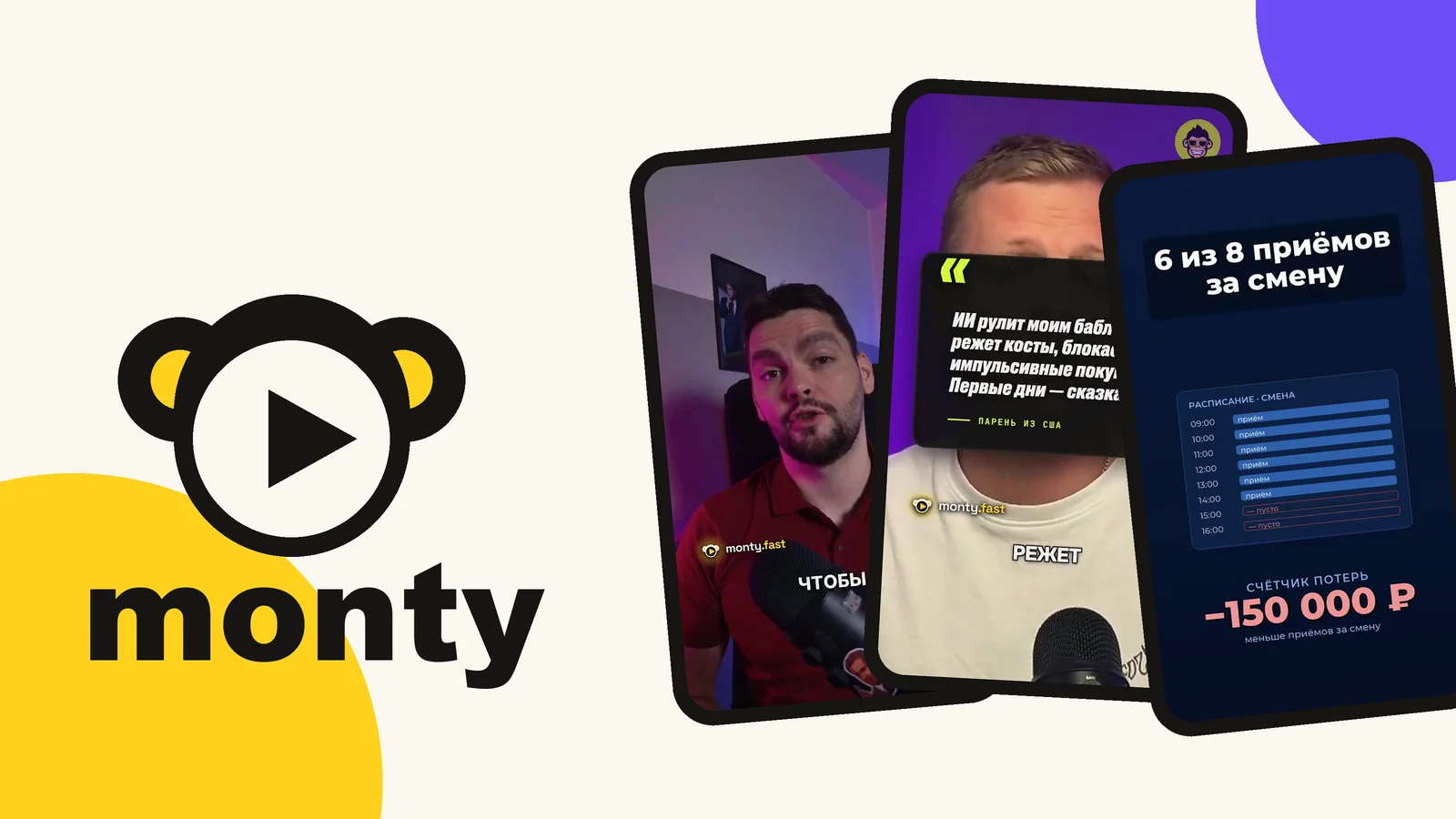
Monty (monty.fast) presents itself as a video editor AI for Reels, Shorts and TikTok. His promise is in one line: you give him a clip where you talk to the camera, he draws the best version, poses music, illustrations and subtitles, and then publishes it on your accounts. The site announces a video completed in about four minutes. On our 47-second files, we measured 8-12 minutes of sending to the master (detail below).
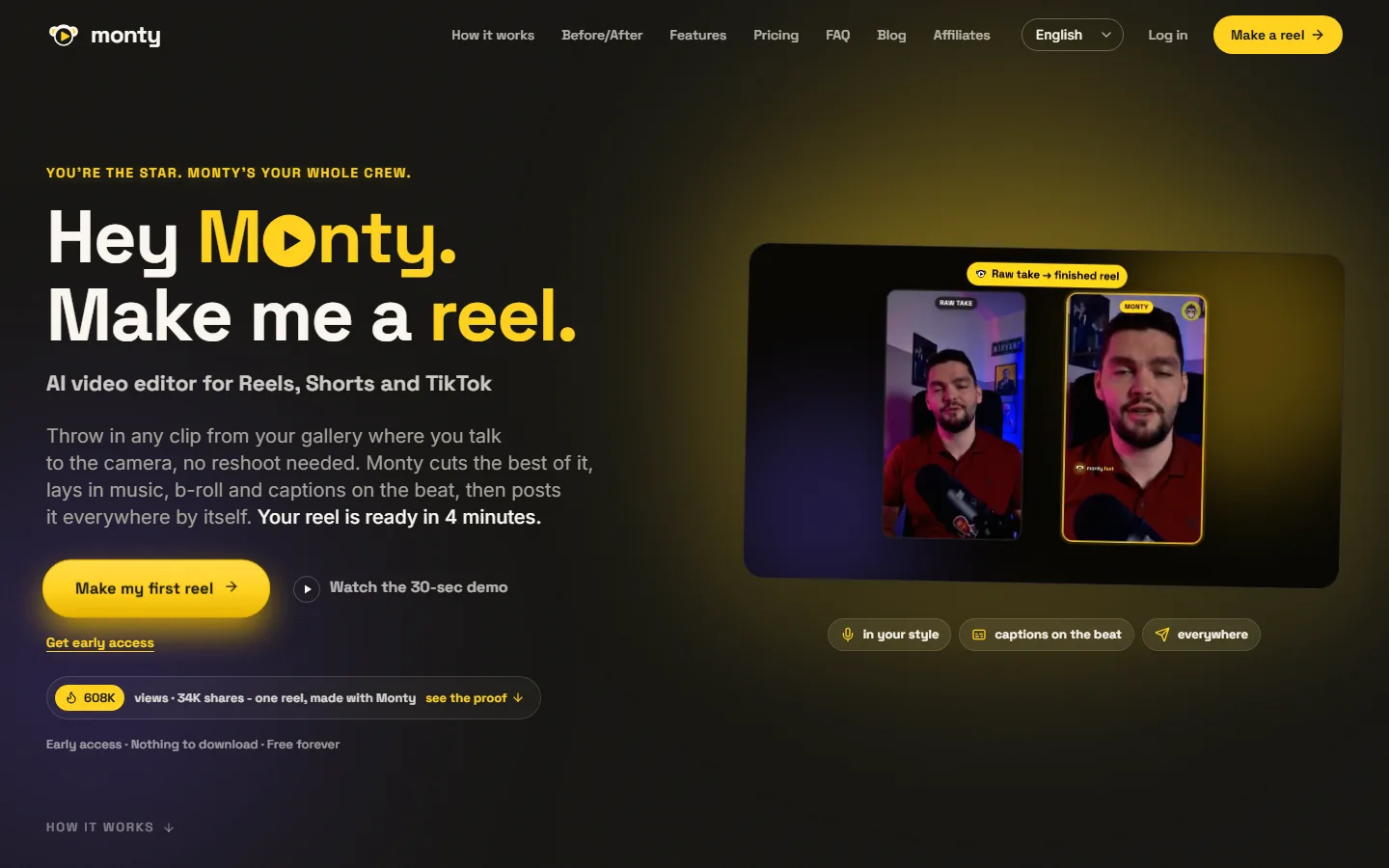
Two positioning details count for the suite. First, Monty starts from your images: it is not a generator of AI videos who invents plans, he's an editor working on your catch. Then it also proposes to write the script in your style, a function that the publisher calls Brand Brain and which is not included in the free formula. If you are looking for a tool that makes the images, our page create a video with AI does the tour of the generators.
What Monty does, function by function
This is what the publisher announces (official website and partner kit, recorded on 23.10.2026), stored in the order of a video, with for each function what our test of 25.10.2026 showed.
- Cleaning the socket. Cut silences, language tics and bad shots. Tested: Yeah. Deleted white, failed sentence removed, with a parasitic word to touch in the editor.
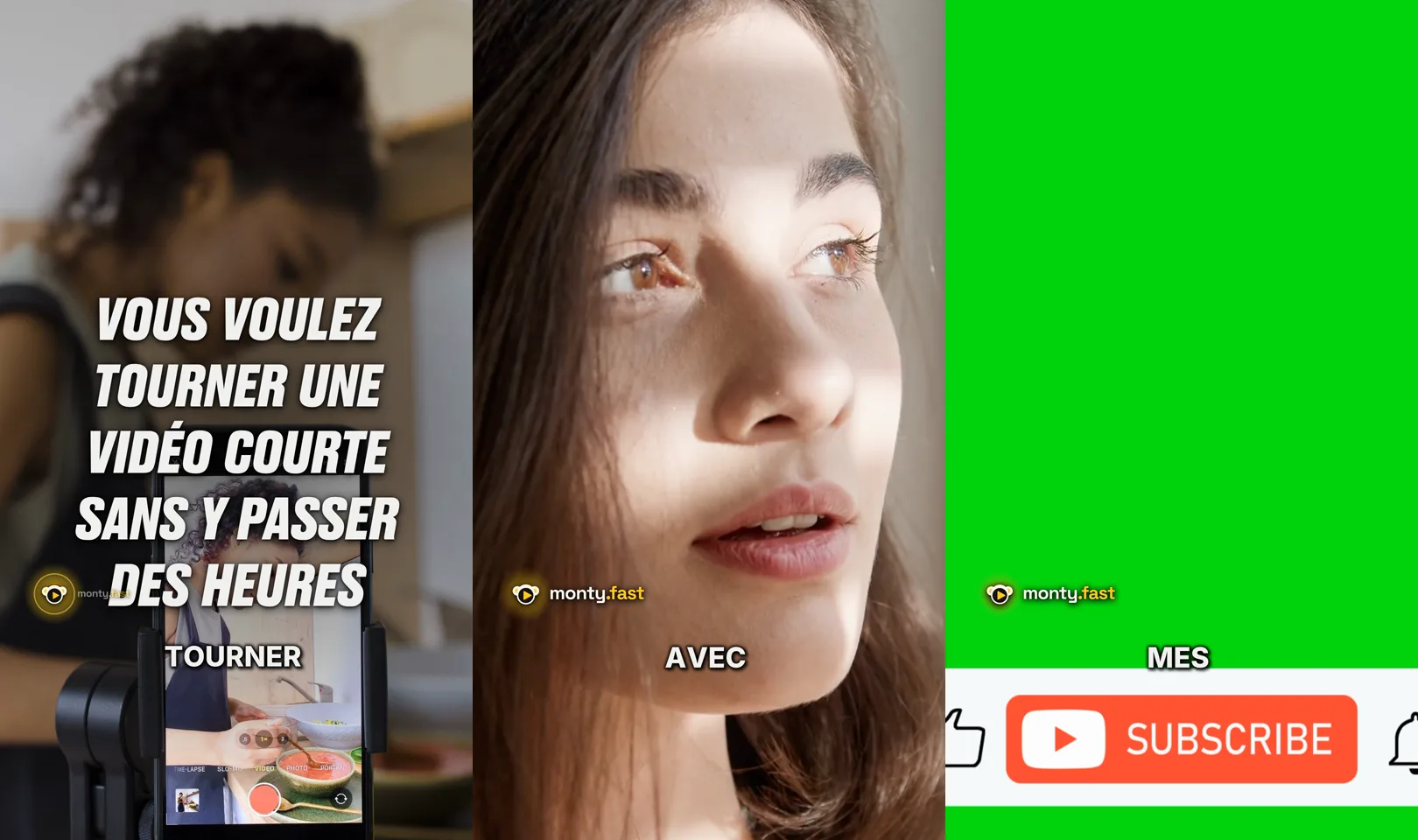
- Synchronised subtitles. Word-to-word subtitles embedded in the image. Tested: Yes, in French and English. A large generated hook adds up to the top of the image.
- Music in the voice. Music added and lowered under speech. Tested: choice by mood among 10 tracks, volume cursor, adjustable sound effects.
- Illustration images. Cutting plans chosen according to what is said. Tested: Yeah. Stock images and videos, infographics, animated comparisons, rather relevant.
- Texts by network. Title, description, tags and legend prepared for YouTube Shorts, Instagram Reels and TikTok. Tested: Yes, in French. Monty delivers a single master file per project.
- Script and style. Script written in your style (Brand Brain, from Creator). Tested: the generation of a French script without Brand Brain, correct.
- Translation. Translation of the clip and reconstruction of the subtitles, announced by the publisher.
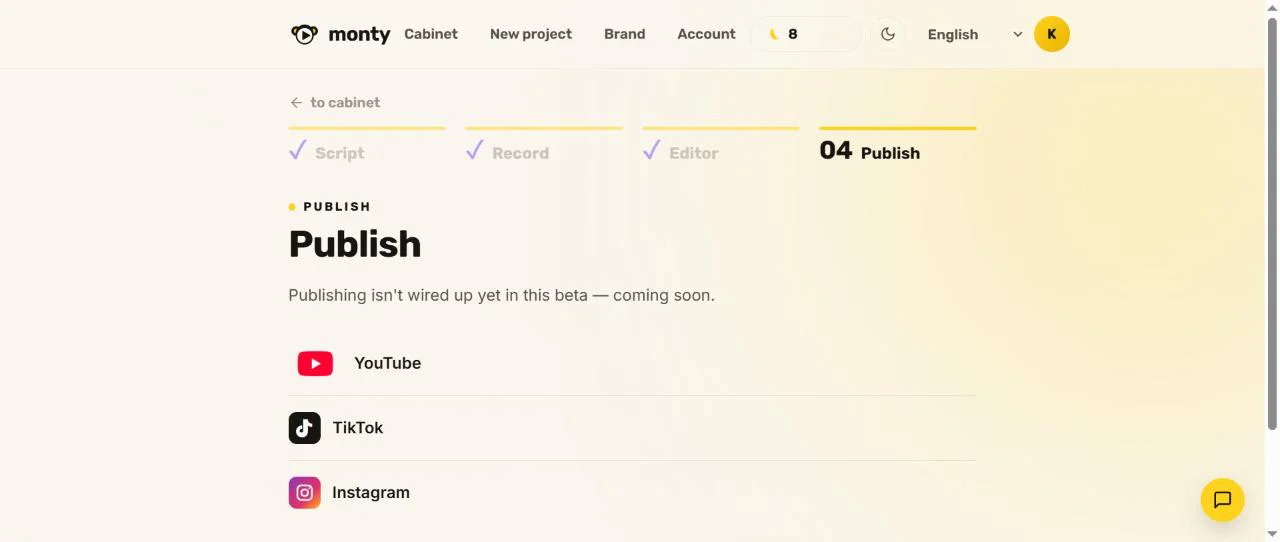
- Validation or autopilot. Publication after your agreement or according to a calendar. Not yet connected to the beta: you download the master and publish it yourself.
Good to know about publication: the page « Publisher » indicates that it is not yet connected to the beta, and YouTube, TikTok and Instagram are listed as a single list (see below). You download the master and put it online yourself, after watching it in full. When the function arrives, keep the validation before each upload.
Official demo « Made with Monty »
Here is an example from Monty's partner kit, limited here to a 20 seconds extract. It is in Russian: one can judge the rhythm, the cuts and the dressing. Our own renderings are below, in the section « Our Monty test ».
This extract shows the target level: editing dynamic, subtitled and dressed, from a camera face socket.
Monty prices and formulas
Official grid of the Monty site, up to 25.10.2026, in dollars, excluding any taxes. The publisher states that it is possible to terminate at any time, that there is no credit card to be provided to start up, and that the payment forms are refundable within 14 days.
| Formula | Monthly price | Annual price | Videos per month | Maximum duration | To be retained |
|---|---|---|---|---|---|
| Free | 0 $ | – | 3 | 3 min | 1 chain, watermark « Made by Monty », no Brand Brain |
| Creator | 29 $ | 290 $ (or 24 $ per month) | 15 | 3 min | Watermark-free, planner, 2 chains, 1 Brand Brain |
| Pro (most chosen according to site) | 49 $ | 490 $ (or 41 $ per month) | 30 | 5 minutes | All channels, published on all platforms at once, made priority |
| Studio | 149 $ | 1 490 $ (or 124) $ per month) | 100 | 5 minutes | API access, brandless exit, team access, up to 5 Brand Brains |
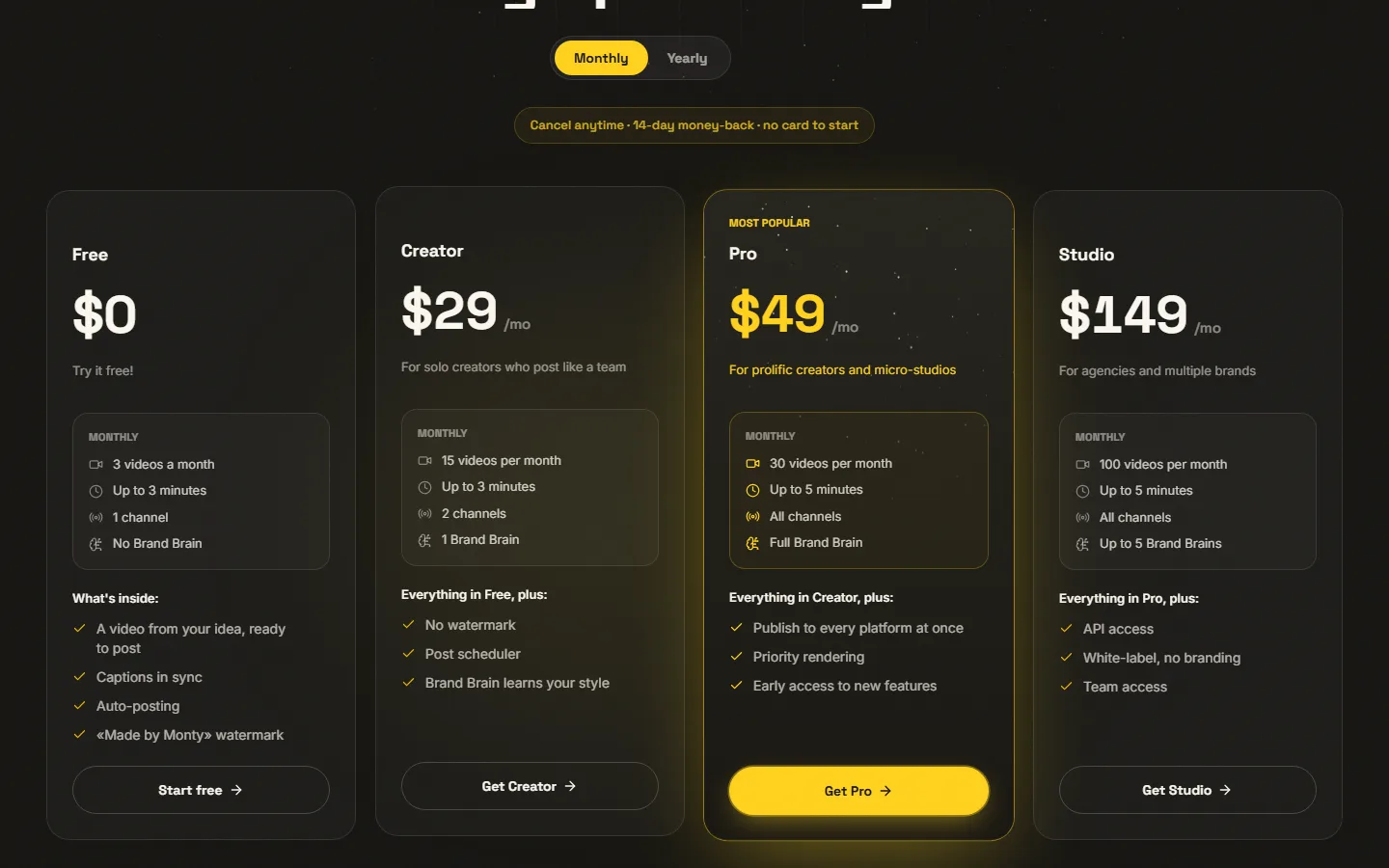
In practice: the free formula is used to test tool on your own shots, with 3 videos a month and a watermark « monty.fast » for the duration of the master's degree. To publish without brand, the starting formula is Creator, at 29 $ per month (24 $ in annual terms). The site alternates monthly and annual display: check the amount at the time of payment. The BEKOE code applies to the first payment.
Monty facing Submagic, Opus Clip and CapCut
These four tools come back in the same research, but they do not respond to the same starting point. The real question is not « which is the best » but « What do I have in my hand: a raw shot, a long video, or a project I want to mount myself? ». Prices in October 2026.
| Tool | Starting point | What it automates | Free | First fee | Subtitles in French |
|---|---|---|---|---|---|
| Monty | Your sockets where you talk to the camera | Cuts, subtitles, music, illustrations, publishing texts by network | 3 videos per month, watermark | 29 $/month (24 $ annual) | Yes, correct in our test |
| Submagic | A video already shot | Animated subtitles, illustrations, Magic Clips option | Test without credit card | 19 $/month (12 $ annual) | Yes, 50 languages and more announced |
| Opus Clip | A long video (podcast, interview, live) | Marks highlights, frames, subtitles, notes clips | 60 credits per month, watermark | 15 $/month | Yes |
| CapCut | Any project, mounted by you | Aid AI in a manual editor | Yes, with functions AI reserved for Pro | Pro at 23,99 €/month | Yes |
Monty or Submagic : the assembler or stylist
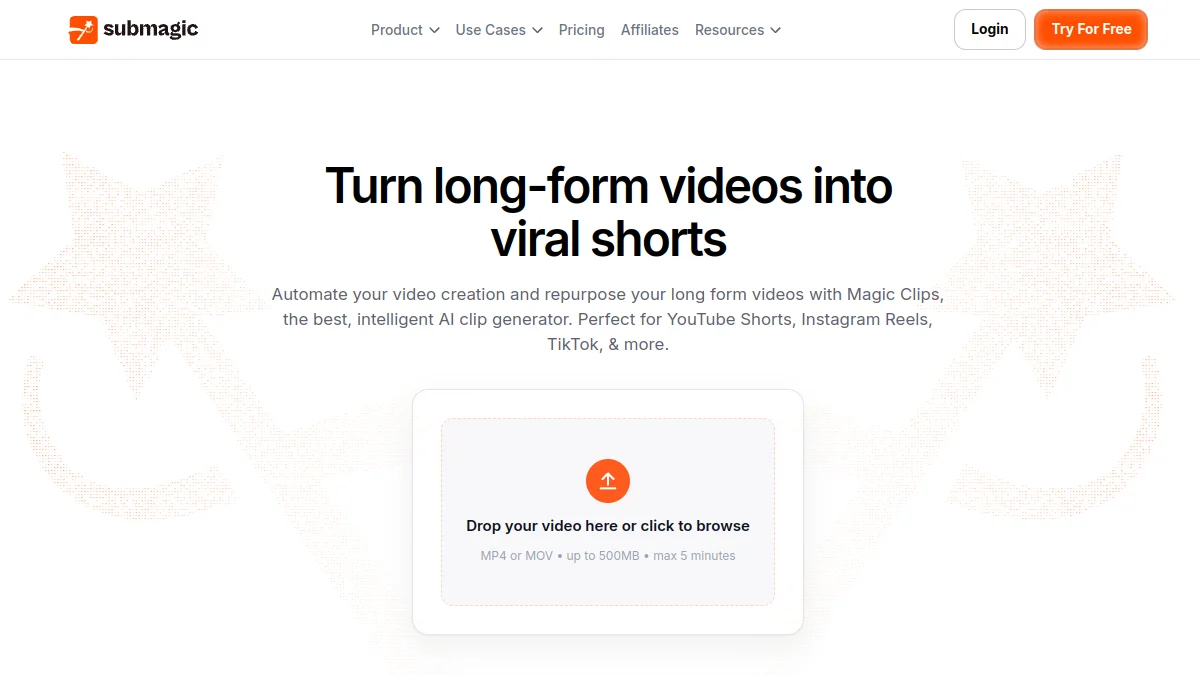
Submagic excels on animated subtitles and dressing up a video you've already toured. Monty goes further upstream: he cuts the catch, the rhythm, then prepares the publication texts. Submagic (We have detailed the language in our review Submagic), Monty choice « I don't want to touch the editing ». Monty's French passed our test well. All alternatives to Submagic are in our selection.
Monty or Opus Clip: your shots or long videos
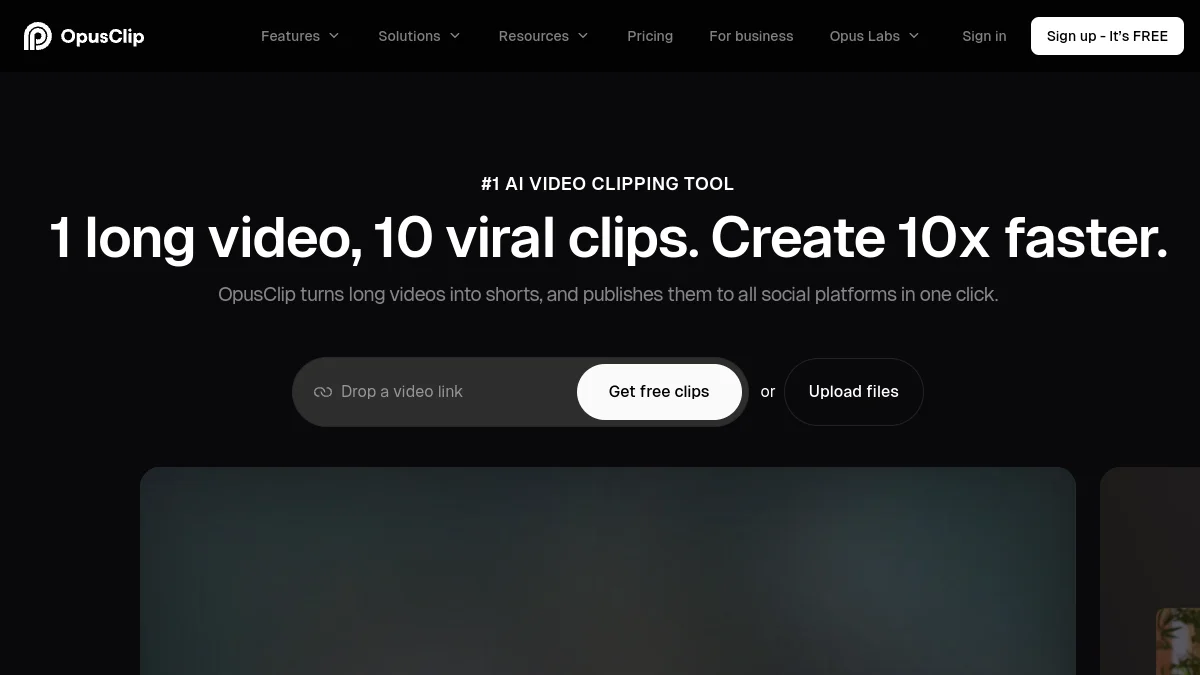
These are two different jobs. Opus Clip starts from a long video and looks for the right passages. Monty starts short shots that you shoot on purpose and turns them into a finished video. If you have a podcast or live to cut, look instead our review on Opus Clip and its alternatives. If you film a direct message every week at your audience, Monty targets this case exactly.
Monty or CapCut: agent or publisher driven by
CapCut remains the most complete publisher for the price, but it is you who go up, with some help AI. Monty targets the opposite: less fine control, much less time. If you like to set a plan to the picture next door, it's not tool. If editing is the reason you don't publish, it deserves a try. We compared the two large families in Submagic against CapCut.
For an overview of tools of the editing Automated, see also our page AI of the video editing.
Good to know before you start
- Test your own socket. The free formula is enough to judge tool on your voice, your light and your microphone. Monty is still in beta, with sometimes irregular renderings according to the images.
- Look at the entire master before publishing, sound and image: music dosage, generated grip, plane on possible green background.
- Brand Brain, Translation and Pay Forms are not part of our test. The source file is kept for 30 days: read the terms of use before posting sensitive images.
Our Monty test
We spent six times in Monty on October 25, 2026, on a free beta account, with Chrome on Windows. Before each launch, a confirmation box recalls the price: 1 credit per run, debited to the first sending of the file or to the first generation of script, and nothing more then, after the editor, for the editing and final rendering of this run.
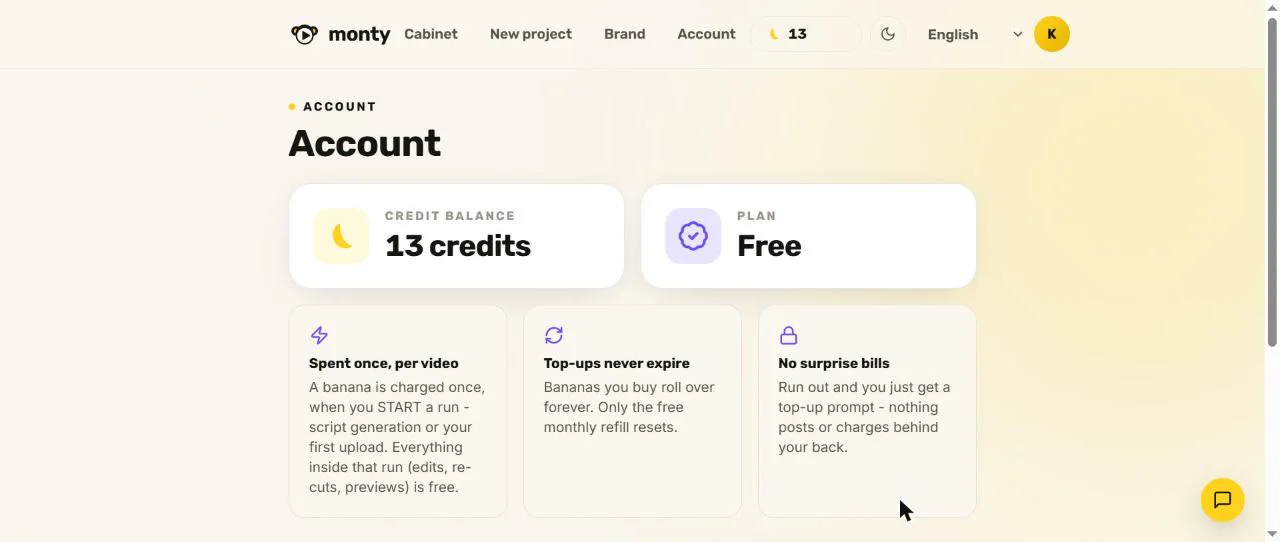
Protocol: six runs, one credit each
We used a French shot prepared for the occasion, with three whites, one « Uh. » and a failed voluntary sentence, and an English speaker royalty-free (Pexels, licence reread 25.10.2026). Knowing in advance what to cut makes it possible to encrypt what Monty really removes.
| Run | Start video | Result | Time limits established |
|---|---|---|---|
| 1 | French catch of 47 s (white and failed volunteers), 720×1280 | Master of 24,7 s, 1080×1920, 24,8 MB | Plan and overview: about 4-7 min import included. Final rendering: about 3 min 40 |
| 2 | English speaker on stage, 47 s, 1280×720 | Master of 37.7 s, 1080×1920, 33.2 MB | Overview: about 6 min since confirmation. Final rendering: about 4 min 40 |
| 3 | English Script generated from a subject, without recording | Script about 150 words | About 1 min |
| 4 | English 3 min 45, 480p | Overview of 31 s (not issued) | Overview : about 5 min |
| 5 | Same French take as Run 1, 2nd passage | 24.7 s Master, 26.7 MB | Overview: about 3 min 30. Final rendering: about 3 min 40 |
| 6 | New French catch of 52.5 s (voice generated by AI, two long pauses and one phrase resumed, hand and filming material images) | Master of 27.5 s, 1080×1920, 23.3 MB, without plane on green background | Plan and preview: about 8 min in our browser. Final output: about 3 min 30 |
The deadlines are timed within one minute. Editor announces « about four minutes » on his reception and « 10-15 minutes » in the creation page: on our 47-second files, the total import to the master took between 8 and 12 minutes.
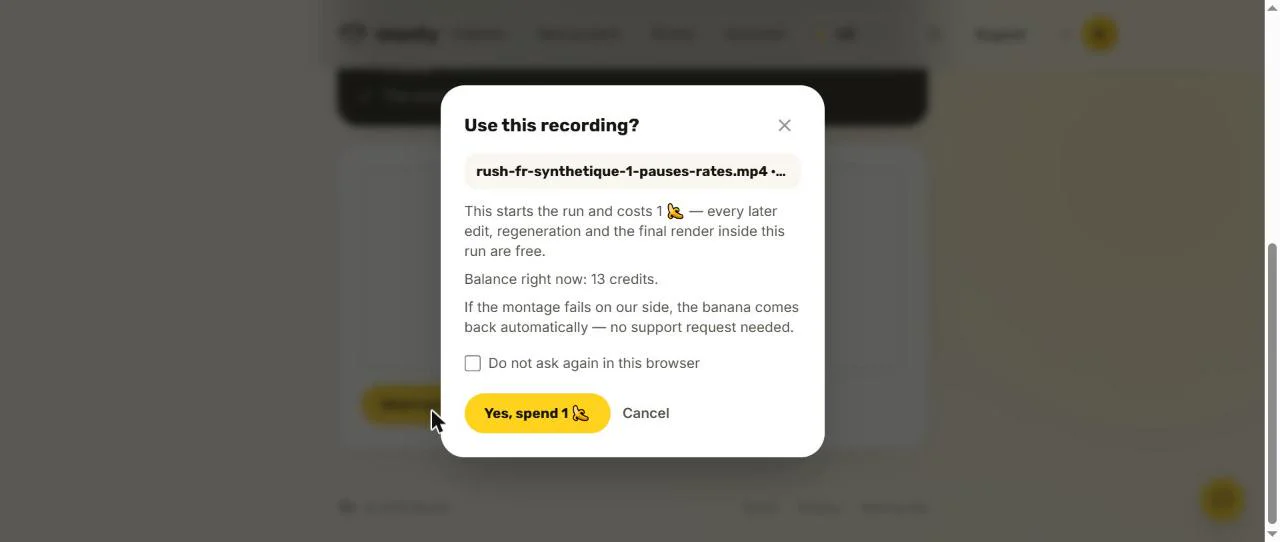
From file to master: map, overview, final rendering
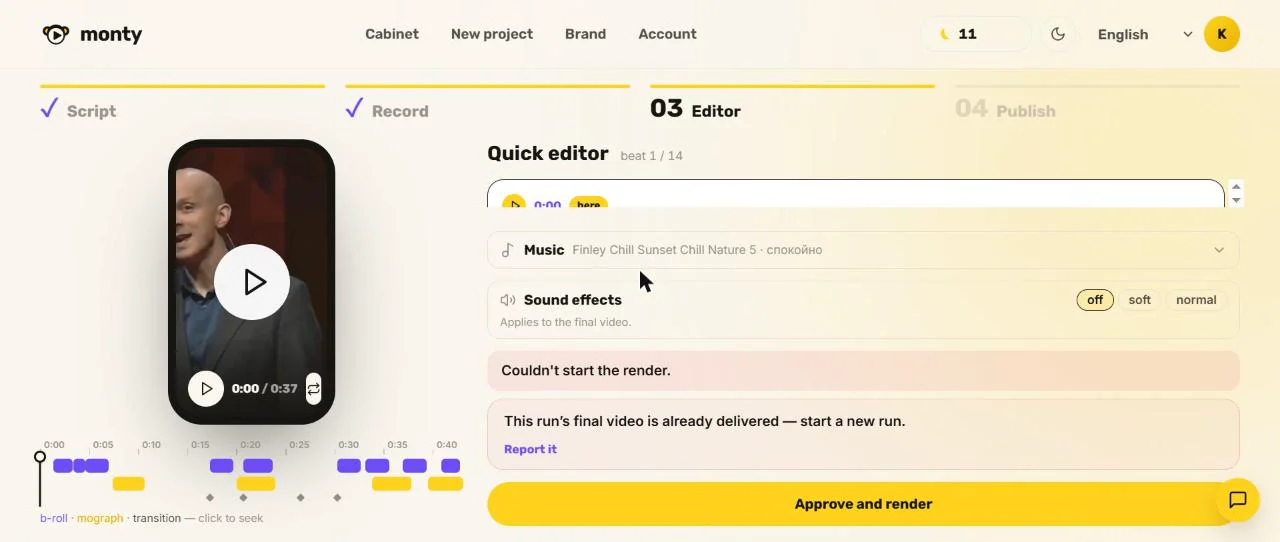
The course lasts in three stages. The app transcribes the voice, chooses the cut and proposes a preview with a « Quick Editor » : one block per plan, with the editable subtitle, a choice between « Mograph » (animated illustration) and « Head only » (one keeps the head), a frieze that shows the illustration images in purple and the animations in yellow, and the choice of music. Then click on « Adopt and render » : the final rendering is a separate task, which repeats the list of steps (transcription, cutting, staging, b-roll, framing, rendering, control, sending) before delivering a downloadable master.
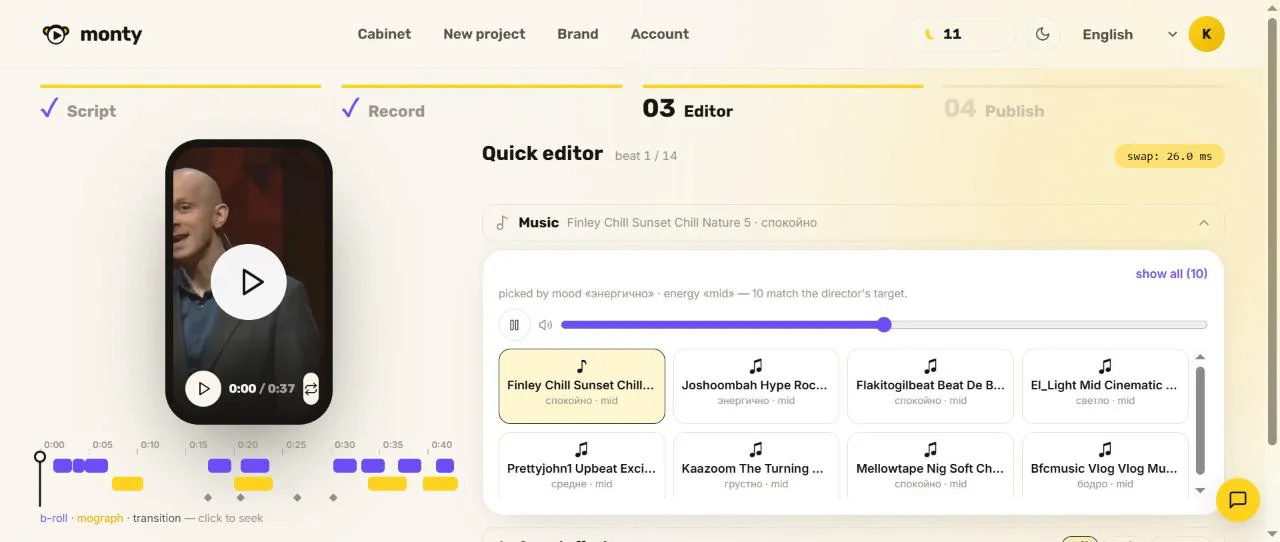
Tip: let the preview page finish preloading the illustration clips (counter « Warming ») before clicking, it can freeze for a few moments. The final rendering remained fluid.
Breaks and failure cuts
It's the strong point, and it's the number. Our catch lasted 47.0 seconds, including 7.3 seconds of voluntary white (2.5 seconds, 1.8 seconds and 3.0 seconds). Master's hard 24.7 seconds, i.e. 47% less, and the measurement of file n no silence of more than 0.3 seconds. The missed sentence (« Second tip, talk, uh, talk slowly, not too fast, because ») was deleted and the own recovery retained. There is still a parasitic word (« that ») displayed in subtitle half a second, to be erased in the editor.
Monty also tightens the small punctuation pauses: 24.7 seconds instead of some 31 seconds of useful speech, for a more nervous rhythm. Run 5, on the same socket, gave exactly the same duration: the cut is stable from one passage to the other.
Run 6 confirms the result on a new French take: 52.5 seconds of entry, 27.5 seconds out (48% less), still no silence of more than 0.3 seconds. The two long breaks and the sentence repeated (« The second tip is, uh, to talk, well... ») have disappeared, the own version is kept, and the transcription of the master is accurate, accents included. This time, no plan on a green background.
Subtitles: synchro and French
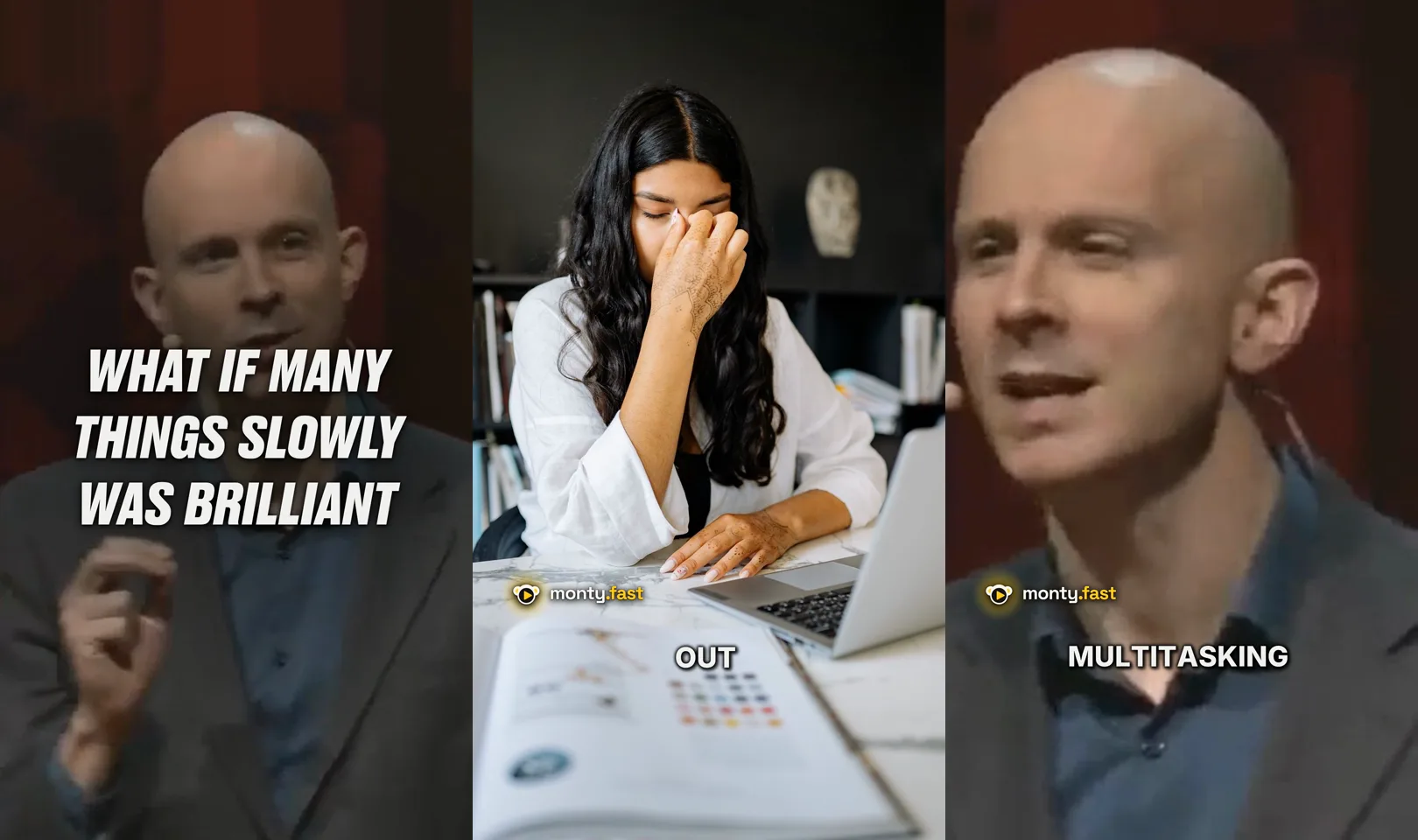
French passes. The transcription of Run 1 is correct, accents and apostrophes included (« Today, I explain how to shoot a short video without spending hours at the editing », « The objective and not the screen »). The subtitles appear word by word, in shaded white capitals, set on the voice. On the English take, the transcription is also accurate (« Counterintuitive », « deperation », « slow motion multitasking »). Monty's site does not mention French among its languages:tool Nevertheless, we manage it smoothly in our test. Simply read the proper names and jargon before exporting.
Monty also adds a large text of generated hook, which is not a transcription. On Run 1: « YOU WANT TO COURSE A SHORT VIDEO WITHOUT HOURS », consistent. On other renderings, the hanger is less accurate. Read it and correct it in the editor before the final rendering.
Music, illustration pictures, animations
Music is chosen « by mood » in a library of ten tracks per plan, with a volume cursor and a manual choice. Mood labels are displayed in Russian (« », « сеокойно », « яодро »), while the interface is in English. The automatic choice varies from run to run, and you can always impose a track in the editor. We measured an average level of -16.5 dB and a peak of -2.1 dB, without silence: music is present continuously. Replay the dosage with the voice before exporting.
The illustration images are stock photos and videos chosen according to the word spoken: a lens when talking about the lens, a microscope for « scientists », a woman rubbing her nose in front of a computer for « deperation ». The result is rather relevant, sometimes literal. Monty adds animations (« Infographic », « Comparison », « Statement ») as a table « LIGHT LIGHT AGAINST LIGHT VISAGE » or a title that is written.
Points to watch before exporting
- The plan on a green background. In 2 of our 3 French renderings, a plan of about two seconds is displayed on a full-screen green background with an animation « SUBSCRIBE », just on « Subscribe ». It is not visible in the preview: look at the entire master before publishing. He did not appear on the English rendering.
- The 16:9 framing around 9:16. A 720p horizontal socket is cropped on the speaker and enlarged to 1080×1920: preferably turn vertical, or high definition.
- The plugs generated, to be read again (see above).
- The rendition, to anticipate (see below).
- Slow interface. The cabinet pages sometimes took more than a minute to display in our browser, and a click on « Start editing » sometimes requires a second try.
Re-rendering: retouch before validating
The preview retouches without charge before delivery: we changed the music, cut the sound effects, passed the foreground into « Head only » and corrected a word, and setting « Head only » was well respected in the master's degree. Once the master is delivered, however, a second final rendering is refused : « Can't start the render. This run的s final video is already delivered, start a new run. » So remaking is like launching a new run, at 1 credit. Edit everything in the preview before clicking on « Adopt and render ».
Watermark, export and network variations
On the free formula, a Watermark « monty.fast » (logo and text) is embedded at the bottom left over the entire duration of the master, except the very first image, and disappears from the Creator formula. The export is a MP4 H.264 in 1080×1920 at 30 frames per second, about 7 to 8 Mb/s, with a stereo AAC sound at about 200 kb/s: 24.8 MB for 24.7 seconds, 33.2 MB for 37.7 seconds. No other resolution is proposed.
Monty delivers one file per project, not one version per network. What is prepared for each platform are the texts, ready to paste: title, description and tags for YouTube, legend for Instagram, title for TikTok. They are generated in French, with tutoement, and correct (« How to film short videos effectively – 3 simple tips »).
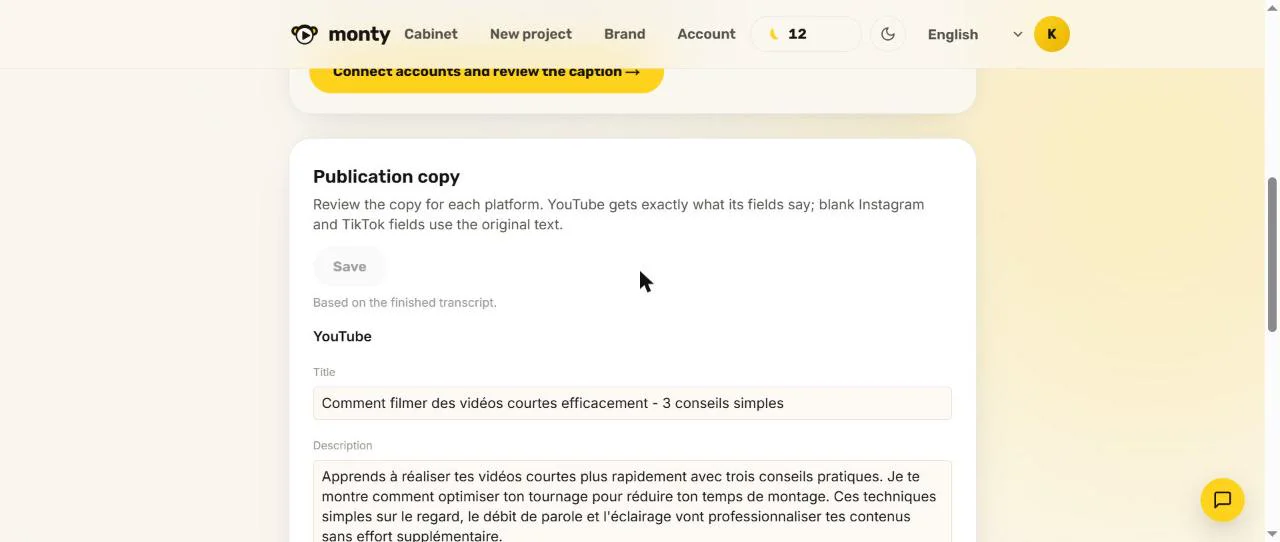
For publication, the page « Publisher » indicates that the direct publication is not yet connected to the beta, while the site's home is about automatic publication. We download the master's degree and post it yourself.
The script in French
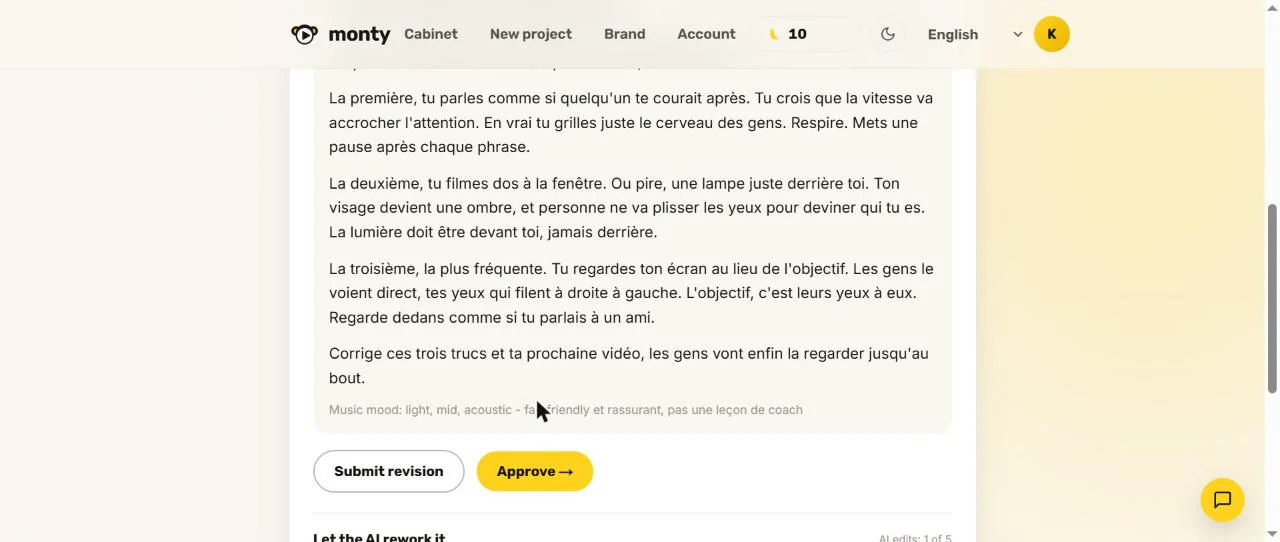
Monty also proposes to start from a topic: we entered three beginner errors in French and asked for a direct tone of 45 seconds. The script arrived in about a minute: a title (« 3 mistakes that kill your first short »), about 150 words in tutoement, a musical mood marker. It is well written, alive, without fault, and short enough to hold on to the requested duration. Each run allows five retouches by AI. The catch is then taken with the browser telepromptor.
Review: Six runs, four master downloads, a generated French script and a long-take essay. Monty mounts your socket but does not generate voices: it only offers the telepromptor to register.
The BEKOE promo code
The code BEKOE applies to the payment of a subscription. According to the conditions of Monty's partner programme (reduced on 25.10.2026), he gave a 30% single discount on the first payment, and nothing about the next. The simplest: go through our Monty link, create your free account, test, and then enter the BEKOE code when you switch to Creator, Pro or Studio. Check the discount displayed before validating.
Promo code Monty
BEKOE
30% discount on the first payment, to be entered at the time of subscription
Verdict
Our verdict after test: 3.5 out of 5, one tool promising to try for free on your own take
What we keep: the cut of whites and faileds (47 s reduced to 24,7 s, without residual silence), the correct French transcription, the delay of a few minutes, the French publication texts ready to paste and a well written French script.
Our tips for use: Look at the entire master before publishing (plan on possible green background, hook generated to fix), retouch everything in the preview before validating the rendering (a new rendering costs a new credit), and download the file to post it yourself, the direct publication not yet connected.
For whom Monty makes sense: designers, experts and independents who shoot a camera shot a week and give up when riding. The gain is time, not creativity.
For whom this is probably not done: those who want an end control of editing, or that mainly cut long videos (Opus Clip or Submagic). We review the note when the direct publication is available.
One editing clean removes friction, and this is what makes it possible to publish more regularly. Start with the free formula with your own socket, then switch to Creator if the result suits you.
Test Monty on your next take
Free formula without credit card, then 30% discount on the first payment with code BEKOE
FAQ: Monty, agent AI of the video editing
Is Monty free?
There is a free 3 videos per month, up to 3 minutes after the site, with a watermark « monty.fast » that we found over the entire duration of the master's degree (releved and tested on 25.10.2026). Paying formulas start at 29 $ per month. L tool Being in beta, conditions may change.
Does Monty work in French?
Yes in our test: the transcription and subtitles of our French take were correct, with accents, and the publication texts are generated in French. The official website does not mention French and the interface remains in English, Russian, Korean, Chinese and Spanish. Simply read the subtitles before exporting.
How long does it take to make a video with Monty?
On our 47-second files, count 8 to 12 minutes from sending to the master: about 4 to 8 minutes for the plan and preview, then 3 min 40 to 4 min 40 for the final rendering. The publisher announces about four minutes on his welcome.
Does Monty publish himself on TikTok, Reels and Shorts?
Not yet: the beta publication page indicates that the publication is not yet connected. We download the master and publish it ourselves. Titles, descriptions and legends are prepared for YouTube, Instagram and TikTok.
Can we do a free rendition?
Before delivery, the preview is retouched without charge (music, effects, text, type of plan). Once the master is delivered, a second rendering of the same run is refused: you must start a new run, at 1 credit.
Does Monty replace Submagic Or Opus Clip?
Not really. Submagic mainly serves to dress a video already shot, Opus Clip to extract clips from a long video. Monty mounts short sockets where we talk to the camera. All three can be completed.
Do you have to come up to use Monty?
No, that's the principle of tool. On the other hand, we need a exploitable catch: clear voice, clear image, a subject that lasts in less than three minutes (five on the Pro and Studio formulas), and we must keep the time to see the master in full.
What's the Monty promo code?
The BEKOE code seizes the payment and gives, according to the terms of the partner programme, a single 30% discount on the first payment. Go through our Monty link and check the discount displayed before validating.
Is Monty reliable for professional use?
Yeah, with a review. Our test showed an effective cut and a correct French. Watch the entire master before publishing (a plan on a green background appeared in 2 of our 3 French renderings, the generated hooks are corrected) and first try the free formula on one of your sockets.