Update, July 2026: on tools present here all remain usable and monetizable. YouTube has, however, specified what blocks monetization, i.e. the general content produced without specific input to the creator. To read before choosing your tool : monetisation YouTube and videos AI.
- Channels YouTube faceless have become a standard thanks to theAI, which removes technical brakes without replacing creativity.
- LAI allows to drastically reduce production time by automating repetitive steps: script, visual, editing and subtitles.
- Choose a AI At random often leads to correct but unperforming videos: Itool must be aligned with the objective (Shorts, narrative, educational, marketing).
- Good workflow rarely relies on a single tool, but on an intelligent combination: production, voice-over and subtitles.
- LAI is an accelerator, not a strategy: differentiation always comes from the angle, rhythm and clarity of the message.
In a few months, the channels said faceless, faceless, no studio, sometimes without human voicehave ceased to be a curiosity to become a norm. Their common point is not a "secret" marketing, but a method: industrializing production, testing quickly, and often publishing. In this context,AI did not replace creativity; it has mostly removed the bottlenecks that block creators, from script to visuals, from editing subtitles.
The result is double. One side, one time-saving very concrete: we spend an evening of editing a more fluid production chain. On the other hand, democratization : profiles that would never have dared to launch (timid, non-technical, overcrowded entrepreneurs) can publish without heavy equipment. But this facility has a trap: choose a tool "at random" often gives correct videos... and poor performances.
The real stake is therefore to select theAI according to your goal Make Shorts, produce an educational series, launch a storyline, or turn existing content into videos.
Why use a AI to create videos YouTube ?

Use a AI This is a pragmatic response to the reality of YouTube. Regularity is an advantage, but regularity is expensive in time, especially when you have to write, record, mount, subtitle and decline in short formats. This is precisely where the approach Create video YouTube with AI becomes a strategy: automate the repetitive to keep energy on the angle, promise and narrative.
For Nora, the first click was to replace the editing manual by a simple stream: script → scenes → voices → subtitles → export. On a 7-minute "how-to" video, production time often goes from 6–8 hours to 2–3 hours, sometimes less if one accepts a clean style. The aim is not to delegate everything, but to move the effort towards what creates the difference: the subject, the example, the structure.
Another advantage:AI facilitates testing. When a video does not perform, you can iterate on the hook, rhythm, chapters or visual style without starting from scratch. One tool AI video YouTube Well chosen then serves as a laboratory: produce, publish, measure, adjust. And this is precisely what leads to the following subject: which solutions really keep their promises according to usage?
To avoid the "generic video" effect, the question becomes: AI fits both the format and the credibility expected by your audience?
The best AI to create videos YouTube
InVideo :AI all-in-one to create videos YouTube

InVideo is distinguished by a very direct logic: turning a script into a video by orchestrating visuals, transitions, rhythm and sometimes even the voice. This is the simplest option when the lens is to quickly get a clean first rendering, without going through a chain oftools. A structured text,tool offers scenes, then adjusts the selection of images, typography and tempo.
His interest is also in versatility: the same project can be displayed in long format and in Shorts, with a cropping and densification of the message. This makes it a good choice for beginners, but also for regular designers who want to standardize a style. A point of vigilance: the more precise the script, the more the result seems "human". A vague text gives a generic rendering.
To test if you want a fast and guided production : discover InVideo. Insight to remember: perceived quality depends more on editorial preparation than on the visual "wow" effect.
Synthesia : create videos YouTube with avatar AI

Synthesia became a standard when the objective is to produce educational, corporate or explanatory videos with a screen presence without shooting. Ltool shines in the scenarios "courses", product ads, internal training or chain faceless to look professional. We write a script, choose an avatar, a language, a tone, and get a structured video.
This is the most reassuring solution when you need to inspire confidence without filming. The rendering can be very credible if one prefers sober plans, a neutral background and a diction consistent with the subject. The common error is to want to "animate" too: seriousness is played in clarity, not in overload.
If your goal is Create a video YouTube with an avatar AIHere's a simple lead: try Synthesia . A key phrase: theavatar is not the star, it is the structure of the message.
HeyGen : modern alternative for videos YouTube faceless

HeyGen enrolled in the same family tools At avatar, with a more "marketing" positioning: dynamic presentations, video sales pages, conversion oriented formats. It is suitable for creators who want more advertising energy, without falling into aggressive. For a channel that comments on tools, trends or offers, the style works very well.
For example, one can use for a monthly entry:tool of the month". The screen displays catches, figures, demonstrations. This is effective because the viewer quickly understands where to watch and what to hold. The important thing is to keep short sentences and a logical progression.
To explore this style: Test HeyGen . A good avatar serves pedagogy, it does not replace proof.
Vidnoz AI : the best AI Free for videos YouTube

Vidnoz stands out for its accessibility: to start, test a concept, or validate a tone, it is one of the simplest entry points. Nora l tools more comprehensive. The point is to be able to produce quickly, without blocking on complex settings.
The reverse is that free sometimes involves limitations (duration, export, styles, or marking). But for a quick test, for example comparing two scripts with the same subject, it's perfect. It's also a good one. tool training: learning how to write for the video, segmenting a talk, working a hook.
To start without friction: Try Vidnoz AI. The "free" is useful when it is used as a test site, not as a final production line.
Once production is launched, the factor that often shifts performance is retention: rhythm, readability, subtitles and density. This is where the tools It is now becoming decisive.
Submagic :AI ideal for YouTube Shorts and subtitles
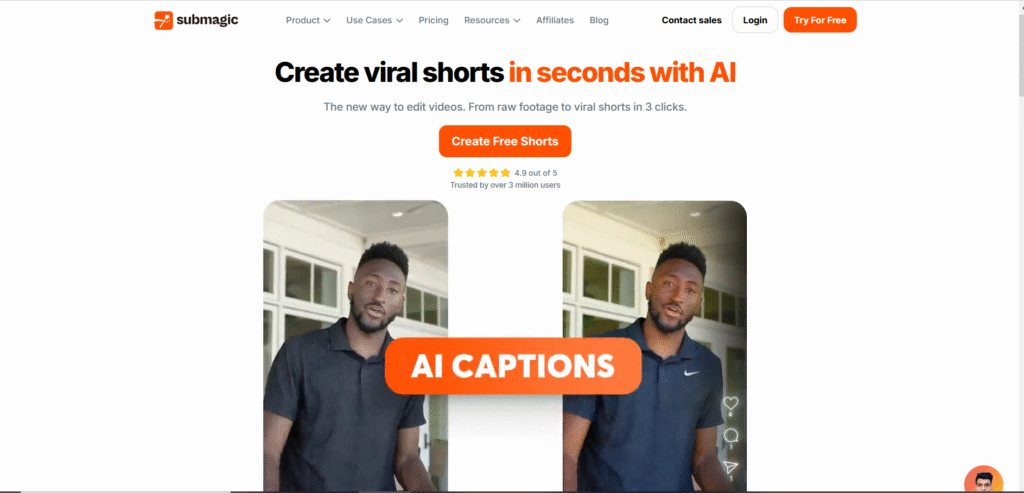
Submagic targets a very specific need: accelerate the editing short formats by automating subtitles, cuts, and part of the dynamic style. That's the one.tool the most profitable when you want to decline a long video in 3 extracts. The gain comes from standardization: font, highlight, rhythm, and optimized export.
If your strategy is based on a AI For shorts YouTube, the idea is not to "put subtitles everywhere", but to guide the eye: a keyword highlighted at the right time is better than a saturated screen. Ltool also helps to recycle TikTok or Reels by adapting framing and reading.
Fliki AI : create videos YouTube with voice-over AI

Fliki is designed for narrated videos: stories, tops, explanations, short documentaries. We leave a text, choose a voice, then assemble visuals, illustration plans and subtitles. This is a solid option for those who want to publish without a microphone or recording, while keeping a continuous narrative.
For Nora, that's the onetool "series": it created a weekly format of 5 minutes where each episode follows the same structure. This allows you to focus on research and writing. The crucial element is breathing: sentences too long make the voice artificial, while a script thought "oral" gives a surprisingly natural rendering.
ElevenLabs & Murf AI: the best voices AI for YouTube
When the lens is an off premium voice, two references often dominate the tests: ElevenLabs and Murf AI. They are useful if you want a more natural diction, a better controlled emotion and a consistency of stamp on an entire series. For Nora, the improvement of retention is clear: a more credible voice reduces the feeling "robot", so early abandonments.
This category corresponds precisely to the search for AI voice-over YouTube We're not just looking for a voice, but a voice. tool capable of holding an intention. A concrete example: on a financial explanation video, a voice too playful breaks credibility. Conversely, a steady tone increases viewing time.
- ElevenLabs well suited to expressive narratives, storytelling, and series where emotion counts.
- Murf AI works very well for explaining, teaching, and videos oriented "clear presentation".
Filmora : editing YouTube assisted by AI

Filmora targets hybrid creators: those who want to keep a editing classic while adding assistance AI (audio cleaning, removal of objects, generation of subtitles, quick improvements). For Nora, this is the "upscale" step: when a format works, it goes from a template rendering to a editing More personalized.
The interest is to remain master of visual narration: zooms, cut, inserts, screenshots, B-roll. LAI help, but don't force a style. It's a good compromise if you want to keep a leg, while reducing ungrateful tasks. We are far from the magic button, but we gain in production comfort.
For a editing assisted without changing habits: Discover Filmora
Kling AI & DeeVid AI : AI advanced video to watch
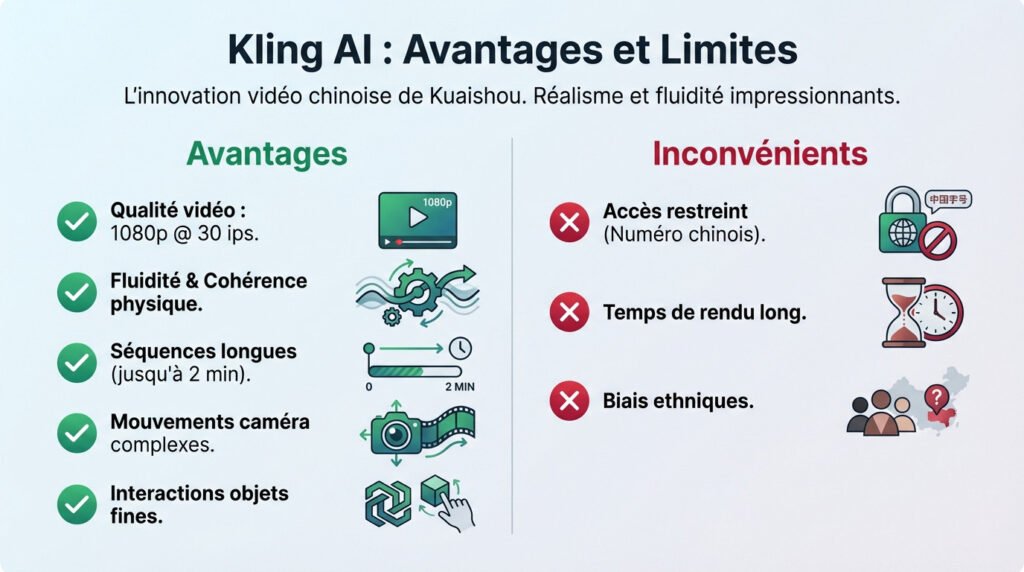
For the "pure" video generation (synthetic plans, imagined scenes, kinematic aesthetics), two names return in creative watches: Kling and DeeVid. We no longer talk about simply assembling scenes, but of creating plans that do not exist, useful to illustrate a metaphor, a future product, or a narrative universe.
Coherence between plans, detail management and stability remain points to be validated as appropriate. On the other hand, for an innovation-oriented chain, it is a differentiating lever.
Insight: tools are perfect to surprise, but pedagogy and rhythm remain what really holds.
What AI choose according to your type of chain YouTube ?
Rather than looking for "the best AIThe right approach is to choose according to the desired format and level of control. A narrative chain does not have the same needs as a business chain with avatar, and a Shorts strategy does not have the same constraints as a long format. In the case of Nora, the right mix was: tool to produce, another to subtitle, and a quality voice for brand consistency.
| Chain type | Objective | AI recommended | Why? |
|---|---|---|---|
| Educational / tutorials | Explain clearly without shooting | Synthesia | Presence on screen via AI avatar video YouTube, made "training" credible |
| Narrative faceless | Publish in series with consistent voice | Fliki + dedicated voice | Script feed→effective video, ideal for narrative and explanatory videos |
| Marketing / offers | Present a product, convert | HeyGen | Dynamic style, suitable for demonstrations and announcements |
| Intensive shorts | Increase range and pace | Submagic | Optimized subtitles and rhythm for mobile |
| Beginner / niche test | Validating a concept quickly | Vidnoz | Simple entry point for prototypes and fast iterations |
| Hybrid Creator | Keep one editing Custom | Filmora | Assistance AI + manual control, good for a visual "patte" |
This comparison also allows to identify your main need: generation, voice, subtitles, or editing. We can then talk about the nerve of war: free vs. paying.
Finding the best AI for your chain YouTube
AI free vs. paid for YouTube What does it really take?
The tools free are useful, but rarely "free in the production sense". They are mainly used to learn and test: understand how to generator AI video YouTube segment a script, how subtitles influence retention, or what visual style fits into a niche.
The limits appear quickly: rigid exports, reduced quality, limited options, and sometimes watermark. For a chain that targets a premium image, marking can undermine credibility. The question of commercial use Some offers impose conditions on media, avatars or voices, which can be a problem if the business becomes a real business.
| Criteria | AI Free | AI paid |
|---|---|---|
| Export quality | Often limited | More stable, better resolution |
| Watermark | Commontool | Generally deleted |
| Commercial use | Variable conditions | Clearer licenses |
| Support & updates | Minimum | Priority, regular news |
The free validates a concept, the payer secures a channel that wants to last.
Can we really create a chain? YouTube Without camera withAI ?
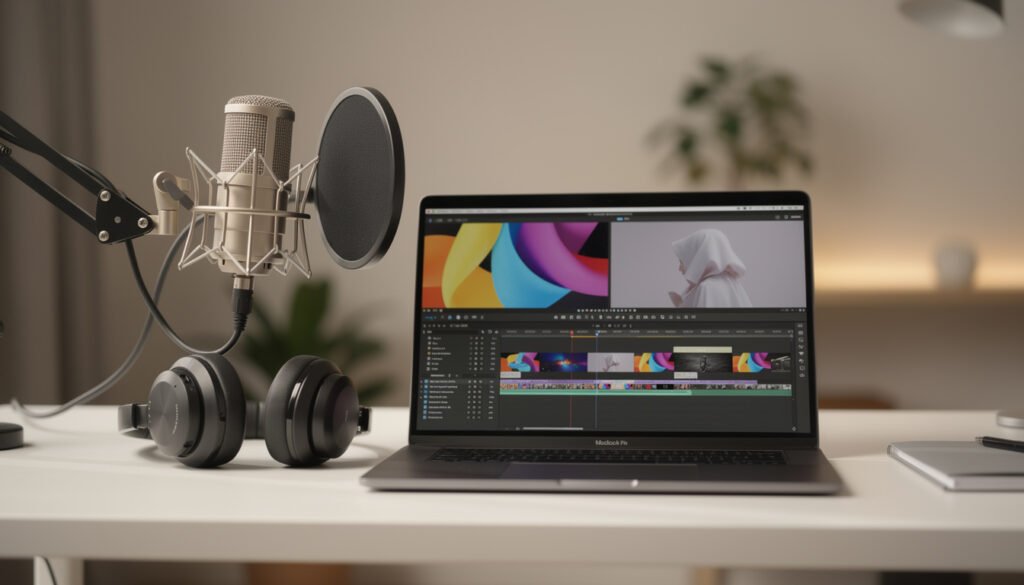
Yes, and it even became a normal way when the target is Create video YouTube without camera. A string can be based on three pillars: a solid script, a credible voice-over, and a editing readable. The face is not indispensable if the value is clear: tutorial, analysis, history, summary, or comparison.
In practice, one must avoid the all-automatic trap by adding a rereading step and a rhythm control. This makes it possible to Create video YouTube without editing While keeping a minimum finish: removing lengths, placing titles, and rhythmizing the video.
The point of vigilance is differentiation: if everyone uses the same templates, the videos look the same. LAI must serve an editorial line, not the other way around.
FAQ
Which is the best AI for YouTube ?
The "best" depends on the format. For a simple scriptflow→video, InVideo is practical. For videos with virtual presenter, Synthesia is very suitable. For Shorts and subtitles, Submagic is often more relevant than a tool Generalist. The right choice comes from your goal (educational, narrative, marketing, short formats).
Can we create a video YouTube 100 % AI ?
Yes: assisted script, synthetic voice-over, generated visuals or stock, editing automated, subtitles. Risk is too generic. A human rereading and a few adjustments (rhythm, examples, tone) are often enough to move from a "automatic" video to a really viewable video.
What AI for videos YouTube Faceless?
For a AI For video YouTube faceless, prefers a combination: a tool of production (Fliki or InVideo According to your style), a subtitle solution for readability, and a premium voice if you publish in series. Avatars (Synthesia, HeyGen) also work if you want a screen presence without shooting.
What AI for vote off YouTube ?
For a very natural voice, ElevenLabs and Murf AI are often chosen because they offer a more credible diction and better consistency on several videos. It's a direct lever on retention, especially if your chain is based on narrative.
Videos AI are they monetizable on YouTube ?
Yes, provided you respect the rules of the platform: original content, added value, rights to use the media, and editorial consistency. Videos that simply assemble generic elements without a point of view, structure or input are more likely to be limited. The safest way is to treatAI as a AI software video YouTube the service of a concept, not as a content factory.
Before making your choice, consult our guide best video software AI.