How to produce engaging and multilingual corporate videos without mobilizing an expensive filming team or wasting valuable time? Our comprehensive HeyGen test looks at how this AI platform removes these technical frictions for generate visual content of bluffing realism. Here we detail its performance in voice cloning and translation to validate whether this tool really offers the productivity lever expected by demanding creators.
Summary of our opinion on HeyGen
HeyGen imposes as the absolute reference of video AI. With its ultra-realistic avatars and powerful video translation, the tool changes the deal to produce pro content without camera.

Despite his prowess, not everything is perfect. Here's a direct summary of our tests to identify strengths and limitations Before you start.
| Benefits | Disadvantages |
|---|---|
| ✅ Realism bluffing AI avatars. | ❌ High cost for beginners. |
| ✅ High-performance lip-sync video translation. | ❌ Limited free plan (watermark). |
| ✅ AI Studio intuitive and complete. | ❌ Potential ethical issues. |
| ✅ Cloning of faithful voices. | |
| ✅ Free offer to test. | |
| ✅ Wide choice of avatars and voices. |
For a professional rendering, it is unbeatable. The best thing is to judge for yourself. Create an AI video with HeyGen.
To go further and make talk a photo (not just animate), see our guide dedicated: Make a photo talk AI free in 2026, complete method with HeyGen, Vidnoz and alternatives tested.
How many videos can you really produce on the free plan HeyGen ? See our guide dedicated: HeyGen free 2026, real quotas and limits, 3 minutes/month decrypted + tips to maximize.
HeyGen Features List
After this overview, let's see in concrete terms what HeyGen has in his stomach. Its features are what really distinguishes it.
🌍 Need multilingual videos without re-turning?
Translate and clone your voice automatically with
HeyGen
to reach an international audience effortlessly.
Avatars AI: Realism above all
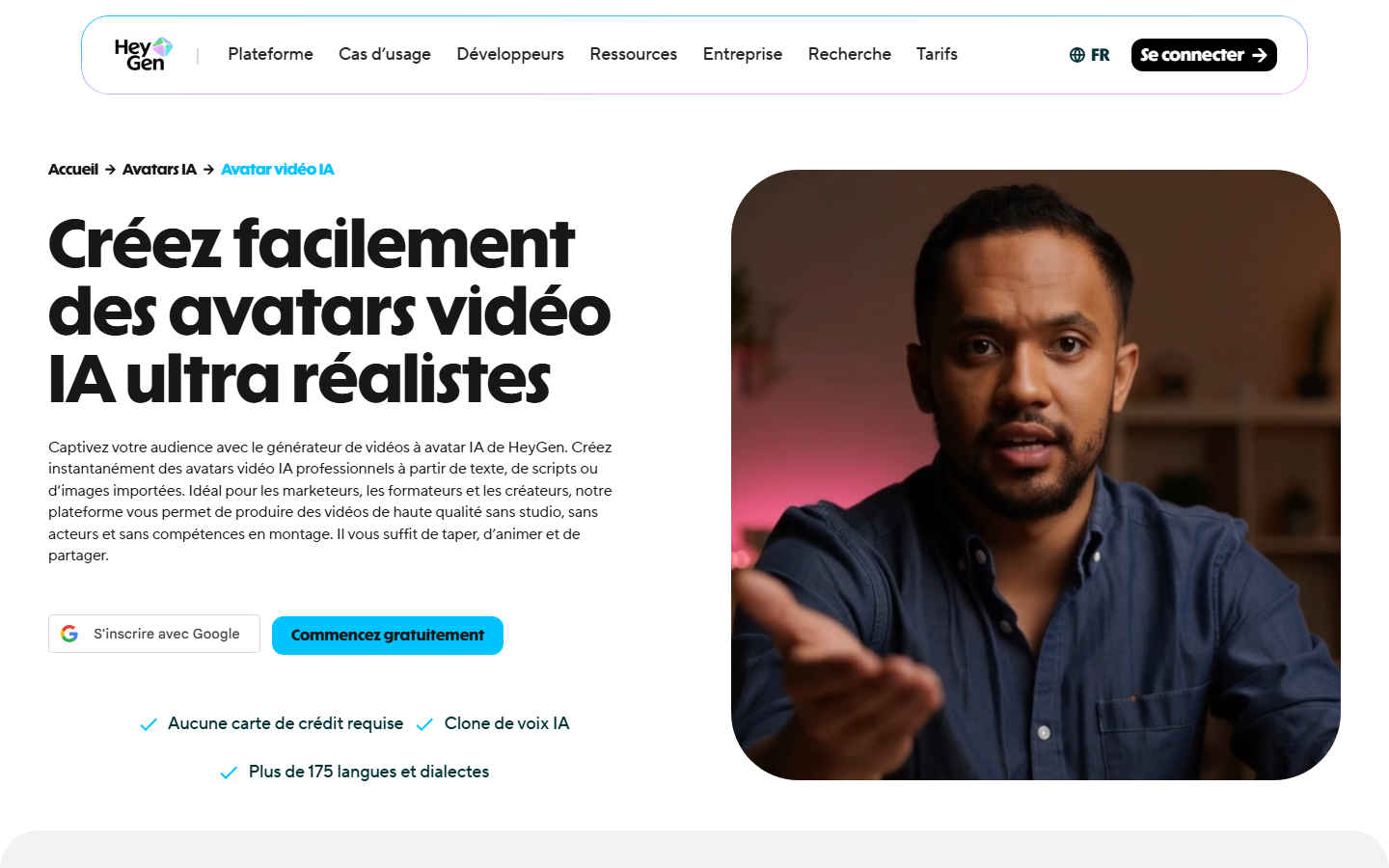
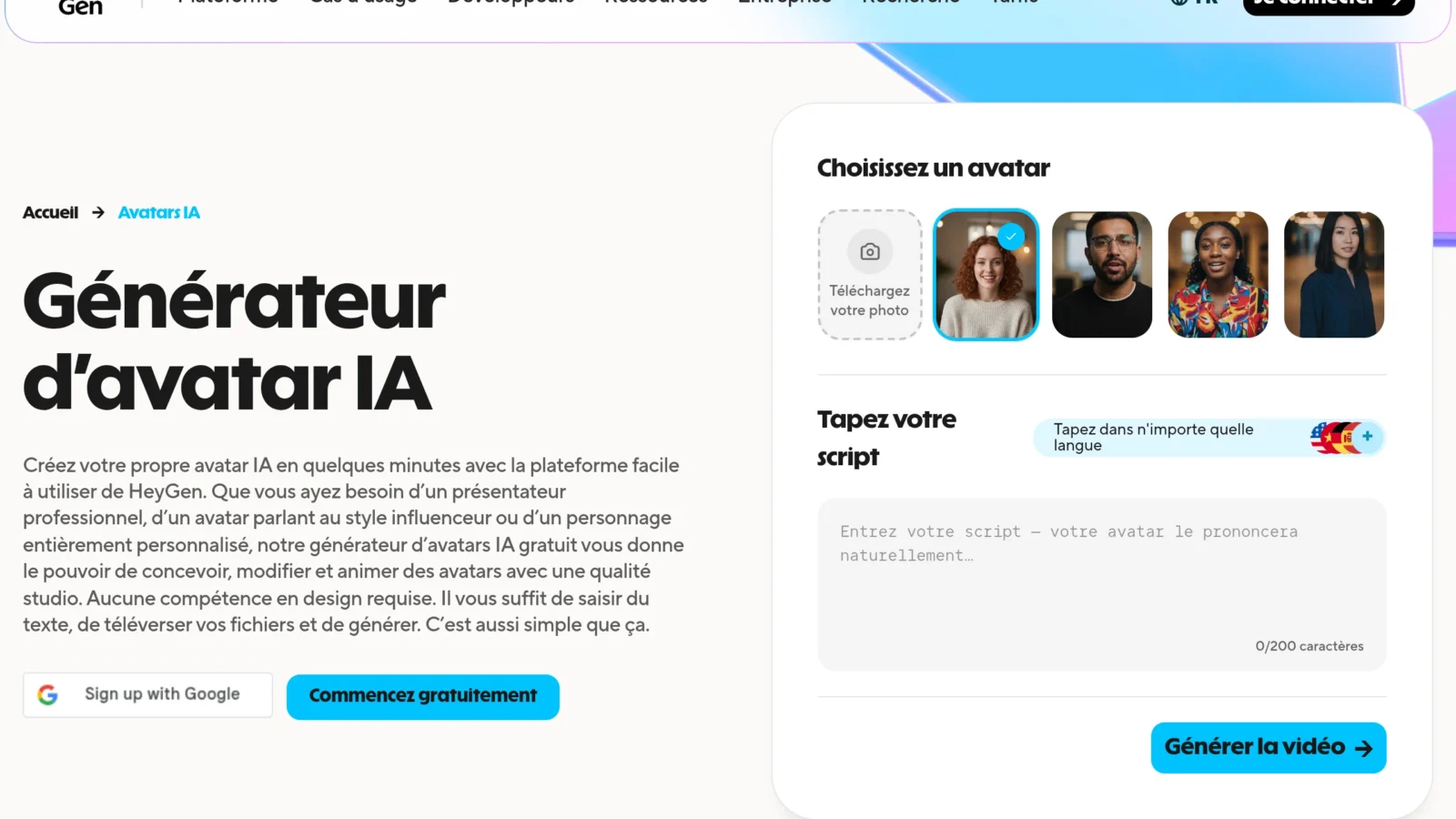
HeyGen's heart is his AI avatars of surprising quality. You have the choice between a massive library of more than 1000 stock avatars or the possibility to create your own custom avatar via Photo or Video Avatar options. Realism prevails here.
The « Photo Avatar » allows toAnimate a simple static photo with a given voice. It is an extremely quick and simple method to set up, even if the final rendering is logically a little less natural than the advanced video option.
The real slap comes from « Video Avatar », a clearly premium feature. By uploading a video of yourself by a few minutes, lAI forges a digital photorealist clone. This is the most impressive feature for anyone who wants to automate their presence on the screen.
These avatars are perfect to industrialize your marketing videos, training or business presentations. I recommend that you Create an AI avatar with HeyGen to test this technology for yourself.
Video translation and voice cloning: the power of multilingualism
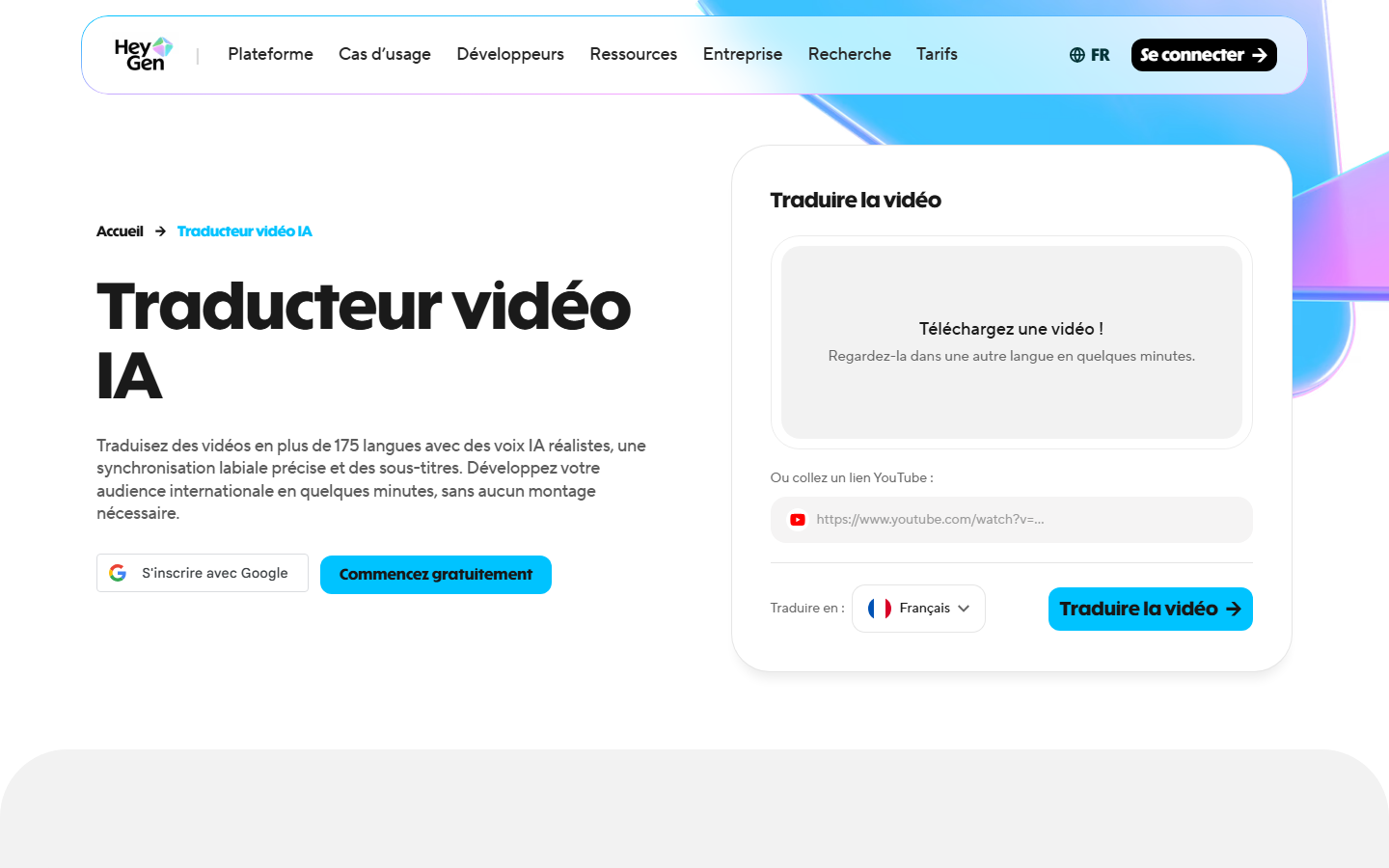
AI video translation is probably one of HeyGen's biggest assets for international expansion. It allows translate an existing video into more than 175 languages in one click, without having to turn everything around again.
The key point that changes everything lies in the laboratory synchronization (lip-sync) AI adapts the movements of the speaker's lips to the new language, giving a natural and credible result. It is this detail that makes all the difference.
The tool also incorporates voice cloning for keep your sound identity. He keeps the speaker's original voice stamp, even if he speaks Japanese or German, ensuring perfect consistency.
With a rich library, the software manages more than 40 languages and accents with formidable precision. It is an immense source of productivity for global creators.
AI Studio: your complete creative studio

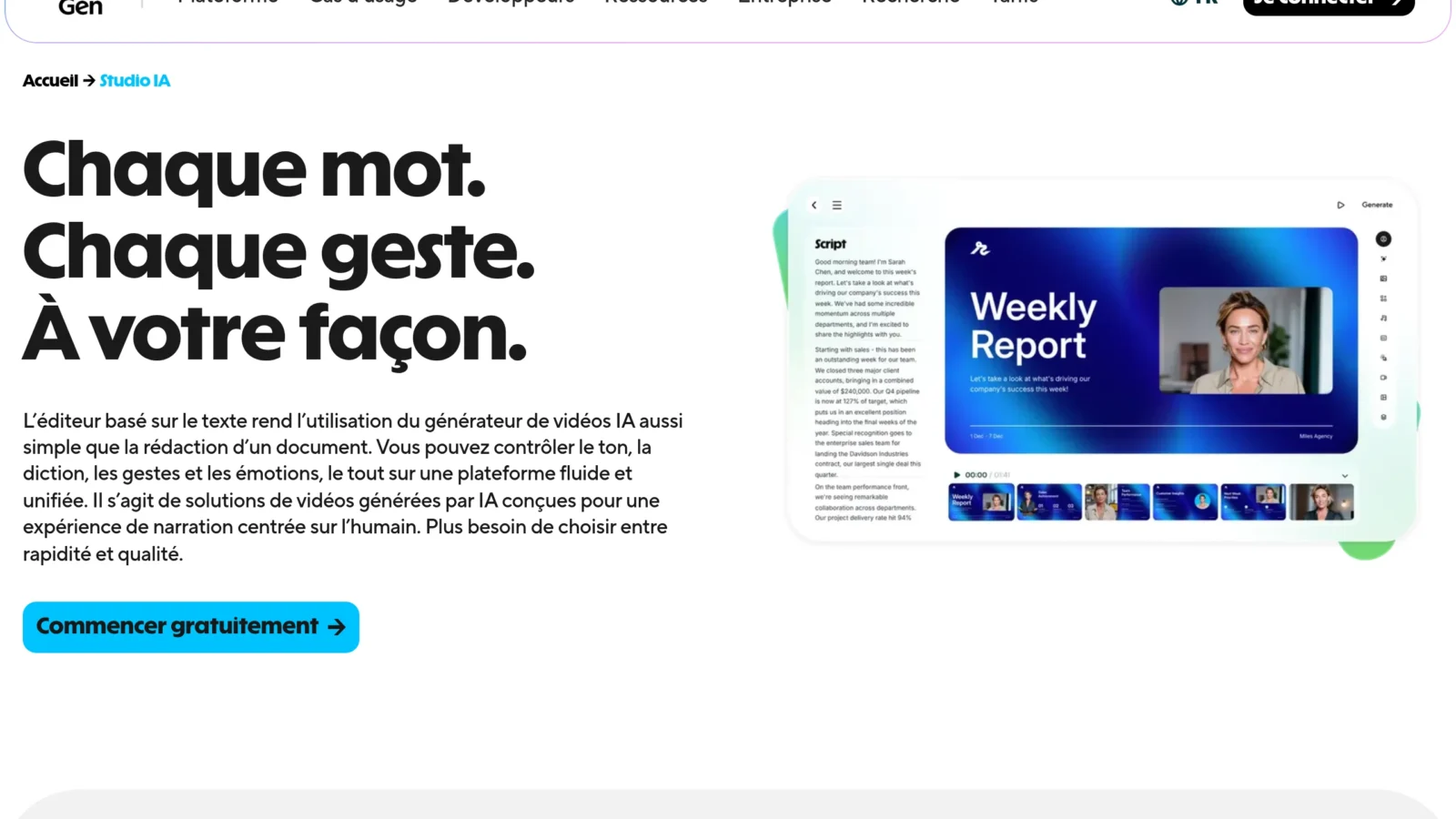
LAI Studio, launched in June 2025, establishes itself as HeyGen's new control center. He presents himself as a Next Generation Video Editor which combines deconcerting simplicity of use with the raw power of the AI.
Here are the unique features that propel this tool above the lot :
- Voice Director Mode : to adjust the tone of the avatar with simple instructions (e.g.: « Speak calmer »).
- Voice Mirroring : to clone a voice from a simple audio recording.
- Gesture Control : to add gestures and expressions to the avatar for more dynamism.
These tools give a level of creative control rarely seen on this type of SaaS platform. This goes well beyond the simple text-video conversion to offer a true virtual artistic direction.
HeyGen: For whom?

Such a comprehensive tool is not made for everyone. Let's see. who can really benefit.
For content creators (YouTube, TikTok), this solution radically changes the situation. You can produce videos ten times faster without ever having to film you. The tool even allows you to instantly double in other languages to reach an international audience. This is the end of the technical constraints that often hinder creativity.
For companies and marketing teams, automation is becoming a major strategic asset. HeyGen is perfect for generating impeccable product presentations or customized large-scale sales messages. You create engaging internal communications without mobilizing an expensive film crew. The Return on investment measures the first campaigns.
- Sales videos (sales videos) customized
- Content for social networks (YouTube, TikTok)
- Corporate communications
- Quick video ads
The tool is also essential for trainers and the e-learning sector. You create comprehensive training modules powered by an AI instructor, always available and consistent. These courses can be duplicated in several languages without the exorbitant costs of translation or re-registration. It is a formidable method for keep your educational content up to date.
This section outlines. If you are hesitant between the formulas, if you want to know exactly what 600 credits consume or from which plan the watermark disappears, we have cut all this in our directory page at tariffs HeyGen.
HeyGen's rates
How much does the tool actually cost? HeyGen offers flexible pricing, but you need to understand the credit system to avoid surprises.
The different offers: from free to tailor-made
HeyGen works with credits. The free plan is ideal to test, despite its strict limits : few credits, watermark imposed and reduced duration.
No credit card needed to start. You can Test HeyGen for free right now to assess quality.
The table below compares the paid offers (Creator, Team) which unlock 4K, unlimited voice cloning and remove watermark.
| Functionality | Free | Creator | Team | Enterprise |
|---|---|---|---|---|
| Prices | Free | 29 $/month | 39 $/seat | On request |
| Credits / months | Limited | Included | Included | Custom |
| Max video duration | 3 min | 30 min | 30 min | Custom |
| Watermark | Yes | No | No | No |
| Voice cloning | 1 vote | Unlimited | Unlimited | Unlimited |
| Video translation | Through credits | Through credits | Through credits | Included |
| Support | Standard | Priority | Priority | Dedicated |
Our opinion on HeyGen prices
Let's be direct: the free plan is a simple call product, too limited for pro. It only serves as a technical demo.
The plan « Creator » offers the best value for money for freelancers. At 29 $/month, it unlocks voice cloning and removes the marking, quickly making the investment profitable.
Finally, the plan « Team » Targets agencies with collaborative needs. The cost per seat remains much lower a traditional video production in studio.
Customer reviews and competitive positioning
HeyGen doesn't play solo in the AI video arena. Let's look at what real users say and how it is positions against its direct rivals.
What do users think of HeyGen ?
The returns are massively positive, often close to excellence on platform reviews like G2. The community is especially full of the quality of the bluffing avatars and a disconcerting ease of use, allowing to release a pro video in minutes without technical expertise.
But be careful, the painting is not perfect. The recurrent criticism targets the cost of the credit system. The bill can quickly climb, and this model is sometimes seen as untransparent by newcomers who underestimate their actual consumption.
HeyGen vs Vidnoz, Synthesia and Creativey
You have to know where you set foot to choose well. Facing Synthesia, the historical pillar of the corporate, HeyGen stands out for a realism often considered superior and a more sustained pace of innovation, especially on the natural lip-sync (see our comparison detailed Synthesia vs HeyGen).
If your budget is tight, look at Vidnoz and Creatify. These platforms are affordable alternatives, but let's be honest: remain a step below in terms of the realism and fluidity of the lip-sync. If the premium budget, compare with our review Vidnoz and our alternatives to HeyGen.
So what is the final verdict for your video strategy ? In order not to mislead your target, here is what you need to remember at a glance:
- HeyGen : The choice for maximum realism and translation.
- Synthesia: The proven and robust corporate solution.
- Vidnoz/Createy : Budget-friendly options for simpler needs.
Our recommended alternative
If HeyGen doesn't fit your budget or your usage, two options that we really recommend: Synthesia, the nearest equivalent for high-end corporate avatars, and Vidnoz, much more affordable with a generous free plan to start.
Final review: HeyGen is the right choice for you?
HeyGen is a war machine that shakes the standards of current video creation. His realism, especially with Avatar IV, and his labial translation are bluffing. Of course, customer support sometimes fishes, but the technology remains far ahead of competition. Find HeyGen in our selection of best AI software video of 2026. It is an imperfect but technically superior tool.
If your goal is to automate your production or reach an international audience without filming, HeyGen is a great investment. The saving time on shooting is simply colossal. Despite a sometimes frustrating credit system, the return on investment is immediate for serious creators. It is a major strategic asset.
Ultimately, this software perfectly embodies the current transformation of synthetic content creation. It is no longer just a matter of publishing, but of intelligently generate. It's probably the most impressive entrance door in AI video tools universe Today. You won't see the video the same way.
HeyGen imposes himself as a an essential solution for AI-assisted video creation. Thanks to the bluffing realism of its avatars and its precise labial translation, the tool redefines production standards. It is a strategic investment for creators and businesses wishing to automate their content and effectively internationalise.
Ready to produce professional videos without camera or shooting?
👉 Create an AI video with HeyGen