Paste the link of a product sheet, choose a concept, and get a vertical advertisement ready for TikTok or Reels: this is the promise ofAdsTurbo1 generator video commercials AI Designed for e-commerce. Editor highlights more than 260 actors AI, video translation in 70 languages and processing « In 2 minutes ». We wanted to check with real tests what each generation costs and what we get in exchange. Three tests on November 1, 2026: a Shopify product page turned into a video, an advertising clone and a video translation.
Tested on 01.11.2026 with 600 credits offered by the publisher.
Contents: Essential · What is AdsTurbo? · Our protocol · URL to Video: Extraction · Concepts and Awards Announced · The rendering · Ad Clone · Video translation · Download · Appropriations: grid and actual debits · Prices · Alternatives · Who is it for? · Verdict · FAQ
Essentials
- Our note is 7.0/10. A good one generator videos produced from a URL, with a reliable advertised price, but a blocked Ad Clone and a download reserved for paid formulas.
- URL to Video keeps its promise: The sneaker shopify sheet was read in about 40 seconds, and the 15-second video shows many black shoes with white soles, as on the sheet.
- The prize is displayed before launching and it has been respected: 270 credits announced, 270 debited for 15 seconds. But it is more expensive than the public grid (10 credits per second for Promo Video and Ad Clone), we measured about 18.
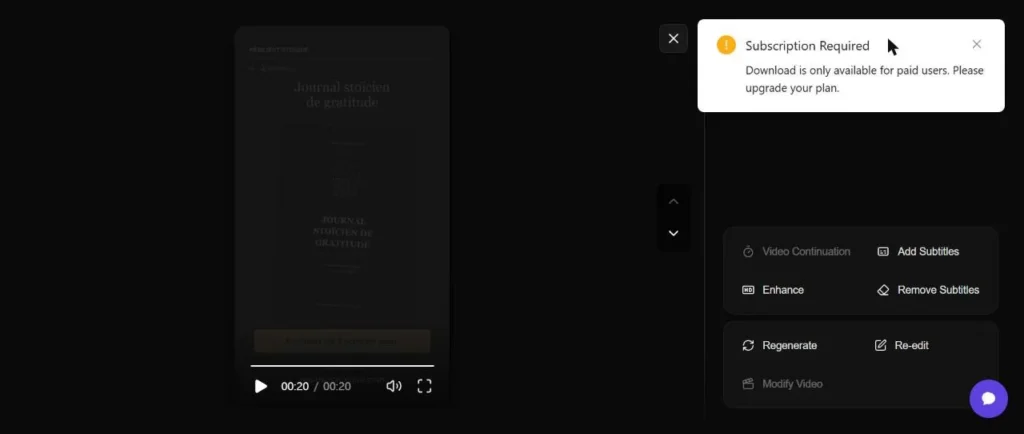
- A free account does not allow to download: the button returns « Subscription Required ». You see in the app, you don't export.
- Treatment is not « In 2 minutes » : 2 min 30 to translate a video of 21 seconds, 5 min 46 for the video of 15 seconds.
- Ad Clone was our weak point: the link YouTube was rejected with an error of 400 gross, and the generation sent per file remained 99% blocked well after the 15 minutes, while 90 credits had already been debited.
- 600 credits is two videos of 15 seconds: with our measured prices, the Creator formula (1,200 credits) makes about 4 videos per month.
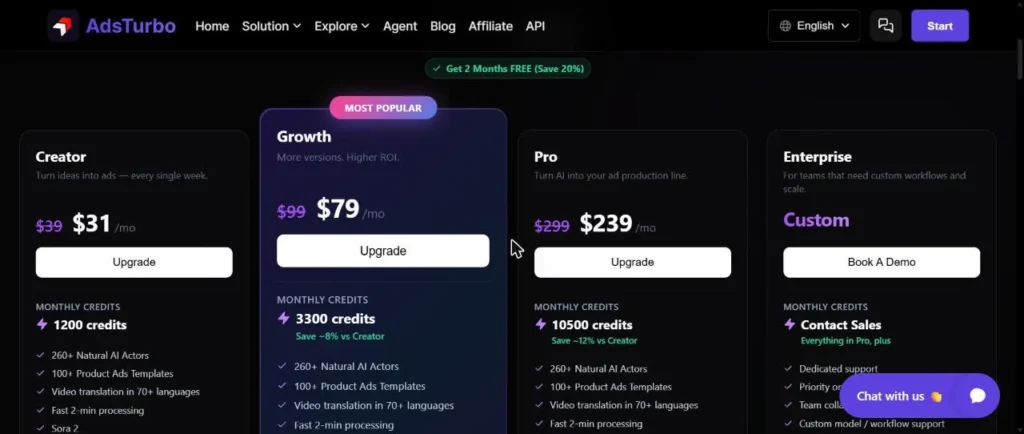
Starter Pack at 8,9 $ for 600 credits (new users), forms from 31 to 239 $ per month
What is AdsTurbo?
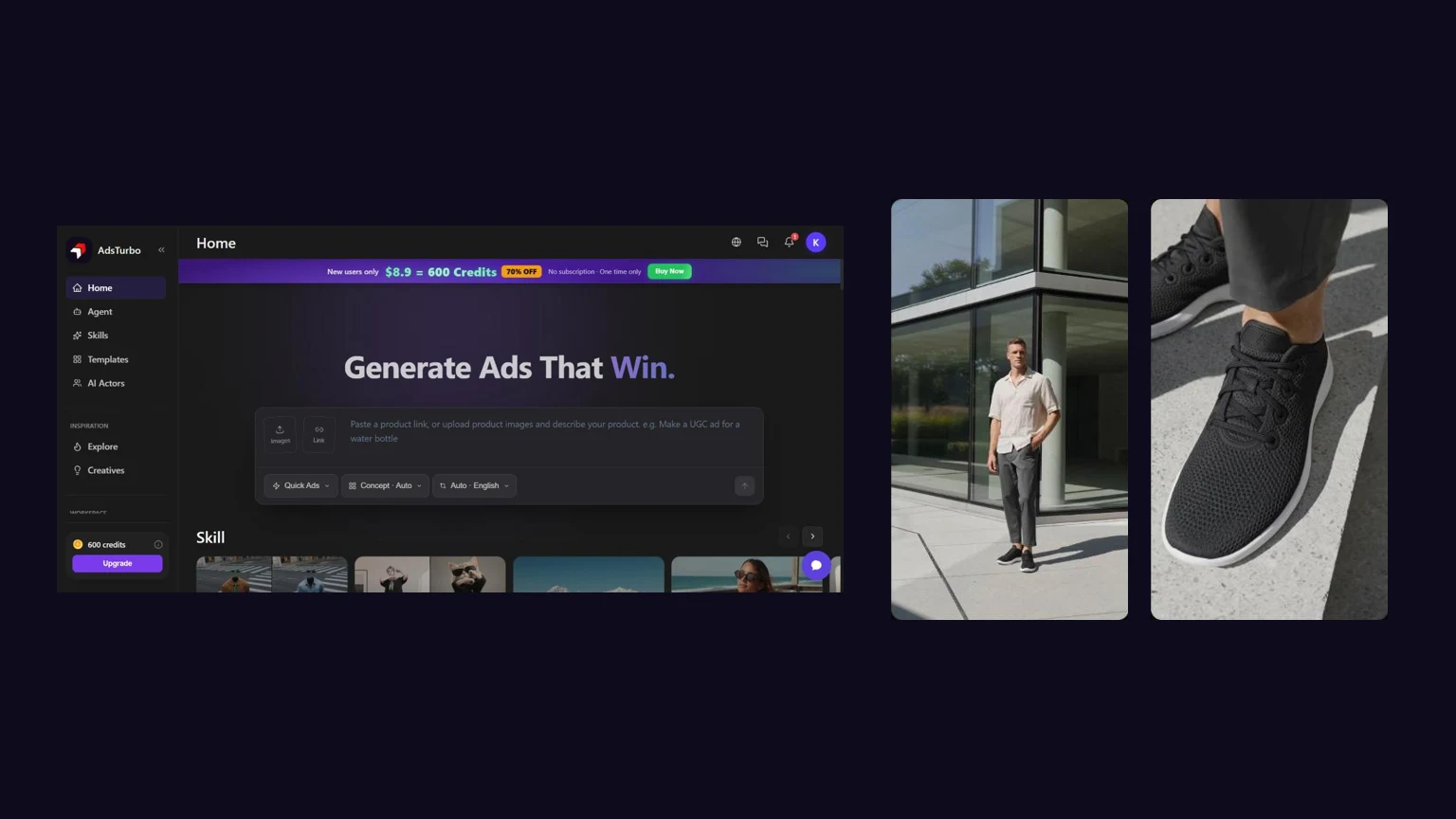
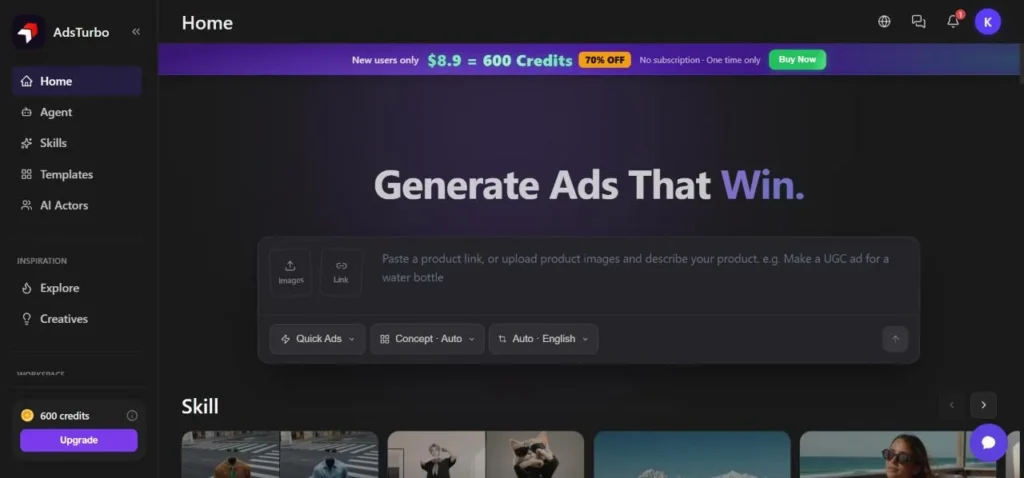
AdsTurbo (adsturbo.ai) is a web application published by HIII PTE. LTD., whose name appears at the foot of the page. It targets e-commercers and agencies that produce short serial ads. The host of the application holds in one bar: You add a product link or drop images, choose a mode (Quick Ads, a concept, a language) and launch. On the left, a menu gives access to Agent, Skills, Templates and actors AI, then to an Asset space where the generations land.
The « Skills » are the tools units. We noted at least eleven entries on test day: Ad Clone, Motion Control, URL to Video, Product Video, Lip Sync, Character Swap, Watermark Removal, Video Translation, Add Subtitles, Clip by Clip, AI Upscaling, with also tools image. The product is entirely in English, including the interface, which does not prevent you from choosing French for the voiceover or translation.
Our test protocol
We activated the 600-credit code offered by the publisher on an account created on October 23rd, and then fixed three tests, each on a material that we have the rights or that is public. For URL to Video, a Shopify product sheet online (The Allbirds Tree Runner, Fiber Sneakers from Eucalyptus). For Ad Clone, an excerpt from a promotional video of one of our sites. For translation, a 23-second video with a French synthesis voice. No subscriptions were subscribed and no purchase of credits was made.
Before each generation, we raised the price displayed on the button, then the balance after the blow and the details of the video sheet. The 600-credit budget required a choice: at the posted rate, the three full-term tests would have cost 693. So we shortened the extract of Ad Clone to 5 seconds.
| Trial | Display price | Debit recorded | Duration of treatment | Check out |
|---|---|---|---|---|
| URL to Video (Try-On concept, 720p, French voice) | 270 credits | 270 credits | 5 min 46 | 15 s, 9:16 |
| Translation (French to English) | 207 credits | 207 credits | 2 min 30 | 21 s |
| Ad Clone (5 s extract, 720p) | 90 credits | 90 credits | more than 15 min, 99 % blocked | no video delivered at time of release |
Total debited: 567 out of 600 credits, we had 33 at the end of the session. The times are those displayed in the sheet of each video.
URL to Video: Shopify file read in 40 seconds
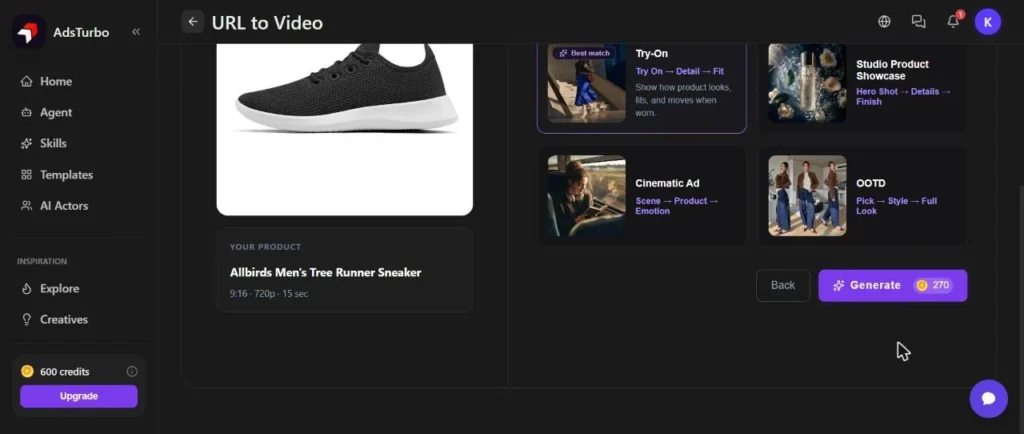
The course runs in three steps displayed at the top of the screen: paste the link, check the product information, choose a concept. The field accepts Amazon, Shopify, TikTok, App Store and Google Play, from the icons displayed under the bar. We stuck the Allbirds Tree Runner card and started extraction, which is free: the balance remained at 600 credits.
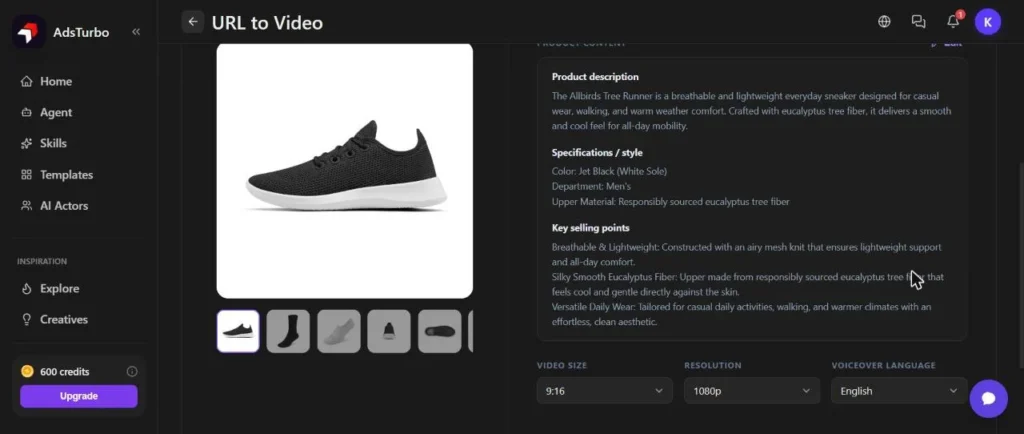
The extraction took about 45 seconds, with four visible steps (page recovery, product extraction, concept selection, finalization). The result is clean: product name, a reformulated description, colour (Jet Black, white sole), material and three sales arguments from the sheet. Photos of the sheet are shown in the gallery, with their variations. The text can be modified before continuing, which avoids leaving the text AI embroidery on a fake detail.
Three settings remain to be done at this stage: the default format (9:16), resolution (720p or 1080p) and language of the voiceover. The list of voiceover is short: English, Chinese, Spanish, French, German and Japanese. We took French and 720p to save the budget.
Concepts and announced price: 270 credits for 15 seconds
The application offers four product-specific concepts: Try-On (labelled) « Best match » for shoes), Studio Product Showcase, Cinematic Ad and OOTD. Each is described by a series of plans, for example: « Try On, Detail, Fit ». We kept Try-On, advised by tool.
Here the price appears, on the Generate button: 270 credits for a video of 15 seconds in 720p. The duration is not adjustable at this stage, the summary indicates only « 9:16 · 720p · 15 sec ». The button ran exactly what he announced: the meter went from 600 to 330. This is the right point on this journey, because the user knows what he pays before launching.
The rendering: a man, black sneakers, and 5 min 46 d
The video arrived in Asset space after 5 minutes 46 after his card. It is 15 seconds long and has several plans: a man in a beige linen shirt and grey pants who walks in a tree-planted alley, a close-up on the foot laid on concrete, and then a wide plan in front of a glassy building. The light is natural, the focus is neat, and the product remains consistent from one plane to another: black shoes, white sole, light knit texture, which corresponds to the color of the sheet.
What we haven't seen in the plans looked at: a text on the screen, a logo, a call to action. It's a produced ambiance film, not a finished advertisement. You have to count one. editing back to add a price, offer or button. The plans we looked at show a generic model, not a person who talks to the camera, which changes the usage: we are closer to the « animated lookbook » than UGC with review spontaneous.
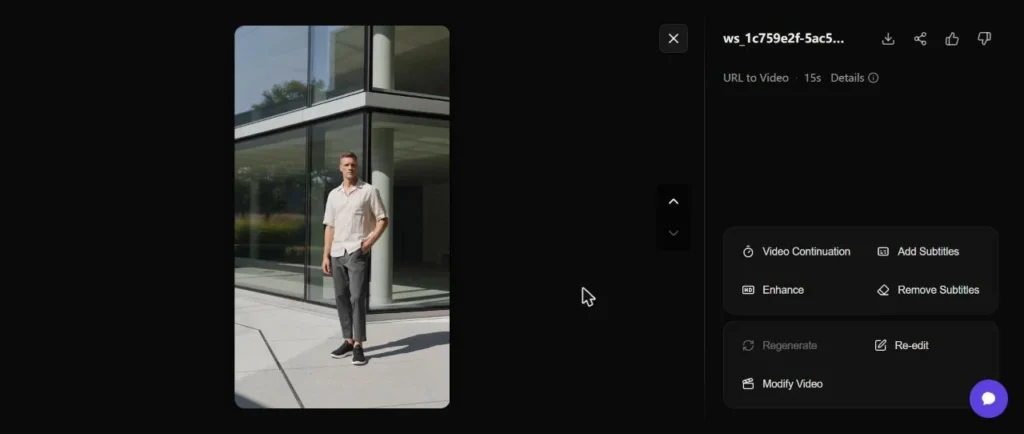
The generation sheet confirms the settings: Try-On mode, voiceover French, 9:16, 720p, generated on 01.11.2026 at 14:56, 5 min 46 processing, 270 credits used. However, the paying formula page announces a « Fast 2-min processing » : on our tests, no treatment has come down within two and a half minutes.
Ad Clone: a link YouTube refused, a file accepted
Ad Clone is the publisher's window: a reference video is dropped off,AI Cuts the planes, reconstructs the script and generates a clone with other visuals. It accepts a file or link (TikTok, Instagram, YouTube, Douyin, Xiaohongshu after the pellets of the screen). We first tried with the link to one of our videos YouTube, published on our channel : the application displayed an error 400 gross, whose text is partly in Chinese, with the mention « Unable to process YouTube video ». Nothing dramatic for the rest, but the message is not made for an end user.

Ad Clone with a file: analysis, cropping and pricing
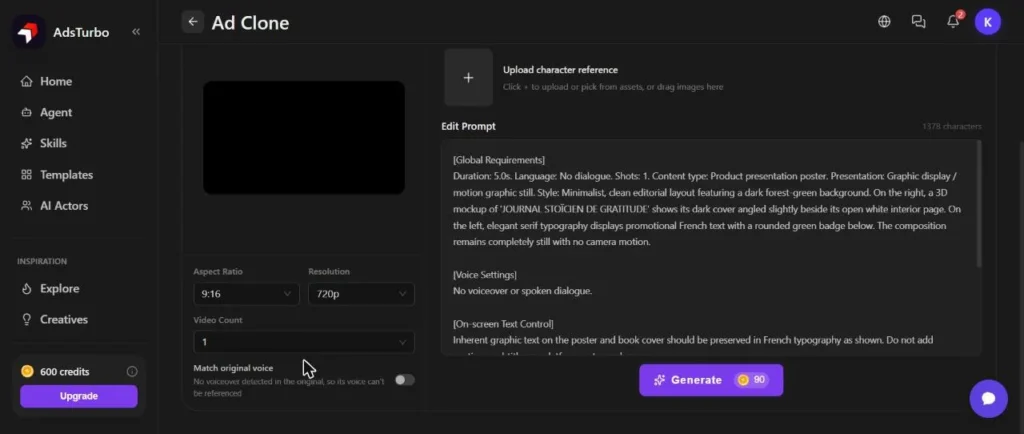
By sending a file instead (a clip of about 1 MB, to us), the sending succeeded immediately. The next screen asks to reframe the extract: the meter of the player displays « 15s » as a ceiling. We kept five seconds. The app then analyzed the video for less than two minutes, while the screen announced « 3 to 5 minutes », and wrote a 1 378 characters long prompt: duration, style, text layout, product coverage. The description of the plan was correct, including the French text of the poster. You can correct this prompt, add reference images (personalization, scene, product) and choose the number of videos.
The price depends on the length of the extract: 216 credits for 12 seconds, 90 credits for 5 seconds. That is 18 credits per second, which is a real lever: shortening the reference divides the bill.
Ad Clone: what the generation has given
We launched the 90-credit generation, which were debited immediately. When publishing this review, the task remained to « Processing 99% » for more than fifteen minutes, with no errors displayed and no video delivered, while the d的URL to Video test, launched at the same time, was completed in less than six minutes. We therefore draw no conclusions on the quality of a clone. The rate page indicates that a failed task is reimbursed at 100%; If the 90 credits are returned, we will add here.
Video translation: 2 min 30 for 21 seconds
The Video Translation module accepts a file or link (video file, Google Drive or YouTube) and asks for a target language in a very fine list: from Afrikaans to Arabic from Algeria, Egypt or Iraq, to several English variants (American, Australian, Canadian, Indian, Irish). The price page speaks 70 languages, and the demo video of the module page announces « 130+ languages » : the two numbers coexist on the site, without explanation.
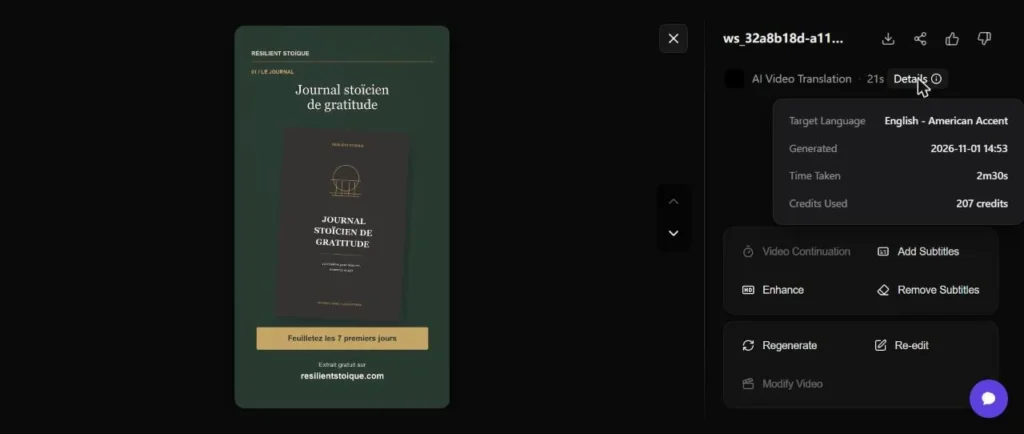
We sent a 23-second video, with voiceover summary in French and newspaper pages on screen, and chosen English with American accent. The displayed price, 207 credits, was debited as is. The translated video is 21 seconds (20 on the player) and arrived after 2 minutes 30. In the absence of a source in English for us, we have translated French into English, not the other way around.
A visible defect: Inlaid texts are not translated. The titles on screen (« A detail of your day », « Stoic Journal of gratitude ») remained in French on the English video. L tool translates the audio track, not the images. For an advertisement with subtitles or an inlaid price, it is therefore necessary to redo these elements by hand. One button « Add Subtitles » is proposed right next door in the application, which we have not tested.
Download is only available for paid packages
This is the most important limit for a test with credits offered. The videos look in the app, with a player, enhancement buttons, subtitling and regeneration. As soon as you click on the download icon, a message will open: « Subscription Required. Download is only available for paid users. Please upgrade your plan. » As a result, a tariff panel is displayed, with the offer « Starter Pack » at 8.90 $ for 30 $, reserved for new users.
Concretely: with the free account and the credits of a code, one can produce, judge and repeat, but nothing comes out. So we don't have a file to show you reading here, only pictures from the drive. Prices pages specify that HD videos watermark-free and commercial use rights are included in the paid forms; we have found nothing written on the watermark of a free account, and we cannot confirm it, since nothing is downloaded.
Credits: the official grid against what we paid
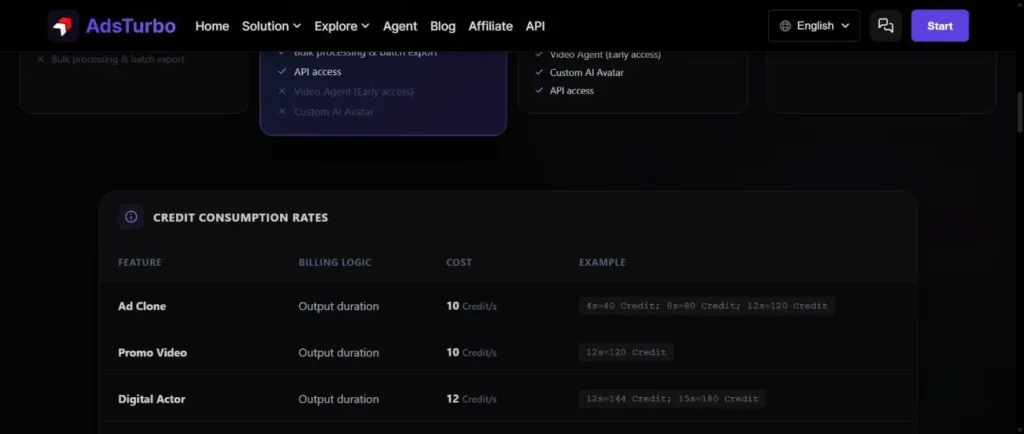
The official tariff page publishes a consumption grid by function. A few lines, noted on November 1, 2026: Ad Clone 10 credits per second of output (example given: 12 s = 120 credits), Promo Video 10 credits per second (12 s = 120), Digital Actor 12, Video Translation 5 credits per second (12 s = 60), AI Lip Sync 24, Character Swap 20.
Our flows are not following this grid. Ad Clone was charged 18 credits per second (90 for 5 seconds, 216 for 12), compared to 10 advertised. The translation cost 207 credits for 21 seconds, almost 10 seconds, compared to 5 announced. For URL to Video, 270 credits per 15 seconds are 18 seconds, while the line closest to the grid, Promo Video, displays 10. We cannot explain the difference: the grid does not specify whether the resolution, model or choice of accent changes the rate. The price displayed on the button is reliable, it is the one that is paid. But you have to read it instead of relying on the grid.
Guarantees side, the same page and the refund policy the publisher indicates that the credits are automatically returned in case of system failure or error, that a disputed payment depends on the rules of the payment platform, and that a termination stops the following renewal without repayment in cash.
Price: from $31 to $239 per month, and a starting offer at 8.90 $
Based on the tariff page accessed on November 1, 2026, which displays barred prices and a banner « 2 months offered, 20% save » : Creator at 31 $ per month instead of 39 $, with 1,200 monthly credits ; Growth at 79 $ for 99 $, with 3,300 credits ; Pro at 239 $ for 299 $, with 10 500 credits ; Enterprise on estimate. The formulas quote among their Sora 2, Sora 2 Pro, Veo 3.1 and Kling 3.0 models, plus access to API for some, commercial user fees and HD watermark-free.
To put these figures in perspective, we divided the monthly credits by the debit we measured for a 15-second video (270 credits). This is a calculation on our part, not a publisher's data.
| Formula | Price displayed on the page | Credits | 15 s videos | Cost per video |
|---|---|---|---|---|
| Starter Pack (new users, single purchase) | 8.90 $ (30) $ Barred) | 600 | 2 | approximately 4.45 $ |
| Creator | 31 $ per month | 1 200 | 4 | about 7 $ |
| Growth | 79 $ per month | 3 300 | 12 | approximately 6.50 $ |
| Pro | 239 $ per month | 10 500 | 38 | approximately 6.30 $ |
The Starter Pack, seen in the app on the home banner (« New users only, $8.9 = 600 Credits ») and in the open rate panel after clicking on the download, is the cheapest entry: about 4,45 $ The 15-second video for anyone who just wants to try. We did not buy it and therefore did not check if the download is open. As soon as one wants to produce in volume, the cost per video stabilizes around 6 to 7 $ on monthly formulas, which remains to be compared with the price of a film or a human UGC actor.
What alternatives to AdsTurbo?
AdsTurbo addresses a specific need: turning a product plug into a vertical video, with some tools Annexes. Depending on what you are looking for, other tools we have reviewed are more appropriate. The website of the AdsTurbo also publishes comparison pages with Arcads, Creatify, HeyGen, Higgsfield and others: they are written by the publisher (Comparison page), to read as communication.
| Tool | To choose if | Our review detailed |
|---|---|---|
| Creatify | You want the same route « product link to pub », with talking avatars | Creatify AI review |
| Arcads | You want actors AI Talking to the camera way review customer | Arcads AI review |
| HeyGen | You want above all avatars and video translation with labial synchronization | Alternatives to HeyGen |
Creatify : the same starting point, more oriented avatars
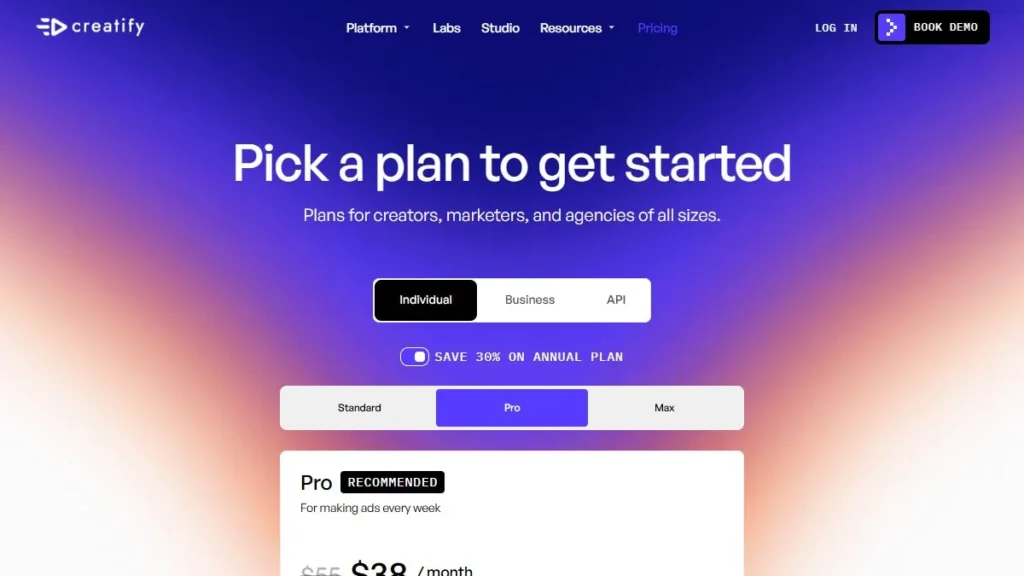
Creatify (Creatify.ai) also starts from a link produced to make an advertisement, but features avatars that speak on the screen, where Try-On mode d Our capture of its pricing page, taken in October, shows Standard, Pro and Max formulas with a 30% discount in annual billing. If your ad should « Say » something, Creatify is the first tool to compare.
Arcads: the actor AI Talking to the camera
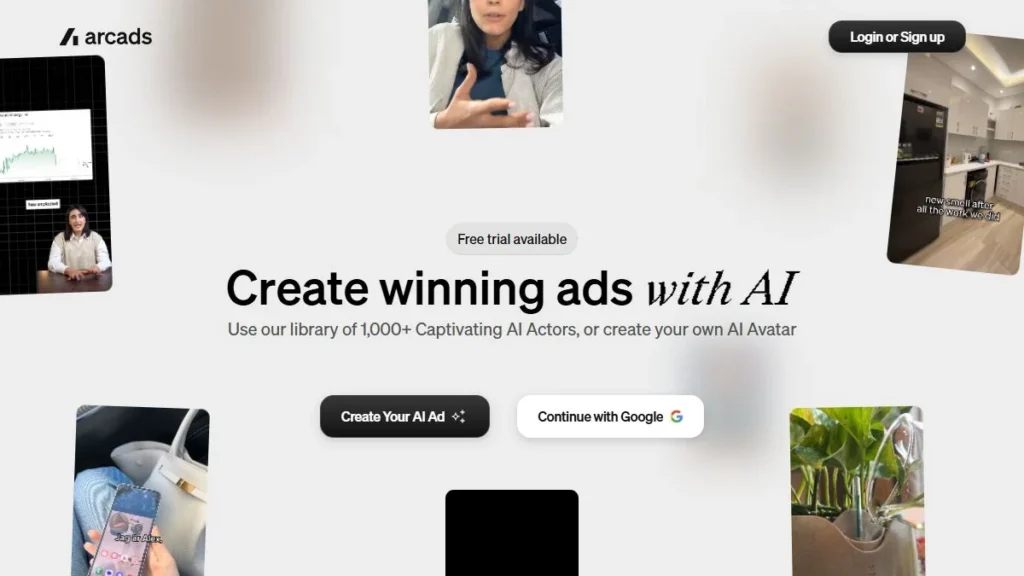
Arcads (arcads.io) assumes the UGC format with a face that addresses the spectator. His home page we captured announces an available essay and a library of more than 1,000 actors AI, and our review described as a tool pro. This is the option to watch if your ad test is based on a script read by a person, what AdsTurbo does not do in our trial URL to Video.
HeyGen : video translation with labial synchronization
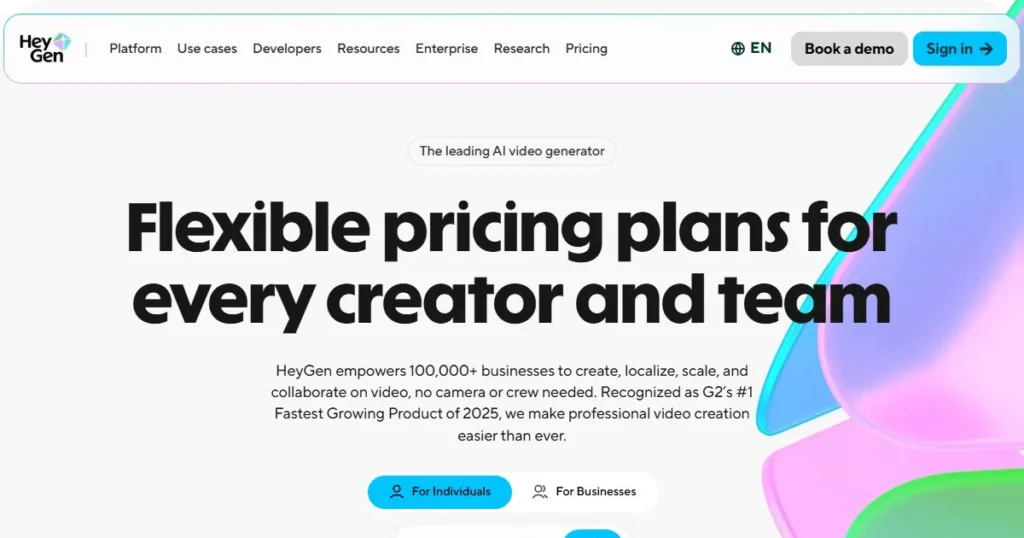
HeyGen (HeyGen.com) is more generalist: avatars, voice and video translation. If your main need is to translate a video where someone talks to the screen, HeyGen is a sure value, around which we have built our alternative article. His tariff page displays Free, Creator and Pro forms on the date of our capture on October 31, 2026. For our purposes, the translation of AdsTurbo worked but did not rewrite the inlaid texts.
For an overview of the category, our guide UGC AI : tools, prices and limits class these solutions according to usage.
For whom AdsTurbo has meaning, and for whom not
It makes sense for an e-commercialer who has dozens of plugs produced and wants videos of vertical atmosphere without organizing shooting, even to mount them afterwards. The course is short, the sheet is read correctly and the price is announced before launching. It also makes sense for an agency that tests several concepts per product: the choice of concept is well thought out.
It makes less sense to anyone who wants an actor who speaks, inlaid texts translated automatically, or a predictable budget in advance after the public grid. It is also confusing for those who hope to test a full channel for free: one can generate with credits offered, not download. And you have to accept an interface in English.
Verdict: a good one generator product videos, to test before subscribing
Verdict
Editorial note: 7.0/10.
In the field of the product sheet towards vertical video, AdsTurbo is effective: the page is read correctly, the concept is relevant, the rendering keeps the product consistent, and the price is displayed before launching. The points to be monitored are clear: speeds above the public grid, a much longer treatment than the two minutes announced, a link YouTube which fails with a gross error, and no download without paid formula. The Ad Clone test could not be completed, which prevents judging its flagship button. Our advice: start with the Starter Pack if you want to check the rendering on your own products, and calculate your cost per video from the price displayed on the button, not the grid.
Starter Pack at 8,9 $ for 600 credits (new users), forms from 31 to 239 $ per month
FAQ: Your questions about AdsTurbo
Is AdsTurbo free?
Not really. We tested with 600 credits offered by the publisher using a code. The app also displays a Starter Pack for new users at 8.90 $ for 600 single purchase credits. Over and above this, the paid formulas range from 31 to 239 $ per month after the tariff page of November 1, 2026.
Can we download the videos with a free account?
No. Clicking on the download button, AdsTurbo displays « Subscription Required. Download is only available for paid users. » The videos look in the app but do not export.
How much does an AdsTurbo video cost?
On our essays, 270 credits for a video URL to Video of 15 seconds in 720p, 90 credits for a 5 seconds extract in Ad Clone and 207 credits for a 21 seconds video. With the Creator formula, this represents about 7 $ the 15 seconds video after our calculation.
How long does it take to generate a video?
The translation of a 21-second video took 2 minutes 30 and the video URL to Video took 15 seconds 5 minutes 46. The rate page announces fast processing in 2 minutes, which we did not observe.
Does AdsTurbo work in French?
The interface is entirely in English. The voiceover from URL to Video can be selected in French, and the video translation offers French from many languages. Texts embedded in the video are not translated automatically.
The link YouTube Does it work in Ad Clone?
Not during our trial: the link to one of our videos YouTube produced an error 400, « Unable to process YouTube video ». Sending a video file worked.
Which sources accept URL to Video?
The icons displayed under the field indicate Amazon, Shopify, TikTok, the App Store and Google Play. We tested a Shopify product sheet, which was read correctly.
What is the difference with Creatify Or Arcads?
Creatify also makes his pubs leave a product link but bet on talking avatars. Arcads focuses on actors AI in UGC format. Our essay by AdsTurbo has given an atmosphere film without voice incarnated on the screen.