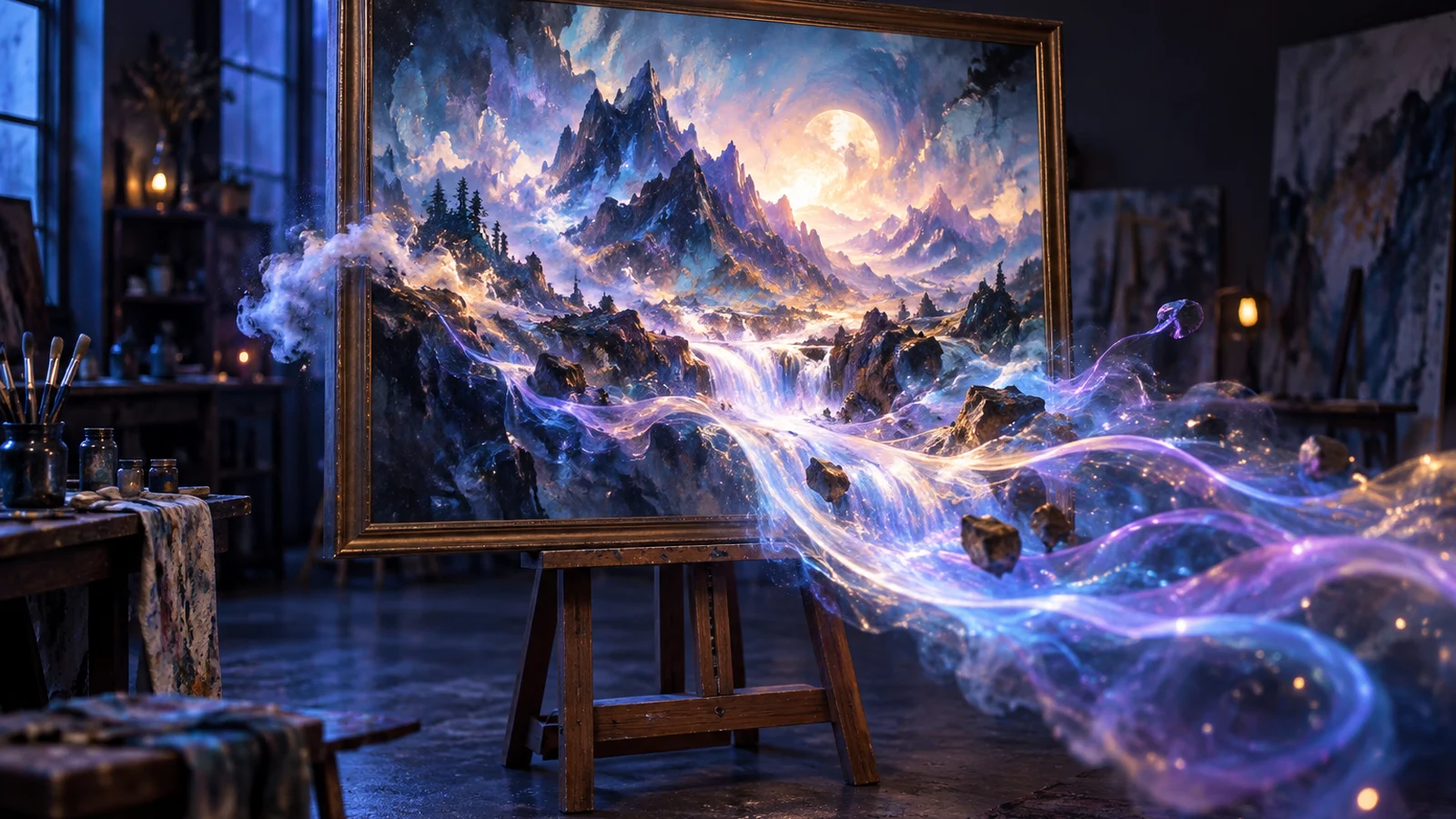
Midjourney Video, this is the function that turns a fixed image into a 5-second clip, directly from the gallery where the image was created. No software to install, no timeline: a button « Animated », a motion setting, and video model of Midjourney Imagine the rest of the scene. The result is often aesthetically superb, because he inherits the style of the starting image. But there are clear limits: no sound, no 21 seconds at most, no 720p at best, and a GPU time consumption that emptys a Basic subscription in a few nights.
Update on the exact method of animating an image Midjourney (or a photo to you), what actually costs a second of video according to your formula, and the alternatives to consider when Midjourney no longer enough: Kling, PixVerse or Seedance which offer free credits and sound. Data on Midjourney come from his official documentation, consulted on October 11, 2026.
📌 Essentials
- Image to video only : Midjourney Video animates an image (yours or a creation) Midjourney), it does not generate video from a single text.
- 5 seconds per clip, extendable 4 times by 4 seconds, or up to 21 seconds. No audio tracks.
- Default 480p, 720p (HD) from Standard Plan to 30 $/month, in Fast mode only.
- No free version : minimum subscription of 10 $/month (Basic), and a set of 4 SD videos costs 8 minutes of GPU on the 200 of the plan.
- Alternatives with free credits Kling AI and PixVerse, which add sound and longer or sharper clips.
Contents: What is it? Midjourney Video • How to animate an image Midjourney • Video settings • Real price and cost • Limitations • ChatGPT Can he create videos? • AI video generator free • Alternatives • Editing • FAQ
Midjourney Video, what exactly is it?
Midjourney has long been a pure generator images. In June 2025, the company launched its first video model, called V1, and connected directly to its web interface. The principle is that« image to video » You provide an image that serves as the first image of the clip, you may add a textual instruction, and the template calculates the following images. There is no fashion « text to video » pure, unlike Kling or Seedance.
This choice has a logic. Midjourney from its strength, aesthetics of its images, and let the video extend a rendering that the user has already validated. In concrete terms, we first generate an image that we like, with the style, light and composition we want, then we put it in motion. The clip keeps the paw Midjourney : painted textures, worked lighting, rendered cinema. It's his big difference with the generators more realistic but often more visually flat.
If you find out tool, our review complete on Midjourney details the image part, versions and formulas. Here we focus on the video.
Why use Midjourney for the video rather than another tool ?
Three reasons go back to the creators who adopt. First of all consistency: if a whole series of illustrations was produced in Midjourney, animate them in the same place avoids any break in style. Then simplicity: animation starts from the gallery, without export or reimport. Finally the plastic quality, which remains above average for atmospheres, landscapes and contemplative scenes. On the other hand, for a person who speaks, an action scene or a video with dialogue, you quickly leave the comfort zone.
How to animate an image Midjourney step by step
Everything happens on the site Midjourney.com (the video also works on Discord, with some differences). Any active subscription is required. Here is the method we follow to get a clean clip from the first shot, or almost.
1. Choose or generate the starting image
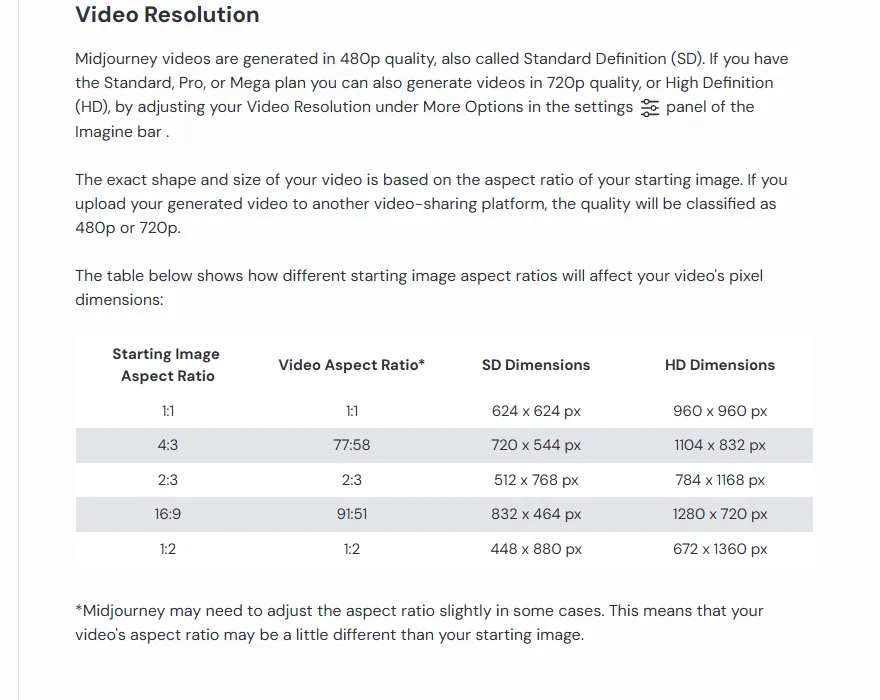
All images in your gallery, regardless of the version with which they were created, now display buttons « Animate Image ». The ratio of the image fixes the format of the video: an image 16:9 will give a horizontal clip of 832 x 464 pixels in SD and 1280 x 720 in HD, an image 2:3 a vertical clip. If you're targeting TikTok or the Reels, then generate the image vertically from the start, as you don't reframe after the blow without loss.
A tip that changes everything: choose an image that already contains a promise of movement. Hair to the wind, a wave, smoke, a character leaning on a leg. A frozen and perfectly symmetrical composition often gives a clip where almost nothing happens.
2. Auto, Manual or Loop: choose animation mode
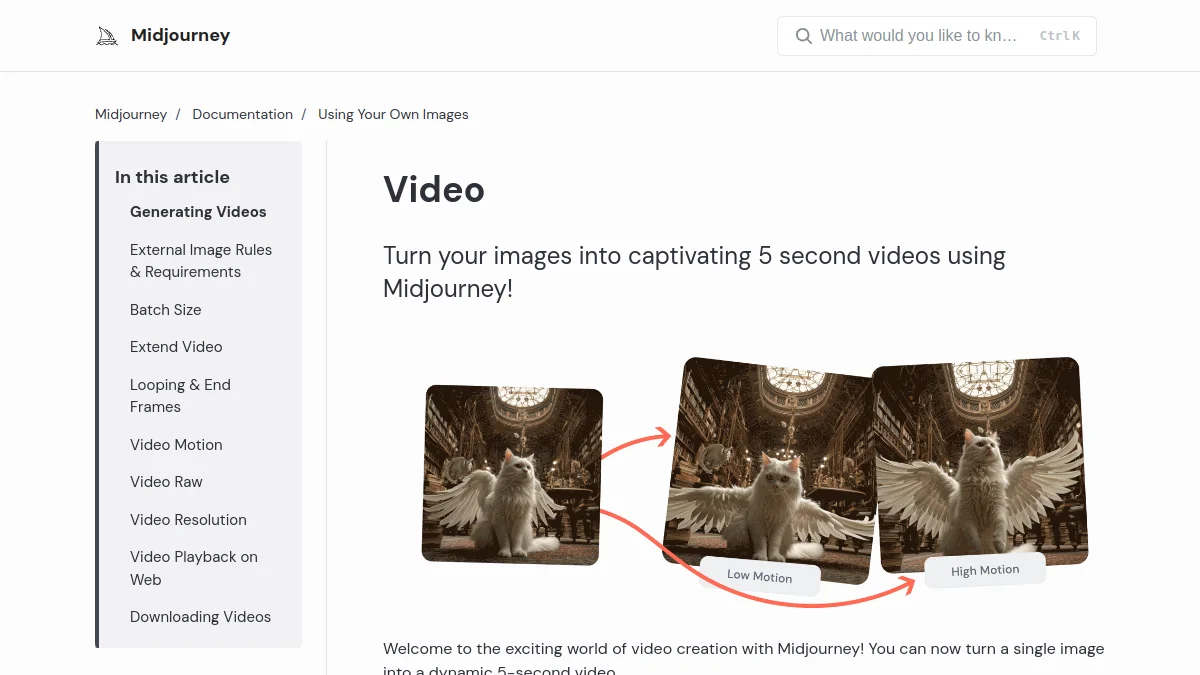
When opening the image, several buttons appear under « Creation Actions ». Auto Launch the video directly: Midjourney invents the movement itself. Manual returns you to the input bar to write a statement before launch, which is essential as soon as you want a precise movement. Loop creates a loop: the last image of the clip is identical to the first, ideal for an animated background or banner.
3. Adjust motion intensity
Each mode exists in two variants. Low Motion (by default) promotes calm scenes, slow camera movements and subtle gestures. High Motion causes large movements of camera and characters, with a higher risk of deformation. Our reflex: Low Motion for portraits and landscapes, High Motion only for an action scene, and always with a manual instruction that describes the expected movement.
4. Animating a personal photo
You don't have to leave an image Midjourney. Click the image icon of the input bar, upload your file and drag it into the area « Starting Frame ». On Discord, paste the URL of the image at the beginning of the set-up and add --video At the end. Beware of the rules: you must hold the rights to the image, and moderation blocks any degrading manipulation of real people. The work rejected by the filter does not consume GPU time. To animate a family portrait or an old photo, our guide for Animate a photo with AI comparison of tools more suitable, including some free.
5. Extend clip up to 21 seconds
Once the video is generated, fly over it: the buttons « Extend Auto » and « Extend Manual » add 4 seconds each time. We can extend four times, which leads to 21 seconds. Each extension costs as much GPU as an initial generation. In practice, quality tends to drift through extensions: changing faces, changing decor. Beyond two extensions, we prefer to generate a new plan and mount both together.
6. Download video
Right click on the video from the Create or Organize page: three options. « Download for Social » produces an encoded MP4 to limit social network recompression, this is the right choice for Instagram or TikTok. « Download Raw Video » gives the original file, preferably if you go up next. « Download Gif » exports an animated, practical GIF for a newsletter.
Video settings to know
The image settings (stylize, chaos, version, etc.) are removed automatically when running a video. Only six parameters specific to the video are accepted, according to the video documentation of Midjourney.
| Parameter | Effect | When to use |
|---|---|---|
--motion low | Slow and subtle movements (default) | Portraits, landscapes, atmospheres |
--motion high | Big camera and subject movements | Action, pursuit, dance (more deformations) |
--raw | Reduces creative interpretation of the model | When the set must take precedence |
--loop | Last image identical to the first | Lively funds, banners, GIF |
--end + URL | Impose a different end image | Transitions, before/after morphing |
--bs 1, 2 or 4 | Number of videos generated per set (4 default) | Save GPU with 1 or 2 |
The parameter recommended to be set first is the --bs. By default Midjourney produces four videos per set. It's comfortable to choose, but it quadruples the GPU bill. Once the right movement is found, switching to one video per batch makes the subscription last much longer. The setting can be saved by default in the input bar settings (« Video Batch Size »).
Example instructions for manual animation
An effective video set describes the movement, not the decor (the decor is already in the image). For example: « slow dolly-in towards the lighthouse, waves crashing on the rocks, seagulls flying from left to right, soft evening light –motion low –bs 1 ». English is retained, better understood by the model, and only one main action is described. To go further, our library of quick AI videos with examples details the structure that works on the main generators.
Price Midjourney Video: What a second of video really costs
Midjourney does not sell separate video credits. Everything is paid in time GPU, the same counter as for images. And the video is greedy. This is the official grid of forms, as published on the subscription comparison page.
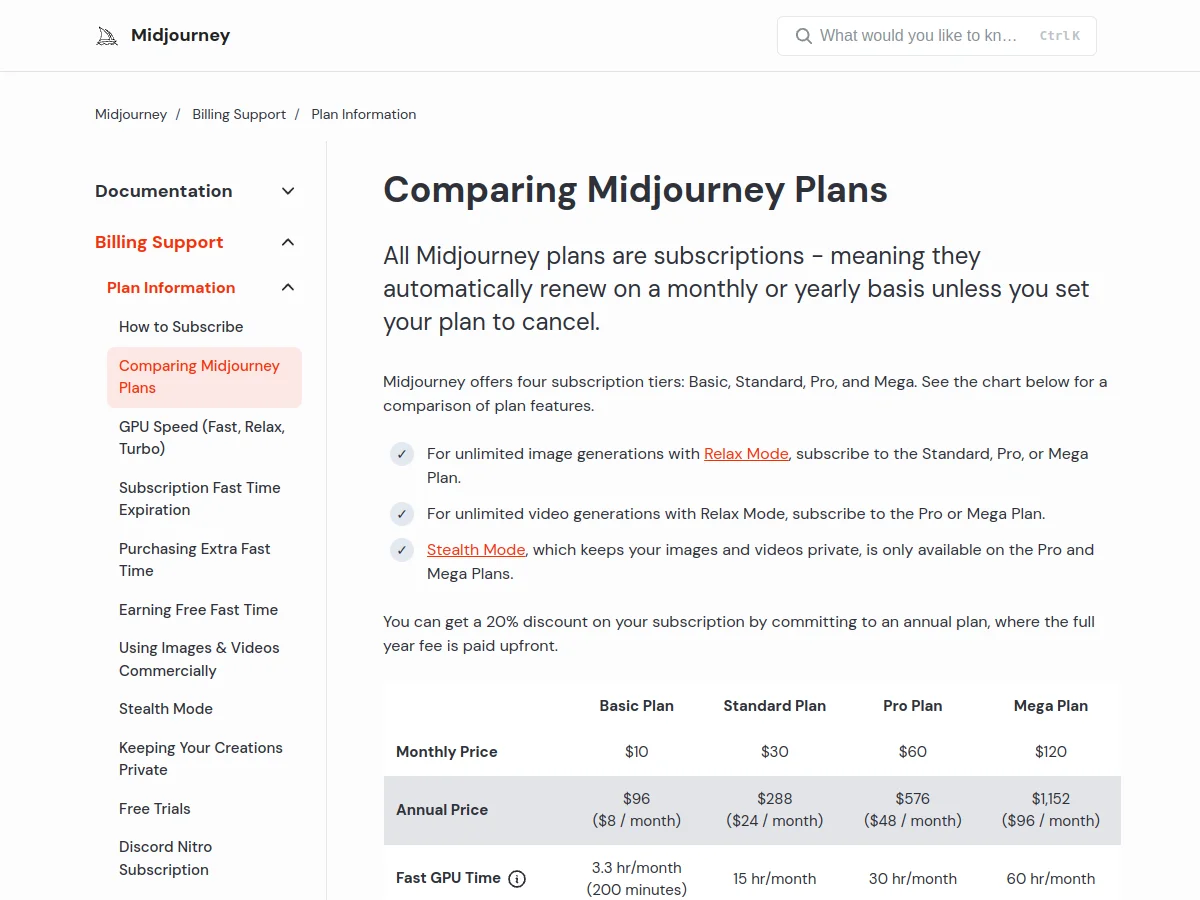
| Formula | Monthly price | Annual (per month) | Fast GPU | Video |
|---|---|---|---|---|
| Basic | 10 $ | 8 $ | 3.3 h (200 min) | SD only, Fast, 1 video at a time |
| Standard | 30 $ | 24 $ | 3 p.m. | SD and HD in Fast |
| Pro | 60 $ | 48 $ | 30 h | HD in Fast + SD unlimited in Relax |
| Mega | 120 $ | 96 $ | 60 h | HD in Fast + SD unlimited in Relax |
In terms of consumption, the documentation gives precise figures. A set of 4 SD videos costs 8 minutes of GPU, a set of 2 costs 4, a single video 2. In HD, the note climbs: 26 minutes for 4 videos, 13 for 2, 7 for one. Additional GPU time is redeemed 4 $ Time on all formulas.
How many clips with a Basic subscription?
Let us calculate from these official figures. With the Basic and its 200 minutes, generating one SD video at a time (2 minutes), you get a maximum of 100 clips of 5 seconds per month, provided you don't generate any images. With the default batches of 4 you fall to 25 lots. And once the few starting images are created, it remains much less. This amounts to about 0.10 $ per 5 seconds SD clip.
On the Standard (900 minutes), a single HD clip costs 7 minutes: about 128 HD clips of 5 seconds per month, or just over 10 minutes of final video in 720p. Each HD clip then returns to 0.23 $ about 0.47 $ if you buy GPU time. These amounts remain reasonable for one-time creative use, much less for producing Shorts every day.
⚠️ Attention: Relax mode, which allows you to generate without counting the fast time, is only open to video on the Pro and Mega planes, and only in SD. On Basic and Standard, each video consumes your quick minutes reserve.
Is there a free trial of Midjourney Video?
No. Official documentation indicates that no free trial is available on the site Midjourney.com and Discord. Only the niji mobile app·anime-oriented journey, offers a limited trial depending on availability, and it does not give access to the video of the main site. Beware of the sites that promise « Midjourney Free video » These are third-party platforms that sell access to various models, without an official link to Midjourney.
The limits of Midjourney Video in 2026
The model has real qualities, but it must be chosen knowingly. Here's what's missing when we write.
- No sound : the clips are silent. Add music, noise or voice to the editing, while Kling or Veo now generate audio with the image.
- Resolution capped at 720 p : correct for social networks, insufficient for a large screen project. Other models go up in 1080p or even in 4K on some paid offers.
- No text to video : you always need a starting image.
- Little camera control : no scrolling sliders or zooms as on Kling, everything goes through text and Low/High Motion.
- No labial synchronization : impossible to make a character speak in a credible way.
- Drive on extensions : Over the course of the extensions, the coherence of faces and objects deteriorates.
- Default public visibility Without the stealth mode (Stealth), reserved for Pro and Mega plans, your videos appear in the public gallery.
On the rights side, the terms and conditions grant the commercial use of images and videos to all subscribers, with one exception: companies that generate more than one million dollars of annual turnover must subscribe to Pro or Mega.
Can ChatGPT create videos?
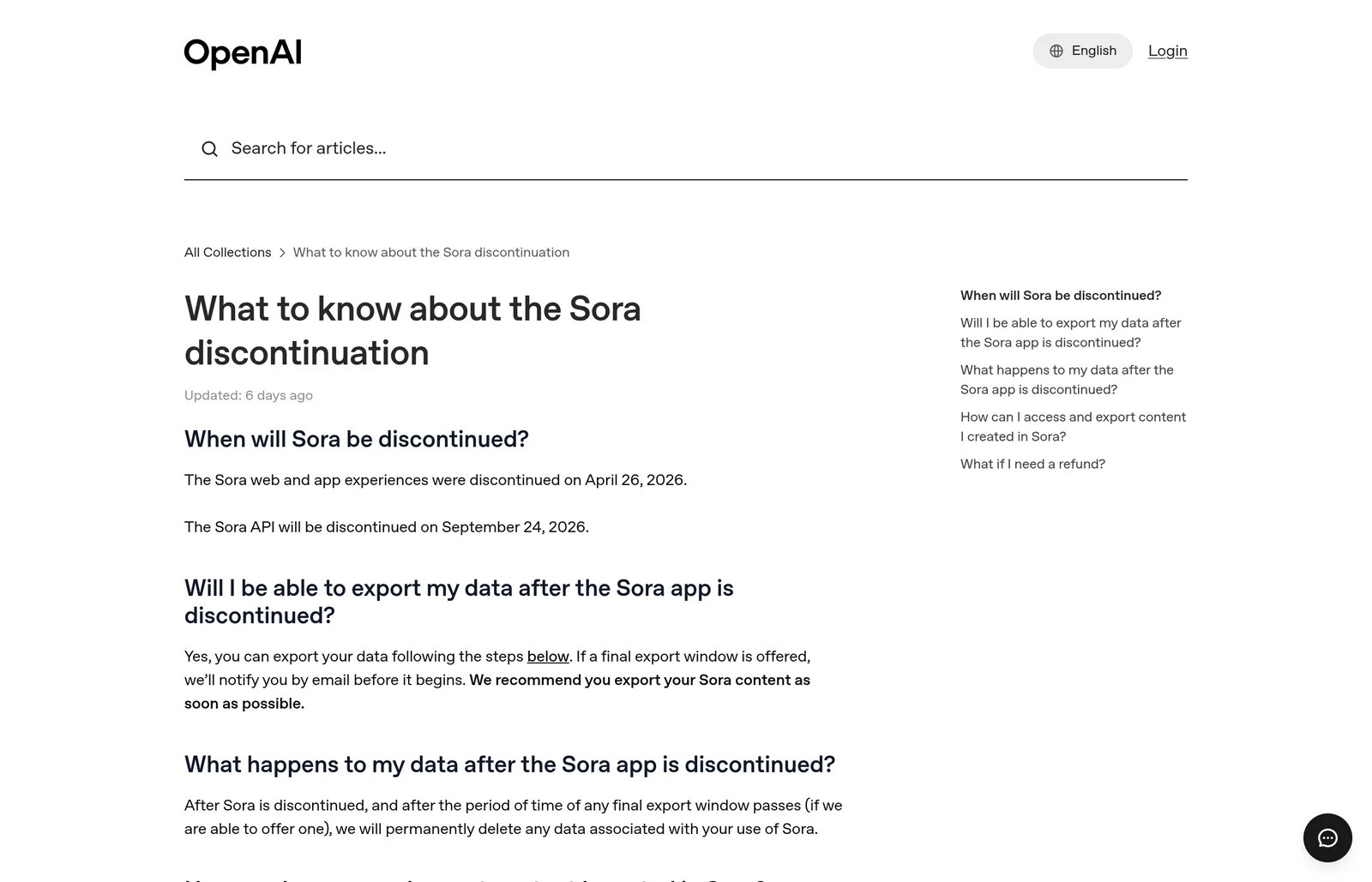
This is a question that is often asked in parallel with Midjourney. The short answer: more really. OpenAI proposed Sora, his video generator, accessible to subscribers ChatGPT. But the company closed the Sora app on 26 April 2026, and the API that fed it stopped on 24 September 2026. Our article on the closure of Sora 2 and its alternatives trace the calendar.
To our knowledge, ChatGPT today does not propose native video generation in France. On the other hand, it remains very useful upstream: writing the script, cutting a storyboard, writing instructions in English for Midjourney Or Kling. It is also a duo that works well: ChatGPT for ideas and instructions, Midjourney for key image, a video generator for movement.
Where to find a generator of AI videos free?
If there is no free version of Midjourney is a brake, several generators offer credits offered, renewed every day. Quotas often vary, so the values observed at the beginning of October 2026 are given here, to be checked at the time of registration.
- Kling AI : free daily credits on Basic Plan, with watermark and without commercial use. Our page Free Kling AI details What You Can really do without paying.
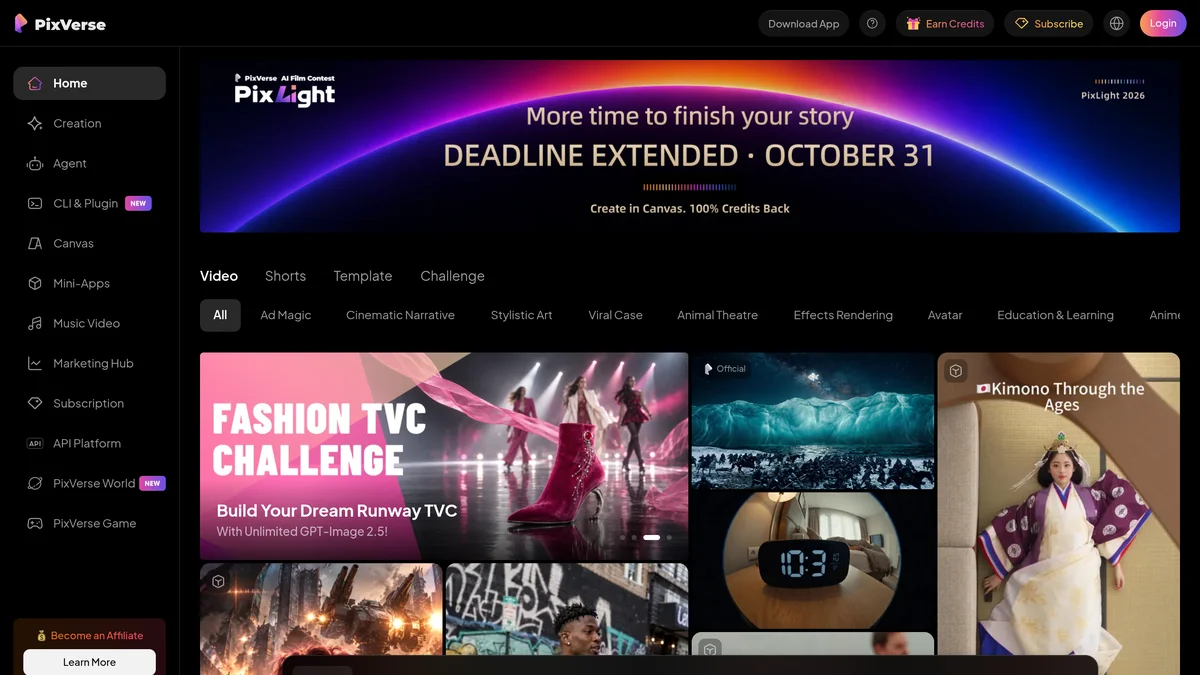
- PixVerse : 90 credits for registration then 60 credits per day from our statements, i.e. about a free daily clip with watermark.
- Seedance : accessible via several platforms that offer test credits for registration.
For a wider panorama, with the limits of each offer, see our selection oftools to generate a AI video free of charge. The right plan often remains to combine: an image created where one wants (Midjourney if you are already a subscriber, a generator free images otherwise), then animation on free credits from Kling or PixVerse.
What is the best alternative to Midjourney Video?
It all depends on what you miss. For sound and duration, Kling is the reference. For viral effects and speed, PixVerse. For multi-planes and character consistency, Seedance. This is how they position themselves against Midjourney the criteria that matter.
| Criteria | Midjourney Video | Kling AI | PixVerse | Seedance |
|---|---|---|---|---|
| Text to video | No | Yes | Yes | Yes |
| Image to video | Yes | Yes | Yes | Yes |
| Its generated | No | Yes (new models) | Yes (depending on model) | Yes (2.0) |
| Max resolution | 720p | up to 4K (Kling 3.0) | up to 4K (paying offers) | 1080p |
| Free credits | No | Yes, daily | Yes, daily | Test credits |
| Strong point | Aesthetic, consistency with images Midjourney | Realism, camera control | Viral effects, speed | Multi-plans, narrative |
Kling AI: the most complete alternative
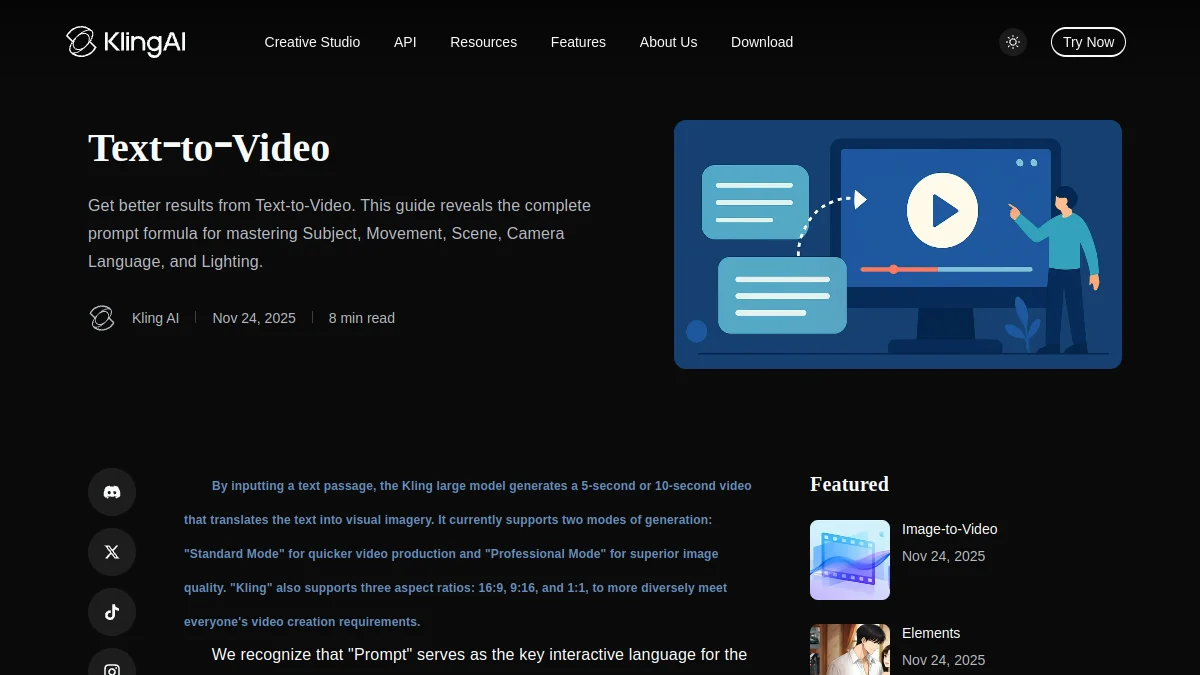
Kling, developed by Kuaishou, does what Midjourney does not do: text to video, image of beginning and end, control of camera movements, labial synchronization and sound generation on its recent models. The rendering is more realistic and less realistic « painted ». The free plan allows to test, and the first paid formula starts at 6,99 $ the first month then 8,80 $. Many creators keep Midjourney for image and pass animation in Kling.
PixVerse: for effects and short formats
PixVerse focuses on speed and ready-to-use effects (transformations, kisses, dances, morphing), much sought after on TikTok. He animates an image Midjourney in tens of seconds, with free daily credits. The rendering is less artistic than Midjourney, but the effort/result ratio is unbeatable for viral formats.
Test PixVerse with the credits offered
Seedance : to tell a story in several planes
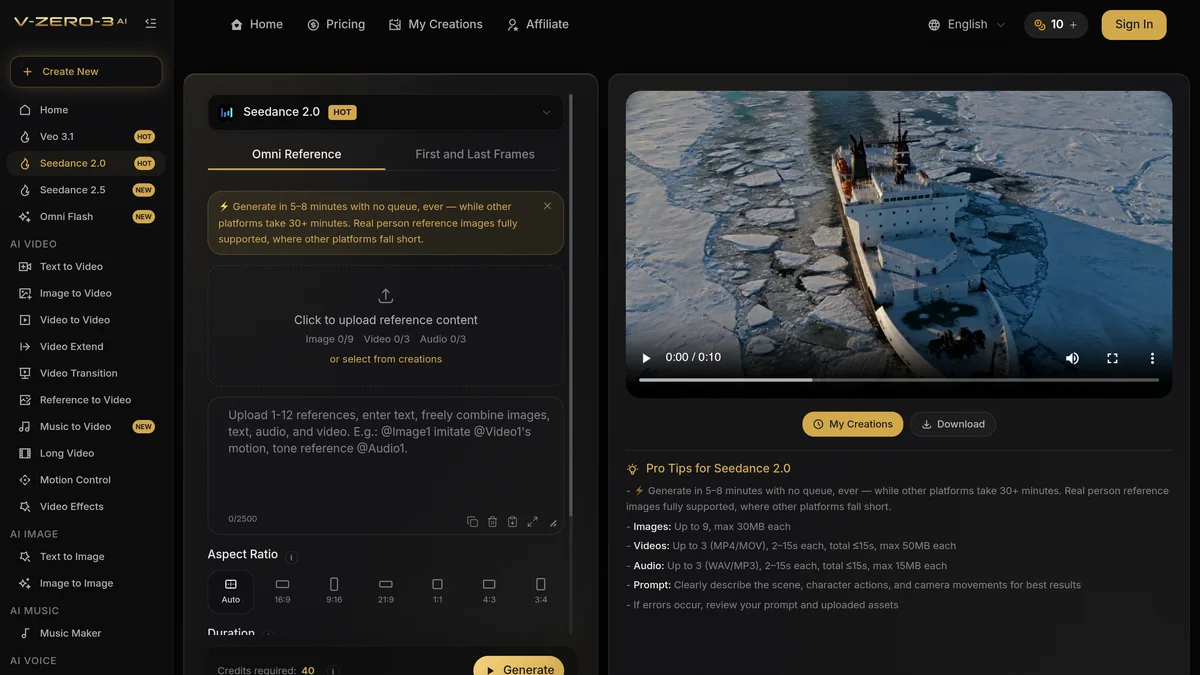
ByteDance's model is distinguished by its ability to chain several coherent planes in a single clip, with a character who keeps his appearance. For a mini-recital from an image Midjourney It is often more effective than chaining extensions. It is available via several platforms, including Seedance AI.
What AI can make a video editing with your clips Midjourney ?
Midjourney stop at the clip. To assemble multiple planes, add music, subtitles or a voiceover, we need a tool of the editing. Good news: several publishers are now incorporating AI which simplifies the work.
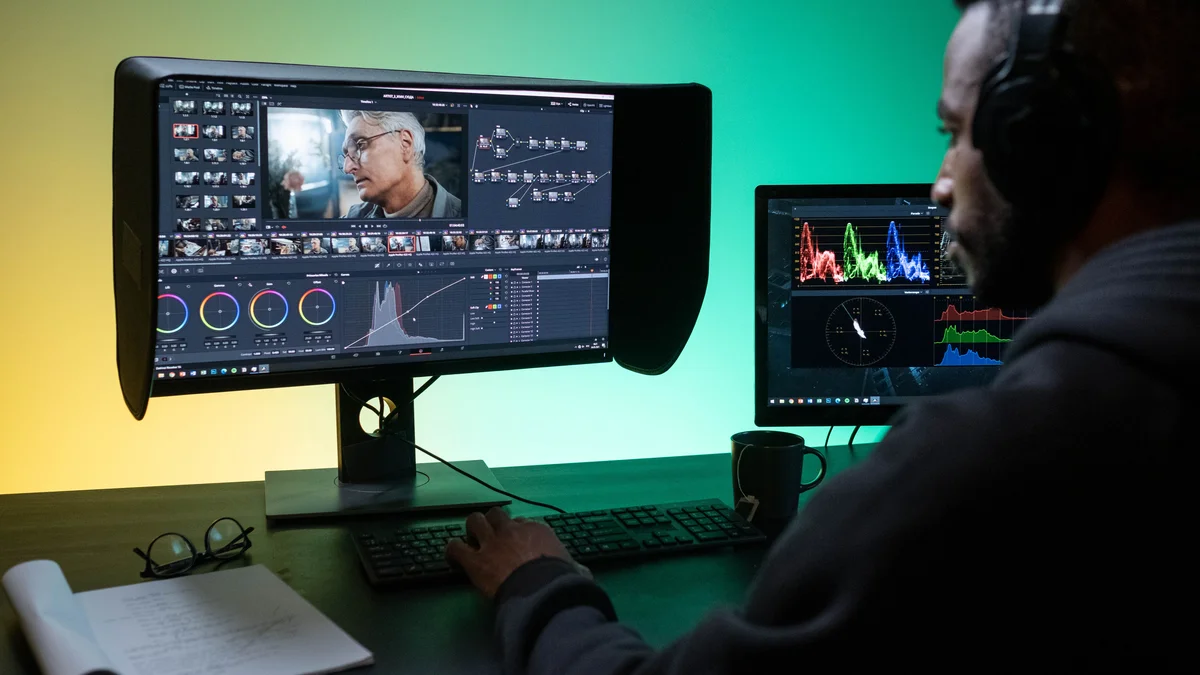
- Filmora : editing complete with AI Tools (music, audio cleaning, automatic cropping for vertical formats), suitable for regular use.
- Description : editing by text, ideal if you add a voiceover or comment on your animated plans.
- CapCut : free for essentials, practical for a editing fast on mobile before publication on TikTok.
- Submagic : to add dynamic subtitles and automatic zooms on short videos.
For the sound, remember that Midjourney Don't generate anything. A music generated by AI fill this gap. Prefer music royalty-free to avoid claims on YouTube.
The method for a 20 to 30 seconds clip
- Generate 3 to 5 images Midjourney in the same style (same basic statement, same style reference).
- Animate each image in Low Motion, one video per batch (
--bs 1), describing only one movement per plane. - Keep the initial 5 seconds rather than chain extensions, unless the plan holds the road.
- Assemble plans in a publisher, add music and short transitions.
- Export vertically or horizontally according to the target platform.
This cutting gives better results than a single long clip: each plan remains clean, and the editing creates the rhythm that the generation alone does not bring.
🎯 Verdict
Midjourney Video is the easiest way to give life to images Midjourney Without losing their style. If you are already a subscriber, this is a bonus to use, especially in Low Motion and in batches of a video. If you are looking for a video generator with sound, text to video and more resolution, Kling or PixVerse do better and test for free.
FAQ: Midjourney Video
How to animate an image Midjourney ?
Open image in your gallery on Midjourney.com, then click Animate (Auto, Manual or Loop) in Low Motion or High Motion. Manual mode allows you to write a statement describing the movement. The 5-second clip appears on the Create page and can be extended in 4 seconds.
Midjourney Is video free?
No. We need a subscription. Midjourney, from 10 $ per month (Basic). No free trial is offered on the site or on Discord. The video consumes GPU time: 2 minutes for a video in SD, 7 minutes in HD.
What is the maximum duration of a video Midjourney ?
A clip lasts 5 seconds at the start. It can be extended 4 times by 4 seconds, reaching a maximum of 21 seconds. Each extension costs as much GPU time as a new generation.
Midjourney Does Video generate sound?
No, the videos are silent. It is necessary to add music, noise or voice during the editing, or go through a generator which produces audio, like Kling.
What resolution for videos Midjourney ?
480p (SD) by default on all formulas, 720p (HD) on Standard, Pro and Mega planes, in Fast mode only. The exact dimensions depend on the starting image ratio, for example 1280 x 720 pixels for a 16:9 HD image.
What is called image-by-image animation?
One speaks of stop motion (or image-by-image animation) when photographing an object by moving it slightly between each socket. Midjourney Video works differently: it starts from a single image and calculates the following images itself by broadcasting.
Can we use the videos Midjourney For commercial purposes?
Yes, the Midjourney allow commercial use for all subscribers. However, companies that exceed $1 million in annual turnover must subscribe to a Pro or Mega plan.