A content creator in 2026 no longer makes a single format. An idea becomes a long video, then three short videos, a carousel, an audio episode, a newsletter. It's exhausting by hand, and it's exactly the type of declination work that I'm doing.AI can speed up. She does not find the idea in your place, she does not replace your voice or your gaze; it removes the manufacturing hours between the idea and published formats.
This page is the starting point of our series by profile. The tools which serve almost all creators, arranged by need (spoken video, short formats, voice, generated plans, music), with their price raised on October 11, 2026, then we refer to our guides dedicated to each platform: YouTube, Instagram, TikTok, podcast, e-commerce.
📌 Essentials
- The principle : content « source » (long video or audio episode) is available in short formats by AI reports more than one AI that generates everything.
- The four tools most useful : Descript to mount the source, Submagic or OpusClip to cut it into short formats, ElevenLabs for the voice, one generator as Seedance for impossible shots to film.
- Budget : we start at 0 €, we move to 20 € per month on the step that costs the most time, and one does not exceed 100 € only if the content returns.
- Transparency : realistic content generated by AI on all major platforms.
Contents: What AI to create content • Guides by platform • Source content • Short formats • Votes • Generated shots • Music • Board • Stack by budget • Content Creator AI • FAQ
What AI to create content?
The question is too broad for a single answer, but it can be cut. A creator spends his time on five types of tasks: finding and writing (ideas, scripts, legends), producing the main content (turning, recording, editing), decline it (clips, subtitles, formats), dress (visual, music, miniatures) and distribute it. L AI is excellent on declination and dressing, useful on writing, still average on production of credible main content.
Hence our advice of method, which returns in all our guides : keep your hands on the source content, which makes your audience come to you rather than to other places, and entrusts to the AI Everything that happens again. For writing, a free assistant (ChatGPT, Gemini, Claude) sufficient ; our method for Write a script with AI avoid the generic text.
Our guides AI by platform and profile
Each platform has its own formats, rules and tools favorites. Instead of repeating everything here, here are our dedicated hubs:
- AI for YouTubeur : ideas, script, voice, editing, miniatures, Shorts and translation, step by step.
- AI for Instagram : carousels, retouching, Reels, generated plans and what Meta AI does.
- AI TikTok : the tools that really work for the vertical video and TikTok rules.
- Create a podcast with AI : script, voice, editing and dissemination.
- AI for e-commerce : product photos, videos, advertisements and languages for creators who sell.
- AI for teachers : course materials, audio and educational video.
Producing source content: editing a video or episode
The source content is the one you record yourself: a video face camera, a discussion, an audio episode. L AI acts in editing, and that's where she gives the most time to a creator who speaks a lot. Our comparison AI video editing in test ten; We're holding one for this hub.
Descript : editing the video as a text
Descript transcribes the record and allows to mount by deleting words in the text. The hesitations and silences leave in one click, Studio Sound cleans the sound, and the same project is used to export the video, the audio version for the podcast and the transcription for the newsletter or blog. For a multiformat creator, this last point counts as much as the time-saving to editing.
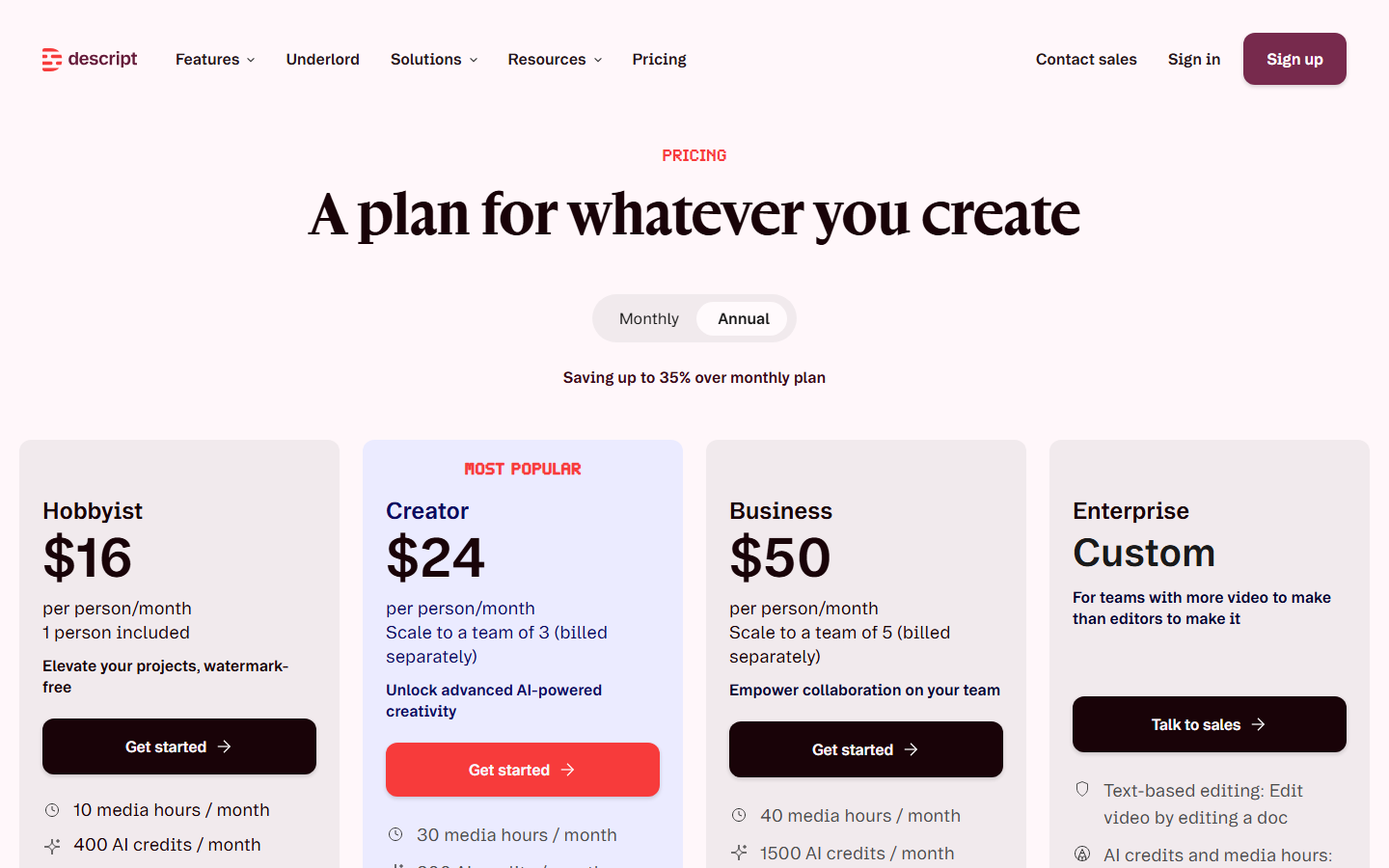
Price increased on October 11, 2026: free plan limited to 60 minutes of media per month (export 720p with watermark), Hobbyist 24 $ per month or 16 $ in annual, Creator at 35 $ per month or 24 $ annual. Our article Free description shows what the version allows without subscription.
Decline in short formats: clips, subtitles, vertical
A 20-minute video often contains five to ten moments that hold alone. Identify them, frame them in 9:16, subtitle them and rhythm them takes hours by hand; on tools cutting machines AI Do it in a few minutes, with a precision that varies depending on the content. They work very well on a conversation or tutorial less on a vlog without clear words.
Submagic : animated subtitles and excerpts
Submagic is our choice for a French-speaking creator: its animated subtitles recognize French, and its Magic Clips function cuts a long video into vertical extracts. Automatic zooms, silence suppression and sound effects give the expected rhythm to TikTok, Reels and Shorts.
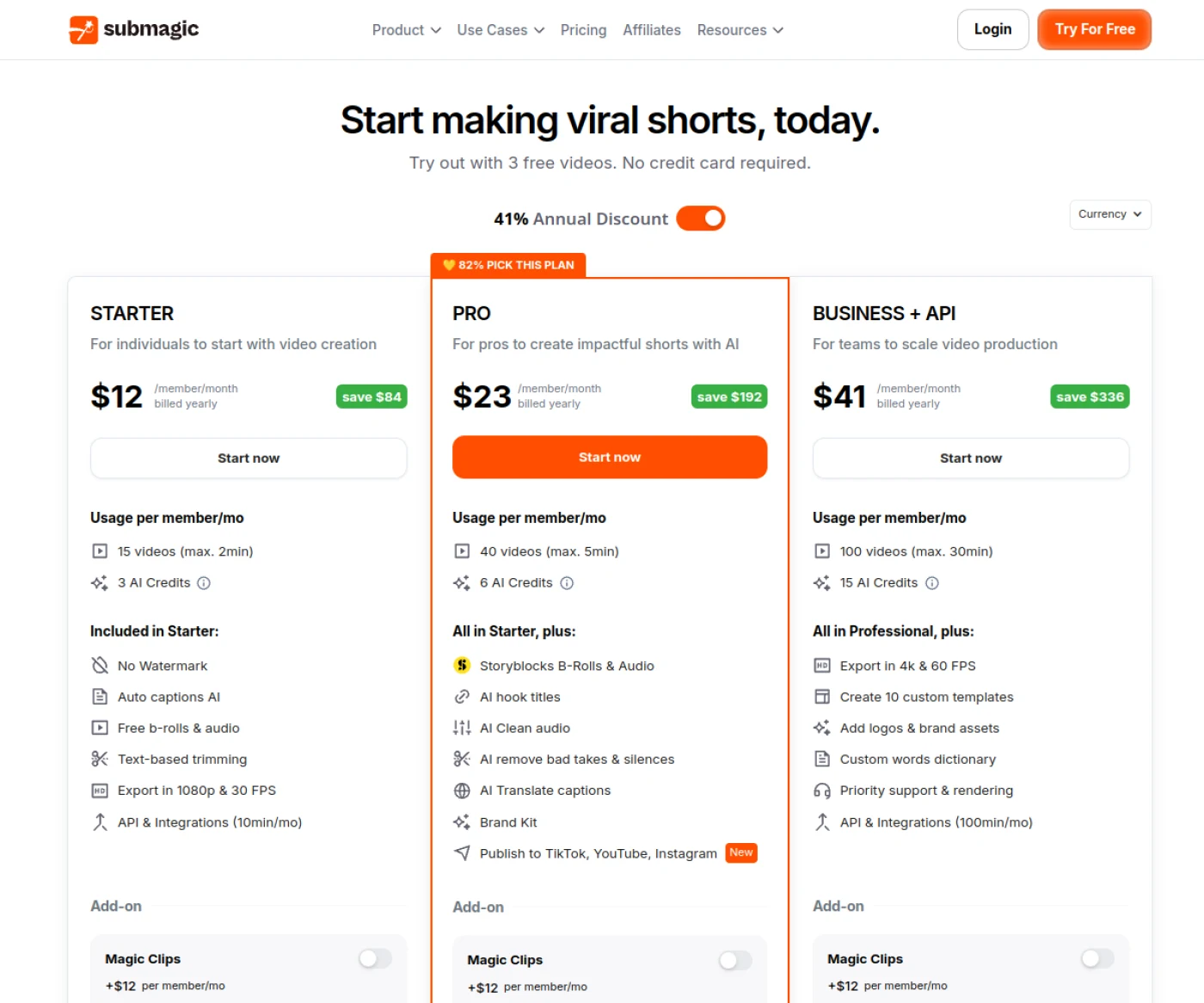
Price increased on 11 October 2026: test without credit card, Starter at 19 $ per month (12 $ in annual), Pro at 39 $ per month (23 $ in annual), Business at 69 $ per month. The page displayed a slightly different second grid on that day: check when you pay. Our review on Submagic details the maximum durations.
OpusClip: automatic volume cutting
OpusClip is specialized in a single task: paste the link of a long video and recover a series of clips classified by viral potential, with subtitles and cropping on the speaking face. He's moving faster than Submagic on this specific point, it is less complete on fine edition of subtitles.
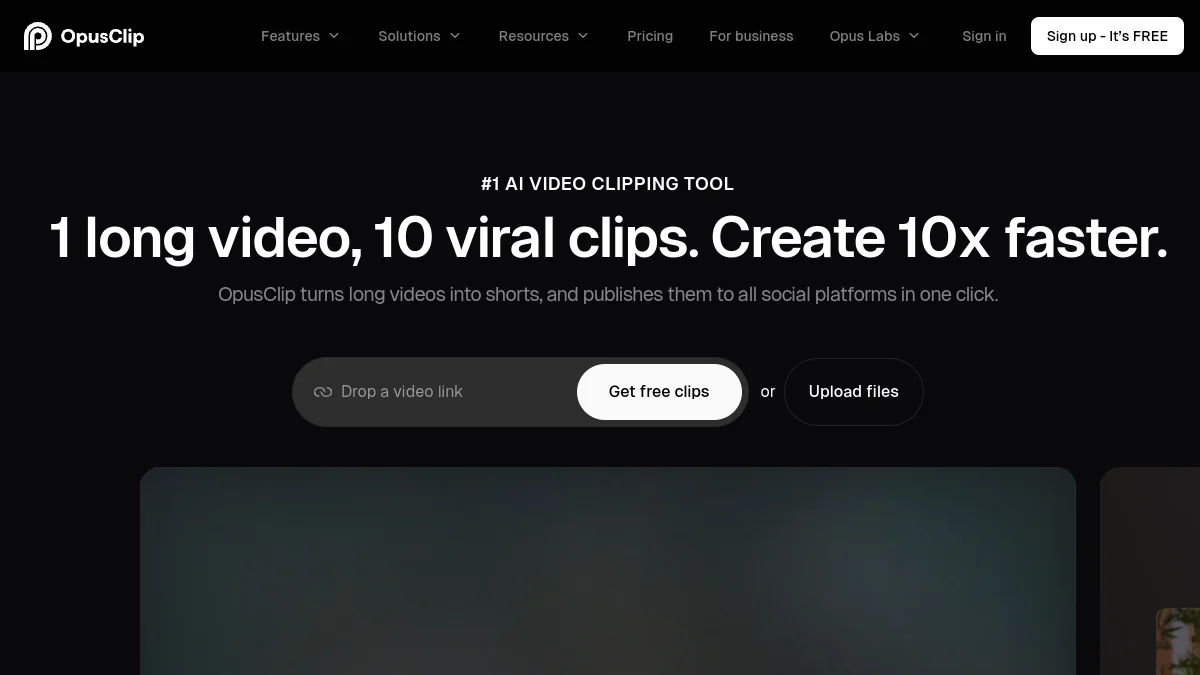
Price increased on October 11, 2026: 60 minutes of free treatment per month (with watermark), Starter at 15 $ per month, Pro at 29 $ per month. Our alternatives to Opus Clip compare the others tools clips.
Add a vote: voiceover, clone, dubbing
The AI Voice is used for three things in creators: producing content without recording (chains in voiceover, short formats in series), keep the weeks loaded with a clone of its own voice, and translate its videos for another audience. Our guide of the AI Voices Free does the tour of options without subscription.
ElevenLabs : the reference for the voice in French
ElevenLabs remains the most natural in French, on long texts as on short, rhythmic sentences. Instant cloning requires a few minutes of recording; The dubbing translates a video by keeping the stamp. That's the one.tool In the majority of creative stacks we have seen.
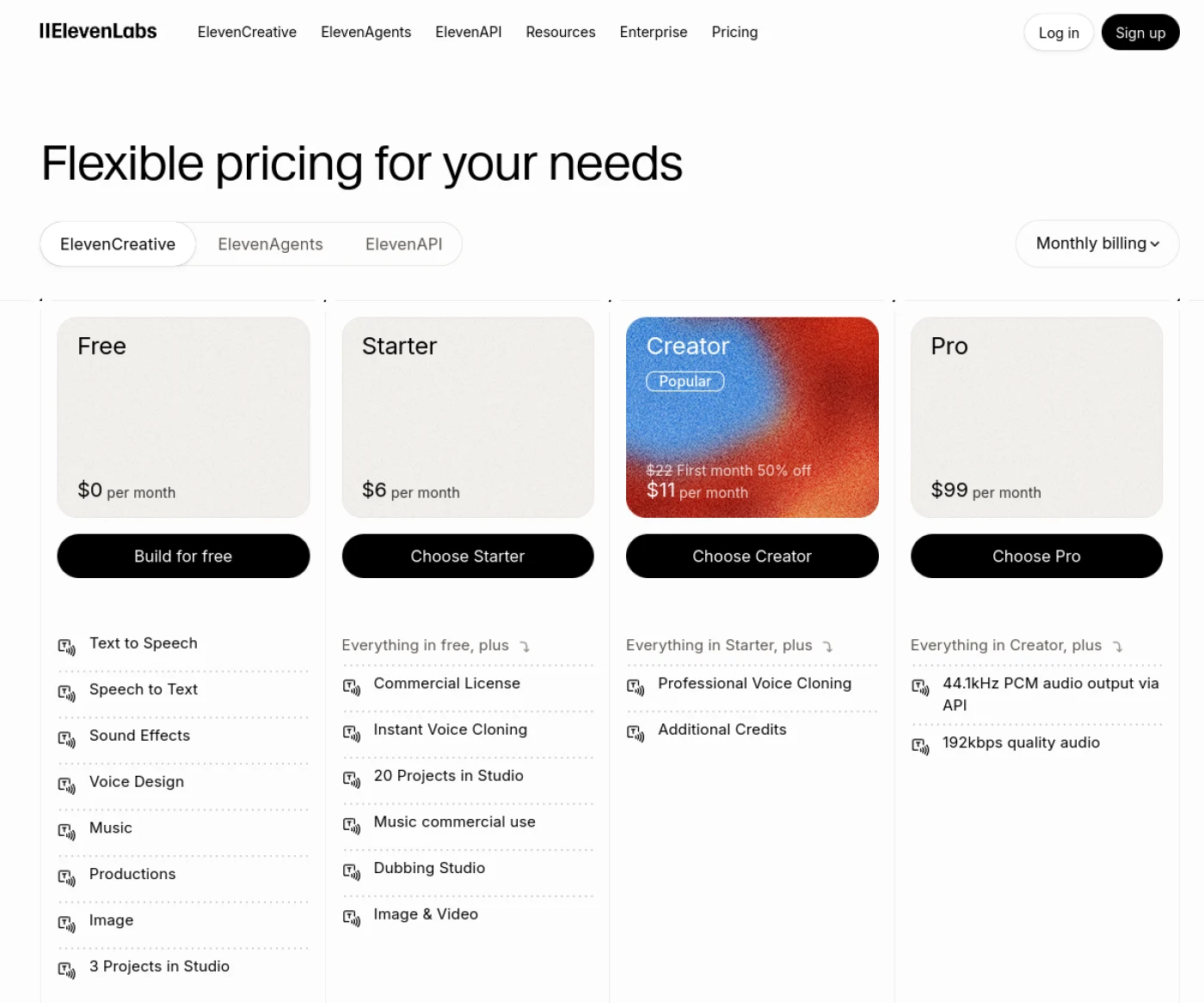
Price increased on October 11, 2026: free plan at 10,000 credits per month without commercial licence, Starter at 6 $ per month that opens commercial use, Creator to 22 $ per month. For a monetized channel or a sponsored account, therefore, the free plan is not legally enough, even if it is sufficient in volume.
Generate video plans that can't be filmed
The generators video is used by designers for illustration plans: a decor, a reconstitution, a visual metaphor, a transition. The late 2026 models produce very convincing plans of five to fifteen seconds, and some even generate sound. Their limit: the consistency of one character from one plane to another, which remains difficult.
Seedance via V-Zero-3 AI: multiple models in the same location
Seedance, the video model of ByteDance, is among the most realistic of the moment; We tested in our Seedance 2.0 review. V-Zero-3 AI is an independent platform that provides access to Seedance and other models (Veo, Kling in particular) from a single interface, with a common credit system. Practical to compare multiple models on the same speed without multiplying subscriptions.
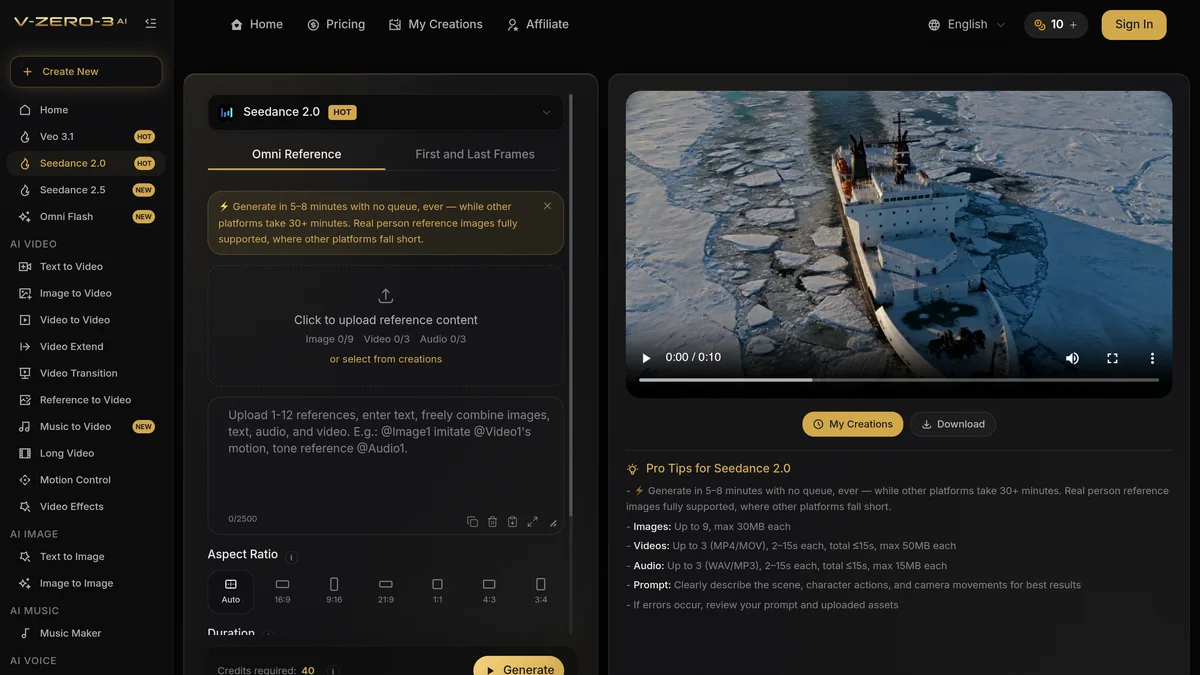
Price raised on 11 October 2026 on the platform: a free credit every 24 hours once connected (a video of eight seconds costs about ten), then Basic at 9,90 $ per month for 150 credits and Pro at 19,90 $ for 350 credits. To write instructions that give a good plan at first glance, our guide of the quick videos AI gives thirty examples.
Dress with music royalty-free
Music is the number one cause of claims for rights over YouTube and silent videos on Instagram. The generators by AI produce original tracks to the desired duration; only check that the licence covers commercial use. Our guide of the music AI free of rights YouTube compare the licenses.
Mubert: Tracks generated to the exact duration
Mubert generates an instrumental track from a genre, an atmosphere or a short description, at the exact length of your video. The results are clean for a sound background, without artistic pretension, which is precisely what is required of a music of vlog or of tutorial.
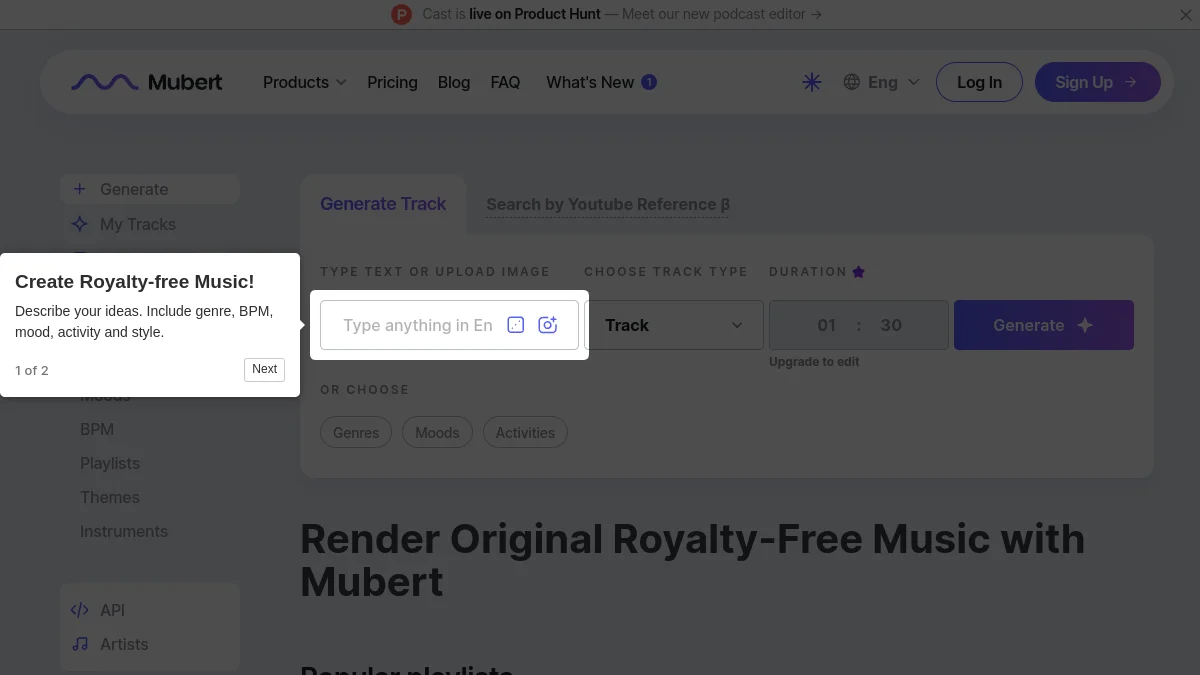
Price increased on October 11, 2026: free limited formula (25 tracks and 5 downloads per month), Creator at 14 $ per month (11.69 $ in annual), Pro at 39 $. Attention, the page was contradictory about the commercial use of the free formula, which the FAQ reserves to the Pro and Business formulas: for a monetized video, one starts from the principle that must be paid. The detail is in our article Mubert free.
Summary table: what tool for what need of creator
| Need | Tool | Entry price (11.10.2026) | Free? |
|---|---|---|---|
| Ideas, scripts, legends | ChatGPT, Gemini, Claude | Free versions | Yes |
| Video editing and audio | Descript | Hobbyist 24 $/month (16 $ annual) | Yes, 60 minutes, watermark |
| Animated subtitles, extracts | Submagic | Starter 19 $/month (12 $ annual) | Trial |
| Automatic clip cutting | OpusClip | Starter 15 $/month | Yes, 60 min/month, watermark |
| Voiceover, clone, dubbing | ElevenLabs | Starter 6 $/month | Yes, without commercial use |
| Generated video plans | Seedance via V-Zero-3 AI | Basic 9,90 $/month | 1 credit per day |
| Background music | Mubert | Creator 14 $/month (11,69 $ annual) | Yes, limited |
What a stack AI According to your creative budget?
0 € : produce without subscription
A free assistant to write, the free plan of Descript or CapCut to mount, the 60 minutes monthly of OpusClip to cut, the automatic subtitles of Edits or CapCut, the daily credit of V-Zero-3 AI for a plan generated from time to time. Watermarks and lack of commercial use on voices and music are the two real limits; for an account that still earns nothing, they don't block.
Around 20 € per month: pay for the longest stage
Only one subscription, chosen according to your main format: Descript Hobbyist in annual if you mount a lot of spoken video, Submagic Start annually if you live in short formats, ElevenLabs Starter plus Mubert Creator if your production is based on voice and music. It's the level where AI begins to render several hours a week.
Pro budget: the creator who lives on its content
Descript Creator, Submagic Pro, ElevenLabs Creator and one video generator : we arrive around 80 to 100 $ annual per month. Beyond this, a part-time editor or human assistant brings more than one extra subscription. For the revenue section, our article on the monetization of AI videos on YouTube and our page AI Tools for business and monetization Take over.
🎯 Our advice
Build your stack around source content per week: one editing in Descript, a decline in short formats with Submagic, and only then generated plans or a synthesis voice if your format needs it.
Content Creator AI : a profession, and what rules?
The expression covers two realities. On one side, human creators who use the AI to produce more; This is the case of almost all creators today, and it is the subject of this page. On the other hand, entirely generated accounts, with a virtual character (l« influencer AI »), managed by a person or agency. These accounts exist, some sign partnerships, but their real income is rarely published in a verifiable way; Beware of the spectacular figures on online training.
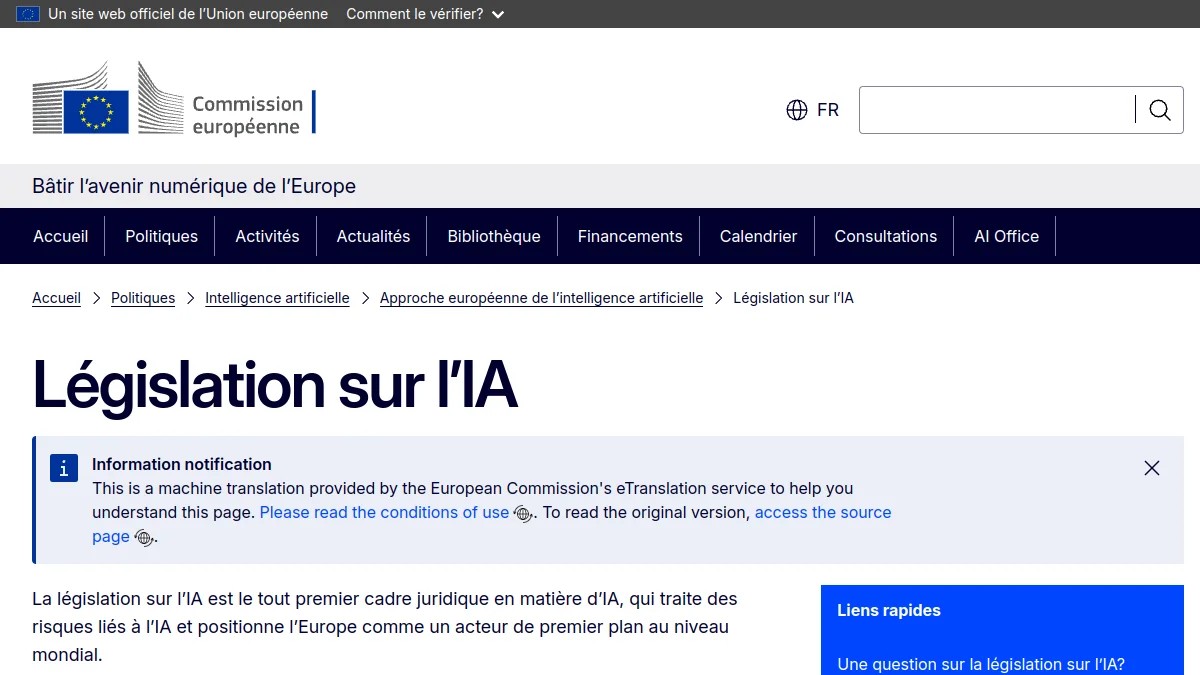
As for rules, a few principles apply to everyone. A realistic content generated or modified by AI label on YouTube (see its modified content policy), Instagram and TikTok. Making a real person say or have something done without his consent is subject to prosecution; This is explained in our article on deepfakes and French law. And a commercial partnership remains a commercial partnership, whether the face is real or generated: mention remains mandatory. The European framework is becoming clearer with theAI Act, whose transparency obligations on generated content are summarized in our article on Video labelling AI.
What is the difference between an influencer and a content creator? The creator manufactures content for his audience or for brands; The influencer monetizes the confidence of his audience through recommendations. Both often overlap, and the tools of this page serve both.
FAQ:AI for content creators
What AI to create content?
One by need: an assistant as ChatGPT or Gemini to write, Descript to go up, Submagic or OpusClip for short formats, ElevenLabs for the voice, one video generator as Seedance for illustration plans and Mubert for music.
Is there a AI free to create content?
Yes, most tools have a free plan, but with watermark, quotas or no commercial use. A stack at 0 € allows regular publication until the account is monetized.
Can you create content with AI Without showing up?
Yes, with a synthesis voice or a clone of his voice and illustrated or generated plans. However, the accounts that work have a real editorial angle; generic content produced in series is demonized on YouTube.
Does it have to be said that something is done? with AI ?
For realistic content generated or modified (visage, voice, scene that might look real), yes: YouTube, Instagram and TikTok impose a label. Aid to editing or subtitles do not need to be reported.
What is the difference between an influencer and a content creator?
The creator manufactures content; The influencer monetizes his recommendation to his audience. Both roles often overlap.