Kling 4.0 is the new generation of video generator from Kuaishou. After early access at the end of September 2026, the full model has been open to all since 15 October 2026. On paper, the jump is clear: clips up to 30 seconds in a single generation, up to 10 keyframes, 15 combined references and a voice that finally speaks French. In fact, some of the promises remain marked « Soon » on the official website, and Kling still does not publish the price in credits. We sort out what works today, what is announced and what it costs.
📌 Essentials
- Check out : early access from 28 September 2026, full model open to all on 15 October 2026.
- Duration : 3 to 30 seconds per generation, adjustable to the second (3 to 20 seconds for the Flash version).
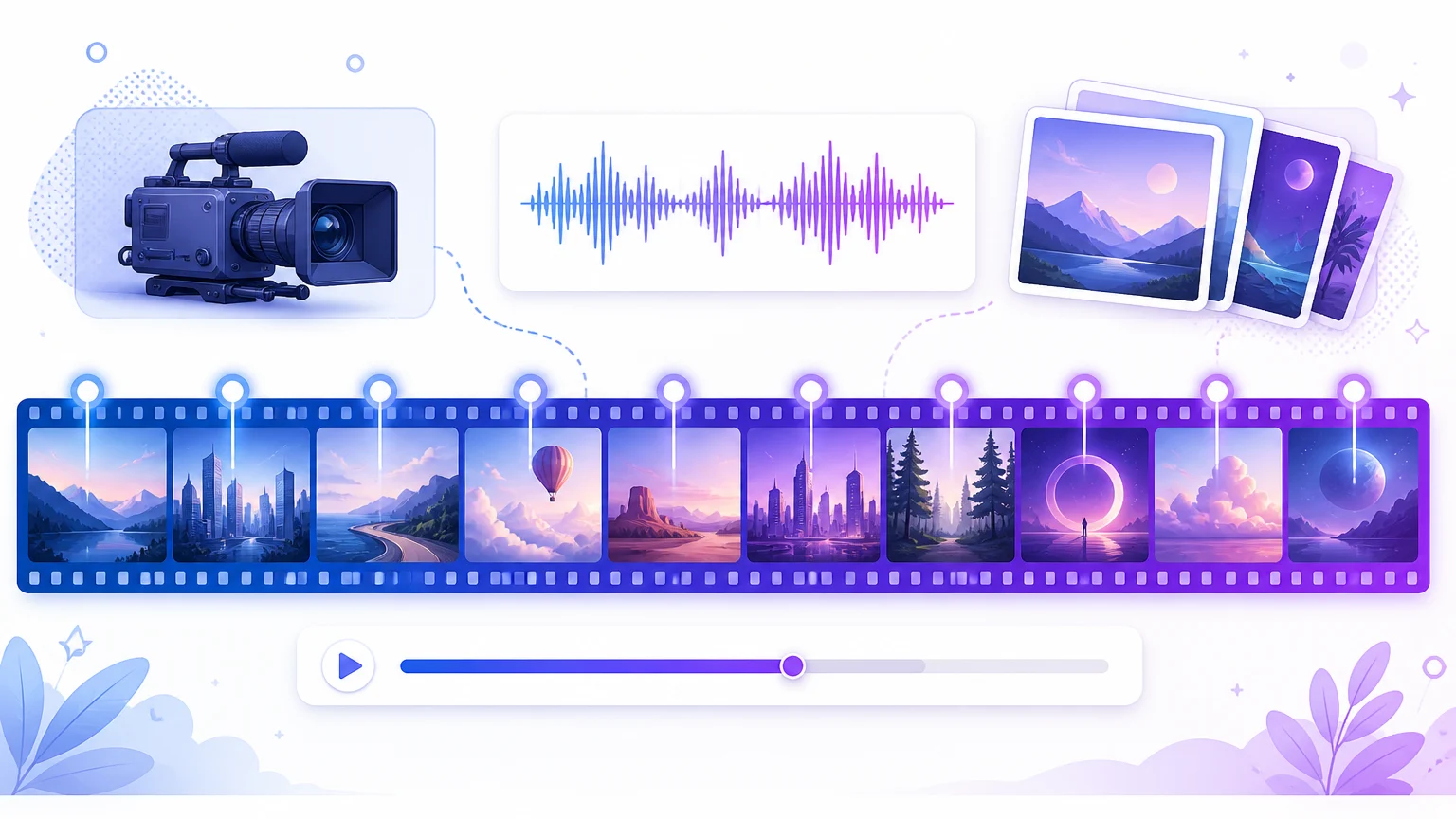
- Control Up to 10 key images on the timeline, or up to 15 references (images, videos, voices, elements) in Omni Reference mode.
- Sound : stereo, with French in the list of languages spoken, which 2.6 could not do.
- Still announced : 10 bit HDR, extension up to 2 minutes, and the 4K according to the page we read at Kling.
- Prices : no published credit grid. The cost is displayed before each generation.
Contents: What is Kling 4.0? • Release date • New • 4.0 or Flash • Announced, not there yet • Prices • How to use • Prompts • Limits • Which version to choose • FAQ
What is Kling 4.0?
Kling AI is the generator from videos by artificial intelligence from Kuaishou, one of the two Chinese giants of short video with Douyin. The platform opened in June 2024 and released a major release every few months: the 2.6 brought the sound in December 2025, 3.0 the multi-plan in February 2026. 4.0 is the fourth generation, and Kling AI Wikipedia sheet October 2026.
What is changing is the scale. So far, a Kling clip was 5 to 10 seconds, 15 at best with 3.0. For a longer scene, it was necessary to chain generations and hope that the character keeps the same face from one clip to another. The 4.0 produces 30 seconds of one holding, automatically cut into several planes, and lets fix in advance what must appear at that time. We're moving on. generator from plans to something that looks like a small, mounted sequence.
Release date: early access and full launch
The calendar was made in two stages. On September 28, 2026, Kling opened early access to a limited group of users, in practice the annual subscribers of the most expensive formulas, with the lighter Flash version. The official blog, published on September 30, announced the complete model « for October ». It arrived on 15 October 2026, open to all users, and Kuaishou it confirmed by press release the following day.
The guide official use of Kling 4.0, which details each adjustment, bears the date of November 4, 2026. This is our main source for the following features, cross-referenced with Kling's presentation page and blog.
| Date | Step |
|---|---|
| 28 September 2026 | Advance access for a limited group of subscribers |
| 30 September 2026 | Presentation article on Kling's blog |
| 15 October 2026 | Complete model open to all users |
| 4 November 2026 | Guide official online use |
The news of Kling 4.0
30 seconds in one generation
Duration is set from 3 to 30 seconds, second per second, with 10 seconds by default. Kling 3.0 capped 15 seconds. The multi-plane is activated automatically: the model itself cuts the sequence into several planes and there is no switch to cut it. Practical for a mini-scene, more embarrassing when you want a plan-sequence: some designers complain about cuts they didn't ask for.
Up to 10 keyframes
Keyframes mode accepts a first image, a last, and intermediate images placed anywhere on the timeline, up to 10 in total. We thus fix what we want to see at such a moment, and the model invents the movement between the steps. This is the preferred setting for a product that must appear from three specific angles, or a quick action: user feedback shows that without key images, the combat scenes remain the weak point of 4.0.
Omni Reference: 15 combined references
The other front door, Omni Reference, mixes several sources in the same generation. The guide sets the following ceilings:
- Images No more than 10, 30 MB each.
- Videos : 5 at most, 3 to 30 seconds each and 30 seconds in total.
- Voice profiles : 3 per generation, from extracts of 5 to 30 seconds.
- Elements (recorded persons or objects): 7, including 3 from a video.
- Total : 15 references in all categories, plus one prompt up to 8,000 tokens.
The two modes do not combine: we choose Keyframes or Omni Reference for each generation. Omni Reference is also used to modify an existing video (change decor, clothing) starting from an imported clip.
A stereo sound that speaks French
This is the most concrete novelty for a Francophone audience. 2.6 only spoke in English or Chinese. The guide of the 4.0 lists French among the languages supported, with English, Chinese, Japanese, Korean, Spanish, Portuguese, German and Hindi. The sound passes in stereo two channels, the synchronization of lips is presented as improved, and the image and sound are generated together by default. You cannot import your own music: atmosphere, noise and music are created from the image. Only the voice can come from an excerpt provided.
💡 Tip: on guide recommends keeping only two negative instructions in a prompt manner: « no subtitles » and « No background music ». The second one is useful if you plan to put your own soundtrack at the editing, because 4.0 will gladly add music.
Formats and access for agents AI
The proposed formats are 21:9 (ultra-large, new), 16:9, 1:1, 9:16 and an automatic mode. With imported images, the format follows that of the first keyframe. According to the launch announcements, 4.0 is also connected to the tools Of Kling for agents AI (MCP and command line), which allows you to drive it from an assistant like Claude without going through the web interface.
Kling 4.0 or Kling 4.0 Flash?
Kling offers two variants. Flash is the quick and light version, thought to iterate quickly and for short formats of social networks. It keeps text to video, image to video and Omni Reference, but loses key images and descends in quality.
| Criteria | Kling 4.0 | Kling 4.0 Flash |
|---|---|---|
| Duration | 3 to 30 s | 3 to 20 s |
| Definition | 720p, 1080p, 4K depending on guide | 720p |
| Key images | Yes, up to 10 | No |
| Omni Reference | Yes | Yes |
| Recommended use | Careful sequence, advertising, clip | Drafts, prompt tests, short content |
Our advice: set the prompt and references to Flash, then restart in 4.0 once the result has been validated. The principle is the same as with the Standard and Professional modes of previous versions, and it avoids paying full price for failed trials.
What is announced but not yet available
Kling's pages should be read carefully, because they don't all say the same thing. The guide and blog list 4K among the available definitions. The Kling 4.0 presentation page writes on the contrary that the native output in 1080p and 4K arrives « Soon ». Same blur on the video extension: the guide the mark « Forthcoming », the presentation page describes it as acquired.
- 10 bit HDR in 1080p and 4K : announced as « Soon » on the three official pages.
- Extension up to 2 minutes (extend a clip forward or backward into several passes): « Soon » according to guide.
- 4K native : available according to the guide, « Soon » depending on the presentation page. Check the list of definitions in your interface.
- Developer API : announced at the launch, without price grid published to date.
⚠️ Attention: Many online pages resume the September ads as if everything was available. Before you pay for 4K or 2 minute videos, open the Video module, select Kling 4.0 and see what the drop-down list actually offers on your account.
How much is Kling 4.0?
There is no subscription « Kling 4.0 » The model is part of the Kling AI formula and is paid in credits, such as 2.6 and 3.0. We detail these formulas, from Free Basic to Ultra, and the trap of renewal price in our article Kling AI prices.
The credit cost of a 4.0 generation is published nowhere at Kling: neither in the guide neither on the presentation page nor on the blog. API resellers put forward figures that contradict themselves from simple to double, and a review estimates 4.0 from 25 to 40% more expensive per second than 3.0 with sound. The only reliable number is that displayed by the meter just before launching the generation. Two practical rules result: a 30-second generation costs much more than a 10-minute clip, and a failed generation still pays. Start short.
For the free offer, Kling also does not specify whether the 4.0 is accessible with the Basic plan credits. The credits offered each day (66 in most of the 2026 statements) would in any case be barely sufficient for a short generation. What the free account actually allows is detailed in Free Kling AI.
How to use Kling 4.0 step by step
- Log in to the Kling AI website (the interface exists in French) and open the Video module.
- From the template list, choose Kling 4.0 or Kling 4.0 Flash.
- Choose the front door: Omni Reference (by default, for single text or references) or Keyframes (to place your images on the timeline).
- Import your references. They are numbered in the order of import: @Image1, @Video1, and so on.
- Write the prompt by assigning a role to each reference and cutting the action into time slots (see below).
- Set the proposed duration, format and definition on your account.
- Read the displayed cost, run, then check the continuity over the entire sequence and not just on an image.
To properly prepare a starting image (shade, resolution, amount of movement), our guide to animate a photo with AI applies as is to Kling's key images.
Write a good prompt for Kling 4.0
With 30 seconds and up to 15 references, a quick wave quickly gives an unpredictable result. The guide If one does not indicate the role of each reference, the model guesses it. The rules that come back in the official documentation:
- A role by reference : « @Image1 defines the face and hold of the character, keep them », « @Video1 gives camera movement ».
- Concrete rather than abstract Not « premium atmosphere », but the light, materials and colors you want to see.
- A Timeline : cut the action into slices, « 0 to 8 seconds... », « from 8 to 20 s... ».
- A separate sound section : dialogues, atmosphere, music and noises, described separately.
- To edit a video : start with « Edit @Video1 » and finish with « Keep everything else unknown ». A prompt beginning with « Reference @Video1 » can trigger a new generation instead of a retouch.
Kling's blog summarizes the structure in seven elements: subject, action, decor, camera, light, rhythm and sound. An example of a quick build, for a generation of 20 seconds with a product photo in @Image1:
« @Image1 defines the perfume bottle: keep its shape, amber colour and label. From 0 to 8 s: bottle placed on a wet rock at sunrise, slow forward travel, golden light shaved. From 8 to 16 seconds: a wave licks the rock, close-up on the drops that slide on the glass. From 16 to 20 s : wide plane of the beach, the bottle in the first third of the picture. Sound: flush, seagulls in the distance, no background music, no subtitles. »
Our seriesquick video examples AI gives other models to adapt.
The limits raised by the first users
We haven't yet generated a video with 4.0 on our account, so the following is a summary of the first published reviews and creative discussions, not a home-made trial bench. The reproaches return with a good regularity:
- Cuts not requested : automatic cutting into planes does not turn off.
- Music added when the prompt does not speak of it, hence the interest of explicitly prohibiting it.
- Faces that drift on long sequences without character reference.
- Less convincing rapid movements without key images, especially fighting.
- Motion Control (movement transfer from a dance video) does not support 4.0 according to a review: for trends « Make your photo dance », 3.0 or 2.6 remain the normal route.
- Difficult to anticipate costs, and every failed generation consumes its credits.
On the positive side, the same reviews welcome the holding of complex camera movements, the consistency brought by references and the interest of key images in product advertising. However, several designers find the 3.0 more natural for a simple character animation of a few seconds.
Kling 4.0, 3.0 or 2.6: which choice?
Old versions do not disappear from the list, and they cost less. So 4.0 is not the right choice by default:
| Your need | Recommended version | Why? |
|---|---|---|
| Single plan from 5 to 10 s, small budget | Kling 2.6 | The cheapest, stable behavior |
| Dancing a photo (Motion Control) | Kling 3.0 or 2.6 | Motion Control not supported in 4.0 |
| Scene from 10 to 15 s in several planes | Kling 3.0 | Multi-plans already present, cheaper |
| Dialogue in French generated with image | Kling 4.0 | French appears in the supported languages |
| Sequence from 20 to 30 s, advertising produced | Kling 4.0 | Duration, 10 keyframes and 15 references |
| Test ideas quickly | Kling 4.0 Flash | Faster, 720p enough to validate |
For the details of the previous version, read our guide Kling 2.6. Our review complete on Kling AI covers tool as a whole, and if you hesitate with a competitor, we compared Seedance, Veo, PixVerse and Hailuo in our alternatives to Kling AI.
🎯 Verdict
Kling 4.0 changes scale: 30 seconds, key images to hold a story and, finally, characters who speak French. It is the version to be taken for an advertisement or a built scene. For an isolated plan of a few seconds, 3.0 or 2.6 do the work for less credits. Two reserves before paying: check in your interface that the 4K and the extension are there, and keep an eye on the credit counter, for lack of a published grid.
FAQ: Kling 4.0
When did Kling 4.0 come out?
Early access opened on 28 September 2026 for a limited group of subscribers. The full model has been available to all users since 15 October 2026.
Does Kling 4.0 speak French?
Yes. The guide English, Chinese, Spanish or German. Version 2.6 spoke only English and Chinese.
What is the maximum duration of a Kling 4.0 video?
30 seconds per generation, adjustable from 3 to 30 seconds. The Flash version is limited to 20 seconds. The extension up to 2 minutes is announced as coming.
Is Kling 4.0 free?
Kling does not specify whether 4.0 is available with the free plan credits. The model is part of the Kling AI formula and is paid in credits, the cost of which appears before each generation.
Does Kling 4.0 make 4K?
The guide and Kling's blog indicates, but the presentation page still gives it as coming. The 10-bit HDR is announced for later. Check the definitions on your account.
What difference between Kling 4.0 and Kling 4.0 Flash?
Flash is faster and lighter: up to 20 seconds, in 720p, without keyframes. It is suitable for testing ideas, the full version for the final rendering.