Revid and Opus Clip often appear in the same lists tools for short videos, and yet they don't do the same job. Revid makes a video from nothing: an idea, a script, a link, a piece of music. Opus Clip takes a long video that you already have and extracts from it for TikTok, Reels and Shorts. Compare them term-to-term meaning only on uses where they overlap: transform long content into vertical format, subtitle, publish, budget. That's what this page does, with the prices recorded on 24.10.2026 on the official pages of the two publishers.
Prices quoted on the official pages on 24.10.2026, free Revid scripts tested on the same day. This page contains partner links (Revid ; Opus Clip: official link).
Contents: Essential · The real difference · Table comparison · YouTube Long to Shorts · Subtitles · Publication · Prices · Credits · Verdict by profile · Verdict · FAQ
Essentials
- Two different occupations: Revid creates (script, voice, visuals, subtitles, publication), Opus Clip cuts a long video into excerpts.
- Entry price recorded on 24.10.2026: Opus Clip Starter 15 $ per month for 150 credits; Revid Growth 39 € per month for 2,000 credits. Credit doesn't measure the same.
- Actual overlap: video cutting YouTube in Shorts, where Opus Clip is tool and Revid offers an option that we have not tested.
- Subtitles and Publication: both offer animated subtitles and direct publication on TikTok, YouTube Shorts and Instagram, with different access according to the formula.
- Our reading: if you have hours of long content, take Opus Clip; If you leave a blank page, take Revid; The two combine.
With our link, the BEKOE code opens 20% in the first month for new subscribers.
Revid or Opus Clip: what is the fundamental difference?
The question « Which one is the best? » is ill-positioned as long as one has not answered another: What do you have at first?
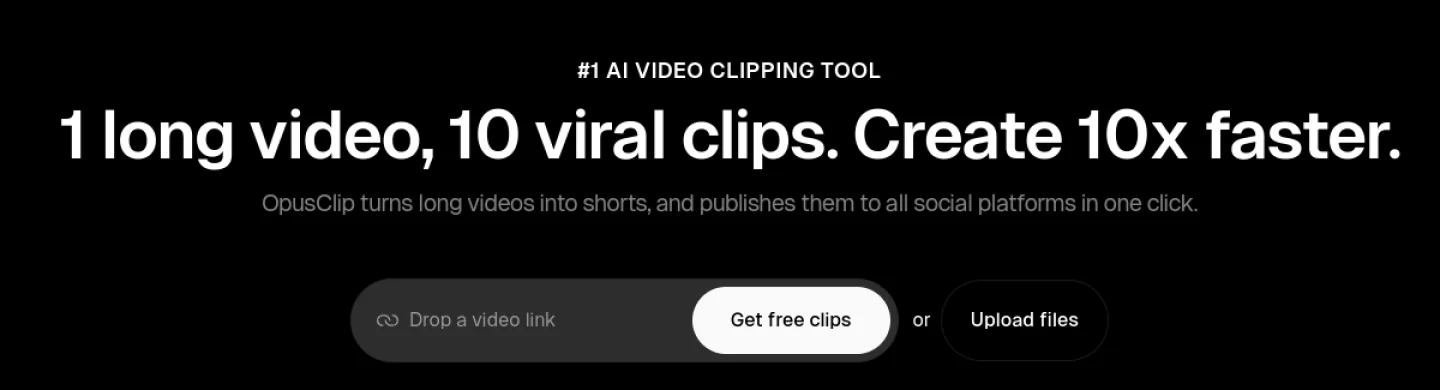
- You have material filmed or recorded (a podcast, a webinar, a live, a video YouTube 20 minutes). The job is to spot the right moments, frame them vertically and subtitle them. This is Opus Clip, whose home page summarizes the promise: a long video, ten viral clips.
- You don't have anything filmed. but an idea, a subject, an article or a song. The work is to write, choose visuals, make the text say by a voice and mount it all. This is Revid's land.
Revid says it himself in the comparison he publishes: after this page of the editor, both tools make different jobs, and the choice depends on entry (an existing video or an idea). This page is obviously written by Revid, who draws a commercial argument; the distinction is verified in the catches of both sites. For details of each tool, read our review on Revid AI and our review on Opus Clip.
Table comparison : Revid and Opus Clip at a glance
The Revid data comes from the documentation and the price page of the publisher (24.10.2026), those of Opus Clip on its tariff page read the same day. The entries « Not tested » report a figure on the official page.
| Criteria | Revid | Opus Clip |
|---|---|---|
| Main role | Create short videos from script, quick, link or music | Cut a long video into short clips |
| Starting point | An idea, a text, an article, a link | A video or link YouTube existing |
| Visual | Stock, pictures AI animated, AI video (Seedance, MiniMax, Veo 3), your media, gameplay | Your own video; B-roll AI or optional stock on paid forms |
| Votes | Voiceover AI in 70+ languages, cloning on Ultra | Your original voice; voiceover AI optional (20 per day on Starter) |
| Subtitles | 16 styles ready for use, word for word | Lively subtitles in 20+ languages, watermarked on free |
| YouTube Long to Shorts | Tool dedicated, 10 credits for cropping (not tested) | Central function, with viral score |
| Direct publication | TikTok, YouTube, Instagram, webhooks, planning | YouTube Shorts, TikTok, Instagram Reels from Starter; planner on Pro |
| Automation | Auto-Mode: 3 workers (Growth), 10 (Ultra); API, MCP, CLI | API and planner on Pro; MCP and Zapier connectors |
| Paid entry price | 39 € (Growth, 2,000 credits) | 15 $ per month (Starter, 150 credits) |
| Free formula | Card-free registration, credits offered (unpublished) | Yes, with watermark on animated subtitles, exports that expire in 3 days |
YouTube Long to Shorts: Can Revid replace Opus Clip?
This is the use where both tools really cross each other. At Opus Clip, this is the whole product: we bond a link YouTube or send a file,AI offers clips classified by a viral score, cropped in 9:16 and subtitled, which is adjusted in a publisher before exporting or publishing them. On the fare page, the paid formulas add the cutting by spoken words, visual objects or emotions and the prompt-to-clip, i.e. describe in one sentence the moment we are looking for. Our review Opus Clip details these functions.
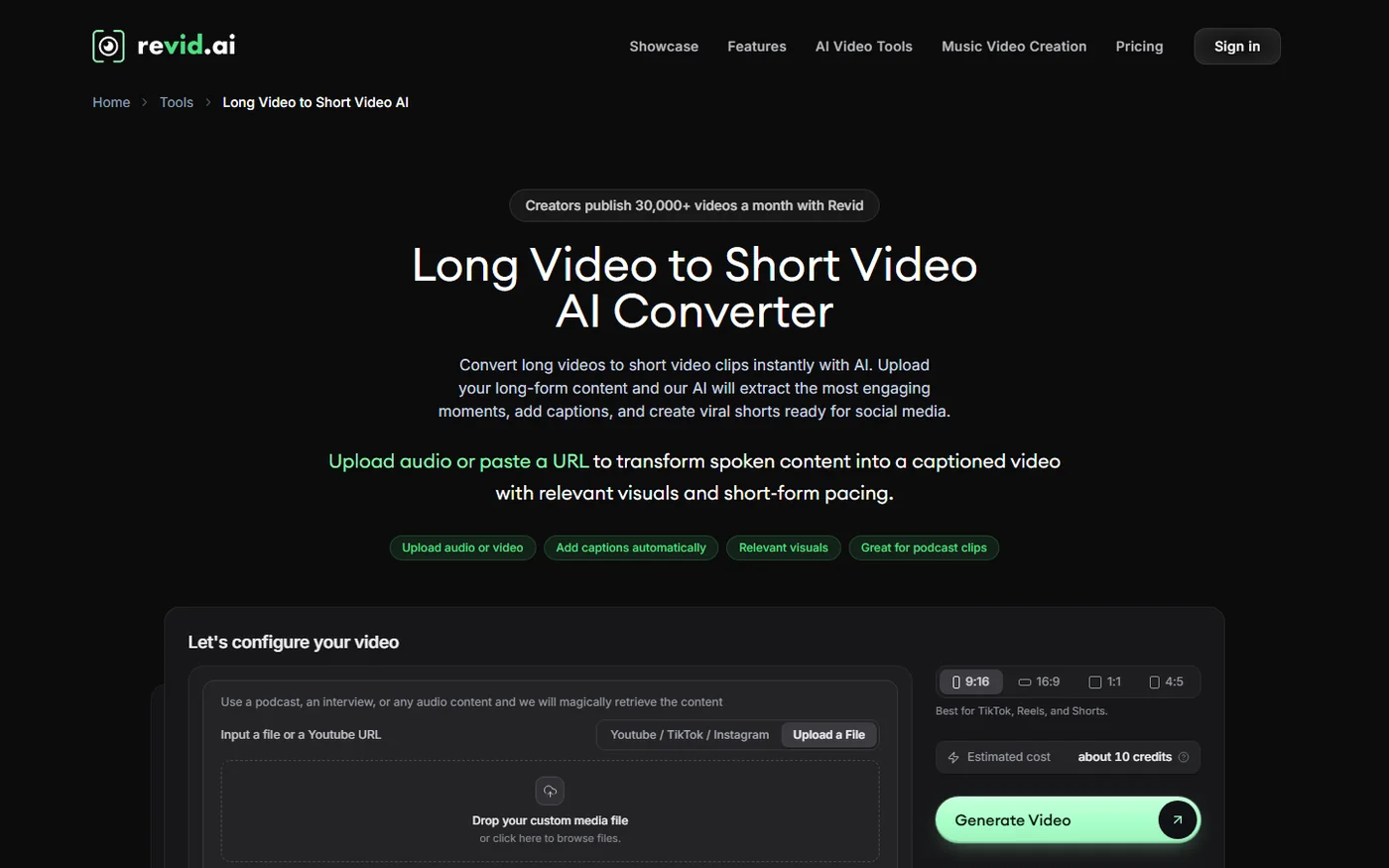
Revid proposes a tool appointed « Long Video to Short AI Video Converter ». Page invites to send an audio or video file or paste a link YouTube, TikTok or Instagram, promises to extract the most engaging moments, add subtitles and produce Shorts, and displays « about 10 credits » as an estimate before seizure. The editor's documentation mentions a 10-credit automatic cropping that keeps the contact person in the image. We did not use this tool, and the page does not specify exactly what is charged (an operation, a minute, a clip). So you have to try it on a video to you before you seriously compare it to a tool specialized.
Our reading: To regularly cut out hours of content and choose the right excerpts, Opus Clip is the tool Designed for. Revid becomes relevant if you want to, with the same subscription, also create original videos; but don't count on it until you test your content. If cutting is your main need, our comparison of the alternatives to Opus Clip review Submagic Vidfly, Descript Vizard and CapCut.
Subtitles: Which best treats dressing?
Both tools subtitle automatically and animating the text. At Revid, subtitles are enabled by default in generated videos and follow the word-for-word voice; The publisher offers 16 styles (Hormozi, Wrap, Faceless, Bold Punch, Beat, Movie, Outline...), a position and color setting, and a tool « Add Caption to Video » to caption an existing video in more than 100 languages. High quality transcription for hard sounds costs 10 credits per minute plus.
At Opus Clip, animated subtitles are offered in more than 20 languages, with automatic highlighting of keywords and d的emojis in formulas, brand models (one in Starter, several in Pro) and a watermark on the animated subtitles of the free plan. If subtitling is your only need, a tool specialised as Submagic can be enough: read our comparison alternatives to Submagic.
On the visual quality of the subtitles, we do not have a first hand comparison to give. Practical advice in all cases: leave the text out of the areas covered by the network interface, detailed in our guide of the video formats of social networks.
Publication: where and how to publish your clips
Revid publishes directly on TikTok, YouTube (Classic shorts and videos) and Instagram (Reels) from a Publish button, once the accounts are linked, with a webhook output for custom pipelines. According to its documentation, publishing does not consume generation credits. The rate page details the publication in the Growth card, while saying in header that each formula includes: check before paying.
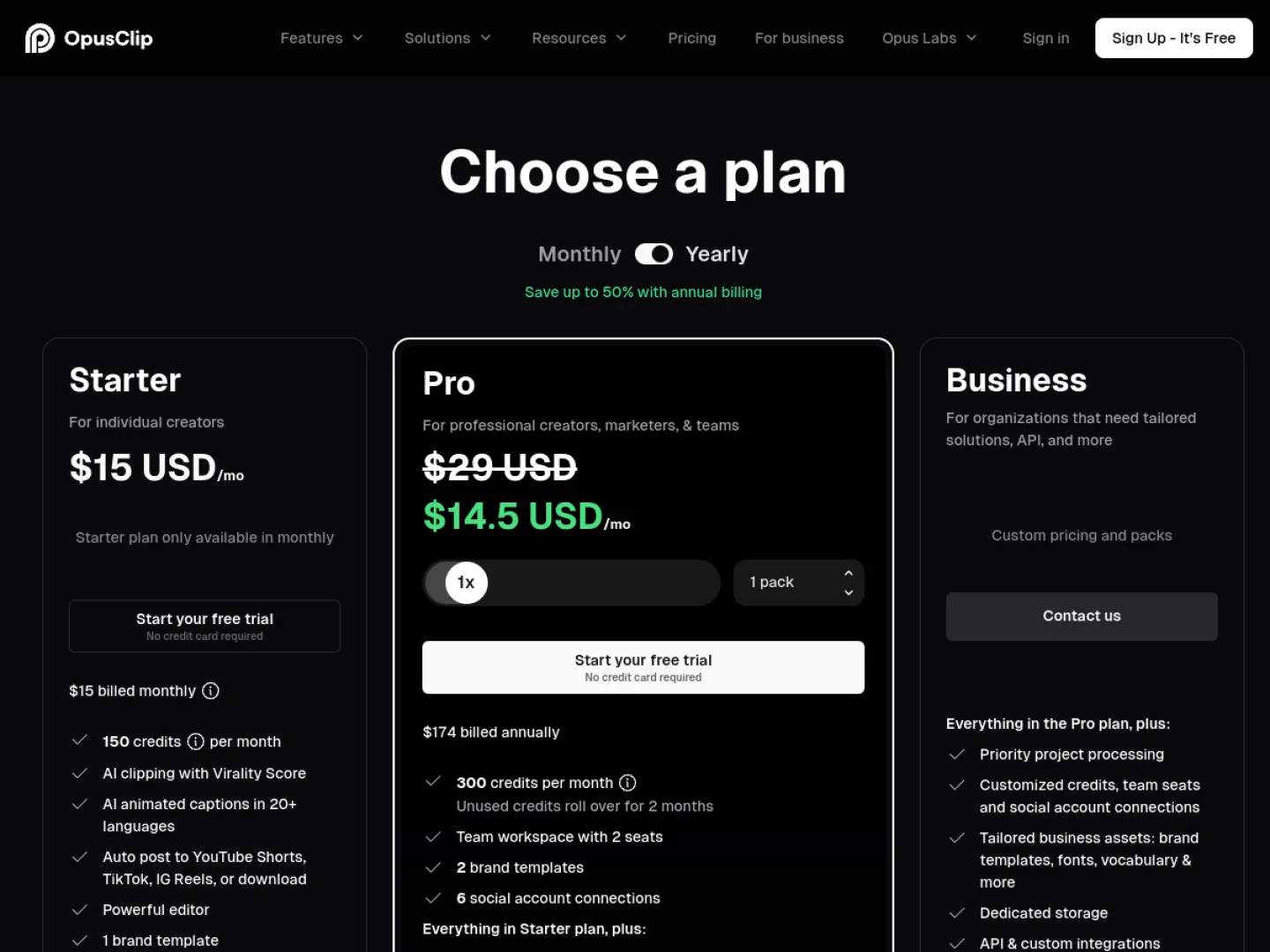
At Opus Clip, the price page displays the automatic publication to YouTube Shorts, TikTok and Instagram Reels from Starter, a planner and several profiles per platform on Pro (publication to about ten networks), and a number of connected social accounts that go up to six on Pro. Both tools also display an API.
How much do Revid and Opus Clip cost in 2026?
Revid's prices are displayed in euros from France, those of Opus Clip in dollars. They were raised on 24.10.2026 and change regularly: check them before you commit.
| Formula | Display price | Appropriations per month | What she brings |
|---|---|---|---|
| Revid Hobby | 39 € per month (32 € Annual per month) | not stated | Creating from text or links, editable videos, occasional use |
| Revid Growth | 39 € per month (99) € barred), 32 € Annual | 2 000 | Publication TikTok, Instagram, YouTube, 3 Auto-Mode workers, API, MCP, CLI |
| Revid Ultra | 199 € per month (166) € annual) | 12 000 | All Growth, 10 Auto-Mode workers, voice creation and cloning |
| Opus Clip Free | 0 | not displayed on the page | Cutting AI, paged subtitles, exports valid 3 days |
| Opus Clip Starter | 15 $ monthly, monthly only | 150 | Watermark-free, publication to YouTube Shorts, TikTok and Reels, 1 brand model |
| Opus Clip Pro | 29 $ per month, or 14.50 $ Annual per month (174 $ billed) | 300, carried over to 2 months | Planner, 2 seats, 6 connected social accounts, API |
| Opus Clip Business | On request | On request | Teams, APIs, custom integrations |

Two remarks. First, Hobby and Growth cost the same price at Revid; Growth displays 2,000 credits and details the publication, and we see no reason to take Hobby. Then Revid also displays an Elite formula at 89 $ per month (5,000 credits), proposed to existing subscribers based on its rate page, which does not appear on a public card. If you choose Revid, the BEKOE code gives 20% over the first month, reserved for new subscribers.
Appropriations: how to avoid the wrong budget
This is where the comparison traps most easily, because a credit does not have the same meaning in both tools.
- Opus Clip measures source video time. According to our review, 1 credit corresponds to one minute of processed video. Starting from this rule, 150 credits in Starter cover 150 minutes of source per month, i.e. two and a half hours, about two episodes of podcast of one hour, and 300 credits in Pro double. This is a calculation of our part to check in the application.
- Revid measures generations. An image AI costs 1 to 16 credits depending on level, 5 seconds of AI video from 15 to 500 credits, one voiceover 10 credits per 500 characters. According to the documentation, 30 seconds of animated images with voice cost about 40 to 80 credits and 30 seconds in AI video Low about 100. With 2,000 credits, 20 to 50 videos of 30 seconds per month, depending on the level chosen (calculation from official figures, not a measure).
In other words: if your volume depends on the length of your source videos, watch Opus Clip minutes; If your volume depends on the number of videos to create and the desired visual quality, look at the Revid scale before launching. Revid's credits do not refer from one month to the other except for the purchase of packages (1 000 credits for 49 $, do not perish); At Opus Clip, the Pro page indicates that unused credits are carried forward for two months.
Before choosing: what to check
The quality of Opus Clip clips and Revid-generated videos are not compared here: try each tool on one of your videos, time the treatments and test the direct publication on your networks. Prices and credits are those displayed on 24.10.2026; If an offer has changed, the official page is authentic (Revid, for example, displayed a discount). « Locked for life » on Growth on the day of our survey).
Two more tools often return to the same research: Submagic, very oriented animated subtitles, and Vidfly, which offers a free plan to cut. They are compared to Opus Clip in our guide of the alternatives to Opus Clip. For the creation of zero videos, our guide video faceless shows the complete method with Revid.
Verdict by profile: who should choose what?
| Your profile | Our choice | Why? |
|---|---|---|
| Podcaster or creator of webinars with long recordings | Opus Clip | The cutting and the viral score are his core business; the credits count in source minutes. |
| YouTuber that recycles videos from 15 to 30 minutes in Shorts | Opus Clip | Same logic, with direct publication to YouTube Shorts, TikTok and Reels. |
| Creator of faceless string from scripts | Revid | He makes the videos from end to end; see our guide video faceless. |
| Beginner who wants to write his TikTok scripts before producing | Revid (generator free of charge) | The scripts are tested without regard; see our guide TikTok script. |
| Team that produces both types of content | Both | Opus Clip for the excerpts, Revid for the original videos between two episodes. |
| Budget tight, need subtitles only | Neither | One tool dedicated subtitles or a editing manual cost less. |
For an overview of others tools of the editing and cutting, our comparison AI video editing and our guide of the AI for YouTube Shorts give the alternatives.
Verdict
Revid or Opus Clip: our conclusion
Opus Clip is tool to remember if you already have long content: it is cheaper at the entrance (15 $ per month), his credit is understood (one minute of source) and he does only one job, cutting, with the score of virality and direct publication.
Revid is tool to remember if you start an idea and want original videos, with voiceover, visuals and publication in the same place. It costs more (39 € and asks to master a credit schedule, but he does what Opus Clip does not do.
In doubt, first try the free version of Opus Clip on one of your videos and the generators Revid free scripts: you will know in one hour which side you lean on.
FAQ: Revid and Opus Clip
Do Revid and Opus Clip do the same?
No. Revid creates short videos from nothing (a script, a quick, a link, a piece of music) with voiceover, generated visuals or stock, subtitles and publication. Opus Clip starts from a long video you already have (podcast, webinar, stream, video YouTube) and in short clips. They overlap with vertical format, subtitles and publication.
Which one is the cheapest, Revid or Opus Clip?
At the entrance, Opus Clip: 15 $ per month for Starter (150 credits), compared with 39 € per month for Growth at Revid (2,000 credits). But both do not measure the same thing: Opus Clip counts minutes of video source, Revid counts generations (images, video AI, voices). Prices quoted on the official pages on 24.10.2026.
Can Opus Clip create a video from scratch?
No, not like Revid. Opus Clip needs a source video to cut. Its pricing page mentions B-roll options AI and voiceover on paid forms, but they are used to dress clips from your content, not to make a video from an idea.
Can Revid cut a video YouTube Shorts?
Revid has a tool « Long Video to Short Video » which accepts an audio or video file or link YouTube, TikTok or Instagram, with subtitles and automatic cropping (10 credits for cropping according to its documentation). We didn't test it: for volume cutting, Opus Clip is the tool specialized.
What tool Choose for a faceless chain?
Revid, because he makes the videos without you having any filmed material. Opus Clip makes sense only if you already have long videos to cut, including faceless videos like gameplay or a featured presentation.
Can we use Revid and Opus Clip together?
Yes, and it's a logical combination: Opus Clip to turn your podcasts or lives into excerpts, Revid to create original videos between two episodes. Revid also says in his own comparison. Each tool pays separately.
Is Opus Clip free?
There is a free registration formula, with animated subtitles and exports that expire after 3 days after the tariff page. Paying formulas start at 15 $ per month (Starter) at 24.10.2026. The details of what the free system allows are in our review On Opus Clip.