
The facebook cover dimensions in 2026 are of 820 × 312 pixels on computer and 640 × 360 pixels on mobile, with a central safety zone of 640 × 312 pixels. To avoid scratching, upload your image to the format 820 × 360 px (or 1640 × 924 px for retina screens). And good news: since 2026, AI Tools generate a professional banner in less than five minutes without Photoshop.
📌 Essentials
- Cover Page/Profile 820 × 312 px (desktop), 640 × 360 px (mobile). Recommended upload: 820 × 360 px.
- Cover Event : 1920 × 1005 px in 1.91:1, official update since June 2024.
- Cover Group 1640 × 856 px (ratio 1.91:1).
- Safe zone : central area 640 × 312 px where to place text, logo and faces.
- File : less than 100 KB, JPG for photos, PNG for logos and texts.
- AI Creation : Canva AI, Adobe Express, ChatGPT Images 2.0 or FLUX do the job in minutes.
Contents: Cover Page/Profile • Cover Event • Cover Group • Safe zone • Format and weight • Create Cover with AI • Tutorial step by step • Other networks • Errors to avoid • FAQ
Cover Page and Facebook Profile: exact dimensions
The cover photo of a page facebook and a personal profile has used the same dimensions since 2024. It is the most used format and the most frequently asked questions due to the dual desktop/mobile display.
| Element | Desktop | Mobile | Recommended Upload |
|---|---|---|---|
| Cover Facebook page | 820 × 312 px | 640 × 360 px | 820 × 360 px |
| Cover Personal Profile | 820 × 312 px | 640 × 360 px | 820 × 360 px |
| Profile photo | 176 × 176 px (round) | 196 × 196 px | 320 × 320 px minimum |
| For retina screens | 1640 × 624 px | 1280 × 720 px | 1640 × 924 px (2x) |
Important note: According to official sources, Facebook also accepts 851 × 315 px (ratio 2.7:1) as the recommended size, the difference is minimal, both work. The ratio to be used is about 2.63:1 for desktop and 16:9 (1.78:1) for motive.
Cover Event Facebook : the 2024 update
Cover photos for Facebook events changed in June 2024, when facebook meta has switched to a mobile-first format (70% of event views are on smartphone).
- Official dimension : 1920 × 1005 pixels
- Ratio : 1.91:1
- Max weight : 8 MB
- Format : JPG (recommended) or PNG if text
This format replaces the old 1200 × 628 pixels which was used until 2024. If you still have templates in 1200 × 628, they will remain accepted but will display with added edges on mobile.
Cover Facebook Group
Groups have their own format, wider than the Page. Official size: 1640 × 856 pixels (ratio 1.91:1). As with Pages, the administrator's picture profile can overlap the bottom corner, avoid placing important content there.
💡 Tip: If you manage several types of Facebook presences (brand page, personal profile, community group, one-time events), create a unique template in 1920 × 1005 px that visually includes the safe zone 640 × 312 px in the center. You can reuse it for all formats by just re-adjusting the edges.
Safe zone: the #1 trap for Facebook covers
It is the mistake that most beginners make. You create a beautiful cover on desktop, and three days later a customer writes to you: « I don't see your phone number on my iPhone. ». Normal, Facebook rumbles about 90 pixels on each side on mobile.
How to calculate the safe zone
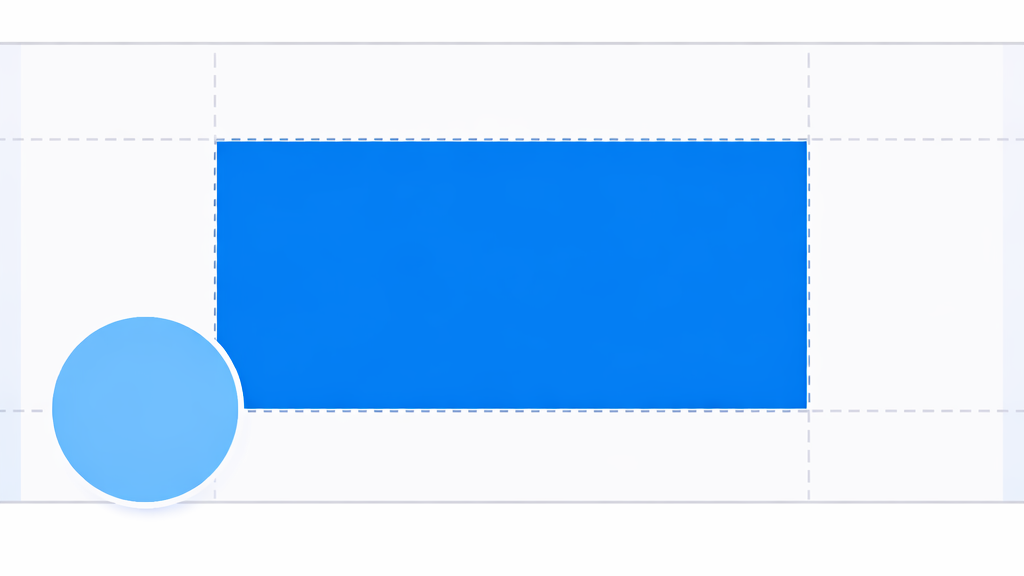
The safety zone is the central portion visible on all apparatus: 640 pixels wide × 312 pixels high, horizontally centered on your 820 × 360 px image. Everything that comes out of this rectangle may be cut on mobile, or masked by the profile photo on desktop (lower left corner).
- Left border : 90 px margin, no text here
- Right border : 90 px margin, no logo here
- Lower left corner : area of about 200 × 200 px masked by profile photo on desktop
- Centre 640 × 312 px : your safe area for logo, slogan, call-to-action
Double display test
Before you validate your cover, always do this test: upload it, open your page on computer, then immediately on the application facebook app mobile. Check that all critical content is visible on both sides. Five minutes of check-up to avoid a recast the following week.
File Format and Weight: Official Recommendations
Facebook explicitly recommends three criteria for quick loading and clean rendering.
- Format : JPG for photos and gradients (lighter), PNG for images with text or logo (clearer)
- Weight : less than 100 Ko ideally, up to 8 MB accepted
- Colour space : sRGB (not d
- Resolution : 72 dpi are enough (the web does not need 300 dpi)
The classic trap: Export directly from Photoshop or Canva in PNG-24 without compression, you get a 3-5 MB file that slows down the display of your page. Always go through a compressor like TinyPNG before the upload.
Create your Facebook cover with AI in 2026: the 5 best tools
This is where everything changed in 18 months. In 2024, creating a professional Facebook cover required either a graphic designer (300-500 €Two hours on Canva with a template. In 2026,AI generative produces the visual in less than five minutes for a few euros, or free with the vouchers tools.
1. Canva AI (Magic Studio): the most accessible
Canva has integrated the generation AI in Magic Studio from 2024. The advantage: the platform already knows the facebook cover dimensions and offers a preformatted template in 820 × 312 px with the guides safe area visible. You type a prompt, Canva generates an image that automatically adjusts to the right dimensions.
Rate: free with quotas (5-10 generations/month), Canva Pro at 11,99 €/month for unlimited generations and access to all premium templates.
2. Adobe Express with Firefly: Pro Quality
Adobe Express offers native Facebook cover templates and generation via Firefly, the Adobe model only trained on licensed images (interesting for commercial uses that want to avoid copyright issues). Price: free (limited), Premium to 11,99 €/month.
3. ChatGPT Images 2.0: the novelty of 2026
Launched on April 21, 2026, ChatGPT Images 2.0 (GPT-Image-2) replaces DALL-E 3 and provides true visual reasoning. He knows how to plan a layout before drawing. You ask him « Facebook banner 820 × 312 px for my plant shop, botanical atmosphere, logo on the right » and produces a visual that can be used directly. Detail in our guide on how to use ChatGPT.
Available for free in Instant mode on the free tier of ChatGPT, and in Thinking mode (advanced visual reason) from plane Plus to 20 $/month.
4. FLUX: maximum artistic quality
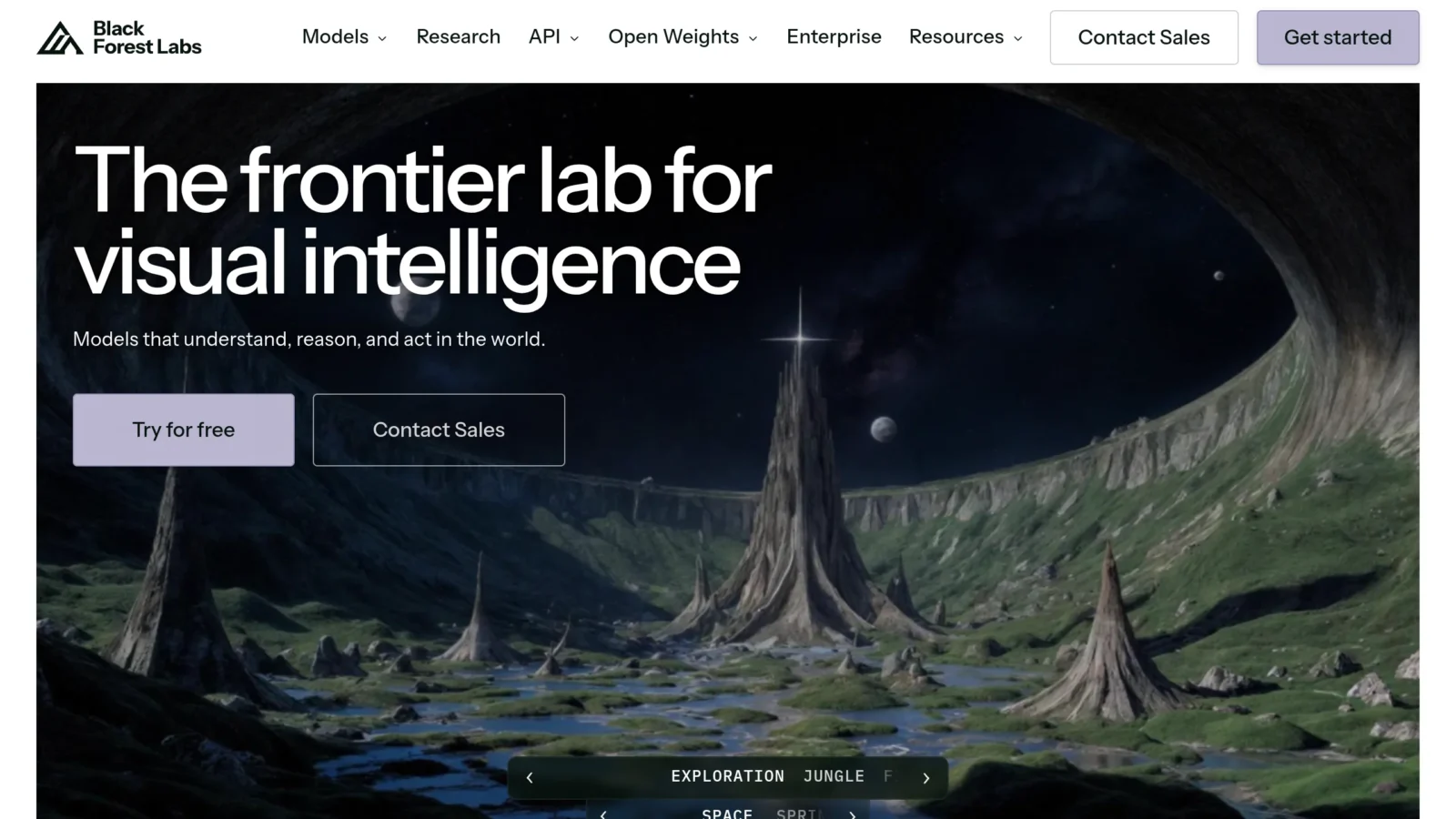
FLUX (by Black Forest Labs) is the most powerful open-source image model of 2026 on photorealistic quality and typographic rendering. Ideal if your Facebook cover contains embedded text: FLUX handles letters much better than DALL-E or Midjourney. Accessible via fal.ai, Replicate or Together AI from 0.05 $ by generation. More details in our Classification AI 2026.
5. Midjourney: for exceptional visuals
Midjourney V7 remains the aesthetic reference for visuals « editorials » which must come out of the lot, ideal for artists pages, high-end restaurants, luxury brands. Limitation: you must then manually reframe to 820 × 312 px because Midjourney does not propose this native ratio. Tariff: 10 $/month minimum (Basic Plan), via Discord or the new web interface released in 2024.

⚠️ Attention: on AI Tools can produce images containing problematic elements: distorted faces, unreadable text, hands with six fingers. Always check with a 100% zoom before uploading. For Professional covers (lawyers, doctors, regulated brands), have a human validate, it remains more prudent than to publish a visual AI Not reread.
Tutorial : create your Facebook cover with AI in 5 minutes
Here is a concrete workflow tested with Canva AI and ChatGPT Images 2.0. Count 5 to 10 minutes the first time, 3 minutes later.
Step 1: Set your message in 10 words
First of all tool, write on paper what your cover must communicate: brand name, main promise, tone (serious/joyy/lux/family), dominant color. Without this step, you will regenerate 20 visuals without ever being happy.
Step 2: Write your prompt
A good quick cover Facebook contains: format + main topic + ambiance + palette + logo location. Example:
Prompt type:
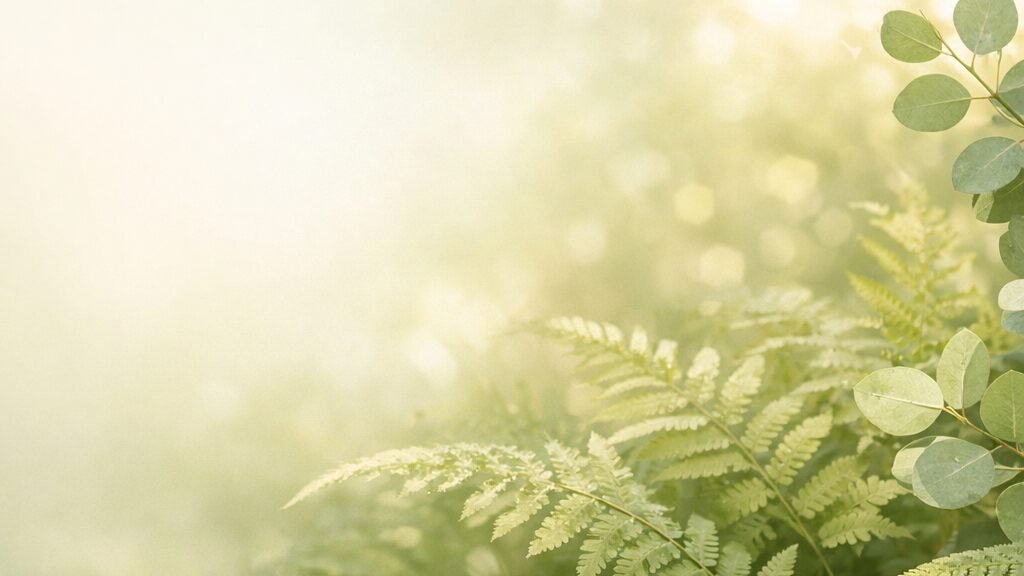
« Facebook cover banner 820×312 pixels, 16:9 wide format. A peaceful botanical scene with green ferns and soft natural light, panoramic horizontal composition. Soft sage and cream color palette. Leave the left third empty for a logo. Editorial photography style, clean, professional. No text, no readable letters. »
Step 3: Generate and Iterate
Launch 3 or 4 variations. Choose the best base, then refine with adjustments: « brighter », « more remote camera », « add white flowers at the bottom right ». Iteration is more effective than reformulating everything.
Step 4: Add your logo and text
The AI are still struggling with the precise text. Instead of asking theAI write the name of your brand (risk of error), generate the background alone and then add logo and text with Canva, Figma or Photopea (free). You keep typographical control and avoid « MERSCI » for « Thank you. ».
Step 5: Test on both devices
As said above: Upload, check on computer, then open immediately on the mobile app. If content is cut, crop and upload. The function « Reposition » Facebook allows some adjustments after upload.
To go further: dimensions cover on other networks
If you manage several social presences, here are the current banner dimensions for 2026 on the main networks. Note that a lot of AI Tools (Canva, Adobe Express, ChatGPT Images) know these formats natively.
| Network | Type | Dimensions 2026 |
|---|---|---|
| Cover Personal Profile | 1584 × 396 px (ratio 4:1) | |
| Cover Page company | 1128 × 191 px | |
| X (Twitter) | Header profile | 1500 × 500 px (ratio 3:1) |
| YouTube | Chain belt | 2560 × 1440 px, safe zone 1546 × 423 px |
| Profile photo | 320 × 320 px (no cover stricto sensu) | |
| TikTok | Profile photo | 200 × 200 px (1080 × 1080 recommended for quality) |
| Cover Board | 800 × 450 px (16:9) | |
| Twitch | Chain belt | 1200 × 380 px |
For a coherent publication schedule on all these formats, tools as Hootsuite or Buffer automatically resize your visuals according to the target platform.
The 7 mistakes to avoid on his Facebook cover
15 years of observation of poorly optimized pages give a very stable list of recurring traps.
1. Text near the edges
The slogan, phone number or URL placed within 90 px of the edges will disappear on mobile. This is error #1, everything must hold in safe zone 640 × 312 px.
2. Logo in the lower left corner
On desktop, the profile photo masks this area. Many beginners place their logo « Top » without knowing that it is precisely the place where it will be hidden.
3. Image too loaded
A cover doesn't look 30 seconds, she sees herself 2 seconds. One main message, one strong visual element, that's all. Overloaded visuals of elements lose their legibility from the second second.
4. File too heavy
Beyond 200 KB, your page will take time to load on mobile connections. This is bad for the user experience and indirectly for the Facebook reach (algo penalises slow pages).
5. Incoherent colors with your brand
Facebook cover is often the first point of visual contact with your brand. Take back your exact brand colors (hex codes), not a variant « about ». If you don't have a charter, it's an opportunity to make one, even a mini-doc Notion is enough.
6. Forget the seasonal update
A cover « Christmas event 2023 » still visible in April makes date. Block 30 minutes every three months to refresh: current promo, upcoming event, product release. It is also a Facebook signal that the page is active.
7. Confound cover and publication
Cover isn't a post. No hashtag, no mention @, no whole paragraph. It simply sets the visual decor of your page, a short slogan is enough, the rest goes into the bio or publications.
💡 Go further: if you want to create a video teaser for your page (Facebook also accepts cover videos in 820 × 462 px, 20 to 90 seconds), our guide on the video AI in 2026 details the tools which automatically generate this format from a text brief.
FAQ: Everything about the dimensions cover Facebook
What are the dimensions of Facebook coverage in 2026?
The Facebook cover of a Page or a personal profile appears in 820 × 312 pixels on computer and 640 × 360 pixels on mobile. To manage both displays, upload your image in 820 × 360 px (or 1640 × 924 px for retina quality). Keep all critical contents in the 640 × 312 px central safe zone.
What is the size of a cover photo for Facebook?
820 × 312 px in desktop, 640 × 360 px in mobile for Pages and profiles. For events, it is 1920 × 1005 px since June 2024. For groups, is 1640 × 856 px. Recommended JPG format (PNG if you have text or logo), weight less than 100 Kb for fast loading.
What are the Facebook formats for 2026?
Cover Page/Profile: 820 × 312 px. Cover Event : 1920 × 1005 px. Cover Group : 1640 × 856 px. Profile photo : 176 × 176 px (rounded). Facebook Story: 1080 × 1920 px (ratio 9:16). Share photo: 1200 × 630 px. Video cover: 820 × 462 px. All ratios are managed natively by Canva and Adobe Express.
How do I create a decor for my Facebook profile photo?
The profile photo frame uses the format 980 × 980 px transparent PNG. You can create one via Facebook Camera Effects Platform for brands, or use a tool like Canva offering templates « profile photo frame ». For a personalized effect via AI, ChatGPT Images 2.0 can generate a transparent circular frame from an accurate prompt.
What size should Facebook cover be?
The ideal size depends on your goal. For a consumer brand page targeted mainly on mobile: upload in 820 × 360 px to cover both formats without trimming. For professional use with retina screens (designers, photographers), upload in 1640 × 924 px for maximum sharpness on high density screens. In both cases, stay below 100 Kb weight.
What is the ideal size of a Facebook cover page?
820 × 360 pixels remains the most versatile dimension. It satisfies both the desktop rendering (820 × 312 displayed) and the mobile rendering (640 × 360 displayed, framed on the sides) without deformation. It is also the default format on Canva, Adobe Express and most of the AI Tools recent when you specify « Facebook cover ».
🎯 Verdict
For your facebook cover dimensions, keep two digits: 820 × 360 px upload, 640 × 312 px of safe central zone. With these two numbers, you avoid 95% of log problems. The rest, file format, weight, pallet, adjusts in seconds.
As for the creation of the visual itself, 2026 democratized what was a budget of 300 € Two years ago. Canva AI or ChatGPT Images 2.0 produce a correct cover in less than five minutes, free for occasional use. For a premium rendering, FLUX or Midjourney V7 remain unbeatable, provided that you reframe well.
If the idea of generating visual content by AI interest you beyond Facebook, explore our Complete Guide of AI photo in 2026 or our tutorial ChatGPT to draft effective prompts.