CapCut has become the reflex of millions of creators to mount a video TikTok, Reels or Shorts. But what is ByteDance's publisher really worth in 2026, once we get out of the free version? This review reviews what CapCut can do (editing, legends, automatic clips, video generation by AI), what it costs, what changes between free and Pro, and especially the question that many readers ask: can you trust it with its videos and data?
Analysis based on the official CapCut pages (packages, Black Friday offer, Terms of Use) read on 05.11.2026. This page contains partner links.
Contents: CapCut, what is it? • What CapCut can do • The prices of CapCut in 2026 • Free or Pro: what to choose? • Is CapCut reliable? • Strengths and limitations • CapCut facing alternatives • Who is CapCut for? • Our verdict • FAQ
Essentials
- A complete editor : mobile app, PC software and web version, with automatic legends, clips from a long video and generators images and videos by AI.
- Price recorded on 05.11.2026 : free, Pro at 23,99 € per month or 199.99 € per year, Ultra at 68 € per month or 779 € per year, Teams from 14,99 € by post and month. CapCut specifies that these prices are indicative.
- Black Friday : on PC only, first month at 3,99 $ or less for eligible accounts, without announced end date.
- Reliability The publisher is ByteDance (via Bytedance Pte. Ltd. in Singapore). According to its conditions of 15 April 2026, you remain the owner of your content, but you grant it a broad license to operate and improve the service.
- Our review : the best starting point to quickly mount vertical videos, free to start. Pro is justified if you often use models and credits AI.
See CapCut on the official website
CapCut, what exactly is it?
CapCut is a video and photo editor published by ByteDance, TikTok's parent company. Based on conditions of useThere are three forms: the mobile app, the desktop version and the web version. The contract with the user was entered into with Bytedance Pte. Ltd., Singapore-based company.
The menu of the official website shows the turn taken by the tool. Next to the classic track editor, CapCut puts forward a « video studio » to generate and shape videos, a creative studio for images, an assistant named EditPilot that transforms written instructions into editing on the timeline, and a panel of models d AI third. On the home page read on 05.11.2026, the video models cited are Dreamina Seedance 2.0, 2.0 Mini and 2.5, Sora 2, Veo 3.1 and Dreamontage 1.0 Pro Fast. Image side: GPT Image 2, Nano Banana Pro and Seedream 5.0.
In other words, CapCut is no longer just a tool and subtitles. It is also a gateway to video generation by AI, which partly explains the increase in its paid packages. To compare with other software editing, see our guide of the alternatives to CapCut.
What CapCut can do
The video editing and automatic legends
The core of the product remains the publisher: cutting, multiple tracks, transitions, effects, animated texts, ready-to-use models. L tool also offers, according to its menu, automatic legends, a tool video enhancement, a tool background removal, a video converter and a tool cutting. On the audio side, we find the text in speech, voice recognition, personalized voices, improved voice and suppression of background noise.
These functions cover most of what a short content creator asks: subtitle a speech, clean the sound, divert a topic, adapt the format. If animated subtitles are your priority, also look at our comparison Submagic against CapCut.
Automatic clips from a long video
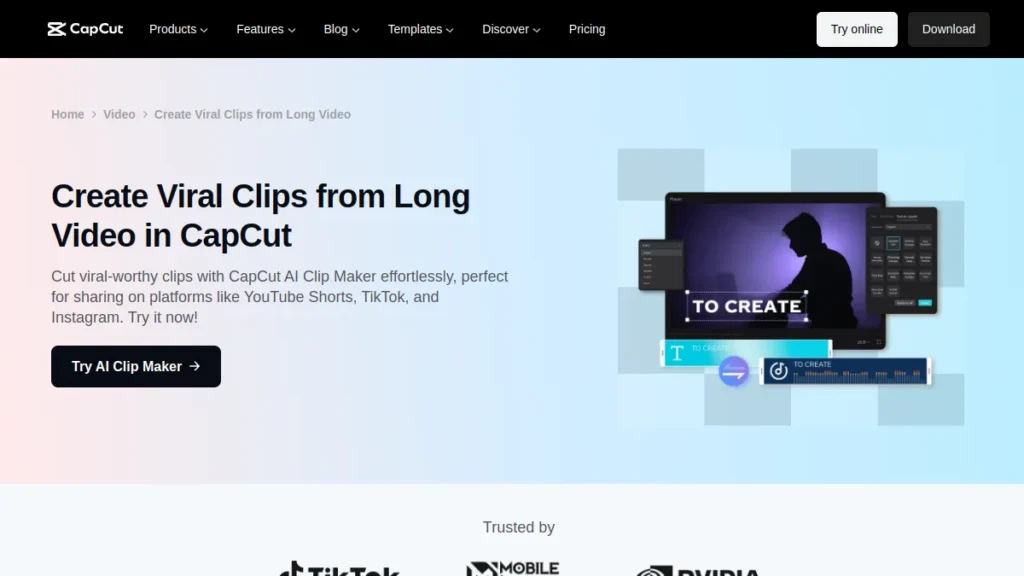
CapCut proposes a « AI Clip Maker » which cuts a long video into short extracts designed for YouTube Shorts, TikTok and Instagram, based on its dedicated page. It's a good shortcut to reuse a filmed webinar or podcast.
The generation of videos and images by AI
It is the novelty that changes the reading grid. CapCut incorporates a video generator powered by Seedance 2.5, the ByteDance model. From the dedicated page read on 05.11.2026, you start with a script or reference image, then choose a model AI before launching the generation and taking the result back in the editor.
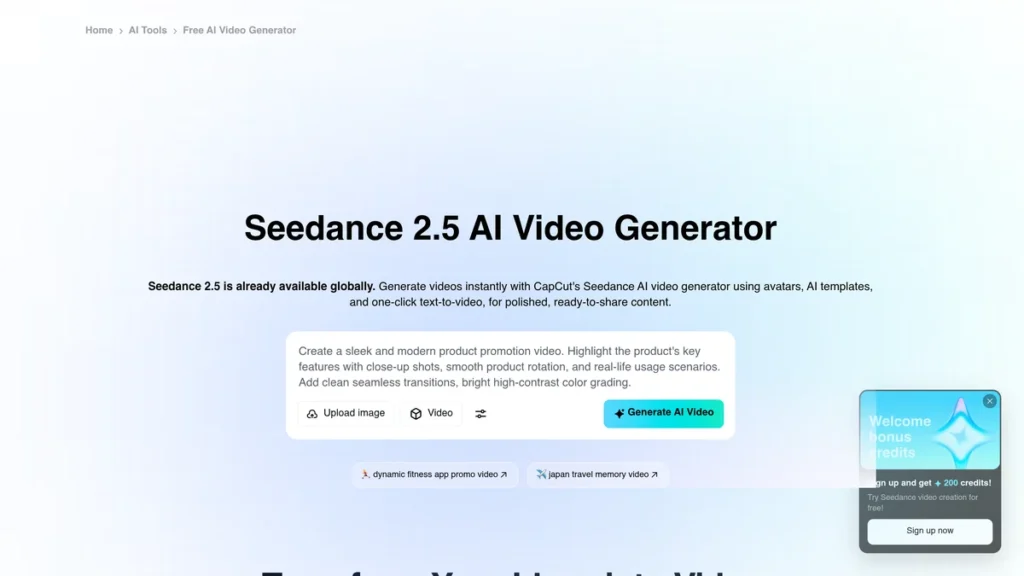
On the package page, CapCut details the costs: with the Pro subscription, Seedance 2.5 starts from 0.12 $ the second generated for the first month, and Seedance 2.0 Mini in 480p from 0.007 $ the second. A Pro package generates up to 240 seconds in 720p or 600 seconds in 480p with Seedance 2.0 Mini. These are not mount prices: if you are primarily targeting the generation of videos, compare with generators before you subscribe.
The prices of CapCut in 2026
Here are the packages displayed by CapCut in euros on its Official tariff page, recorded on 05.11.2026 (they are identical to the reading of 23.10.2026).
| Package | Monthly | Annual | Appropriations AI per month | Cloud storage |
|---|---|---|---|---|
| Free | 0 € | 0 € | Not specified | Not specified |
| Pro | 23,99 € | 199,99 € | 1 400 | 1 TB |
| Ultra | 68 € | 779 € | 7 483 | 1 TB |
| Teams (2 posts) | 14.99 € by post | 120 € by post | 1,400 per post | 1TB per space |
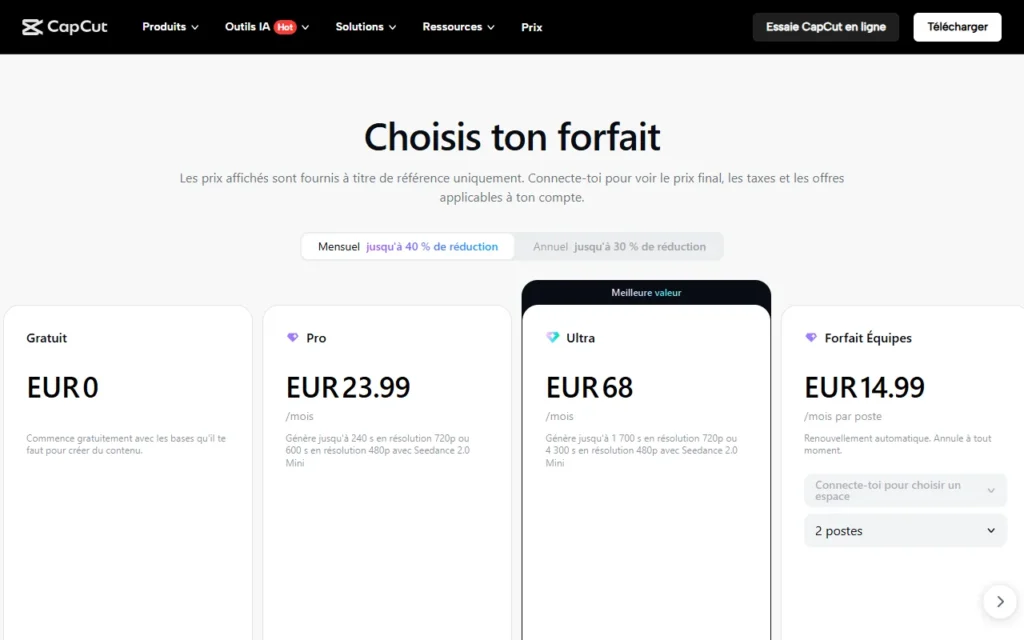
CapCut warns that these prices are « for reference » : you must log in to see the final price, taxes and offers applicable to your account. On mobile, the subscription passes through the application shop and can display another amount. Online detail line is in our article CapCut Pro: prices and offers Black Friday.
Black Friday offer from CapCut
On the transaction page, read 05.11.2026, CapCut announces a first month at 3,99 $ or less with a monthly subscription plus a free trial for some new users. The offer targets CapCut PC only, new eligible users and some old subscribers whose subscription has expired. The page specifies that prices vary by region and does not provide an end date. The amount in euros is only displayed after connection to the application: check it before validating. The monthly subscription then renews at the normal rate, so note the date.
See the current offer on CapCut
Link partner. Offer noted on 05.11.2026, to be checked in the application before paying.
Free or Pro: what to choose?
The free plan gives access to free models and tools basic edition, from the package page. Pro adds 1,400 credits AI per month, access to features AI, all premium models and Pro premium features plus 1TB of space storage. Ultra takes Pro with 7,483 credits and features AI exclusive.
- Stay free if you climb from time to time, without effects or reserved models Pro. Our guide CapCut Pro free details the limits of the free plan and the pitfalls to avoid.
- Go to Pro if you regularly use premium models, the generation AI and cloud storage. Annual at 199.99 € is cheaper than twelve months at 23,99 € (287,88) €), or about 88 € The difference.
- Ultra is justified only for production AI intensive, given its price of 68 € per month.
- Teams concerns small structures that share a space and a brand kit.
Is CapCut reliable? Data, rights and conditions
This is the question that comes back the most, because of the connection with ByteDance. This is what the official texts say, without extrapolating.
Who owns your videos?
The conditions of use (last updated posted: April 15, 2026) pose a clear principle: CapCut does not claim to own your content, and if you have rights to what you create or share, the conditions do not change anything (free translation of the English text). By publishing content via the service, however, you grant CapCut and its affiliates a non-exclusive, free, transferable, sublicenciable, perpetual and worldwide license. It allows them to modify, reproduce, display and store your content to exploit, develop and provide the services, « subject to your platform settings ».
Attention: The same conditions also provide for a license on your username, image and likeness, to identify yourself as a source of content, including in sponsored content. Review your publishing settings before sharing a project.
Data and legal context
ByteDance is being criticized for collecting data from its applications. A collective action was filed in the United States in 2023 against the publisher about CapCut, as indicated by a press release from Hagens Berman. To the best of our knowledge, it did not give rise to a final judgment, and we did not find a leak of confirmed data concerning CapCut itself. This does not exempt you from caution: read your country's privacy policy and limit permissions to apply.
The right reflexes
- Download CapCut from the official website or app stores, never from a third party site: versions « Pro free » modified circulate and are a risk to your device.
- Do not use CapCut for confidential videos (contracts, customer data, child pictures) without weighing the above license.
- The services are for persons aged 13 and over, with the agreement of a parent or guardian before the age of majority. The conditions specify that, below the age of 16, a parent or guardian must accept them in place of the minor.
- For users in the European Union and the United Kingdom, the conditions provide for a right of withdrawal of 14 days, with a contact address indicated in the text. A purchase made by the App Store or Google Play follows the rules of these shops. Keep your proof of purchase.
CapCut strengths and limitations
| Highlights | Limits |
|---|---|
| Free to start, on mobile, PC and web | Indicative prices: the final amount depends on the account, the region and the apparatus |
| Automatic legends, auto clips and tools audio combined | Pro elements block export or leave a watermark in a free project |
| Access to multiple models AI (Seedance, Sora 2, Veo 3.1, GPT Image 2) | Generation AI billed in credits: the cost climbs fast with Seedance 2.5. |
| Pro at 199.99 € per year, more affordable than many video suites | Wide license on content and editor subject to data review |
| Black Friday Offer at 3,99 $ the first month on PC | Offer reserved for certain accounts, without end date or published price in euros |
CapCut facing alternatives
If price, license or all-in-one side hold you back, several tools cover more targeted needs:
- Alternatives to CapCut : our selection of 8 software editing free and AI, with table comparison.
- Submagic against CapCut : if your main need is subtitling animated.
- Descript against CapCut : if you prefer to mount a video as you edit a text.
- For other end-of-year offers AI and the video, see our page Black Friday AI 2026.
Who is CapCut for?
- Vertical video creators (TikTok, Reels, Shorts) that want to mount quickly with models, legends and automatic clips.
- Small businesses and e-commerce which produce advertisements and videos produced without team of editing, especially as CapCut puts forward AI for advertising visuals.
- Beginners : Entry is free and the interface is designed for mobile.
- Not ideal for very technical long mountings or for content subject to strict confidentiality.
Our verdict on CapCut
Our verdict
CapCut remains the easiest starting point for editing short videos, with a truly usable free plan and AI Tools more and more comprehensive. Pro at 199.99 € per year defends itself if you exploit credits and premium models. Keep in mind the wide license on your content and price indication: read the final amount before paying, and enjoy the Black Friday offer on PC if you are eligible.
Try CapCut
Link partner. Prices and offers recorded on 05.11.2026 on the official pages.
Frequently Asked Questions about CapCut
Is CapCut free?
Yes, there is a free plan with free models and tools basic edition. The elements, models and AI Tools reserved Pro request a subscription.
How much does CapCut Pro cost?
Released on 05.11.2026 on the official website: 23,99 € per month or 199.99 € per year. CapCut specifies that the prices are indicative and that the final price is displayed after connection.
Is CapCut reliable?
It's a tool published by ByteDance, but its conditions grant the publisher a broad license on published content and its data practices are subject to criticism. You remain the owner of your content according to the conditions. Read the privacy policy and limit permissions.
Who owns CapCut?
CapCut is edited by ByteDance, the company of TikTok. According to the terms of use, the contract was entered into with Bytedance Pte. Ltd., based in Singapore.
How to use CapCut
Install the mobile app or PC software, or open the online editor. Import your videos, cut them on the timeline, add legends, effects and music, and then export. Models and AI Tools accelerate the first videos.
What's CapCut's competitor?
Filmora, DaVinci Resolve, Clipchamp, FlexClip, Descript and Submagic are the most cited alternatives, as needed. See our comparison alternatives to CapCut.
How to get paid on CapCut?
CapCut presents in its menu a affiliate program and a program for creative partners. Their terms and amounts are detailed on the official pages of these programs. No income is guaranteed.
Is there a Black Friday CapCut offer?
Yes. On the official page, CapCut announces a first month at 3,99 $ or less with a monthly subscription on PC, for eligible accounts. No end date is displayed: check the offer in the application.