
In 2026, generate his first video by AI literally takes 10 minutes: Open Google AI Studio (free, without watermark), type a precise prompt that describes the desired scene, select the Veo 3.1 model, click Generate, wait 30 to 60 seconds, and download the clip. This tuto AI video you guide step by step, with the exact time to copy and the right settings for a pro rendering from the first try.
📌 Essentials
- Tool free recommended : Google AI Studio (Veo 3.1), 0 watermark, 1080p quality, access via account Google.
- French alternative : DeeVid AI, interface in French, onboarding Quick, freemium.
- Duration of the generated clip : 5 to 8 seconds per generation on most tools 2026.
- The Good Quick = subject + action + plan + atmosphere + style. Four lines maximum.
- Total time : 10 minutes for an exportable first clip, without installed software.
Don't want to set up Google AI Studio? Start with DeeVid AI In less than 2 minutes.
Contents: Choose your tool • Tuto Google AI Studio • Tuto DeeVid AI • Write a good quick • Improve your clip • Errors to avoid • FAQ
Choose your tool video generation AI
Before generating anything, two minutes of reflection ontool. The market has about 15 AI generators video In 2026, but four come out of the lot for a beginner.
| Tool | Free? | Watermark | Ideal for |
|---|---|---|---|
| Google AI Studio (Veo 3.1) | ✅ Yes (with quota) | ❌ None | Test without paying, top quality |
| Deevid AI | ✅ Freemium | ⚠️ Free plan | Interface FR, onboarding rapid |
| Kling AI 3.0 | ✅ Credits offered | ⚠️ Free plan | Realistic movement and physics |
| Runway Gen-4.5 | ✅ Limited credits | ⚠️ Free plan | Advanced Creative Control |
Our recommendation for this tutorial: start with Google AI Studio if you want 0 watermark for free, or Deevid AI if you prefer an interface entirely in French and a more guided route. Both are accessible directly from a browser, without installation.
💡 To go further: our comparison Top 10 AI Software video details the fine differences between Runway, Synthesia, HeyGenKling and the others. For free versions only, see our top of AI Tools free video 2026.
The fastest solution in French
Generate your first AI video in French without any configuration
DeeVid AI brings together Kling, Hailuo, Veo and Pika in a 100% French interface. 100 credits offered for registration, perfect for testing the tutorial before digging Google AI Studio.
No commitment · No credit card required
Step by step: generate a video with Google AI Studio (free)
Five steps, about 7 minutes the first time. Veo 3.1 is now one of the best performing video generation models, and Google makes it available for free via AI Studio without any watermark. This is the most profitable option of the moment.
Step 1: Access Google AI Studio
See you on aistudio.Google.com. Log in with an account Google (Gmail, Workspace or other). The interface opens on a central editor-style panel, with a left side bar listing the available models.
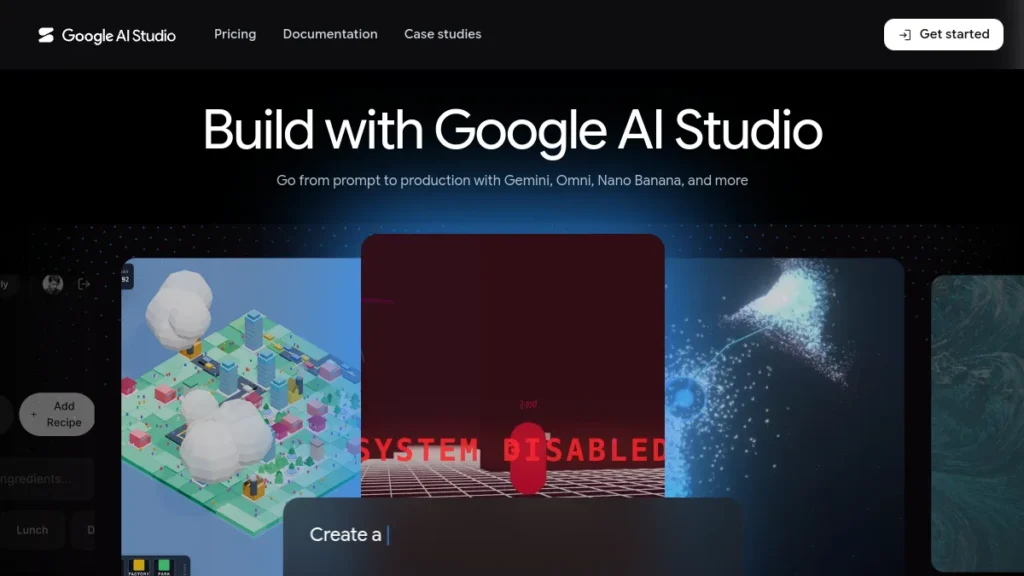
If this is your first time, AI Studio asks you to accept the terms of use and configure your project. Count 30 seconds for this unique step.
Step 2: Select Veo 3.1
In the model selector (top right), choose Veo 3.1. This is the most recent video model of Google, able to generate 1080p clips with native sound and good 8 seconds consistency.
You will also see Veo 3 Fast (faster, slightly lower quality) for fast tests. For this first tutorial, stay on Veo 3.1 standard.
Step 3: Type your prompt
In the central input field, write your stage description. For a safe first try, copy this prompt:
« A golden retriever puppy running in slow motion through a field of yellow wildflowers at sunset, warm gold hour light, slow depth of field, cinematic camera tracking shot from the side, soft summer breake, photorealistic 8K quality. »
Why this prompt works well: a clear subject (Golden Chiot), a precise action (run to idle), a defined environment (yellow flower field at sunset), a camera movement (sidetracking shot) and a photo style (cinematic 8K). Of course you can write in French, Veo 3.1 understands French very well, even if the majority of the training corpus is English.

Step 4: Set Settings
- Ratio aspect : 16:9 (horizontal, default) or 9:16 (vertical for Reels/TikTok)
- Duration : 4, 6 or 8 seconds (8 seconds recommended for this test)
- Audio : enabled by default, Veo generates a synchronized ambient soundtrack
- Number of outputs : 1 (free), 2-4 (paid plans)
Step 5: Generate and Download
Click Generate. The queue shows a timer (30 seconds to 2 minutes depending on the frequency). Once the clip is generated, it will appear in the preview area with its audio. To download: right click → « Save video as » or Download button next to the clip.
The MP4 file will be released in 1080p, without watermark, ready to publish on YouTube, Instagram, TikTok or your site. No watermark Google unlike many generators free, that's what makes AI Studio so attractive.
⚠️ Quotas free: Google AI Studio limits to a dozen generations Veo 3.1 per day depending on region and availability. If you reach the limit, switch to Veo 3 Fast (more generous quota) or wait 24 hours. The queue can also be long at peak hours (6-23 p.m. UTC).
Step by step: generate a video with DeeVid AI (in French)
If Google AI Studio seems too austere or you want a 100% French interface, Deevid AI is the most educational alternative to start. The platform brings together text-to-video, image-to-video and several ready-to-use effects.
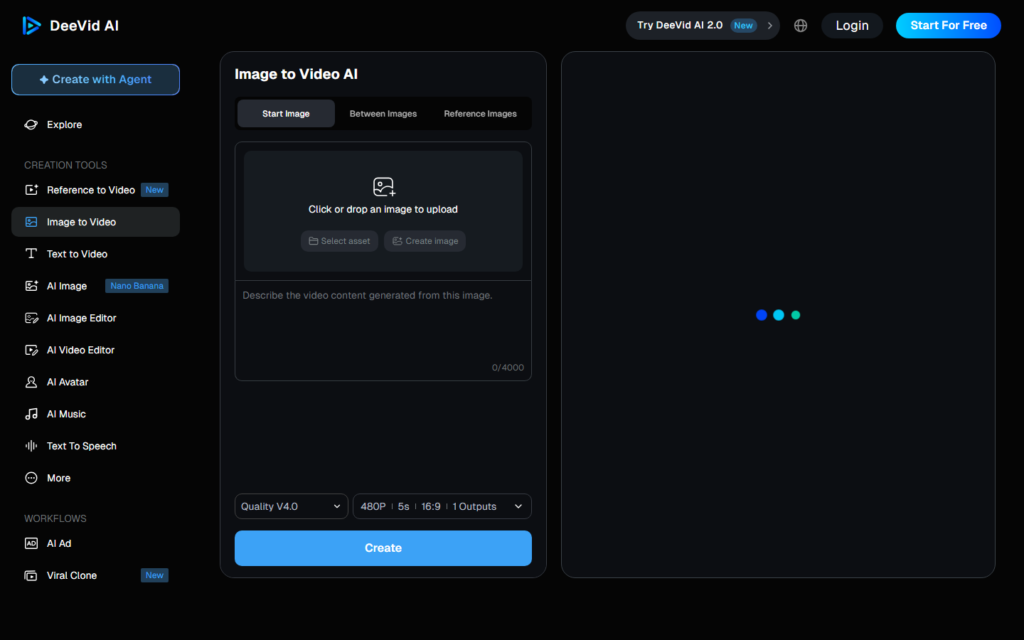
Step 1: Create your account DeeVid AI
Go on deevid. a and create an account with your email or via Google. The free plan gives access to 100 credits per day, sufficient for 3 to 5 short videos according to the model used.
Step 2: Choose the generation mode
In the dashboard, select « Text to Video ». Deevid offers several modelsAI in backend (Kling, Hailuo, Veo, Pika), for a first test, keep the default model, which is the most stable.
Step 3: Write your prompt in French
Enter your prompt in French in the text field. Example to stay on the same theme as the previous step:
« A golden retriever puppy runs slow in a field of yellow flowers at sunset, warm golden light, camera that follows on the side, summer atmosphere, photorealistic cinema quality. »
Step 4: Parameters and Generation
Select the duration (5 seconds by default), the ratio aspect (16:9 or 9:16), then click « Generate ». Count 1 to 3 minutes depending on the traffic. You can restart multiple prompts in parallel to compare.
Step 5: Download and Export
Once the clip is generated, click the Download button. The free plan adds a discreet watermark at the bottom, removeable by switching to the paid plan (from 9 $/month). To publish watermark-free without paying, go back to Google AI Studio for the final version.
How to write a good quick video AI
A quick video is not a quick text. You have to describe what a camera would see, not tell a story. Five elements to always include, in this order.
The S-A-P-A-S method
S, Subject. Who or what's filmed? Be specific: not « a dog » but « a golden retriever of 3 months ». The model needs details to generate a consistent visual.
A, Action. What does the subject do? Concrete action in the present: « short », « Jump », « slow walking », « Watch the camera ». Avoid too complex cascade actions,AI better manage one main action.
P, camera shot. Tracking shot, fixed plane, aerial drone, close-up, counter-dive... The model interprets these English or French terms. Without precision, you get a generic framing often disappointing.
A, Atmosphere. Light (golden hour, dramatic, natural), dominant colours (hot, cold blue), weather, time of day. This is what gives the « mood » The clip.
S, Style. Photorealist, cartoon, watercolor, Ghibli Studio style, Wes Anderson style... The style radically changes the rendering, even with the same subject. For a first test, choose « cinematic photorealistic ».
Three prompts ready to copy
Travel:
« Aerial drone shot of a turquoise tropical lagoon with sailboats anchored, gentleman waves, crystal clear water revealing sand patterns below, golden afternoon sun, cinematic 4K photorealistic. »
Output:
« A glass perfume bottle rotating slowly on a marble surface, soft studio lighting from the left, water droplets glistening on the surface, slow depth of field, luxury commercial style. »
Lifestyle:
« Steam laughing from a cup of coffee on a wooden table, morning light through the window, soft jazz vibes, close-up tracking shot moving lightly to the right, warm cozy atmosphere. »

Tip: if you block the formulation, ask ChatGPT or Claude to write the prompt for you from a description in French. This is also explained in our tutorial ChatGPT.
Improving your clip: voice-over, subtitles, editing
A clip generated by AI is rarely published as is. Here are the steps to turn it into content ready for social networks or YouTube.
Add voice-over
ElevenLabs remains the reference on voice synthesis in 2026: 30+ French voices, voice cloning possible, free plan with 10,000 characters/month. You write your script, choose a voice, export to MP3, then sync on the clip.
Add automatic subtitles
For viral subtitles (TikTok/Reels style), Submagic istool Fastest: clip upload, auto generation in 30 seconds, dynamic animations. Our Complete Guide on the generation of subtitles AI details the alternatives (Descript, ElevenLabs Scribe, Filmora).
⚡ +200% retention with animated subtitles
Add viral subtitles to your clip AI in 30 seconds
Submagic Automatically detects lyrics, adds animated TikTok/Reels-style subtitles and exports to the right vertical format. 3 free videos to test.
Web · iOS · Android · No CB required
Mount and export for networks
An 8-second clip is not enough for Reels (15 to 90 seconds recommended). Concate multiple clips, add music, and export. Filmora or CapCut are the most accessible publishers to start with. Our comparison of the AI Tools for editing details the best options.
Find a free soundtrack
A soundtrack generated by AI avoids issues with Content ID on YouTube. Our guide on AI Music free of rights compares Mubert, Suno and the best 2026 solutions.
7 beginner errors to avoid
- 1. Prompts too short, « a cat eating » Never give a good clip. See 25-50 descriptive words.
- 2. Too many cumulative actions, « a short man, open a door, climb the stairs, and phone » exceeds the capacity of an 8 s clip. One main action per generation.
- 3. Forget the camera planWithout precision, you get a generic framing often disappointing.
- 4. Request text in the video, models AI Manage the embedded text poorly. Add post-production text with a editor.
- 5. Complex human facesgeneric faces work, but reproducing a real person remains legally and technically impossible. See our guide on deepfakes.
- 6. Ignore conditions of use, check with each publisher whether commercial use is free of charge. Veo 3.1 via Google AI Studio allows, Pika and Runway impose paying.
- 7. Never iterateThe first result is rarely the right one. Regenerate 2 or 3 times by adjusting the prompt before concluding.
FAQ: all about the tutorial AI video in 2026
What AI video to start?
For a first test without paying or installing anything, Google AI Studio Veo 3.1 is the best option: free interface, no watermark, 1080p quality. If you prefer an interface in French, Deevid AI is the most educational. Kling and Runway require a little more practice but offer more creative control.
Which is the best AI Free video in 2026?
Google AI Studio (Veo 3.1) dominates the quality/free ratio: no watermark, cinema quality, native audio, 1080p. Seedance 2.0 by ByteDance is very generous in free credits but access is sometimes difficult from Europe. For regular professional use, plan a paid subscription, count 10 to 30 $/month according totool.
How long to generate a AI video ?
30 seconds to 3 minutes per clip according to thetool and abundance. The clip itself usually takes 5 to 8 seconds in 2026 (most models do not exceed 10 seconds per generation). For a editing 60 seconds final, count 4 to 6 different generations to assemble in a publisher.
Need to know how to code to use a tuto AI Video?
No technical expertise required. All tools mentioned (Google AI Studio, DeeVid AI, Kling, Runway, Pika) operate quickly in natural language, without a line of code. The only useful know-how: learning how to formulate a good quick video (S-A-P-A-S method described above).
Can we use these videos? AI For commercial use?
It depends on each tool. Veo 3.1 via Google AI Studio allows commercial use even free of charge (with the usual restrictions: no illegal content, no real people without consent). Pika and Runway allow only on their paid plans. Always check the conditions of use before monetizing a clip.
How long video clips AI is it possible in 2026?
Most models generate 5 to 10 seconds per clip. Veo 3.1 can be up to 60 seconds in multi-shot mode via Google AI Studio. For longer videos, you need to generate several clips and assemble them in a publisher (Filmora, CapCut, DaVinci Resolve). Our Complete Guide video AI explains the underlying mechanics.
🎯 Verdict
One tuto AI video In 2026, it's 10 minutes time for a first movie quality clip, an unlikely technological leap compared to 18 months ago. Google AI Studio is the preferred option to start (free, watermarkless, top quality). Deevid AI is the most accessible French alternative if you prefer a guided interface in French.
The key to the result is not thetool, it's the prompt. Subject + action + plan + ambiance + style, in this order, in 25 to 50 words. You write what a camera would see, not a story. Italize 2-3 times until the right result.
Once comfortable with the generation, the next step is assembly, see our guide of the AI Tools for editing and our full workflow for a string YouTube cost-effective If you want to monetize.