
HeyGen Cost 0 $ for three videos per month with watermark, then 29 $ per month to remove it. That's the short answer. The rest of this page explains what these amounts actually cover, because the grid reads into credits and the number of credits doesn't say much until we know what a video consumes.
📌 Essentials
- Free: 3 videos per month, 1 minute maximum, Systematic watermark (see our review complete).
- Creator, 29 $ per month : 600 credits, videos up to 30 minutes, watermark removed.
- Pro, 49 $ per month: 1,000 credits and exports in 4K.
- Business, 149 $ per month plus 20 $ by headquarters, for teamwork.
- The true level of decision is between the free and Creator: it is the watermark, not the volume.
Test before paying: HeyGen offers 3 videos per month, without credit card.
View offersContents: Grid 2026 • The free plan • Understanding credits • Business and Enterprise • Reduce invoice • Creator or Pro • Watermark • HeyGen Is it expensive? • FAQ
The tariff schedule for HeyGen in 2026
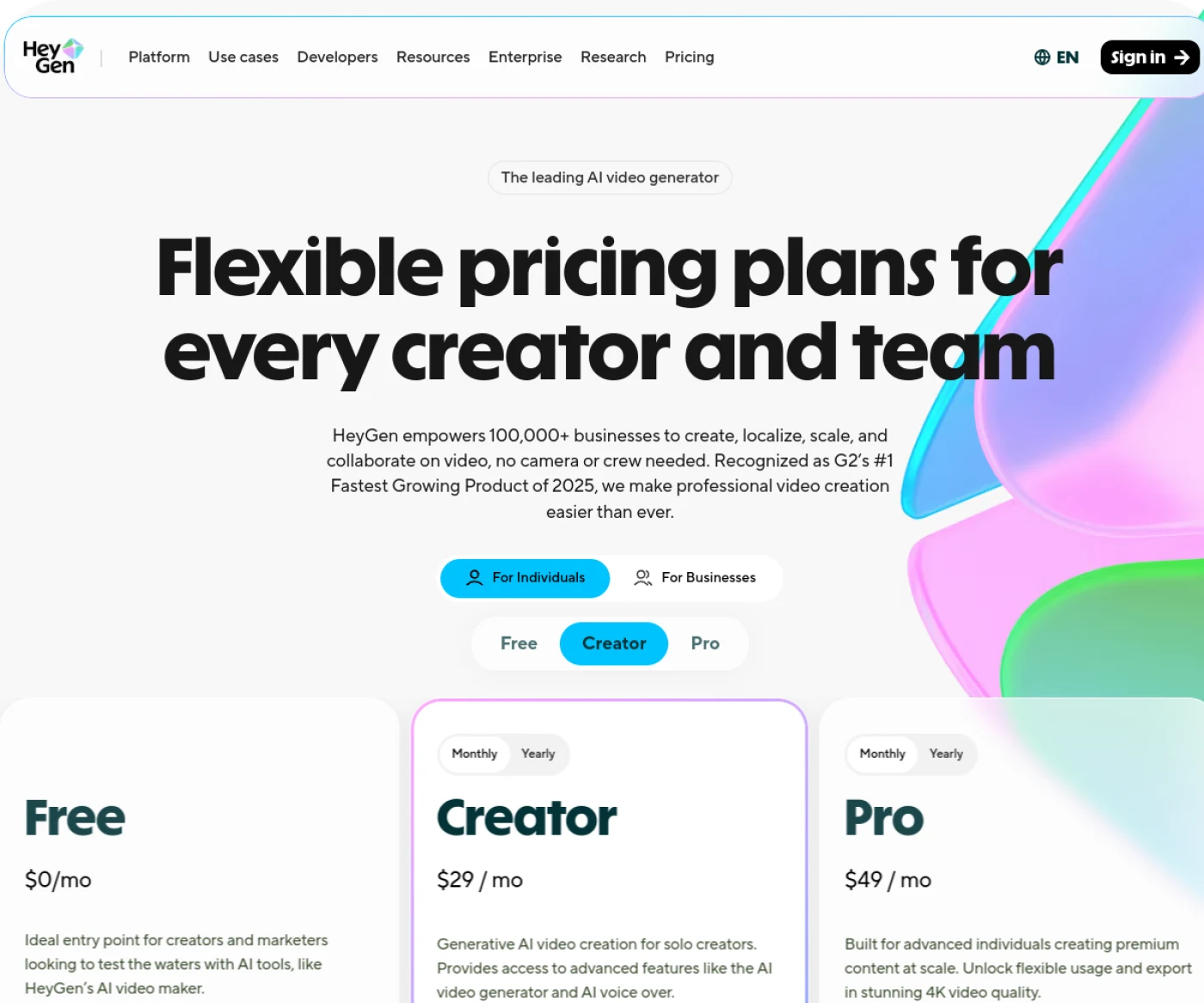
Amounts are displayed in dollars and without taxes. Note the double selector at the top of the official page: a first switch between individual use and team use, a second between monthly and annual payment. The two changes the prices displayed, which explains part of the differences found in comparison The other.
| Formula | Monthly price | Credits | Maximum duration | Watermark |
|---|---|---|---|---|
| Free | 0 $ | 3 videos per month | 1 minute | Yes |
| Creator | 29 $ | 600 per month | 30 minutes | No |
| Pro | 49 $ | 1,000 per month | 30 minutes | No |
| Business | 149 $ + 20 $ by seat | 1,500 per month | 60 minutes | No |
| Enterprise | On request | Under contract | Unlimited | No |
In annual billing, HeyGen Creator ad at 24 $ per month, about 17% discount. The commitment is then made over twelve months, which makes sense only if your need is already installed.
The free plan: what it really allows
The free HeyGen is honest in its principle: it gives access to thetoolNot a finished product. You have three videos per month, each limited to one minute, with basic avatars and support for more than thirty languages. A personal vocal clone is also included.
⚠️ Watermark is present on all free videos, and there is no setting to remove it. Specifically, the free plan is used to test the quality of avatars and labial synchronization, not to produce anything published.
This is a point to integrate before starting. Many users consume their three monthly videos on essays, discover the watermark at the time of publication, and must regenerate everything once they subscribe. If you already know that your video is intended for broadcast, take the subscription before producing the final version.
Three videos a month, it's also little to judge seriously. Use them with a realistic scenario rather than with a test text: this is the only way to see if the avatars hold on to your usage case.
Understanding credits, without wrong calculation
From Creator, HeyGen no longer counts in videos but in credits, and that is where comparisons become confused. A credit corresponds to a processing unit whose consumption depends on the duration produced and the functions mobilized.
The most greedy functions are those that add a layer of calculation: voice cloning, multilingual dubbing, custom avatars, and high definition output. A short video with a standard avatar costs much less than a video doubled in four languages with your own cloned voice.
💡 Tip: the cost is displayed before starting the generation. Get used to looking at it, especially when you're up in definition or add dubbing. It is the reflex that avoids emptying its quota in the middle of the month.
Above all, 600 credits do not mean 600 videos. For a common use of two to three minute presentation videos with standard avatar, the Creator plan covers a regular publication rhythm without difficulty. For serial production or systematic dubbing, it consumes much faster.
Creator or Pro: where is the real difference
Twenty dollars separate the two formulas, and the question often comes back because the maximum duration is the same: thirty minutes on both sides.
| Criteria | Creator, 29 $ | Pro, 49 $ |
|---|---|---|
| Monthly appropriations | 600 | 1 000 |
| Maximum duration | 30 minutes | 30 minutes |
| Watermark | Withdrawn | Withdrawn |
| High definition export | Standard | 4K |
| Profile | Creator alone | Regular production and careful export |
The separation is based on two questions. Do you need the 4K, i.e. a rendering intended for a wide screen or a professional broadcast? And do you consume more than 600 credits per month? If the answer is no to both, Creator suffices, and the deviation of 240 $ the year has no justification.
Our practical advice: start with Creator. HeyGen allows you to go up in line during subscription, and you will know after two months whether or not your actual consumption exceeds.
Want to test before choosing?
The free plan gives 3 videos a month, to judge the quality of the avatars.
Business and Enterprise: from when?
The jump is important, from 49 to 149 $ per month, and it is not explained by the volume of credits. Business brings 1,500 to 1,000, a 50% increase for a triple price. So this is not the right calculation.
What Business really adds is work to many. Fee per seat, 20 $ for each additional user, says exactly to whom the formula is addressed: a team that shares projects, brand avatars and a common library. In addition, the maximum duration is increased to 60 minutes, opening the door to long format training modules.
- You're alone. Creator or Pro, whatever your production. Business does not bring anything that an individual creator can exploit.
- You are two or three to produce: Compare three Creator subscriptions, 87 $, a Business to 149 $ plus the seats. Mutualization becomes interesting only if you really share resources.
- You produce long formats: the 60 minute limit alone can justify the passage, if your modules exceed half an hour.
As for Enterprise, it operates on a cost-effective basis, without any announced time limit, and this is the level where commercial usage conditions are most explicitly regulated. It is intended for organizations that have contractual, legal or security requirements, not creators.
How to reduce the bill
A few reflexes make a real difference over the year, without changing formula.
- Write and confirm your script before generating. This is the first economic position. Every relaunch to correct a sentence consumes credits, while a review does not cost anything.
- Test in standard definition, export in high definition at the end. Increasing in definition increases consumption, as well as reserving it to the validated version.
- Enable dubbing only on videos that need it. Translate systematically into several languages empty a quota very quickly, and not all your videos target an international audience.
- Wait two months back before you switch to an annual. The discount of around 17% is real, but it commits you over 12 months: take it only once your publication rate has stabilized.
- Look at the cost before each generation. This is the only reliable data, and it avoids bad surprises in the middle of the month.
One last point, often overlooked: if your need is seasonal, there is no obligation to remain a subscriber all year round. A monthly subscription taken over two or three months during your production peaks is often cheaper than an under-used annual commitment.
Watermark: when exactly does it disappear
This is the most frequently asked question on the HeyGen, and the answer is clear: the watermark is removed from the first paying formula, at 29 $ per month. There is no trick, no adjustment, no trial period to avoid it free of charge.
Attention to a common trap: the watermark removal does not apply retroactively to videos already produced free of charge. Once you have subscribed, you have to restart the generation to get a clean version, which again consumes credits. Again, it is better to subscribe before producing the final version.
Finally, it should be pointed out that the most explicit commercial use is at Enterprise level. For common professional use from Creator, check the conditions in force at the time of subscription: they evolve, and it is the contract displayed on your account that is authentic.
HeyGen Is it expensive compared to competition?
At 29 $ per month for entry into the range watermark-free, HeyGen is within the high range of generators video mainstream, but it does not play exactly the same game as most of them.
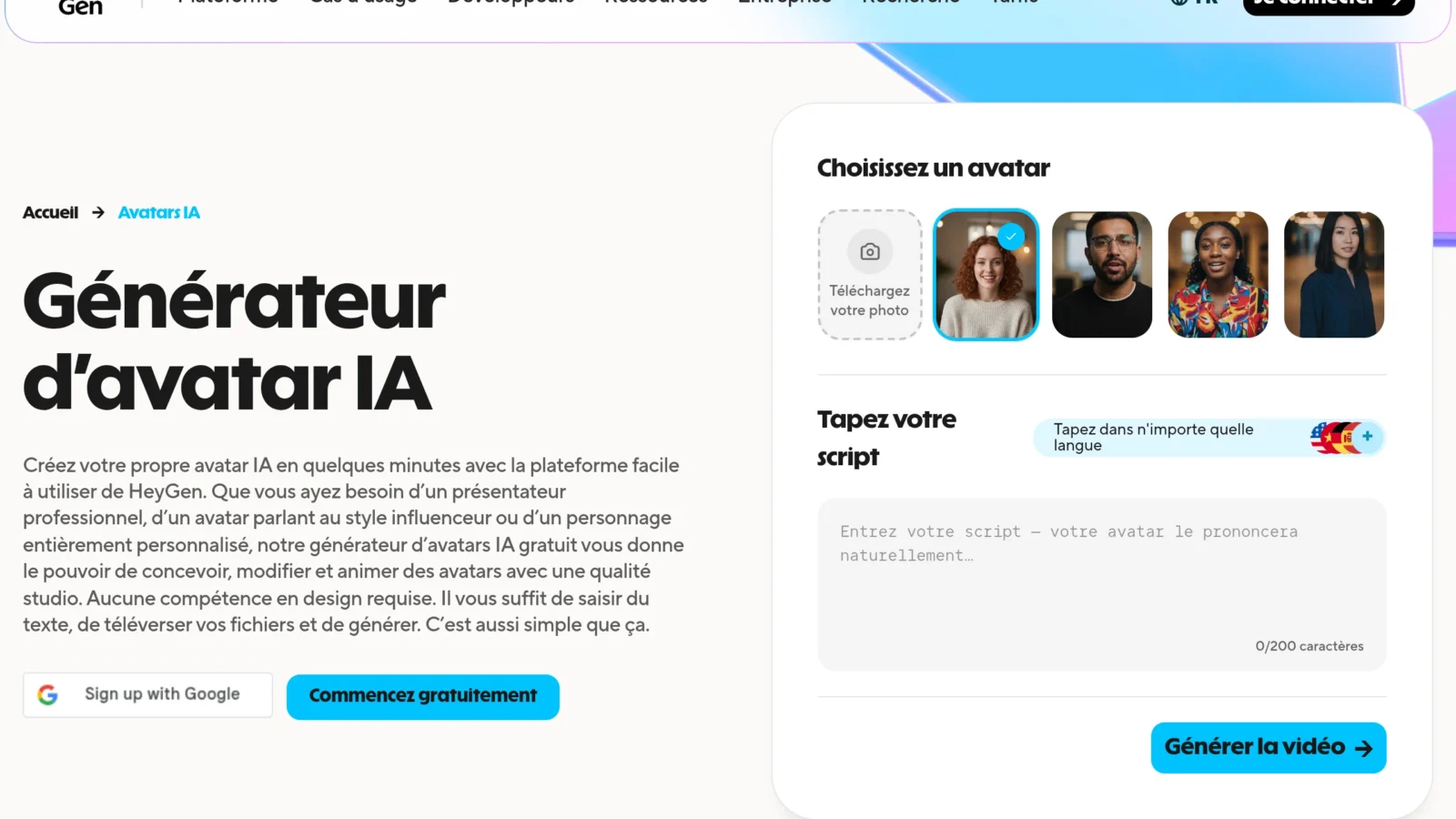
Its specialty is speaking l generators Cinematographic plans do not attack directly. Its most frontal competitor remains Synthesia, positioned on the corporate video, which we compare in our Face-to-face Synthesia against HeyGen.
If the budget is your main constraint, our selection ofalternatives to HeyGen reviews cheaper options according to usage. And to judgetool on something other than its price, our review complete on HeyGen details the quality of the avatars and the limitations encountered. Finally, to locate HeyGen in the whole market, see our comparison video software AI.
HeyGen Too expensive? Our alternatives
If your HeyGen bill climbs too fast, here are two alternatives we recommend for a tight budget: Creatify, more focused on marketing videos, with a tool that turns a simple photo into a talking avatar, and Synthesia, comparable in quality to avatars for professional use.
Our verdict on value for money
🎯 Verdict
The free plan HeyGen is used to test, not to produce: three one minute videos, watermarked. As soon as your video is intended to be seen, the Creator formula at 29 $ is the only real entry point, and it comfortably covers a normal pace of publication. Pro to 49 $ is justified only for 4K or consumption exceeding 600 credits. The advice that avoids paying twice: subscribe before to produce your final videos, the watermark removal is not retroactive.
Frequently asked questions about the prices of HeyGen
HeyGen Is it free?
Yes, with a free plan limited to three videos a month, one minute maximum each, and systematically wearing a watermark. It gives access to basic avatars and more than thirty languages, which is enough to assess quality but not to publish.
How much does it cost HeyGen a month?
Four paying formulas: Creator at 29 $, Pro to 49 $, Business at 149 $ plus 20 $ by headquarters, and Enterprise on estimate. In annual billing, Creator drops to about 24 $ per month.
How to remove watermark HeyGen ?
By subscribing to a paid formula, from Creator to 29 $ per month. No setting allows to remove it on the free plane. The withdrawal is not retroactive: videos already produced free of charge must be regenerated once they have been subscribed.
How many videos with 600 credits?
There is no fixed match. The consumption depends on the length of the video and the functions used: voice cloning, multilingual dubbing and high definition cost significantly more. Cost displays before each generation, it is the only reliable benchmark.
What is the difference between Creator and Pro?
The volume of credits, 600 against 1,000, and exports in 4K reserved for Pro. The maximum time per video is the same, 30 minutes, and the watermark is removed in both cases. Creator is enough as long as you don't target 4K.
What is the maximum duration of a video HeyGen ?
One minute on the free plan, thirty minutes on Creator and Pro, sixty minutes on Business, and without limit announced at the Enterprise level.