Type an idea and get a video YouTube finished, with narration, generated images, subtitles, miniature and description: this is the promise of NimbleVid1 generator thought for chains « faceless »These chains where one never shows his face. L tool sells on the long format (from 10 to more than 60 minutes) and on characters who keep the same head from one scene to another. We put it to the test on a real channel project, in two stages, on October 23, 2026: a first video of 3 minutes 27 on the history of the desktop trombone, then a 9 minute video on the invention of barcode, with a cloned style of an existing channel. Captures and final files in support.
Transparency: our account received the 600 free credits for registration, then the publisher offered us 2,500 test credits during our trial to make a long video (line « Grant test » in the account register). We didn't buy anything and the publisher didn't read this again. review. Everything that follows comes from our test, unless otherwise stated.
Partner link: the links to NimbleVid on this page are affiliated links. If you subscribe through this, we will receive a commission at no extra cost to you.
Contents: Essential · What is NimbleVid? · Our protocol · Step by step test · The 9-minute video · Coherent characters? · Miniature and description · Idea Lab · French · Appropriations and time · Prices · Watermark and rights · Verdict · FAQ
Essentials
- It really produces a finished video: title, script, voiceover, images, camera movement, music, subtitles, miniatures and description YouTube. Our two MP4s (3 min 27 and 9 min 05) are released in 1920 x 1080, watermark-free : slightly more than half an hour for the first, about 35 minutes for the second.
- The price is displayed before each click, and it was respected. The 3 min 27 video cost 487 credits, the 9 min 05 video cost 1,089, or approximately $16 to $19 depending on how the credits were purchased.
- French works for titles, script, narrative, subtitles and description. The interface is entirely in English, and none of the 30 voices is presented as French.
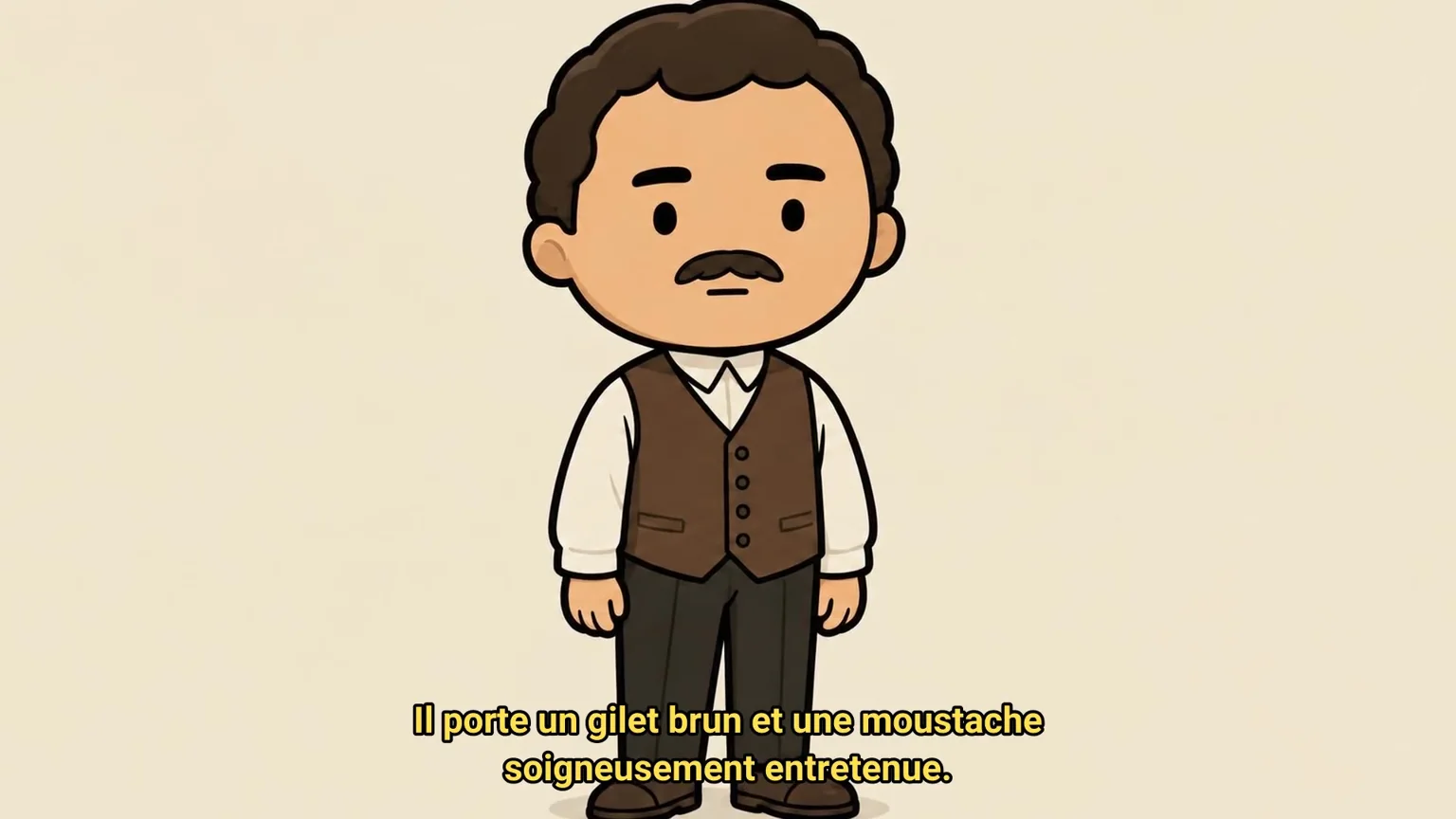
- Character consistency is partial: faces remain recognizable, but outfits change. Our hero loses his mustache on two scenes in the first video; in the second, the inventor of the barcode passes from white shirt to military lattice, contaminated by the cloned style.
- Images sometimes invent false text: an imaginary inventor, an erroneous patent date, an off-subject chart. Reread image by image mandatory for a history chain.
- Without subscription, animation is limited to camera movement (Ken Burns). Real animations are reserved for paid formulas, which we have not tested.
What is NimbleVid?
NimbleVid (nimblevid.ai) is an online service published by NimbleVid LLC. It runs in the same workspace all the steps of a video YouTube faceless: choice of style, title, script, voiceover, sculpture in scenes, generation of one image per scene, movement, editing, miniature and online layout kit (description, tags, pinned comment). A video matches a project, and it moves tab by tab, from left to right.
The positioning is clear: the long format. The official long format page highlights a 38-minute 54-minute demonstration video, taken from a 5,980-word script cut into 465 generated scenes, without any bank image. The site insists on this point: everything is generated, nothing is drawn from a library of clips. This is what distinguishes NimbleVid from tools that assemble stock videos, like InVideo and its alternatives.
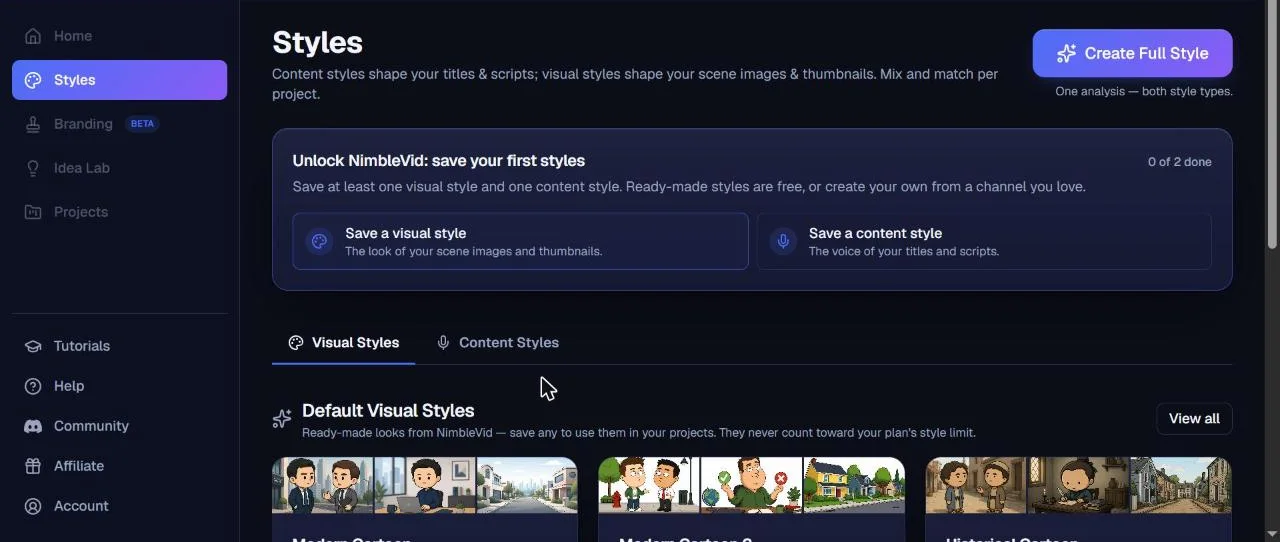
The starting point is style. NimbleVid separates the Content style (the voice of titles and scripts) and the visual style (the rendering of images and miniatures). Some 20 ready-to-use visual styles are offered free of charge: modern cartoon, historical cartoon, stickmen, origami, photorealist documentary, parchment, archive film, etc. Five ready-to-use content styles complete the catalogue (documentary narrator, powerful explanation, children's tale, your casual designer, narrative catch). One can also clone the style of an existing channel from one to four of its videos.
Our test protocol
We wanted to judge NimbleVid on its real use: power a chain YouTube With no face. The subject is deliberately neutral, typical of these general culture chains: The history of the office trombone, from his first patents to his role as a symbol of resistance in Norway during the Second World War. We asked a recurring character, Henri, a mustachu office worker in a brown vest, to check the promise of consistency.
All instructions were written in French. Before each generation, we noted the displayed cost and then the account balance. The times have been timed. The final file has been downloaded and analysed (resolution, duration, watermark), and the voiceover was passed into a tool automatic transcription to check language and script fidelity. All since Chrome on Windows, with an account without subscription.
The test: a video of 3 min 27, step by step
Step 1: styles, free and ready to use
Before you can create a project, NimbleVid requires you to record at least one style of content and visual style. We took two styles ready for use, free of charge: « Documentary Narrator » for the text and « Historical Cartoon » for the image, a drawing with big heads that adapts costumes and decorations to the times told. Each visual style rests on four « anchors », reference images that fix the rendering: two characters who discuss, a character at his office, a place without character and a simple graphic.
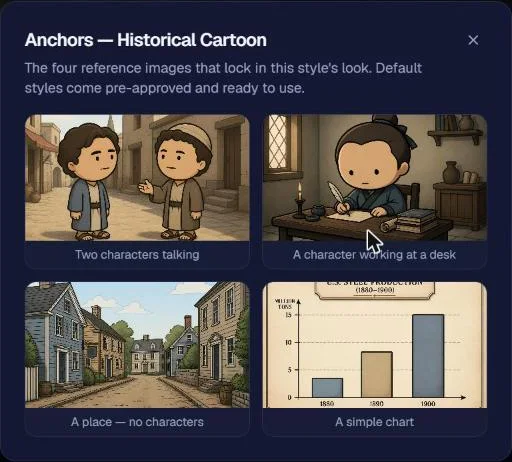
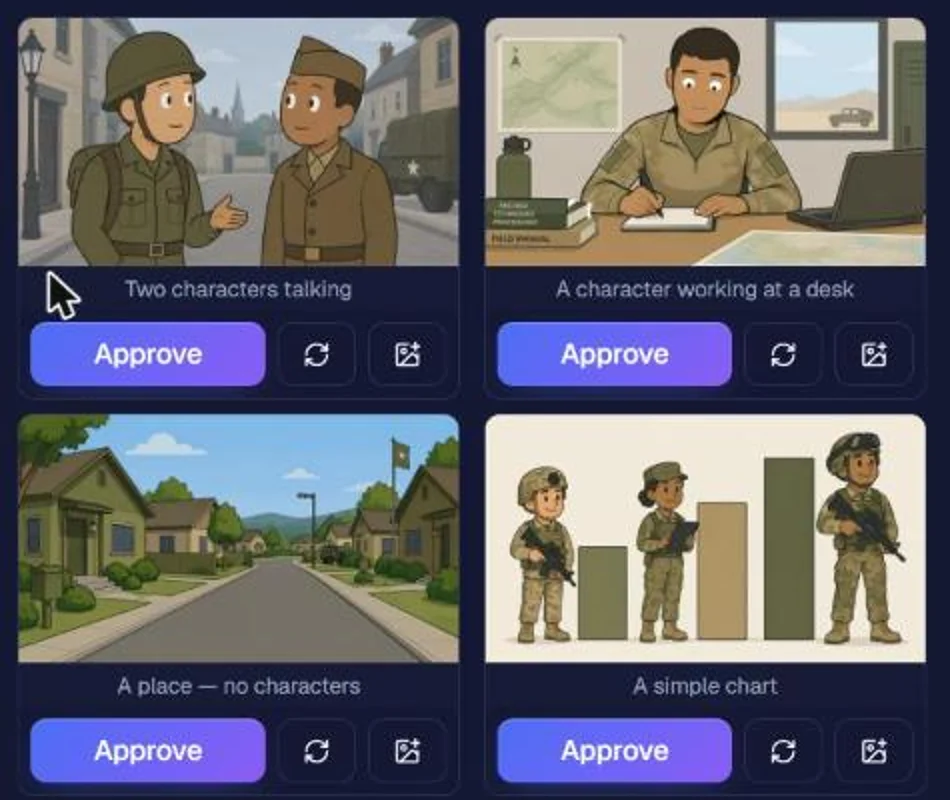
We also tested cloning, apart from that. The button « Create Full Style » capture in a single analysis the voice and rendering of a channel from one to four of its videos. We gave him two videos of Simple History, an English-language channel of military cartoon history. Beware of the price: the window first announces that the 24 anchor credits, and the cost of analysis (81 credits) only appears once the links are added. A total of 105 credits were debited. Three minutes later, the content style was ready and the visual style proposed four anchors to validate one by one: cartoon soldiers, country office, pavilion street, khaki bar graph. The universe of the chain is well recognizable. One can re-launch an anchor with an indication, or the four for 24 credits. On the other hand, the interface does not show what the analysis has retained in the tone of the chain: it is only discovered in the use, in the titles and scripts.
Step 2: Title and script, in less than a minute
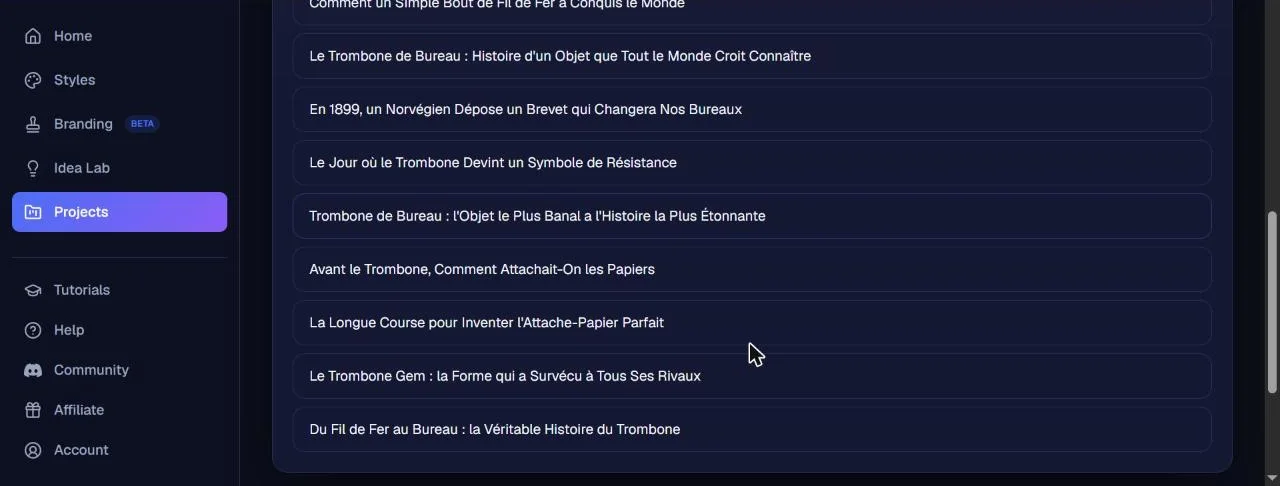
When creating the project, you choose the format (landscape 16:9 or vertical 9:16, at the same price) and a structure: free video, explanation « each type of X » with a grid of icons, or horizontal scrolling classification. We stayed on the free video. First tab, the title: with our subject and the delivery « titles in French »NimbleVid offered ten titles in about fifteen seconds, for 10 credits. They are well in French, but with English capitals on each word (« The Office Trombone: History of an Object That Everyone Believes to Know »). You can also write your own title for free.
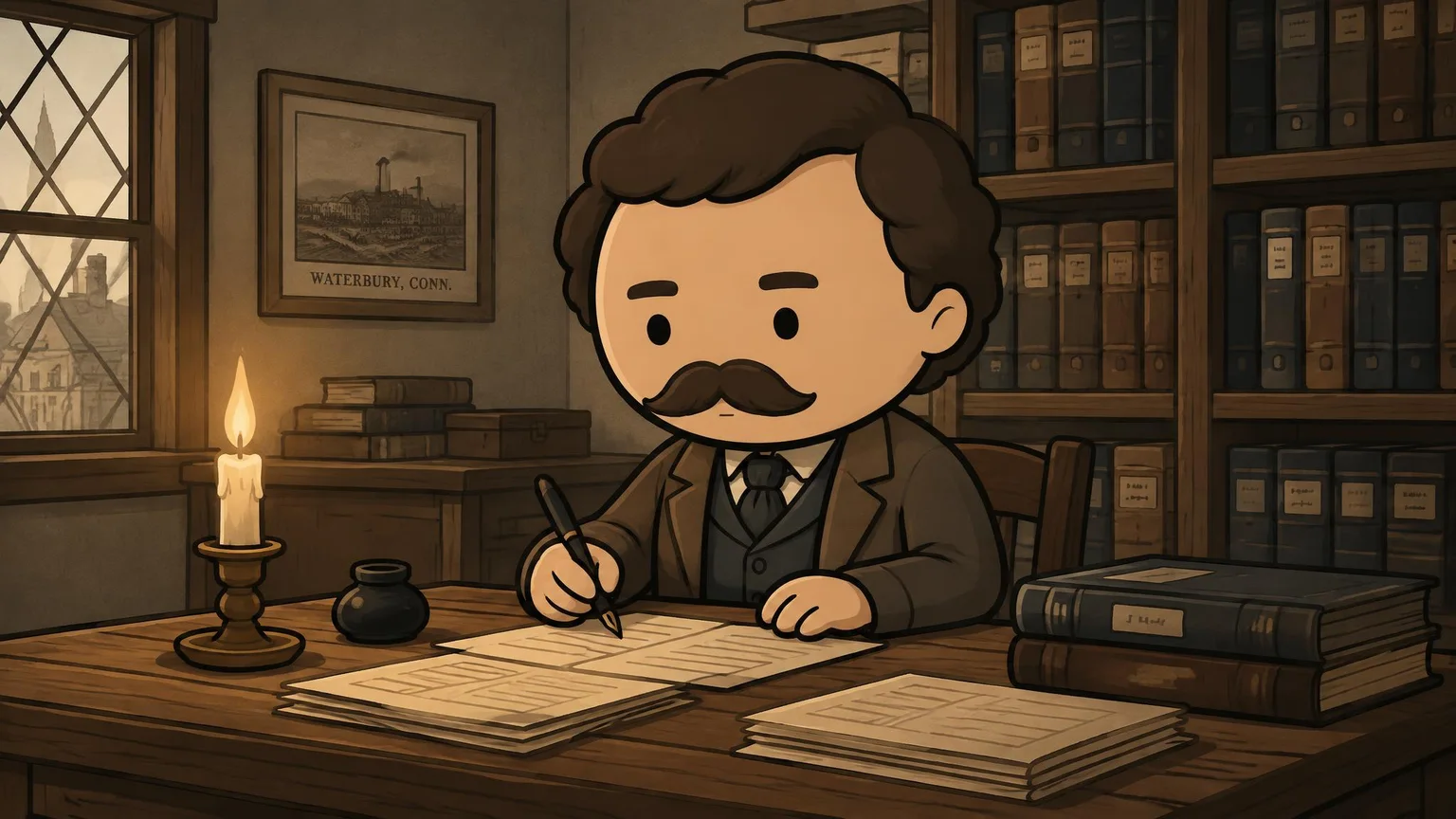
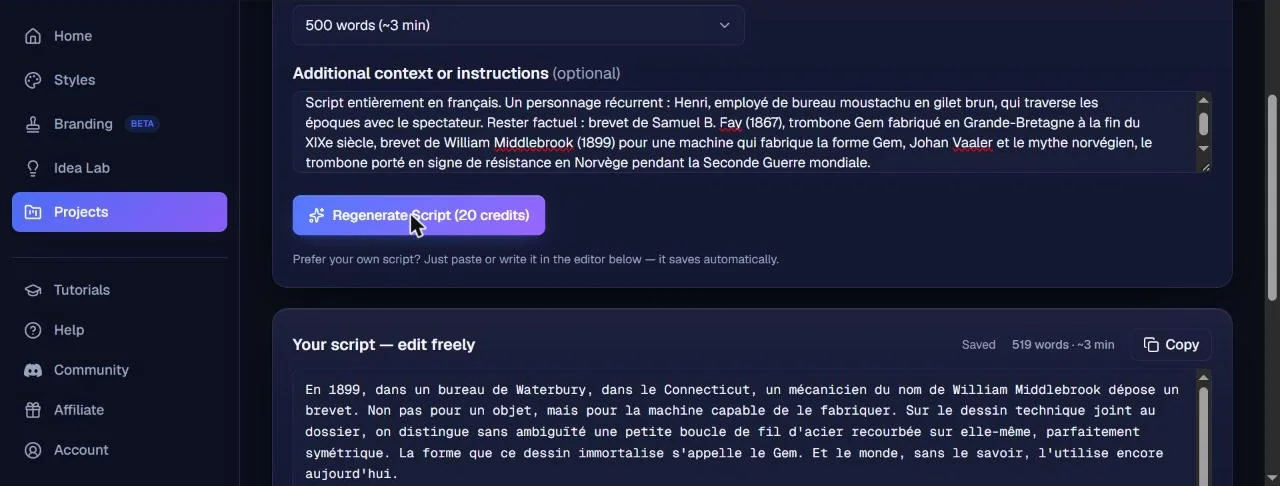
The script is set by number of words: from 300 words (about 2 minutes) to 2,000 words (about 13 minutes) in the menu, or a free value. We asked for 500 words, with a notice of the facts to be respected (patent of Samuel B. Fay in 1867, trombone Gem, patent of William Middlebrook in 1899 for a machine, Johan Vaaler, Norwegian resistance) and the character of Henry. Result in less than 30 seconds, for 20 credits: 519 words in French, in a documentary tone, which correctly captures the facts provided and even disassembles the myth of Vaaler, supposed inventor of the modern trombone. One shell: « He only patents the machine ». The script remains manually editable before the voiceover.
Step 3: the voiceover and Music
The narrative goes through ElevenLabs, with 30 voices of choice (narrators, accent voices, characters) and the possibility to clone your own voice on the Pro and Creator formulas. Two qualities are offered: Studio, the flagship model, and Standard, twice as expensive. Beware of a display detail: as long as the script is empty, the tab indicates 20 credits. Once the script is written, the real price appears: 113 credits in Studio and 51 in Standard for our 3 min 28 narration. We took the vote. « Brian » Studio. The voiceover was ready in about 70 seconds: an MP3 of 3 min 27.
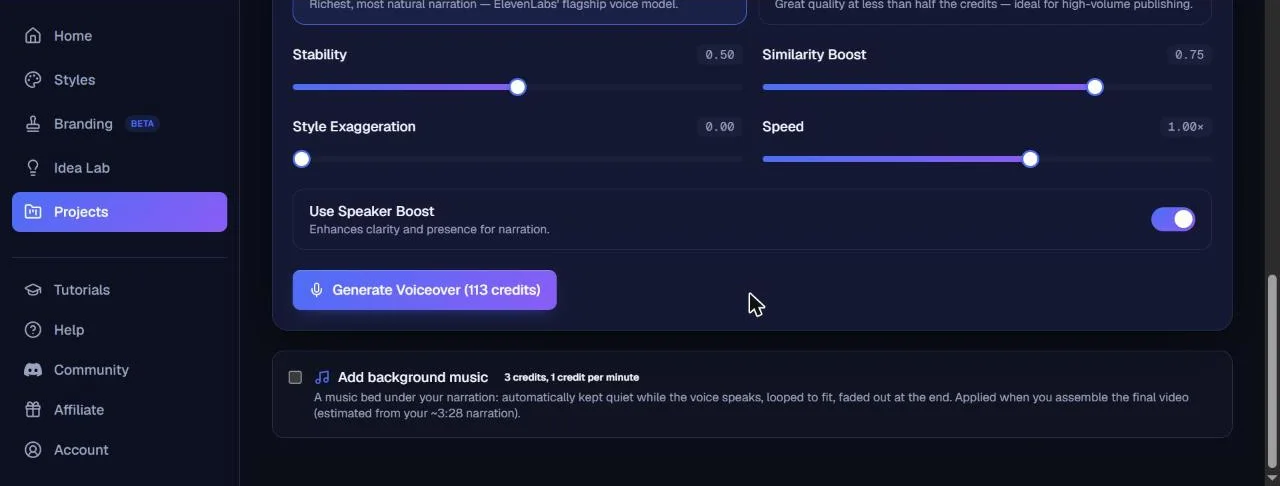
The same tab, the background music: ten atmospheres (Lofi, Ambient, Epic, Chill...), all announced in the public domain (CC0) and therefore without risk for monetization, or your own MP3, WAV or M4A file up to 50 MB. The music is free under one minute, then charged 1 credit per minute at the time of the editing Three credits for us. It drops automatically when the voice speaks.
Step 4: Scenes, characters and 32 images
It is the heart of the tool. Once voiceover generated, NimbleVid proposes to cut the narration into scenes set to the actual timing of the voice, up to 82 for our video (one image about every 5 seconds by default). We chose 32 scenes, i.e. one image every approximately 6.5 seconds, in standard quality (6 credits per image; High cost 12, Very High 36) and 1080p output, without any extra cost displayed on the images. The cutting, charged 20 credits after a confirmation window, took about 2 minutes 30.
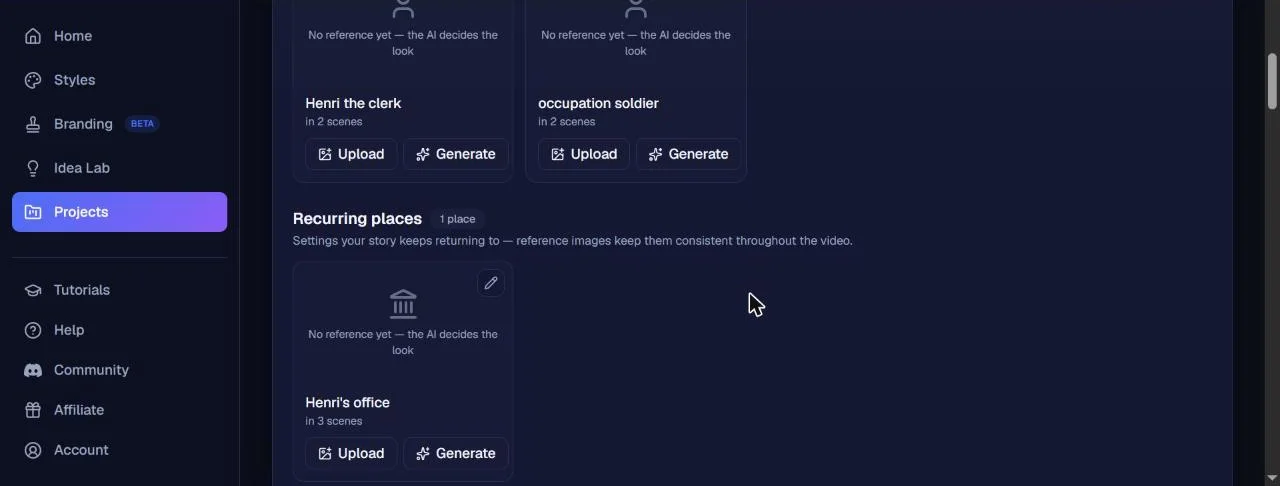
By the way,tool read the script and spotted two recurring characters alone (« Henri the clerk » and an occupation soldier) and a recurring place (Henri's office), each with a description of its appearance. They can be left as is, retouched by a short indication, upload an image or generate a reference. We generated Henry's reference for 12 credits, in about 30 seconds: a small mustached man in brown vest and shirt with hard collar, according to our request.
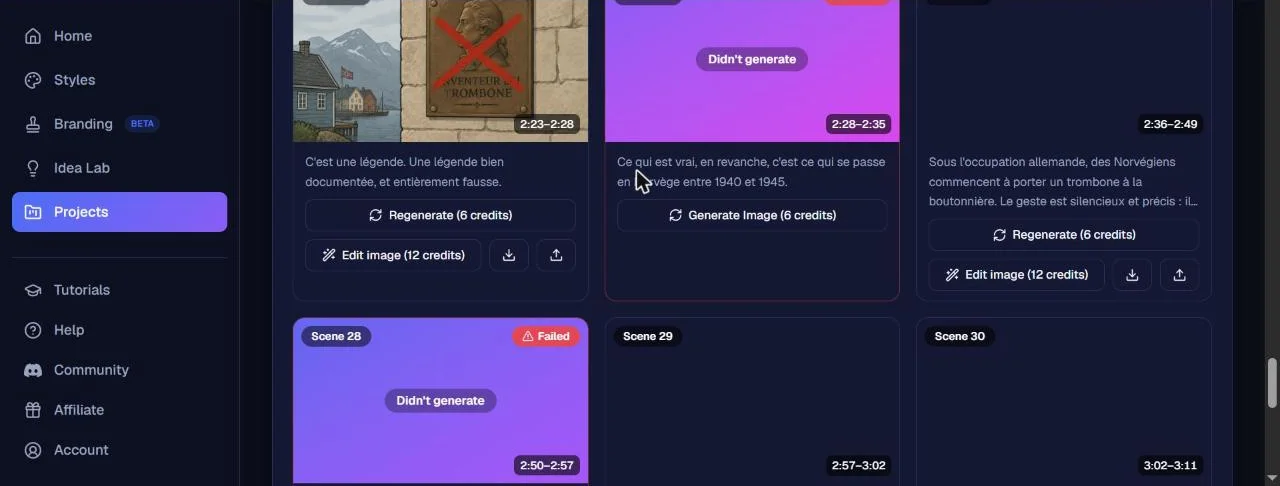
The button « Generate All Images » announced 192 credits for 32 images, debited in advance. Thirty images arrived in about 70 seconds, it's fast. Two scenes, however, remained blocked on « Generating » several minutes before passing in « Failed ». The interface specifies that they are not invoiced, and this is true: the account register shows a repayment of 12 credits (« Refund, failed job »). Released one by one, they ended in one to two minutes. These two scenes illustrate the German occupation of Norway and show flags with swastika: it is consistent with the subject, but to check before publication according to your audience.
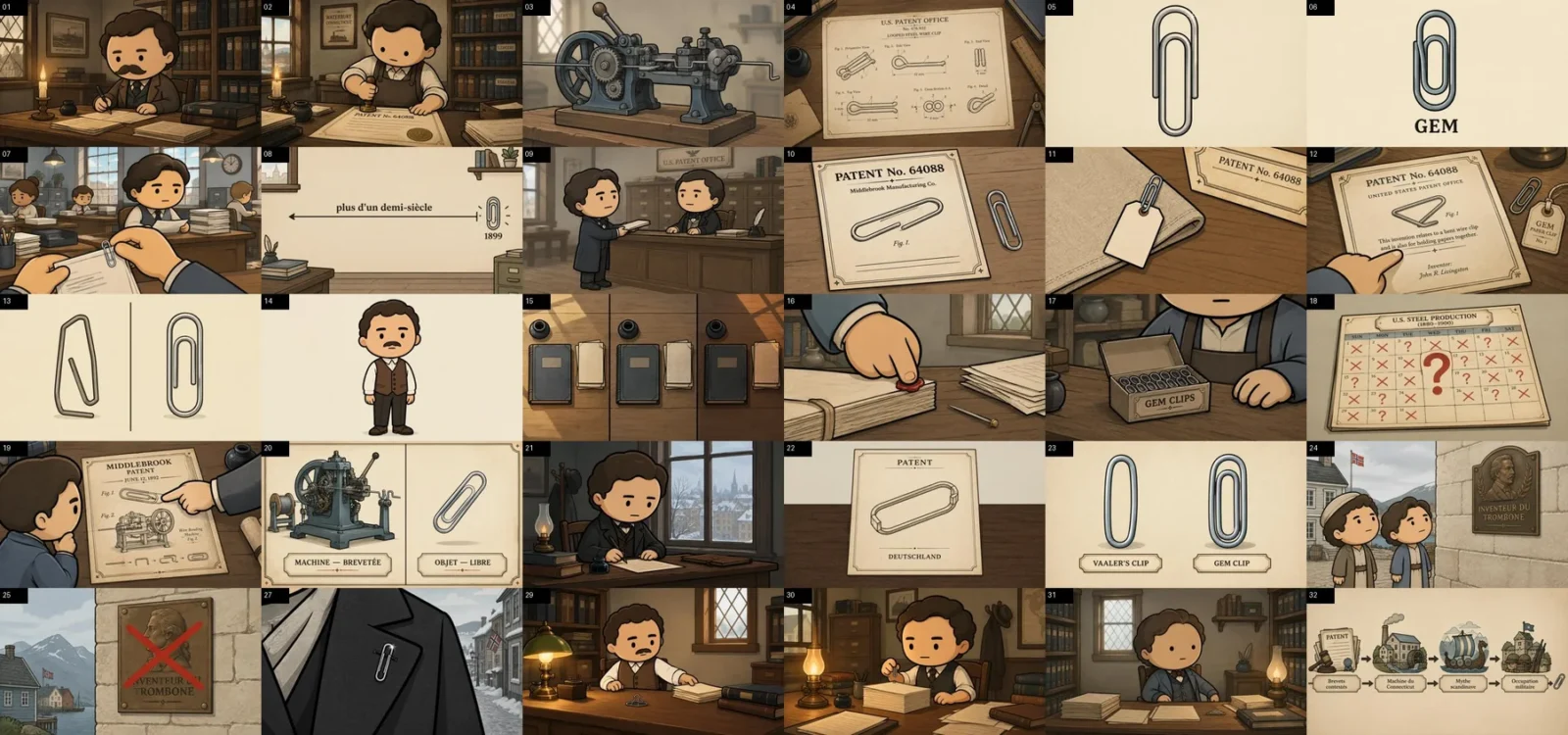
The style holds from one end to the other: the same line, the same sepia palette, the same period decorations, from machines to patents. The images come out in 2048 x 1152 pixels. Each scene can then be regenerated (6 credits) or corrected by a targeted instruction that only touches one detail (« Edit image », 12 credits in our project).
Step 5: The movement, limited to Ken Burns without subscription
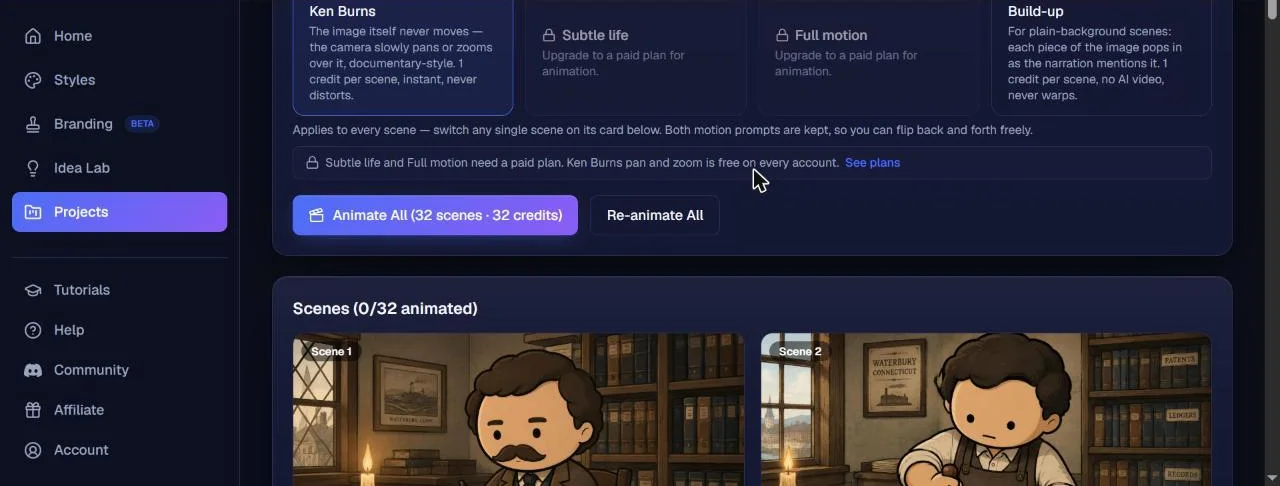
The Animation tab offers four modes. Ken Burns drags or zooms the camera onto the image, without ever distorting it, for 1 credit per scene. Build-up shows the elements of an image over the narrative at the same price. The two modes of generative animation, « Subtle life » (the decoration moves, flames, water) and « Full motion » (the characters play the stage), display a padlock: « Upgrade to a paid plan for animation ». So we applied Ken Burns to the 32 scenes for 32 credits. Little inconsistency to report: an insert says Ken Burns is « free on all accounts », while it is well charged 1 credit per scene.
Step 6: editing, subtitles and exports
Last step, the Final Video tab. A checklist indicates what is ready. Two free options deserve to be enabled: embedded subtitles (three styles, including a karaoke mode where each word lights up when pronounced, ten fonts, size, position and colors to choose from) and the « text », which basically raises the key numbers and names of the narrative. You can also add an intro and end card created in the Branding space (in beta). The editing announced 43 credits, including 3 for music. On an empty project set to 720p, the tab had 25 credits. The difference most likely comes from the 1080p, since the site announces a editing at fixed prices regardless of duration.
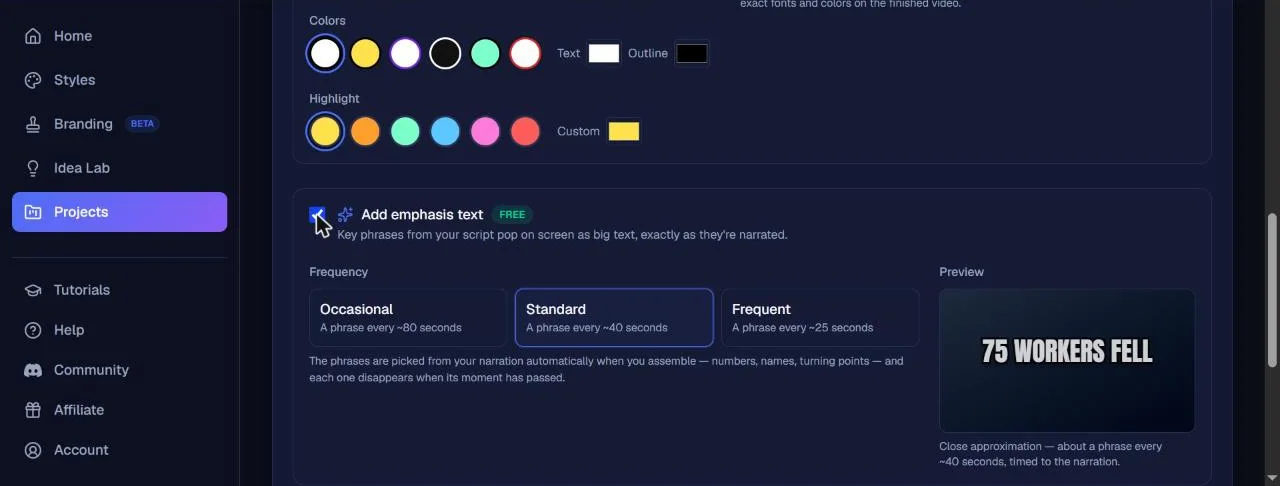
The rendering took about 9 minutes for 3 min 27 in 1080p. It turns in the background: you can close the tab, the video appears in the project once ready, with a download button. Only trick: during rendering, the project page became very slow to load in our browser.
The result: our video of 3 minutes 27
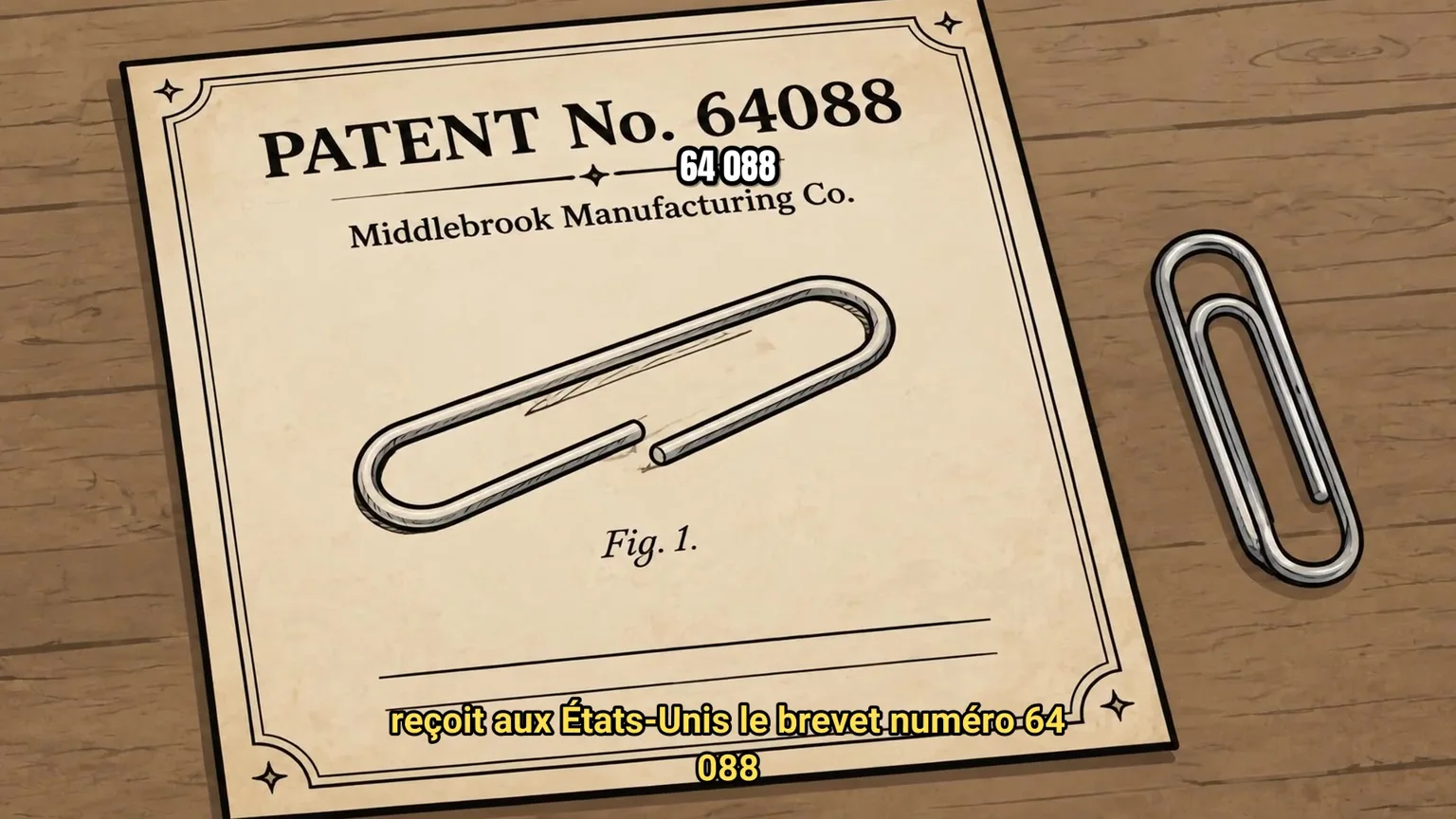
The downloaded file is 41.8 MB: 1920 x 1080 pixels at 25 frames per second, its AAC, 3 minutes 27 seconds. The karaoke subtitles follow the voice well, word for word, and the text of the phase reveals some key figures (« 64 088 », Fay's patent number) at the right time. The rhythm is that of a quiet documentary: an image every 6.5 seconds, it's a little slow for YouTube, and NimbleVid reports it elsewhere (« slow pacing »). With the 82 scenes proposed, the rendering would have been more nervous, for 492 credits of images instead of 192.
The long test: a 9 minute video with a cloned style
NimbleVid sells on the long format, so you had to go further than 3 minutes. With the test credits offered by the publisher, we produced a second video on a topic from the Idea Lab: « Barcode was born on a Florida beach ». This time, we used the content style and visual style cloned from the Simple History channel to see what cloning in production gives. The title was seized by hand, which is free.
The script: 1,483 words in less than 75 seconds, for 20 credits, as for a short script. The facts we had imposed were all respected (the sand of Miami Beach, the 1949 patent granted in 1952, George Laurer at IBM, the first scan of June 26, 1974 in Troy, Ohio). The script adds more, which we checked and which are correct: cashier Sharon Buchanan, client Clyde Dawson, the package held at the Smithsonian, the medal given to Woodland in 1992. One approximation: the patent would have been « sold to RCA »While he first went through Philco.
The voiceover : For 9 minutes of narration, Studio quality cost 325 credits and Standard 145 quality. We took Standard with the same voice « Brian », to compare. The MP3 arrived in less than a minute. The automatic transcription finds the word for word text, in French, with the same small weaknesses of pronunciation (« Morse code » heard « Cod Morse »). The actual time, 9 min 04, is slightly less than the estimated time displayed (9 min 53).
The images: At the default rhythm of an image every 5 seconds, NimbleVid cut the narrative into 109 scenes (up to 235 were possible). The cutting cost 55 credits: its price increases with the number of scenes. L tool spotted seven recurring characters, including Norman Woodland in 31 scenes, the cashier in 9 and Clyde Dawson in 8. The 109 images (654 credits) arrived in 3 minutes 20, without a single failure this time.
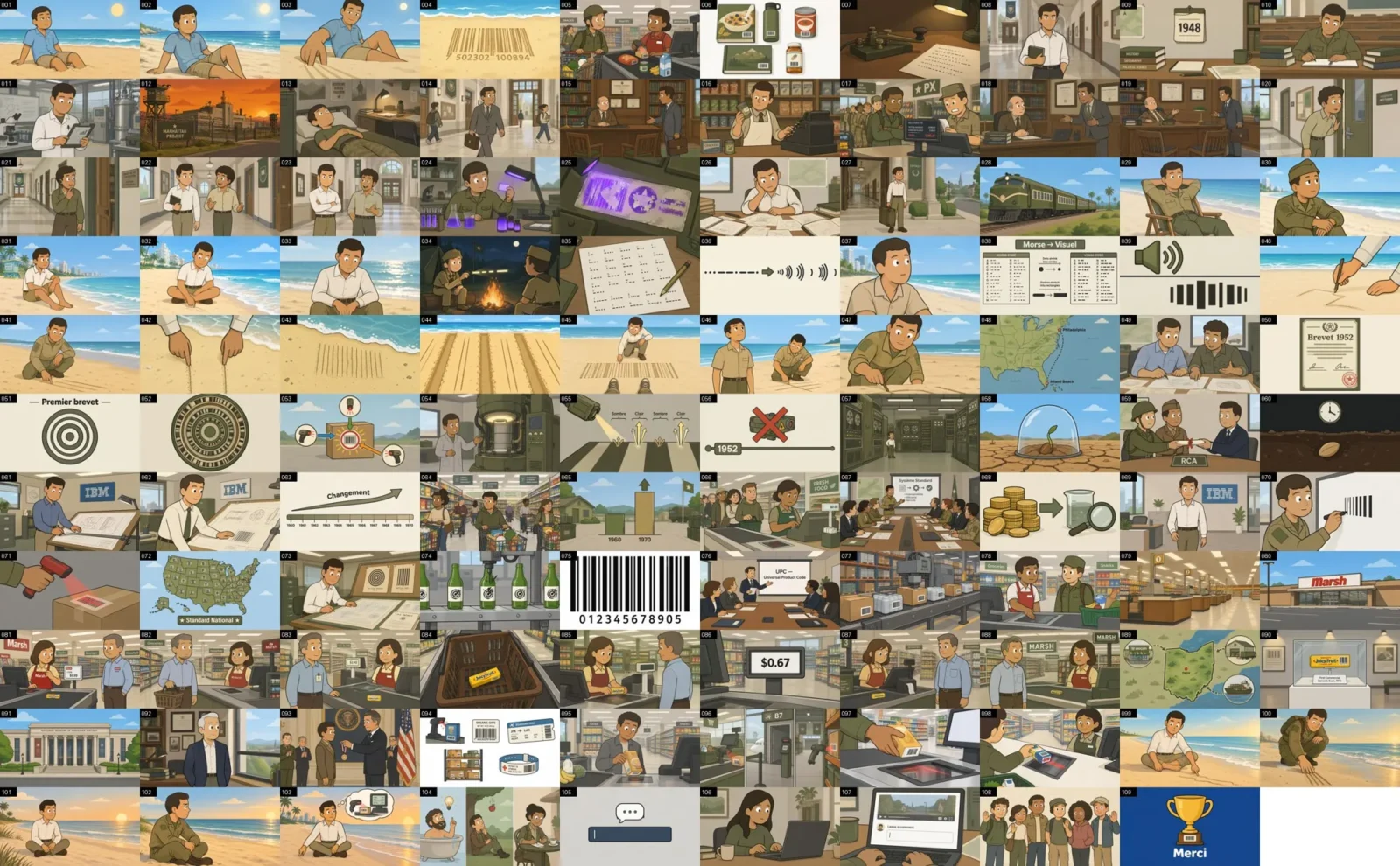
This is where cloning shows its limit. The style of Simple History is that of a chain of military history, and it detachs on a subject that has nothing military. Woodland, a student and then engineer, often appears in khaki lattice. Soldiers shop at the supermarket, a scene takes place in a store « PX » Woodland and Silver hand over their certificates to RCA in uniform. His face, on the other hand, remains the same from one end to the next, and the same tool recognizes him well as a single character. He doesn't make the connection with « man relaxed on the beach » First scenes, treated like a character apart while it's Woodland. The text drawn in the images is more often in French than in our first test (« First patent », « Morse → Visual », « Patent 1952 »), but there's still a detail: the check-in ticket displays 0.99 $ in a scene and 0.67 $ in another.
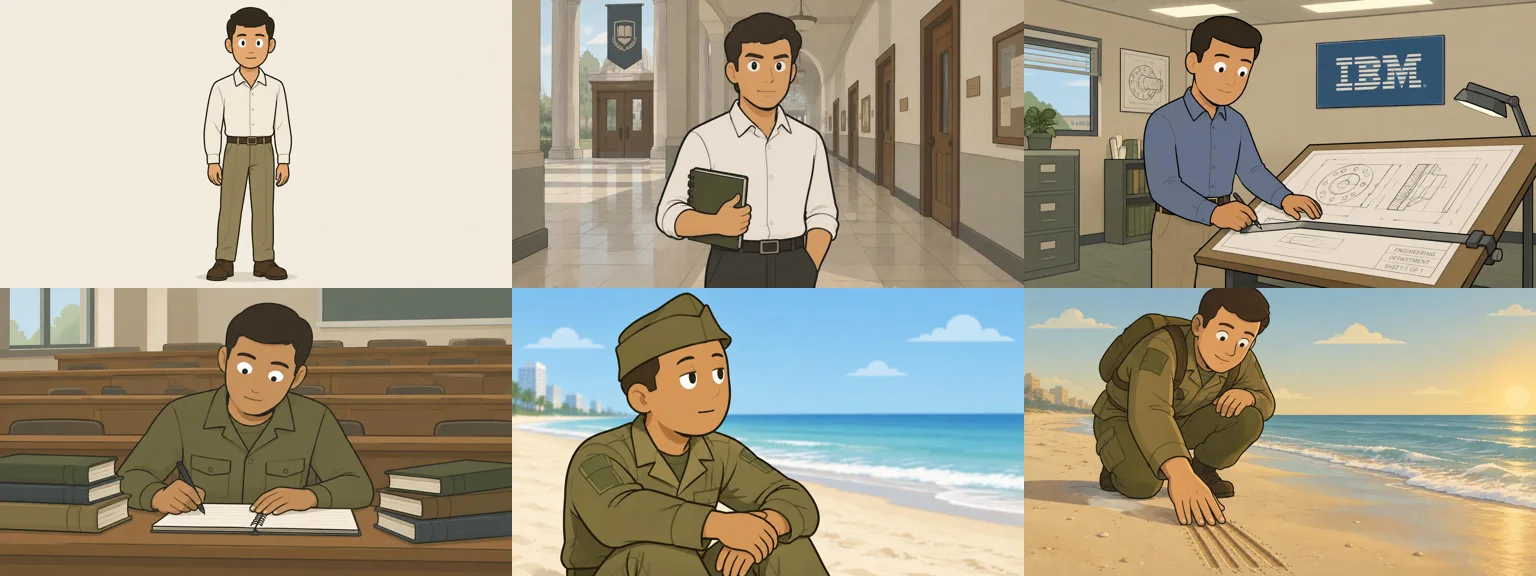
Miniatures, description and editing : The two miniatures (40 credits) this time imitate the real miniatures of the cloned chain: saturated colors, police, soldier and helicopter on the beach, without any text. It's catchy, but it's unrelated to the story told. The description (5 credits) offers eight French-language hours, based on the main parts of the video. Ken Burns on 109 scenes cost 109 credits. The editing in 1080p cost 49 credits, including 9 for music: the same 40 credits as for 3 minute video, which confirms the announced fixed price. The rendering took about 13 minutes.

The final file is 101.7 MB: 1920 x 1080 at 25 images per second, its AAC, 9 minutes 5 seconds, watermark-free. Subtitles « Classic lines » follow the voice well, and the text of the phase brings out the key words (« MANHATTAN PROJECT ») at the right time. In total, between the entry of the title and the downloaded MP4, it took about 35 minutes, including 13 minutes of rendering. We have not produced a video of 20 minutes or more: given these times, we have to expect more, not counting the rereading of the images.
Do the characters remain the same from one scene to another?
This is NimbleVid's flagship argument, and our answer is nuanced. The style does not move: the 32 images seem to come out of the same cartoon. For Henri, it's more mixed. L tool It was seen in only two scenes, and on these scenes it fits well with its reference: mustache, brown vest, collar shirt. But in the scenes where the script talks about him without the tool It was labelled, it appears an office employee who resembles it, with the same curly hair, but without mustache and with another vest. This is the case with the last two scenes of the video, yet dedicated to Henri. Conversely, the opening scene shows a big mustache man who is not Henri but the Middlebrook mechanic: the viewer can easily confuse both.
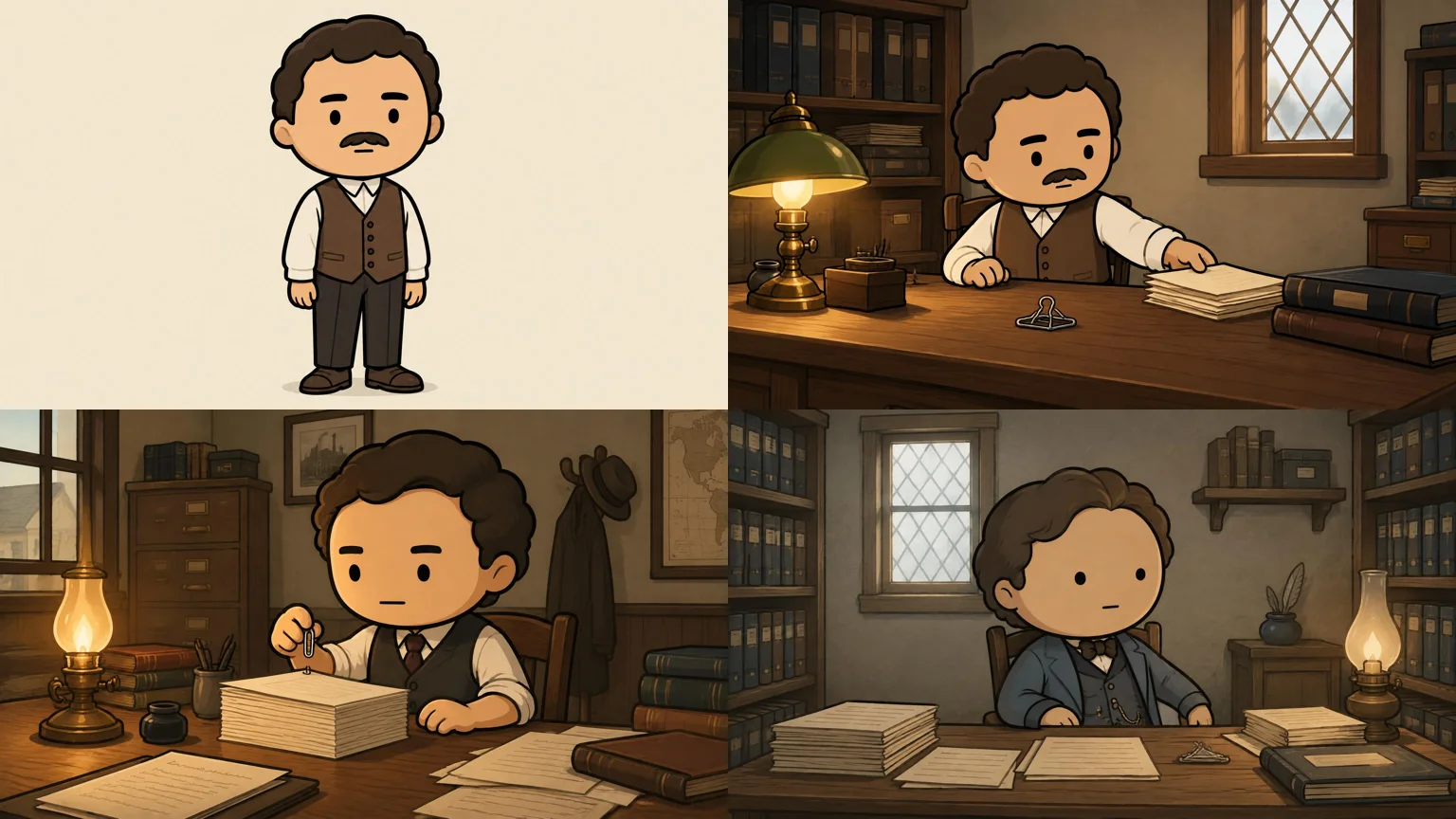
The patch exists: regenerate these scenes, or use « Edit image » to add the mustache without touching the rest. But you have to spot the problem yourself. On a 20-minute video and 240 scenes, this check takes time.
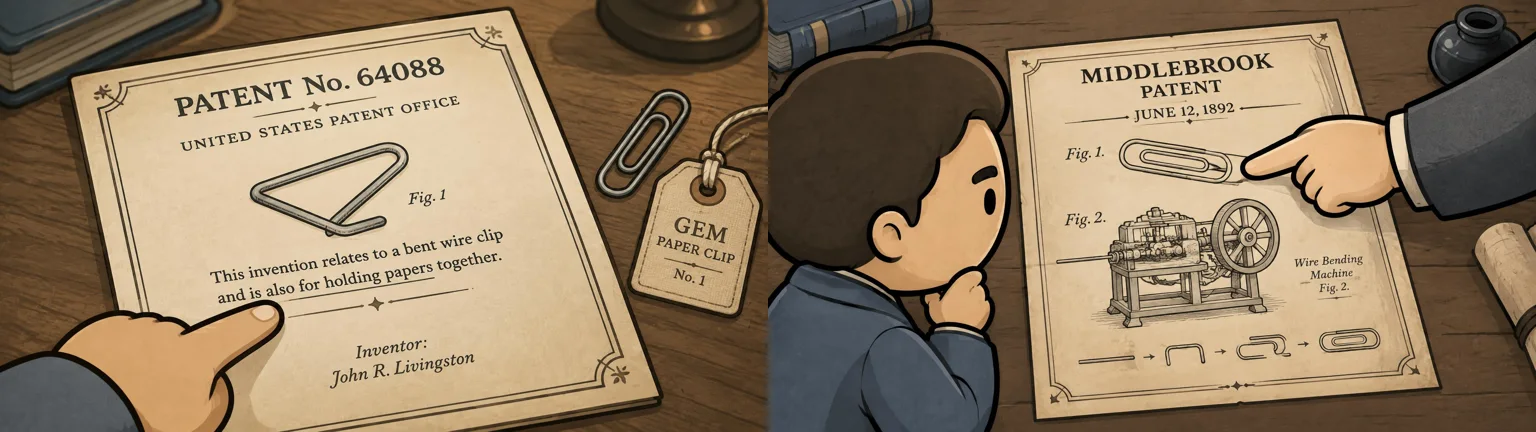
More embarrassing for a history chain: the text drawn in the images is not reliable. Words are legible, often in English (« U.S. PATENT OFFICE », « GEM CLIPS »), sometimes in French (« TROMBONE INVENTOR », « Patents contested »). But several images invent facts. A patent bears the mention « Inventor: John R. Livingston », an inventor who does not exist in our script. Another announcement « Middlebrook Patent, June 12, 1892 » while the script says 1899. A scene on the uncertain date of the Gem shows a calendar titled « U.S. Steel Production (1880-1900) », visibly inherited from anchor « graph » style. An attentive viewer will see it in the comments.
The conditions of use of NimbleVid It is up to the user to reread the generated content, including its accuracy.
Miniature and description YouTube
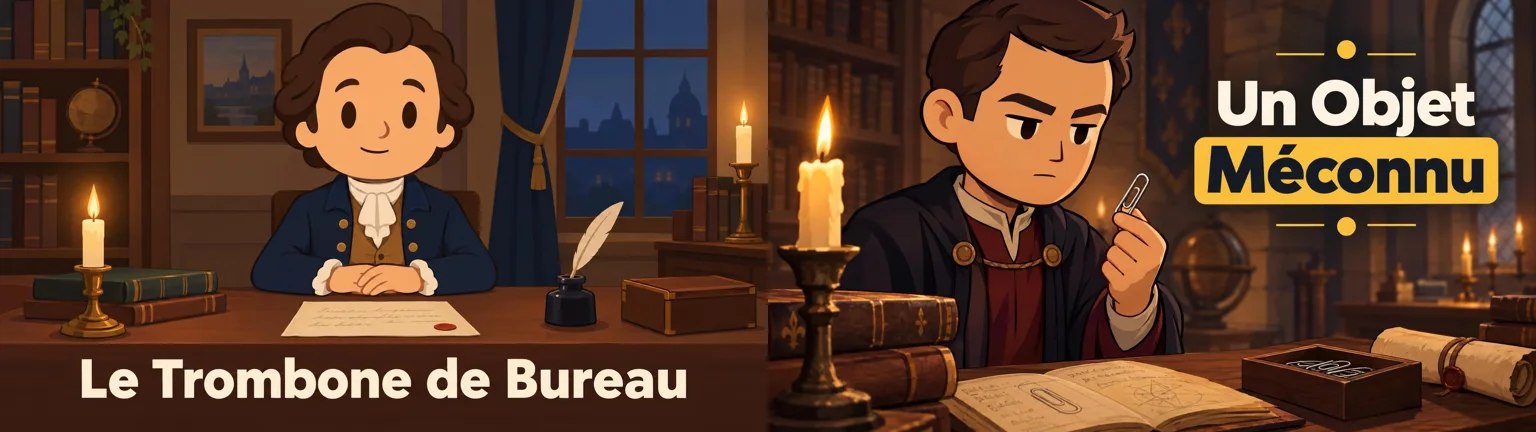
The Thumbnail tab generates two miniatures by launch without subscription (four on Pro and Creator), in the style of the project or after a reference miniature that is downloaded. Count 40 credits and about a minute. Our two options carry a title in French correctly accentuated (« The Office Trombone », « An Unknown Object ») and respect the video style. On the other hand, none shows Henri: the two characters are new. Each miniature can be retouched by an instruction, online help announces 20 credits per edit.
The description costs 5 credits and arrives in about 20 seconds. It includes a clinging text, real time dates set on the scenes (« 0:37 Samuel B. Fay and the first clip », « 2:28 Trombone as an act of resistance »...), ten hashtags, ten tags and one comment to pin. The whole is in French and can be used almost as it is. A mistake has slipped into the pinned comment (« what other everyday objects you seem to hide »), hence the interest of a rereading.
Idea Lab: find the next video
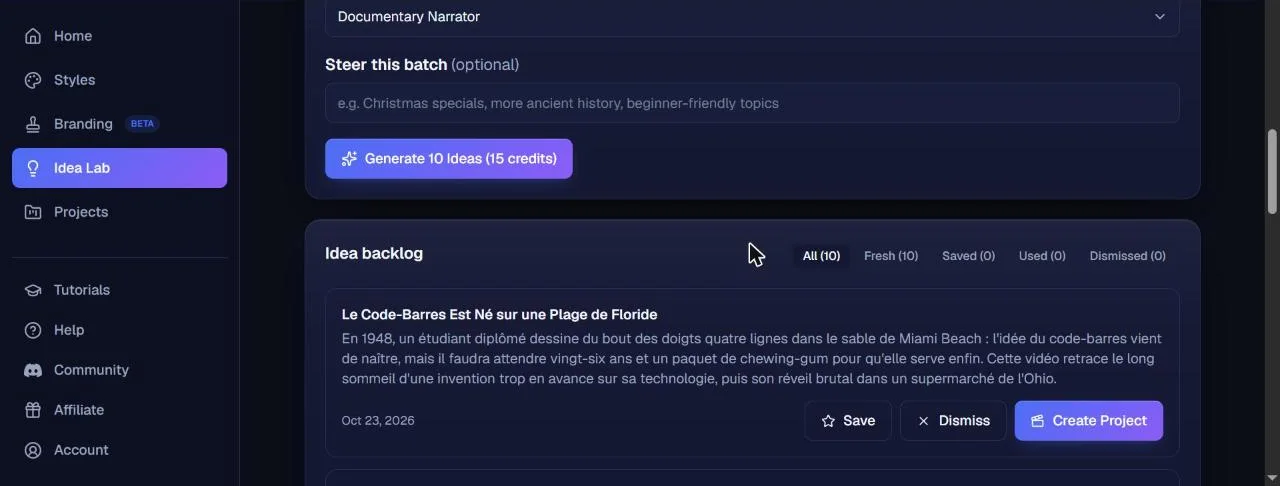
Idea Lab answers the question that often blocks faceless channels: what to publish next? A file is created by chain (name, description in a few sentences, usual content style, videos or reference channels including l tool then generate ten ideas for 15 credits. We created the sheet « Objects have a history ». In less than a minute and a half, NimbleVid proposed ten subjects in French, each with a summary: the barcode drawn in the sand of Miami Beach, the microwave born of a melted chocolate bar, the Post-it from a missed glue, the cannery older than the box opener, the Bic pen, the adhesive tape... Each idea is kept, spreads or turns into a project with a click, and the discarded ideas guide the following.
Does NimbleVid work in French?
Yes for content, no for interface. Titles, script, description, ideas and text of miniatures were released in French as soon as we asked in the instructions. There is no language setting: all goes through the instructions.
For the vote, none of the 30 votes proposed is presented as French: the descriptions evoke American, British or Australian stamps. Voice « Brian » Yet read our script in French. We passed the file into a tool automatic transcription: the language is well detected as French and the text is found word for word. Only some proper names are approximated to the ear (Vaaler heard « Waller », Samuel B. Fay heard « Samuel Befey », Gem heard « Gem »), which betrays a perfect pronunciation of foreign names. For a francophone channel, listen to an excerpt before producing a series, or clone your own voice if your formula allows it. To compare, our article on ElevenLabs free details what the engine used by NimbleVid is worth.
Credits consumed and generation time: our records
Good point: each button displays its price before the click, the big expenses go through a confirmation window, and we have found no difference between the advertised price and the actual debit. Missing jobs are reimbursed. On the other hand, the account register is summary: it lists the allocations and refunds, not each debit. Here's our statement.
| Step | Appropriations announced | Credits debited | Measured duration |
|---|---|---|---|
| Ready-to-use styles (2) | Free | 0 | Immediate action |
| 10 titles | 10 | 10 | ~15 s |
| Script of 519 words | 20 | 20 | < 30 s |
| Voiceover Studio, 3 min 27 | 113 (51 in Standard) | 113 | ~70 s |
| Cutting into 32 scenes | 20 | 20 | ~2 min 30 |
| Character reference Henri | 12 | 12 | ~30 s |
| 32 images (Standard quality) | 192 | 192 (2 missed and then restarted) | ~70 s for 30, ~8 min with recovery |
| Ken Burns on 32 scenes | 32 | 32 | Background |
| 2 miniatures | 40 | 40 | ~1 min |
| Description, tags, comment | 5 | 5 | ~20 s |
| Editing 1080p + music | 43 | 43 | ~9 min |
| Total for video | 487 appropriations | ~36 min from end to end | |
| In addition: Idea Lab (10 ideas) | 15 | 15 | ~1 min 30 |
| In addition: cloning the style of a channel (2 videos) | 24, then 81 once the links are added | 105 | ~3 min |
And for the 9 minute video, with the cloned style and voice in standard quality:
| Step (9 min 05 video) | Credits debited | Measured duration |
|---|---|---|
| Title by hand | 0 | Immediate action |
| Script of 1,483 words | 20 | < 75 s |
| Voiceover Standard, 9 min 04 (325 in Studio) | 145 | < 1 min |
| Cutting into 109 scenes | 55 | ~2 min 50 |
| Main character reference | 12 | ~30 s |
| 109 images (Standard quality) | 654 | 3 min 20 |
| Ken Burns on 109 scenes | 109 | Background |
| 2 miniatures + description | 45 | ~1 min 30 |
| Editing 1080p + music | 49 | ~13 min |
| Total for video | 1 089 appropriations | ~35 min from end to end |
Our total adheres to the price page estimator, which announces 444 credits for a 3 minute video without animation: adding the Ken Burns, the character reference and the editing 1080p, we're back on our numbers. Same observation for the long video: the estimator announces about 1,240 credits for 10 minutes with a Studio voice, we spent 1,089 credits for 9 minutes with a Standard voice and the Ken Burns. The 600 credits offered for registration are therefore sufficient for a first video of 3 to 4 minutes, no more. The page dedicated to the long format gives the order of magnitude for the suite: about 1,240 credits for 10 minutes, 2,380 for 20 minutes and 6,966 for an hour, with an image every 5 seconds, a Studio voice and without animation.
In time, NimbleVid is fast. Between the first generated title and the downloaded MP4, it passed a little over half an hour, including check breaks. The scenes (2 min 30) and the final rendering (9 min) are the only notable expectations, and they turn in the background. For the 9-minute video, the total increases to about 35 minutes, including 13 minutes of rendering: the production time increases much slower than the length of the video.
NimbleVid price on 23.10.2026
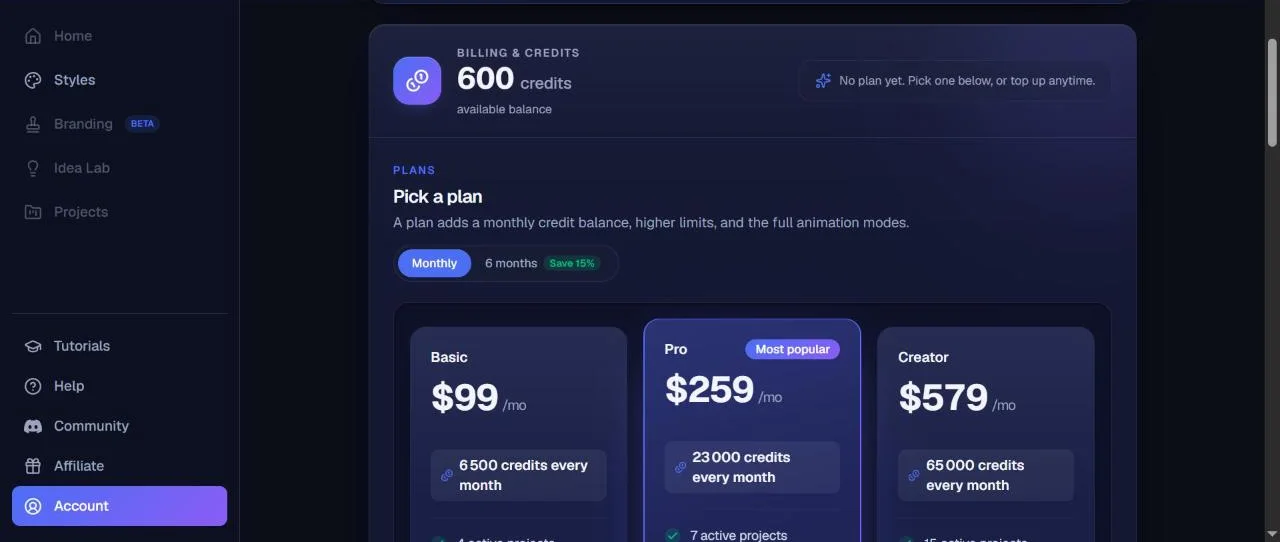
NimbleVid operates by monthly subscription in credits. There is no permanent free formula: new accounts receive trial credits « in certain regions »valid 7 days, without credit card (600 credits for us). The rates below come from the official page and the account, in dollars. Payment over 6 months gives 15% discount.
| Formula | Monthly price | Appropriations per month | What changes | Our test video would cost |
|---|---|---|---|---|
| Entry | 49 $ | 2 850 | Same limits as Basic | ~8,40 $ |
| Basic | 99 $ | 6 500 | 4 active projects, 4,000 word scripts, 2 thumbnails per launch | ~7,40 $ |
| Pro | 259 $ | 23 000 | 7 projects, 10,000 word scripts, 4 voice clones, 2 users | ~5,50 $ |
| Creator | 579 $ | 65 000 | 15 projects, 20,000 word scripts, 10 voice clones, 5 users, priority file | ~4,30 $ |
One-off charges also exist, without subscription: 500 credits for 8.75 $1 000 for 17.50 $, 2,500 for 43.75 $ and 5,000 for 87.50 $, or any amount from 5 $, at the same rate of 1.75 $ 100 credits. On this basis, our 3 min 27 video returns to about 8,50 $ and from 9 min 05 (1 089 credits) to about 19 $. By subscription, the 9 minute video would be about 18.70 $ on Entry, 16,60 $ on Basic, 12,30 $ on Pro and 9.70 $ on Creator. Reported in long format, a 20-minute video (about 2,380 credits) would cost around 36 $ On Basic. Without subscription, a banner offered 600 bonus credits on test day for any subscription within 24 hours. Payments are non-refundable, specify the terms of use.
Watermark, Resolution and Trade Rights
Watermark: None of our two MP4s are wearing. We checked on images extracted throughout the videos, including corners. Our account didn't have subscriptions but credits offered: we can't guarantee that all trial accounts get the same result, even if nothing in the n'announced watermark interface.
Resolution: 720p or 1080p of choice, set in the Visuals tab before generating the images. No 4K. The editing we have been charged 40 credits in 1080p (excluding music), compared to 25 displayed in 720p, and the tool warns that the 1080p doubles the rendering time.
Trade rights: the conditions of use (in force since 25 September 2026) are among the clearest we have read on this type of tool. You retain the rights to what you bring, and you own the videos, images, sounds and text generated, « to the extent permitted by law », once the sums due are paid. NimbleVid warns that two users can get close results and does not guarantee uniqueness. The music of the library is announced in the public domain. It takes 18 years to create an account. The question of monetization remains YouTube videos AI, which depends on the YouTube and not of tool : our article on the monetization YouTube videos AI Make the point.
For whom NimbleVid makes sense
- Yes if you launch a faceless chain of long format (history, general culture, explanations, narratives) and that you want to produce everything in the same place, from subject to description.
- Yes if you want generated visuals rather than image bank videos, with a constant style of one video to another.
- Yes if You want to know how much each step costs: price display is exemplary.
- Not if You will publish without rereading: texts invented in changing images and characters require a stage-by-stage verification.
- Not if you need generative animation without subscription, or a native French voice guaranteed.
- Not ideal for very rhythmic Shorts: the vertical format exists, but the tool is designed for the long format. Our selection ofAI for YouTube Shorts is more suitable.
If you start, our guide for create a string YouTube cost-effective lays the foundations (niche, publication rate, monetization). To compare with tools neighbors, read our tests of Revid AI and SyllabyTwo generators rather short-format oriented faceless videos, and our selection ofalternatives to InVideo AI.
Verdict
Our review on NimbleVid after test
Which convinced us: the complete and well thought out production chain, from subject to description YouTube ; real MP4 1080 p watermark-free, in half an hour for 3 minutes and in 35 minutes for 9 minutes ; a perfectly consistent visual style; prices displayed before each action and respected; automatic refunds in case of failure; a script and a narrative in good-looking French; Terms of use that leave you owner of your videos.
What's stopping: an interface only in English and no voices presented as French; a consistency of the characters that holds for the faces but not always for the outfits; a cloned style that stains on subjects that do not resemble it, miniatures included; text invented in images, embarrassing for a history chain; generative animations reserved for subscribers; a misleading price display on the tab voiceover as long as the script is empty.
NimbleVid is one of the tools the most comprehensive we have tested to produce a video YouTube without a long format face, provided you keep your hand on the rereading. The test credits are sufficient for a video of 3 to 4 minutes: this is the right test before choosing a formula. Then count about 1,100 credits for 9 to 10 minutes, making the Entry (2,850 credits) a tight choice to publish more than two long videos per month.
FAQ: NimbleVid, the generator of videos YouTube faceless
Is NimbleVid free?
No, but there's a try. The new accounts receive free credits in certain regions, valid for 7 days and without credit card: we received 600, enough for a video of 3 to 4 minutes. Then the formulas start at 49 $ (Entry, 2 850 appropriations), statement of 23.10.2026.
Does NimbleVid work in French?
The content yes : titles, script, voiceover, subtitles, description and ideas were released in French from instructions in French. The interface is in English only, and none of the 30 voices is presented as French. Some foreign own names are spoken approximately.
How much does a video on NimbleVid cost?
Our video of 3 min 27 in 1080p (32 images, voice Studio) cost 487 credits, or 7 to 8,50 $ about. Our 9 min 05 video (109 images, standard voice) cost 1,089 credits, i.e. 10 to 19 $ about according to the formula. Both include Ken Burns movement, miniatures and description. NimbleVid estimates a video of 20 minutes at about 2,380 credits, without animation.
How long does it take to generate a video with NimbleVid?
Just over half an hour for our 3 min 27 video, and about 35 minutes for the 9 min 05 video, from the title to the MP4 download. The longest steps are the stage cutting (2 to 3 minutes) and the final rendering in 1080p (9 minutes for short video, 13 for long). The 109 images of the long video arrived in 3 minutes 20.
Do the characters remain the same from one scene to another?
Partly. Visual style and faces remain constant. The outfits vary: in our first test, the hero loses his mustache on two scenes; In the second, the inventor moves from white shirt to military lattice, influenced by the cloned style. You have to check and correct stage by stage.
Is there a watermark on NimbleVid videos?
Our two exported videos (3 min 27 and 9 min 05, 1920 x 1080) had none. Our account used credits offered, without subscription: we cannot guarantee the same result for all trial accounts.
Can we use NimbleVid videos commercially?
According to the conditions of use, you are the owner of the videos generated once the sums due are paid, to the extent permitted by law, and the music of the library is announced royalty-free. Monetization on YouTube then depends on the platform's rules on content generated by AI.
Can NimbleVid copy the style of a string YouTube ?
Yes. We stick one to four videos of a channel,tool It draws a style of content and visual style. With two videos, our cloning cost 105 credits (81 for analysis, 24 for the four reference images) and took about three minutes. The reference images reproduced well the universe of the chain. Ready-to-use styles are free.