You have an audio track and you want to make it a real video, no studio, no production team, no budget. This is exactly what the Vidnoz AI Music Video Generator : it analyzes your music and automatically generates a video clip synchronized with the rhythm and mood of your song.
In this guide, we show you how it works in practice, what Itool Really produces, its honest limits, and what kind of content it makes sense. No exaggerated promises, just what you need to know before you start.
The express verdict: to create music clips AI fast and free, this is one of the tools the most accessible of the market. In 3 steps and less than 5 minutes, you have a video ready to publish on YouTube, TikTok or Instagram.
🎵 Create your first AI music video Now
Free plan available, without CB. Upload your music and generate your first clip in minutes.
The question remains that tool Do not resist: you must already dispose of the music. If you leave zero, you can generate the title itself before putting it in images. Our review on Suno explains what its free plan allows and, important point if your channel is monetized, under what conditions the tracks become commercially exploitable.
A point of vigilance about the origin of your music. If you grow her with a AI, check that the service allows the file to be downloaded, otherwise you will not be able to mount anything. This is no longer theoristic: we find the case of a major generator who has cut this possibility in our review on Udio.
Contents
- What is it? Vidnoz AI Music Video Generator?
- How to use Vidnoz Music Video Generator : guide step by step
- Available styles and what they produce
- What the Vidnoz Music Video Generator does well: and its limits
- Case of practical use: for whom is it really useful?
- Vidnoz Music Video Generator vs Other tools : where it is located
- Rates: what the free plan really allows
- Tips for getting the best result
- Our review on the Vidnoz AI Music Video Generator
- FAQ: Frequently Asked Questions about Vidnoz AI Music Video Generator
What is the Vidnoz AI Music Video Generator?
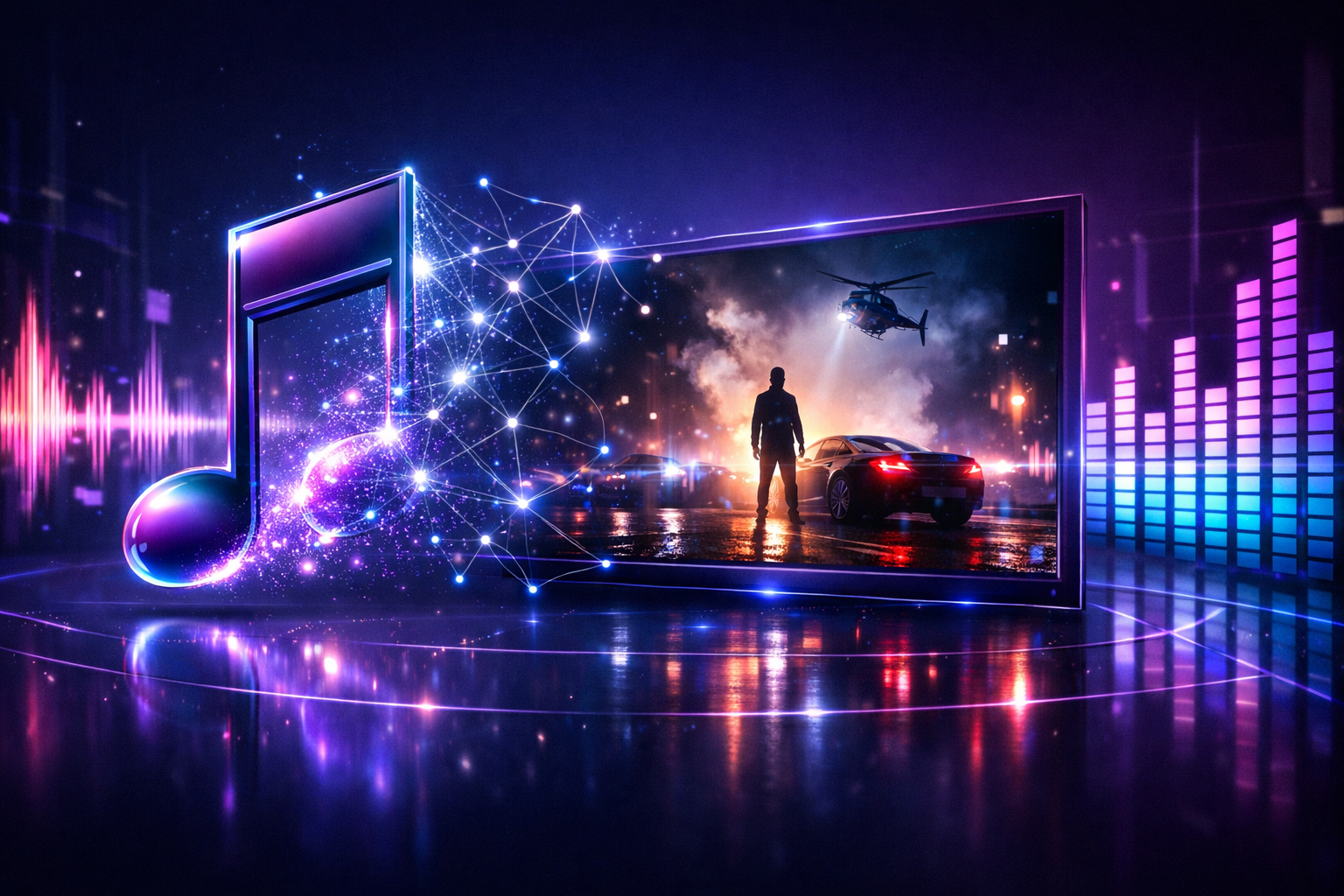
The Vidnoz AI Music Video Generator is a tool integrated into the follow-up Vidnoz AI which allows you to convert an audio file into a video clip automatically. You provide your music, you choose a visual style and a character, anAI generates a video synchronized with the beats and transitions of your song.
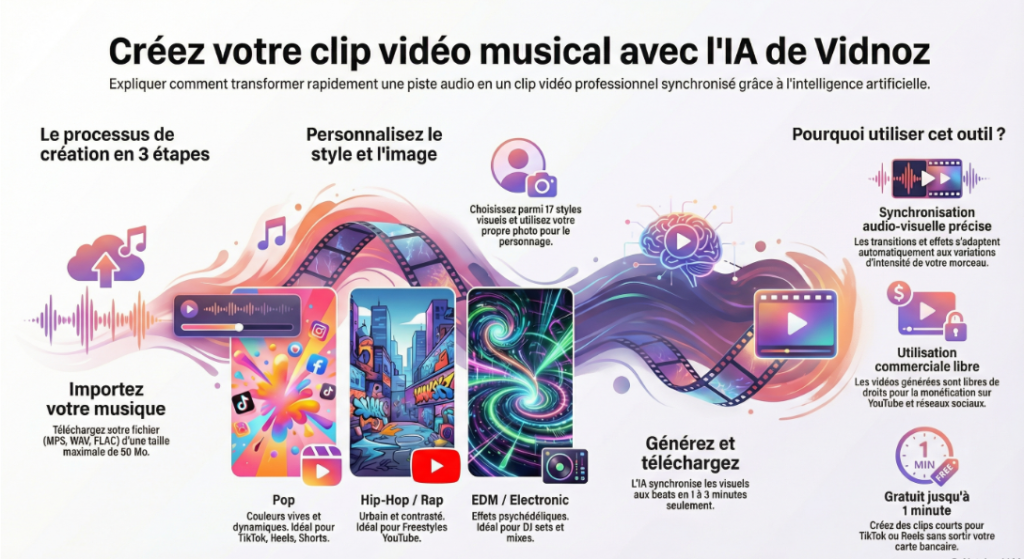
Specifically,tool does three things in parallel:
- Analyze the rhythm : it detects beats, transitions and variations of intensity of your track to set the visual effects on it.
- Generates visuals : it applies a visual style among 17 genres available (pop, hip-hop, rock, jazz, classic, EDM...) with automatic kinematic effects.
- Sync it all : transitions, animations and lighting automatically adapt to the energy of your music.
The result: a video clip ready to publish, free of commercial rights, without touching a single software of editing.
It's different from generator main video of Vidnoz using avatars and text. This is your music that controls the videoNot the other way around.
How to use Vidnoz Music Video Generator : guide step by step
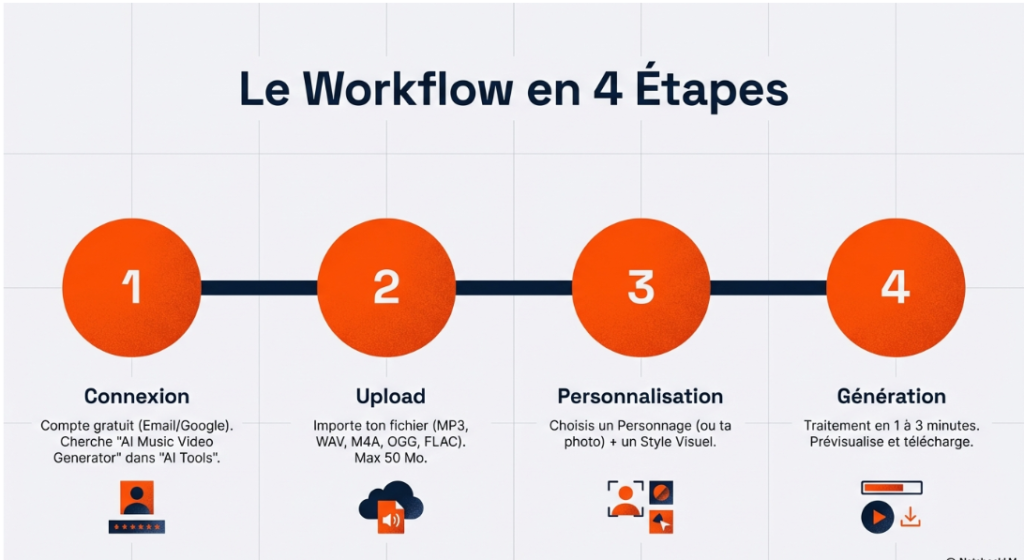
Step 1: Connect to Vidnoz
Create a free account on Vidnoz.com if it's not done yet. Registration in less than one minute via e-mail or GoogleWithout CB. Once connected, go to the section « AI Tools » and seek « AI Music Video Generator ».
Step 2: Upload Your Music
Import your audio file. Supported formats are MP3, WAV, M4A, OGG and FLAC, so virtually all common formats. Maximum size: 50 MB per file.
On a free level, the video generated is limited to 1 minute clip. You can select the segment of your track you want to use with a tool integrated cutting. For longer videos, you'll have to switch to a pay-per-view plan.
Step 3: Choose the style and character
That's where you customize the rendering. Two choices:
- The character : you choose a character from the options offered, or you import your own photo so that the clip is centered on your image or that of an artist.
- Visual style : 17 genres available, Pop, Rock, Hip-Hop, Jazz, Classic, Country, EDM, R&B, and others. Each style generates a different visual atmosphere adapted to the energy of the musical genre.
💡 Tip: Choose the style that matches the genre of your music rather than the visual rendering you imagine. LAI has been trained by gender, it will produce a more consistent result if you give it a clear signal.
Step 4: Generate and Download
Click on « Generate Video ». The processing usually takes between 1 and 3 minutes depending on the server load. Once the video is generated, you preview it directly into the interface and upload it. Free export includes watermark Vidnoz. On the pay side, export is clean in high definition.
Available styles and what they produce
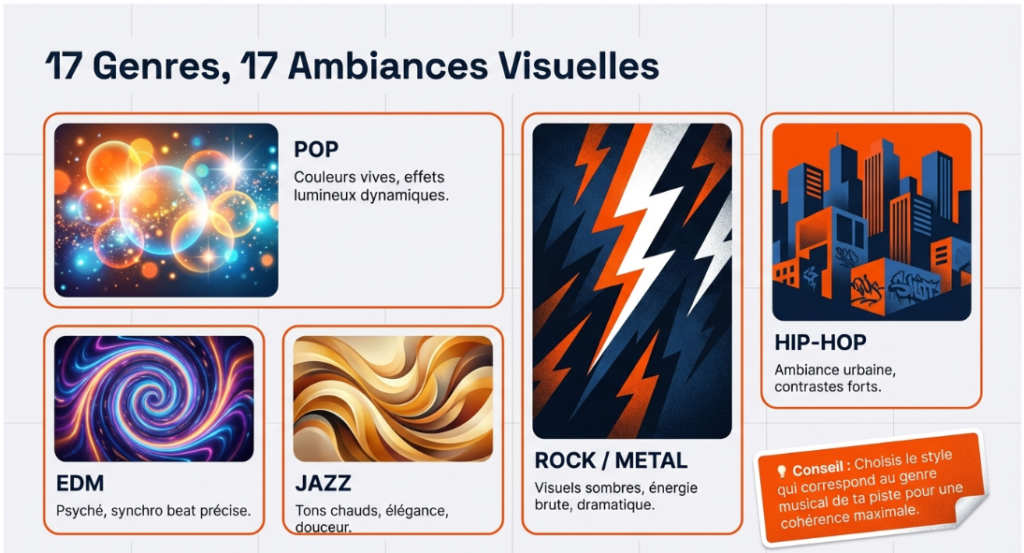
The choice of style is one of the most important parameters. Here is what each category actually generates:
| Style | Visual ambiance generated | Ideal for |
|---|---|---|
| Pop | Bright colors, dynamic light effects | Singles, social networks, TikTok |
| Hip-Hop / Rap | Urban atmosphere, strong contrasts, visual rhythm marked | Rap Clips, freestyles, YouTube |
| Rock | Dark visuals, raw energy, dramatic effects | Rock/metal, lyric videos |
| Jazz / Classic | Hot tones, elegance, smooth transitions | Ambient music, playlists YouTube |
| EDM / Electronic | Psychedelic visuals, precise beat synchronization | DJ sets, mixes, visualizers |
| R&B/ Soul | Intimate atmosphere, soft lighting, fluid movement | Ballads, emotional singles |
| Country | Warm visuals, natural tones, authentic atmosphere | Folk, country, acoustic |
What the Vidnoz Music Video Generator does well: and its limits
Strengths
- Accurate audio-visual synchronization: This is the real strength of thetool. Visual effects adapt to beats with bluffing fluidity for a generator automatic. Transitions do not fall at random, they follow the musical structure.
- Professional result without technical competence: You don't need to know how to mount a video, know After Effects or have a production budget. The rendering is largely sufficient for YouTube, TikTok and Instagram.
- Free for short clips: to test the concept or create content for social networks (60 seconds max), the free plan does the job.
- Free of commercial rights: the generated videos are royalty-free for commercial use, you can publish, monetize and use them in unrestricted marketing campaigns.
- Wide audio formats: MP3, WAV, M4A, OGG, FLAC, you don't need to convert your track before import.
Limitations to know
- Maximum 1 minute on free plan: sufficient for short content, but insufficient for a full clip. A 3-minute piece requires a paid plan.
- Limited customization of details: You choose the style and character, but you don't control each effect visually. It's an automatic generation, not of editing Manual.
- The result depends a lot on the style chosen: If you select a style that doesn't match the genre of your music, the rendering will be less convincing. Some tests are sometimes necessary to find the right combination.
- Watermark on the free plan: visible in the corner of the video. Acceptable for testing, but not ideal for professional publication.
🎬 Generate your first clip AI Now
Free plan, without CB. Upload your audio track and test the result on your own track.
Case of practical use: for whom is it really useful?
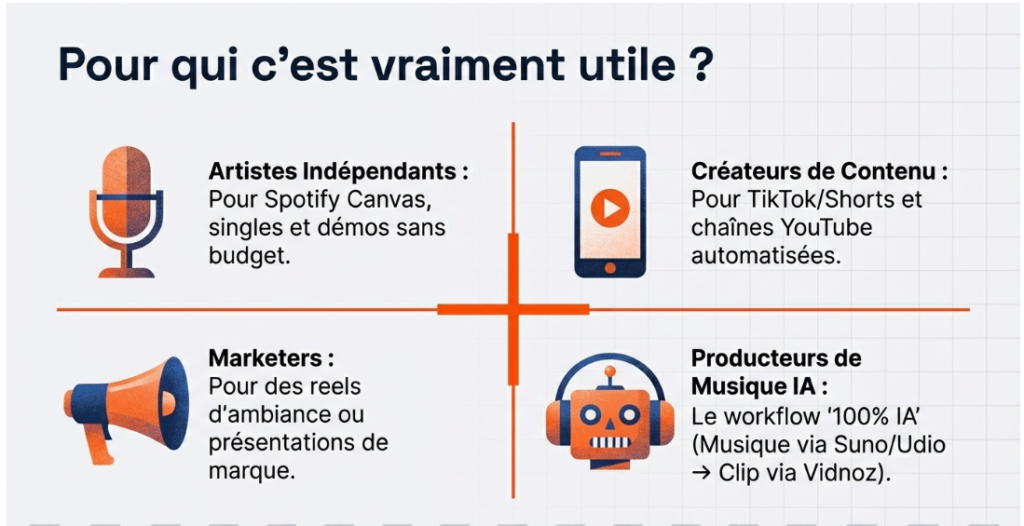
Independent artists and musicians
You produce your music alone, you don't have the budget to pay a director, and you still want a clean clip for YouTube Or Spotify Canvas. The Vidnoz Music Video Generator allows you to create a professional visual for each release without investing hundreds of euros in production. Ideal for singles, EPs and demos.
Content creators YouTube and TikTok
You use music in your videos and you want to create visualizers or short clips to accompany your releases? In less than five minutes, you have a synchronised rendering ready to publish. It is also an excellent format for chains YouTube based onAI who want to diversify their content formats.
Marketers and creators of branded content
Do you need an atmosphere video for an Instagram campaign, presentation or real? Uploading a branded music track and generating a clip consistent with your company's visual identity is a quick way to produce video content without using a provider.
Music producers AI
If you use AI generators Music to create tracks, and that you want to turn them into real published videos, it's the perfect workflow: generate music with a tool like Suno or Udio, then import into Vidnoz to create the clip automatically. The whole process of musical creation becomes 100% AI, from track to video.
Vidnoz Music Video Generator vs Other tools : where it is located
The generators music clips AI is still young. Here's how Vidnoz is positioned against the main alternatives:
| Tool | Clip from audio | Free | Integrated video suite | Freedom of rights |
|---|---|---|---|---|
| Vidnoz | ✅ Yes | ✅ Yes (1 min) | ✅ Full suite | ✅ Yes |
| Pictory | ⚠️ Mainly via text | ⚠️ Limited Trial | ✅ Full suite | ⚠️ According to plan |
| Kaiber | ✅ Yes (specialised) | ❌ No | ❌ Tool dedicated | ⚠️ According to plan |
| Runway | ⚠️ Part | ⚠️ Very limited | ✅ Full suite | ⚠️ According to plan |
The strength of Vidnoz Here is not to be the best tool music video in the world, it is to be the only one to offer this feature free, integrated into a full video suite. Kaiber is more powerful on visual effects, but it costs money and does just that. Vidnoz Gives you the music video generator bonus with the avatars, the face swap, the video translation and everything else.
If you want to compare Vidnoz with other AI generators video on all its features, our comparatives Fliki vs. Vidnoz and Vidnoz vs Creatify Give you a complete vision.
You want to generate the soundtrack, too? Vidnoz mounts sequences on a music you provide. Deevid brings together both in the same interface: generation of video sequences and free audio tracks. Useful when you don't want to juggle between several tools.
Rates: what the free plan really allows
Here is what is accessible without paying on the Music Video Generator feature:
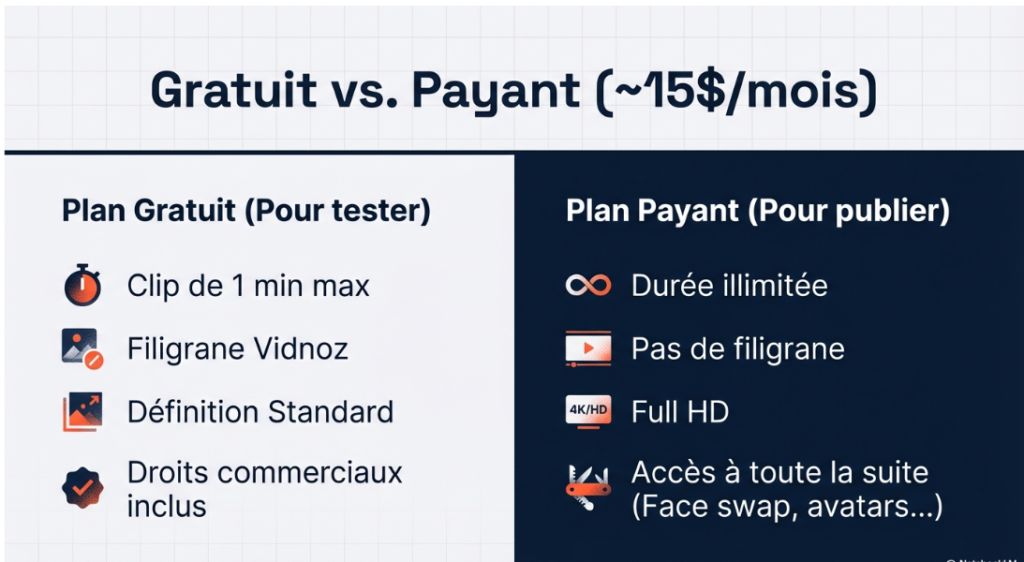
For short content (Reels, TikTok, Shorts), the free plan largely covers the need. For a clip YouTube complete on a piece of 3 to 4 minutes, the Starter plan to ~15$/month is necessary, and it gives access to the whole suite Vidnoz, not just the music video generator.
Tips for getting the best result
Some simple adjustments that significantly change the quality of the final rendering:
- Use a well-mastered track: IAI analyze the frequencies and beats of your music. A properly mastered track with clear dynamics will give a more accurate video synchronization than an untreated raw file.
- Cut on the highlights: If you are limited to 1 minute on the free plan, select the segment with the most energy, drop, chorus, bridge, rather than intro. That's where Itool shines the most.
- Test several styles for the same song: Two different styles on the same music can give very different results. Take 10 minutes to test 2 or 3 before deciding.
- Choose a photo of well-lit characters: If you use your own photo as the character of the clip, the same rules apply as in Face Swap, clean face, well lit, without loaded background.
- Adapts the ratio to the platform: Vidnoz proposes several ratios (16:9, 9:16, 1:1). Selected 9:16 for TikTok and Reels, 16:9 for YouTube.
Our review on the Vidnoz AI Music Video Generator
If you're looking for a way fast, free and without technical skills create music clips for your social networks or channel YouTube, Vidnoz is a serious option to test first.
It's not the generator music video the most sophisticated of the market, tools like Kaiber go further on visual effects. But Vidnoz has a decisive advantage: it's free, it's integrated into a full suite, and the result is sufficiently professional for immediate publication on social platforms.
For independent artists and content creators who do not have a production budget, this is clearly the case.tool the most rational to use in 2026. And if you want to go further with Vidnoz beyond music video, avatars, video translation, generation of text clips, our complete test of Vidnoz gives you a global view of what the platform can do.
You can also find out how others AI video tools compared to Vidnoz to find the best solution for your creative workflow.
🏆 Ready to turn your music into video?
Free plan, without CB. Clip ready in less than 5 minutes on your own audio track.
FAQ: Frequently Asked Questions about Vidnoz AI Music Video Generator
Vidnoz Is AI Music Video Generator free?
Yes. The functionality is accessible on the free plan of VidnozWithout CB. The main limit is the length of the clip: 1 minute maximum on the free plan. For longer clips, the Starter plan ~15$/month is necessary. Access the free plan here.
What audio formats are supported?
Vidnoz supports MP3, WAV, M4A, OGG and FLAC formats. The maximum size per file is 50 MB. The vast majority of audio tracks exported from a DAW or downloaded from a platform are compatible without conversion.
Are the generated videos free of rights?
Yes. Vidnoz explicitly states that videos generated by the Music Video Generator are free of commercial rights. You can publish them on YouTube, TikTok, Instagram, use them in marketing campaigns or monetize them without any restrictions related to thetool. However, check the rights to your own music if it contains third party samples.
Can you use your own photo as a character in the clip?
Yes. In addition to the characters proposed by default, you can import your own photo so that the clip is centered on your image. For a better result, use a clean, well-lit photo with a prominent face.
What is the difference between the Music Video Generator and the generator main video of Vidnoz ?
The video generator Main Vidnoz works from text and d AI, you write a script and an avatar presents it in video. The Music Video Generator is different: it is your music that controls the video, not the text. LAI analyzes beats and generates automatically synchronized visuals. Both features are available in the same platform.
How many musical styles are available?
17 styles are available: Pop, Rock, Hip-Hop, Rap, Jazz, Classic, Country, EDM, R&B, and others. Each style generates a different visual atmosphere adapted to the energy of the corresponding musical genre.
📌 To go further with Vidnoz
📖 Our complete test of Vidnoz AI, all features reviewed
🔄 Vidnoz Face Swap, how to use face exchange AI
⚖️ Vidnoz vs Fliki, Which Should You Choose According to your usage?
🎬 All tools AI video, our complete selection 2026
For the soundtrack of your clips, see also our guide for create music with AI free of charge, and our comparison video software AI.