You heard about the face swap of Vidnoz And you want to know if it's really worth it, or if it's just one more gadget among tens of us.AI Tools They all look alike.
In this guide, we show you exactly how the swap side works on Vidnoz, what it allows to do concretely, its honest limits, and for what use it really makes sense. No oversales, just what you need to know.
In one sentence: on Face Swap Vidnoz is one of the most accessible on the market, free, without compulsory registration to test, and with convincing results on both photo and video.
🎯 Test the swap face Vidnoz Now
Free plan available, without CB. You can make your first swap face in less than two minutes.
Contents
- What is the swap face? Vidnoz ?
- How to use the swap face on Vidnoz : guide step by step
- Quality of results: what Vidnoz face swap is good (and less good)
- Concrete use cases: what the swap side really serves Vidnoz ?
- Vidnoz face swap free: what you can do without paying
- Vidnoz side swap vs. other tools : how does he position himself?
- Vidnoz face swap: what users say
- Good practices for a successful swap face with Vidnoz
- Our review on the swap side Vidnoz
- FAQ: Frequently Asked Questions about Face Swap Vidnoz
What is the swap face? Vidnoz ?
The swap side is one of the flagship features of Vidnoz AI1 tool video creation AI All-in-one. Specifically, it allows you to replace a person's face in a photo or video with another face, yours, that of an avatar, or any other image.
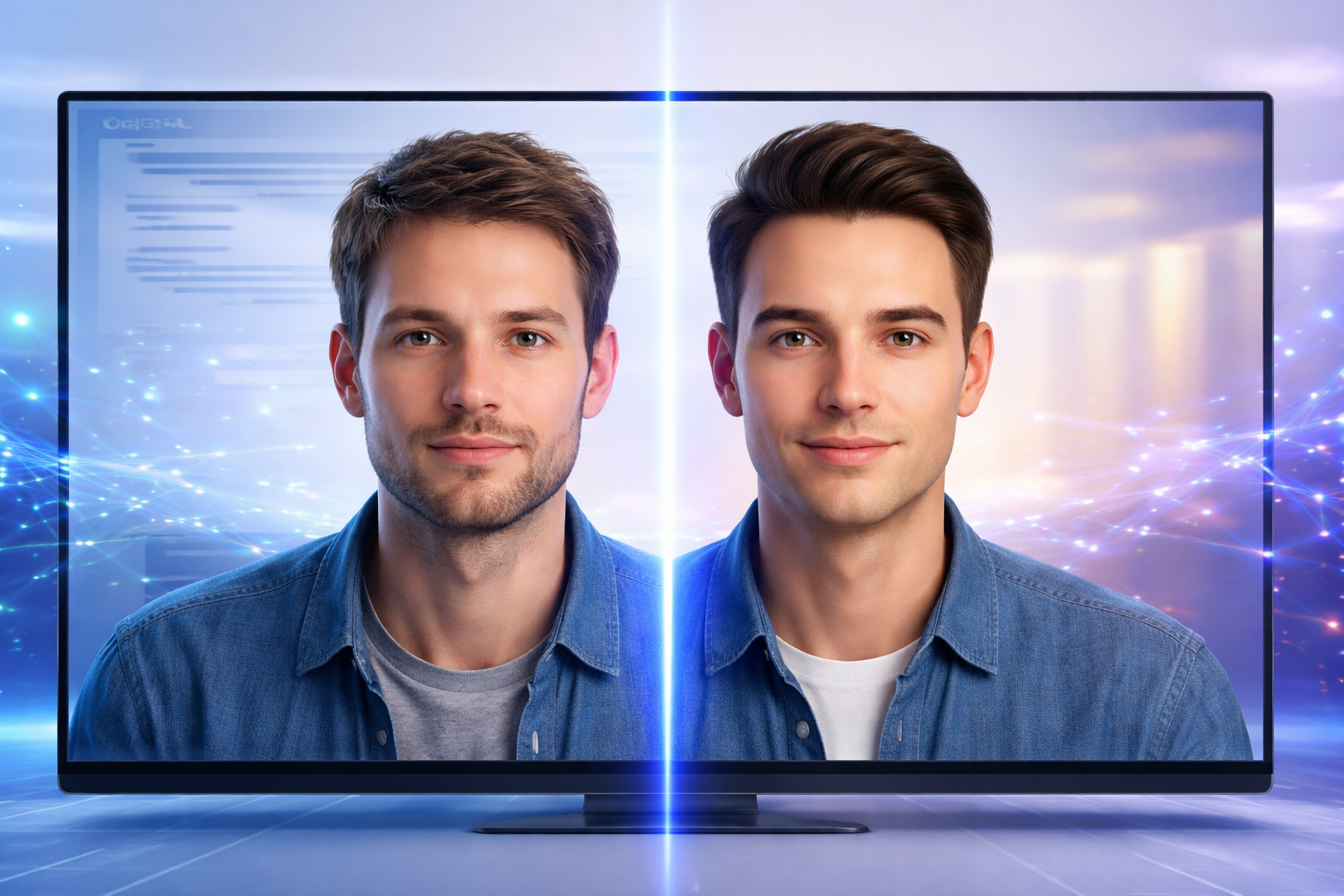
It's not just a basic filter. Vidnoz uses light deepfake technology that analyzes facial expressions, lighting and contours to paste the new face in a natural way. The result is often bluffing, especially on short videos.
There are two modes in Vidnoz :
- Face swap on photo : you import a source photo and a target photo, Vidnoz merge both in seconds.
- Face swap on video : you import a video and a picture of the face,tool applies the replacement over the entire duration of the video.
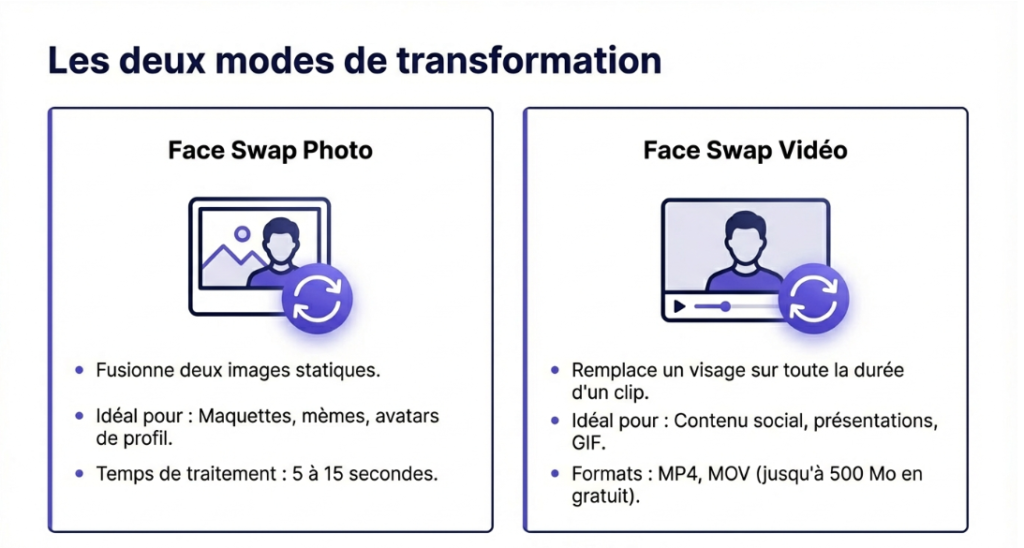
Both are available free of charge, with some limitations on the length of the videos and the resolution of export.
How to use the swap face on Vidnoz : guide step by step
Here is the complete procedure, from connection to downloading the result.
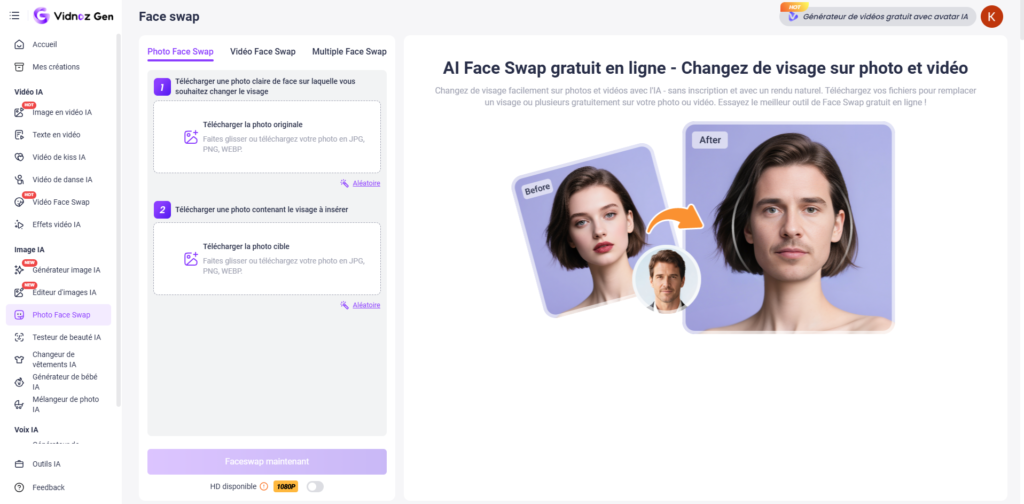
Step 1: Create an account Vidnoz
Give yourself up. Vidnoz.com and creates a free account. Registration takes less than a minute with your email address or account Google. No CB required for free plan.
Step 2: Access to thetool Face Swap
Once connected, in the main menu click on « AI Tools » then select « Swap face ». You will see both options directly: face swap photo and face swap video.
Step 3: Import Your Files
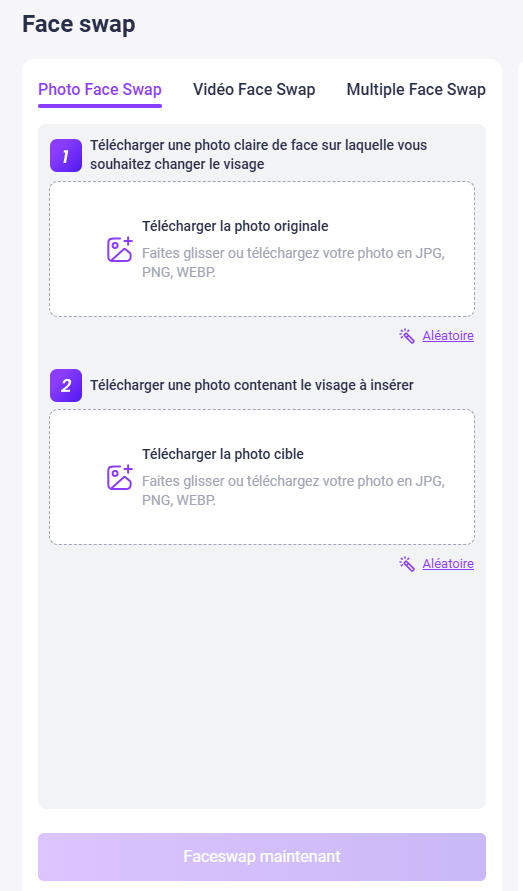
For a face swap photo :
- Import the basic photo (which contains the face to replace)
- Import photo of face to apply
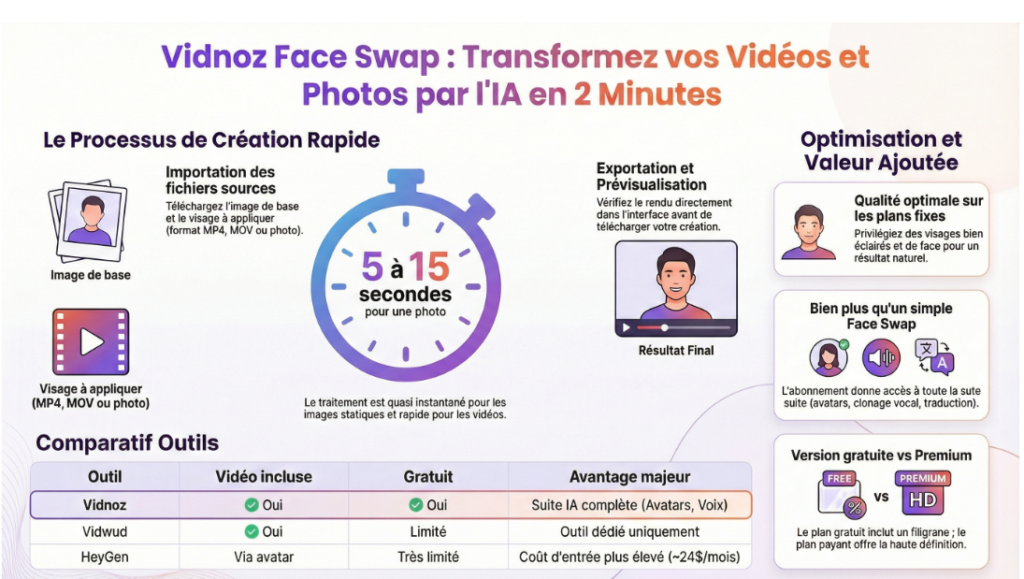
- Click on « Swap », the result is ready in 5-15 seconds
For a face swap video :
- Import your source video (MP4, MOV, up to 500 MB free of charge)
- Import photo of face to apply
- Launch the treatment, the time varies according to the length of the video (from 30 seconds to a few minutes)
Step 4: Adjust and Download
Once the treatment is complete, you can preview the result directly in the interface. If the rendering suits you, you download the file. On a free level, export is done with a watermark Vidnoz Discreet in the corner. On the pay side, export is clean and in high definition.
💡 Pro Council: for a better result, use photos with a well-lit face, face or slightly profile. The blurred or taken photos from afar give less convincing results.
Quality of results: what Vidnoz face swap is good (and less good)
Let's be straight on what you can really expect.
What Vidnoz face swap succeeds well
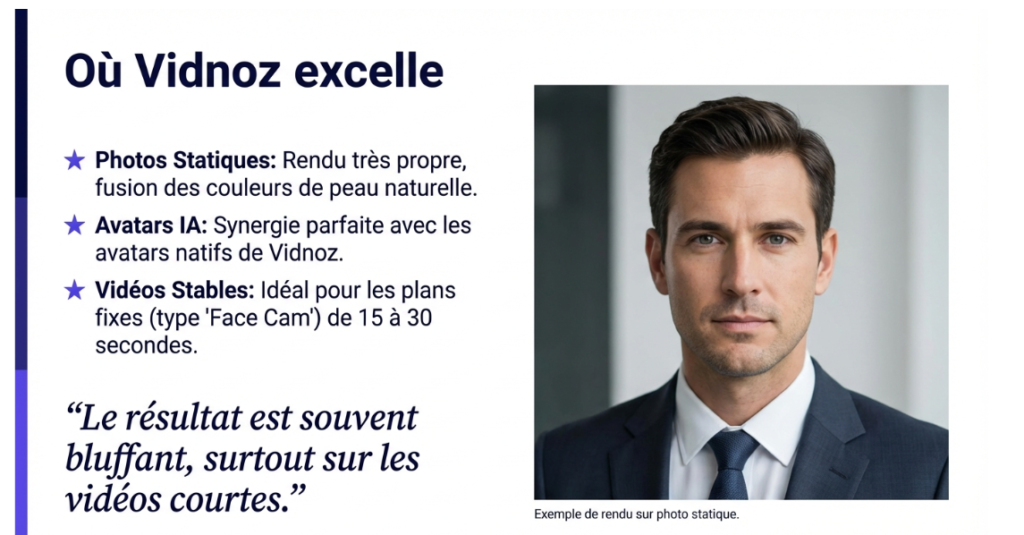
- Static photos: This is where the rendering is the cleanest. The face melts naturally in the photo, the skin colors adapt well, and the contours are clear in most cases.
- Short videos with little movement: on a video of 15 to 30 seconds with a relatively stable face (type of camera face presentation), the swap face holds well over the duration.
- Avatars AI : Vidnoz excels when you apply a Face Swap on his own avatars AI, the result is particularly realistic because the avatars are designed for this.
Limitations to know
- Rapid movements: on videos with a lot of head movement or important angle changes, the face can slightly pick up on some frames.
- Difficult lighting: counterlight, very contrasting light, the rendering is less convincing. Better start with a well-lit video.
- Duration on a free plan: processing of long videos is limited on a free level. For videos of more than 2 minutes, you will have to switch to a paid plan.
Overall, for creative, marketing or educational use, the quality is largely sufficient. We're a long way from tools Professionals at hundreds of euros per month, but we are also far from the result of free mobile apps.
Concrete use case: what the swap side really serves Vidnoz ?
The swap side is not just a fun effect. Here are the uses that make sense in a logic of creating content or business.
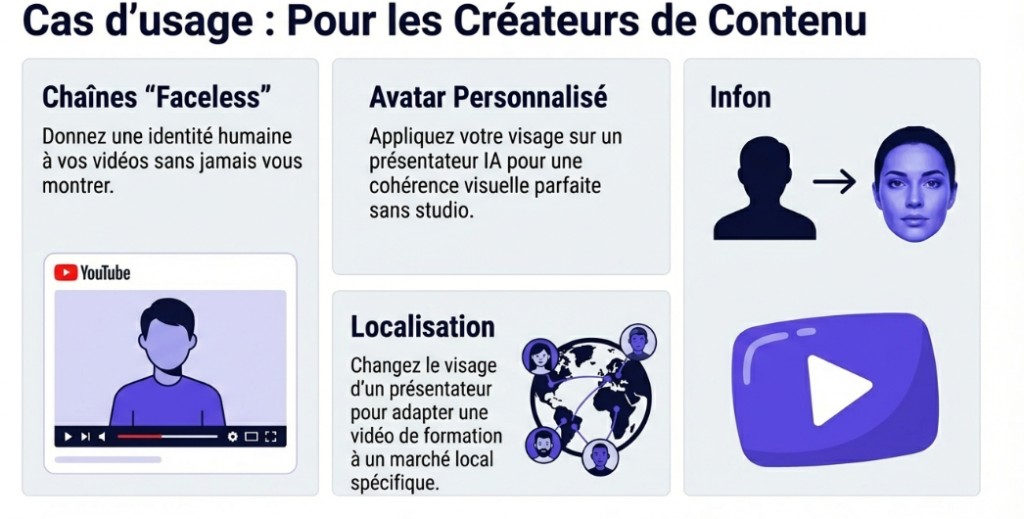
Create videos with your custom avatar
This is the most powerful use: you apply your face to a avatar Vidnoz to create presentation videos without filming you. You keep a professional and consistent appearance on all your videos, without studio or camera. Ideal for creators who want to remain anonymous while putting a human face on their content.
Testing marketing visuals before production
You want to see how a model or character makes with your face in a commercial or product presentation? The swap side Vidnoz Allows you to make realistic models in seconds, without using a graphic designer.
Produce content YouTube faceless with a credible presenter
For chains YouTube based onAI, the swap face allows to give a human face to an avatar without ever showing up on the screen. It is an effective way to produce content on a large scale with a consistent visual identity.
Are you publishing serials? The Face Swap requires a source video from each episode. One generator avatar starts from the script: you write the text, he makes the presenter. The time-saving expands quickly as the pace rises.
Locate training videos
Do you have an English training video with a foreign presenter? You can apply the face of a local presenter via the swap side to make the content closer to your audience, without returning the video.
Fun and social networks
The most obvious use case: create GIF swap faces or video for social networks. The GIF swap side are very much shared on Twitter/X and Instagram, and Vidnoz manages this format natively.
Vidnoz face swap free: what you can do without paying
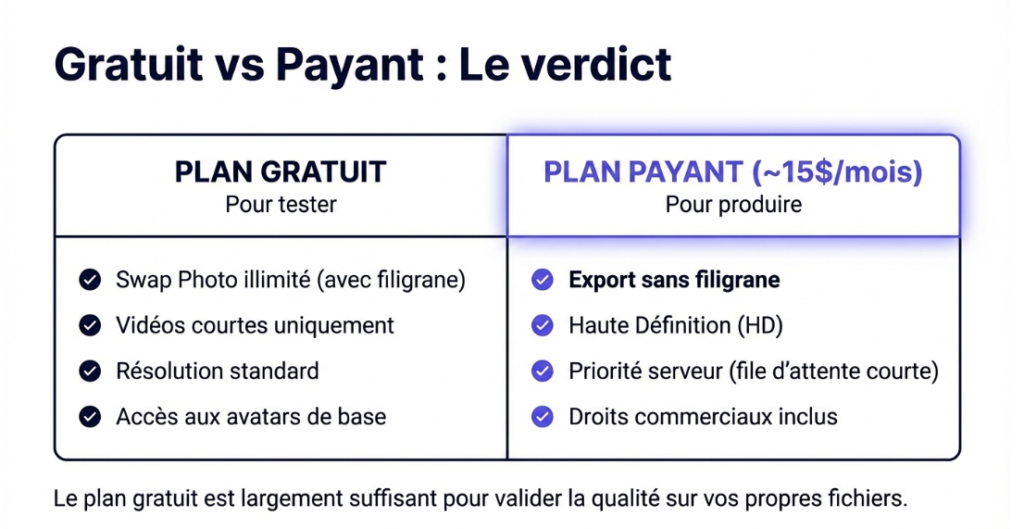
Good news: the swap side Vidnoz is usable for freeWithout CB, with sufficient functionality to test and create simple content.
Here is what the free plan includes for the swap side:
- Face unlimited photo swap (with watermark)
- Face swap video on short videos
- Access to AI avatars base
- Export in standard resolution
This requires a fee-paying plan:
- Export without watermark
- Long videos (more than 2 minutes)
- High definition export
- Priority treatment (shorter waiting files)
- Trade rights in creations
To test iftool meets your need, the free plan is largely enough. You have no reason to pay before you see the results on your own files.
💡 Test face swap for free
Free plan, without CB. You can do your first test in less than 2 minutes on photo or video.
Vidnoz side swap vs. other tools : how does he position himself?
The face swap market AI is crowded. This is where it is located Vidnoz the main alternatives.
| Tool | Face swap video | Free | Integrated into a video suite | Entry price |
|---|---|---|---|---|
| Vidnoz | ✅ Yes | ✅ Yes | ✅ Full suite | ~15$/month |
| Vidwud | ✅ Yes | ⚠️ Limited | ❌ Tool dedicated only | ~9$/month |
| Faceswapper. a | ✅ Yes | ⚠️ Very limited | ❌ Tool dedicated only | ~19$/month |
| HeyGen | ⚠️ Via avatar | ⚠️ Very limited | ✅ Full suite | ~24$/month |
The main advantage of Vidnoz on the tools dedicated like Vidwud or Faceswapper: you don't pay a subscription just for the Face Swap. You get to the whole suite, avatars AI, generator video, voice cloning, machine translation, for the same price. If you plan to create AI videos regularly, this is clearly the best feature/price ratio.
If, on the other hand, you only need the swap side on time, the tools free dedicated can suffice.
Your need is a presenter rather than a face exchange? HeyGen takes the problem from the other end: from a simple photo, it generates an avatar that speaks, with voice and labial synchronization. No source video to provide.
To go further on the comparison between Vidnoz and its competitors, we published a comparison detailed Vidnoz vs Fliki and another on Vidnoz vs Creatify. For a complete panorama, see our comparison best video software AI.
Vidnoz face swap: what users say
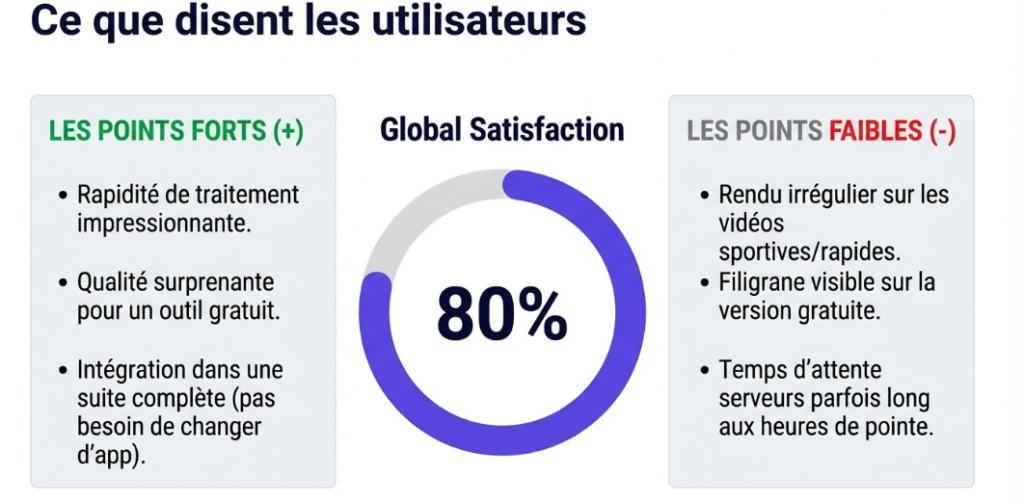
By crossing user feedback on independent forums and reviews, here is what comes most often.
What users like:
- Fast processing, a few seconds for photos, a few minutes for videos
- Integration into a full suite, no need to go get another tool
- Availability of free plan to test without risk
- The quality on well-lit faces that exceeds the expectations for the price
What they mention as points of improvement:
- The rendering on videos with fast movements can be irregular
- The free watermark is visible, not just discreet
- Processing time can lengthen when servers are loaded
These returns are consistent with what we see in our complete test of Vidnoz1 tool solid for the price, without being perfect in all cases.
Good practices for a successful swap face with Vidnoz
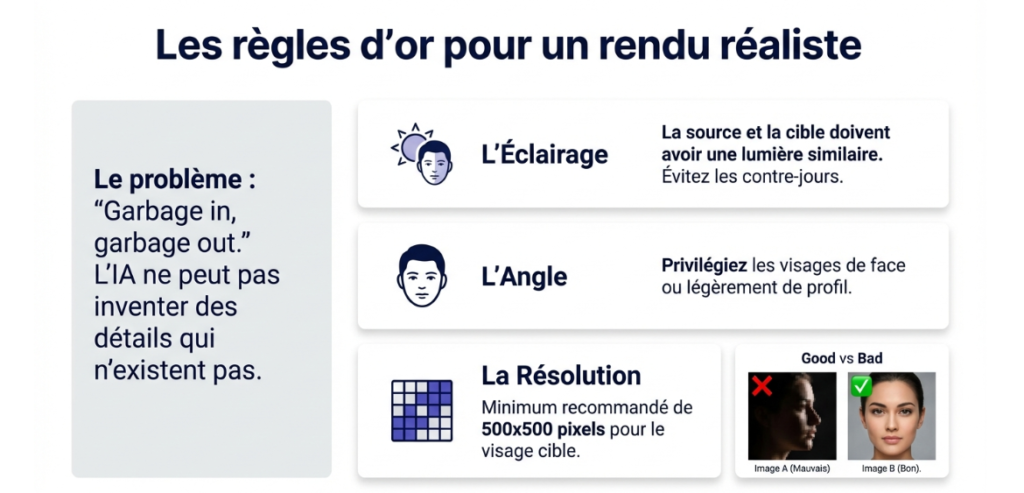
Some simple rules that make a real difference on the final result.
- Choose a source photo with a prominent face: face, well lit, without sunglasses or hat that hides the face. The clearer the face, the better the rendering.
- Avoid very pixelized or compressed photos: a good starting resolution (at least 500×500 pixels for the face) gives a much higher result.
- For videos, prefer fixed or light movements: A bust-faced camera is ideal. The more the head moves, the more complex the treatment.
- Adapts lighting: If possible, the photo of the face to be applied and the source video should have similar lighting. A face in full sun on a video inside will give a less natural result.
- First test on photo: before starting a long video processing, do a quick test on a screenshot to check that the rendering is up to the level.
Our review on the swap side Vidnoz
If we were to summarize in one sentence: the swap side of Vidnoz is the most rational option for someone who already creates videos with theAI.
It's not the same.tool the most powerful market in this aspect alone, tools 100% dedicated to Face Swap can go further on complex videos. But for 95% of creative and marketing uses, he does the job properly, quickly, and without needing to pay for an extra subscription since it is integrated in the following Vidnoz.
The free plan is enough to test seriously. And if the results convince you, the Starter subscription to ~15$/month gives you access to all the AI Tools the platform, not just the Face Swap.
If you find out Vidnoz for the first time, start by reading our review complete on Vidnoz to have a global vision of what the platform can do for you. And if you're looking to compare with others generators video AI, our guide of the best tools AI video is the right starting point.
🏆 Ready to make your first face swap?
Free plan, without CB. Result in less than 2 minutes on photo, a few minutes on video.
FAQ: Frequently Asked Questions about Face Swap Vidnoz
The swap side Vidnoz Is it really free?
Yes. The face swap on photo is available for free without any restrictions. The video swap side is also available on a free-of-charge basis with restrictions on video duration and export resolution. No CB required to test. Access the free plan here.
The swap side Vidnoz Does it work on long videos?
Free processing is limited to short videos. For videos of more than 2 minutes, you will have to pass on a paid plan. The Starter plan at ~15$/month removes most of these restrictions.
Can the swap face be used Vidnoz For commercial purposes?
Yes, on the pay plans. Commercial rights are included in all subscriptions Vidnoz. On a free level, creations are reserved for personal use. Always check the conditions of use for your specific case.
What is the best photo quality for a good result?
A clean photo, well lit, with face face or slightly profile. Recommended minimum resolution: 500×500 pixels for the face. Avoids blurred photos, counter-days and partially hidden faces.
Vidnoz Is swap face better than Vidwud or Faceswapper?
On the sole criterion of Face Swap, the tools 100% dedicated like Vidwud can offer more finesse on complex cases. But Vidnoz you want to go beyond the Face Swap : video generation, avatars AI, voice cloning, everything is in the same platform at the same price.
Can one make a swap face on GIF with Vidnoz ?
Vidnoz mainly handles video formats (MP4, MOV). For GIFs, it is possible to convert your GIF to MP4 before processing, then convert the result to GIF via a tool free online.
📌 To go further on Vidnoz
📖 Our complete test of Vidnoz AI, all features reviewed
⚖️ Vidnoz vs Fliki, Which Should You Choose According to your usage?
🎬 All tools AI video, our complete selection