Kling AI in July 2026, AI video generator the most technically capable among the tools accessible to the general public, #1 on ELO benchmarks, single motion control on the market, native synchronised audio, 4K quality on Kling 3.0. Basic free plan without credit card but for non-commercial use, and Standard plan at 8.80 $ per month in real price to unlock commercial use. Verdict after 30 tests on 6 different versions: one tool pro which deserves its place for anyone who wants movement control, but who requires a little learning of the credit system. This test details the forces, the real limits and the true value of the free plan.
📌 Essentials
- Publisher Kuaishou Technology (Chinese competitor of TikTok), public release June 2024, version 3.0 released January 2026.
- Unique strong point : Motion Control, upload a reference video, Kling extracts the movement and applies it to another subject. No competitor does that.
- Basic Plan : free for life and without credit card, with a credit allocation obtained by connecting. The official grid does not guarantee any monthly volume, and the product content remains in non-commercial use.
- Paid price : Standard 6.99 $/month (renewal 8,80) $), Pro 32.56 $/month with 3,000 credits.
- Quality : up to 4K 60fps with Multi-Shot on Kling 3.0. Image-to-video considered the best of the market (3D face/body reconstruction).
- For whom : serious creators who want control (motion, multi-shot, native audio). Not for beginners pressed, Veo 3.1 or DeeVid AI are simpler.
Want to try motion control without configuration? Kling AI's Basic Plan is free without credit card.
Contents: What is Kling AI • Timeline versions • After Sora's closure • The 5 key features • Prices and plans 2026 • The free plan in practice • Test on 3 prompts • Strengths and Limits • Alternatives • How to start • FAQ
What is Kling AI?
Kling AI is a generator video by artificial intelligence developed by Kuaishou Technology, the Chinese giant of short video (the main competitor of Douyin/TikTok in China). Launched in June 2024,tool converts a quick text or image into a video clip of 5 to 10 seconds, up to several minutes via the Multi-Shot system introduced with Kling 3.0.
The term « kling ai in French » often returns to French-language research, but Kling AI's interface remains mainly in English and Chinese. Prompts in French work, buttool gives better results in English, it is a constant on video models AI in 2026.
The positioning is clear: Kling targets the serious designers and studiosNot the general public. Where Pika or Luma bet on simplicity, Kling bets on control: motion control extracted from a reference video, multi-shot storyboard, character consisting via reference images, native audio synchronized. It's a tool which requires 1-2 hours of onboarding, but which then unlocks possibilities that others tools Don't offer.
Timeline of Kling AI versions: where are we in 2026?
The evolution of Kling AI over 18 months is one of the fastest in industry. Each version brought a break, not a simple improvement.
| Version | Date | Major contribution |
|---|---|---|
| Kling 1.5 | Seven. 2024 | First stable version, clips 5-10 seconds |
| Kling 1.6 | Dec. 2024 | 1080p quality, extended to 10 seconds |
| Kling 2.0 | Nov. 2024 | Recast architecture, more natural movement |
| Kling 2.1 | May 2025 | Image-to-video improved, character consistency |
| Kling 2.6 | Dec. 2025 | Native Synchronised Audio + Motion Control |
| Kling 3.0 | Jan. 2026 | Multi-Shot 4K 60fps, vCoT AI Director, Motion Brush |
The version currently deployed for all users in July 2026 is Kling 3.0. Version 2.6 remains available as an option for those who prefer faster rendering. According to the publisher, Kling 3.0 is not a simple iteration: it is a generational overhaul that transforms Kling from a generator clips in stage-by-stage production system.
What Sora's closing changes for Kling
An event broke the cards in 2026, and it benefits Kling directly. OpenAI closed Sora, her video generatoron 26 April 2026, before announcing the termination of its programming interface for 24 September. The sector's most media competitor has therefore simply disappeared.
The reason given deserves the attention of anyone who is about to subscribe somewhere: the cost. Running video generation on a large scale costs a lot, and Sora didn't come home. This is not a problem specific to OpenAIThis is the constraint of the whole category. In our article on the closure of Sora.
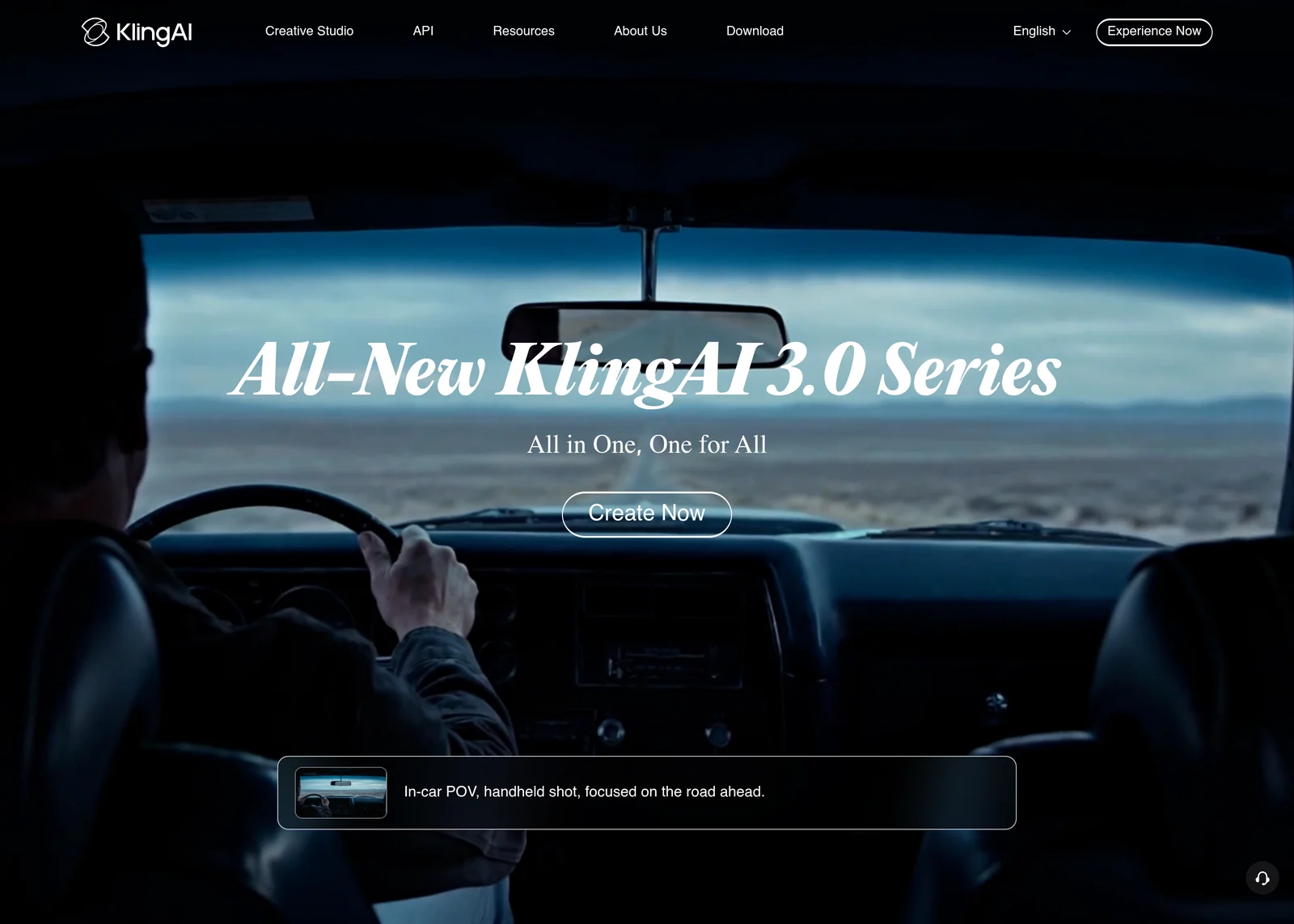
For Kling, this translates into two concrete effects. The first is an influx of orphan users who were looking for exactly what Sora promised, i.e. a film rendering on complex planes. The second is more structural: Kling relies on Kuaishou, a group that already operates a very large-scale video platform, and whose economic model does not depend on this product alone. It is a guarantee of continuity that few actors can offer today.
💡 Tip: the Sora lesson applies to all tools, Kling included. Download your renders as you go rather than leaving them on the platform, and beware of annual subscriptions in an area where a service can close in a few weeks.
Kling AI's 5 key features in 2026
Before talking about price, understand what makes Kling AI different. Five features form his identity.
1. Motion Control: The Single Market Function
It's the function that distinguishes Kling AI. You upload a short reference video (for example, a character dancing, a walk, a camera movement). Kling extracts the pattern of movement and applies it to a completely different subject than you describe by prompt. Runway offers a Motion Brush to manually paint the movement, Kling l That's what turned Kling into in the first quarter of 2026.
For keywords « kling ai motion control » which explodes in research volume (from 0 to 1200/month in a few weeks), this is the first topic on thetool. Available from Kling 2.6, refined on Kling 3.0.

2. High fidelity image to video
Kling AI excels particularly on the kling ai image to video. Its 3D facial and body reconstruction technology reduces the classical distortion of the tools simpler (Pika, Luma) on animated portraits. Output up to 1080p on the standard plane, 4K on Kling 3.0 Pro, up to 48fps. To animate a product photo, a professional portrait or an illustration, it is now one of the best choices on the market, see our Complete Guide image-to-video AI for the competing context.
3. Multi-Shot Storyboard (new Kling 3.0)
With the release of Kling 3.0 in January 2026,tool introduced a system of multi-plane storyboard : you define the duration, angle, size and rhythm of each plane, and Kling weaves these guidelines into a complete sequence. This is the passage of the « generator Of clips » to « implementation system ». Transitions between plans may still lack fluidity, but as tool of preview and quick storyboarding, it was unparalleled in 2026.

4. Character Consistency by reference images
The coherence of the human face has long been the heel of Kling's Achilles. From Kling 3.0, you can upload up to 4 reference images a character. The model locks the visual identity over all subsequent generations. Combined with the control of the beginning and end frames, this allows to build long sequences with coherent characters, a problem that fills most of the AI Tools video in 2026.
5. Native Synchronized Audio (since Kling 2.6)
Since December 2025, Kling has been generating image and sound in one pass : sound effects, atmosphere, spoken dialogues (multilingual from Kling 3.0). It is rare in 2026, Pika, Runway and Luma generate silent clips, audio is added later. For short commercial hooks, intros YouTube, Instagram stories, this divides by 3 production time.
🎬 The AI generator video the most complete
Motion Control + Multi-Shot 4K + native audio in one tool
The Basic plan is free for life and without credit card, so you can judge the quality of generation before choosing a formula. Note: the content produced in Basic is not intended for commercial use.
Free Basic Plan · No credit card required · Non-commercial use
Prices and plans 2026: how much does Kling AI cost?
Kling works on credit: each generation consumes it according to the duration, resolution and use of audio. The amounts below are shown on the official monthly invoicing grid, at 22 July 2026.
⚠️ The price displayed is not the price paid. Kling puts forward a first subscription rate. From the second month, the renewal is higher: Standard increases from 6.99 to 8,80 $, Pro from 25,99 to 32,56 $. Always compare on the column « renewal ».
| Plan | 1st month | Renewal | Credits | What it's unlocking |
|---|---|---|---|---|
| Basic | 0 $ | 0 $ | No guaranteed volume | Use Non-commercial, creation of elements limited to 30 |
| Standard | 6,99 $ | 8,80 $ | 660 / month | 660 images or 33 videos 720p, commercial use, watermark removed, 1080p and 4K |
| Pro | 25,99 $ | 32,56 $ | 3 000/month | 3,000 images or 150 videos, priority access to news |
| First | 64,99 $ | 80,96 $ | 8 000/month | 8,000 images or 400 videos |
| Ultra | 127,99 $ | 159,99 $ | 26 000 / month | 26,000 images or 1,300 videos, beta invitation |
Our reading. Standard Plan, 8.80 $ In real prices, it remains the right entry point: it unlocks commercial use and removes the watermark, which covers the vast majority of needs. The Pro at 32.56 $ is only justified by more than 30 videos per month, more than one per day.
A point to know, rare in this sector: the unit cost actually decreases in range, of 1.33 $ 100 credits in Standard at 0.62 $ Ultra. For most competitors, this rate remains stable or even increases. And the annual bill has about 34% discount, compared to 12% monthly.
We detail each formula, the calculation of the cost per video and the trap of renewal in our dedicated page Kling AI rates.
Free Kling AI: What You Can really do
The free kling ai is one of the main reasons for the popularity of thetool. Let us understand exactly what this freetier allows, and where the hidden limits are.
What is included in the free plan
66 kling ai free credits per day, which automatically recharge every 24 hours. No credit card required for registration. In practice, this corresponds to 3 to 6 short video clips per day, depending on the duration (5 to 10 seconds) and the mode chosen (Standard or Fast). Access to text-to-video, image-to-video and, important, Motion Control in limited version. You can test Kling every day for several weeks without paying a cent.
The real limits of freetier
Three ceilings to know before building a workflow around Kling free:
1) Resolution capped at 720 p, to publish in 1080p or 4K, you must either switch to the Standard or upscale with a tool third party (Topaz Video AI, ~30 $/month). 2) Kling AI watermark on all exports, not visually intrusive but visible. 3) Non-commercial use only on the freetier. To monetize a clip (YouTube Shorts ads, Reels Meta, customer content), the standard plan is mandatory. Failure to comply with this point may result in an account suspension, see Complete Guide of the tools AI video free 2026 for conditions tool.
Practical Test: 3 prompts to evaluate Kling AI
We tested Kling 3.0 on three types of prompts representative of real use in 2026. This is what comes out, without a marketing filter.
Prompt 1: Nature kinematic plan (text-to-video pure)
« A drone shot flying over a misty mountain forest at sunrise, golden rays piercing through pine trees, slow camera ascent, cinematic depth of field, 4K quality. »
Result : bluffing quality. The camera movement is fluid and stable, the depth of field respected, the rays of light convincing. The texture of pine leaves sometimes has aberrations on the edges, but on a broad plane it is invisible. Note: 8.5/10. Better than Pika on this type of plane, comparable to Veo 3.1 on fluidity, superior to Luma on temporal stability.
Prompt 2: Portrait animation (image-to-video)
Upload of a neutral + prompt portrait « subtle smile, light head turn to the right, eyes blink naturally, soft natural lighting ».
Result : excellent. The 3D technology face reconstruction sees itself, the face remains coherent from beginning to end, the microexpressions are natural, no effect « plastic » that we see on other tools. Of 10 generations, 8 are published. This is the land where Kling shines the most in 2026. Note: 9/10. Superior to Pika and Runway on portrait, comparable to HeyGen for static avatars but Kling allows more free expressions.
Prompt 3: Motion Control (reference video)
Reference video: a dancer performing a 5-second choreography. Target subject (fixed image): An anthropomorphic cat in costume. Prompt: « apply the dance motion to the cat character, cinematic lighting ».
Result This is the moment when Kling really stands out. The dance movement is transferred faithfully to the cat. Some artifacts on fast transitions, but 7/10 on overall quality, and 10/10 on functionality novelty, no other tool This was not done in July 2026. This is what justifies testing Kling even if you are already on Veo 3.1 or Runway.
Strengths and limits observed in real use
Major forces
Five points where Kling AI dominated the competition in 2026:
- Motion Single Control : none other tool The general public automatically extracts the movement of a reference video.
- Most faithful image-to-video market thanks to the 3D reconstruction of the face and body.
- Synchronised native audio : real time saving vs Pika/Runway/Luma which requires a separate audio workflow.
- Basic plan without credit card : sufficient to judge the quality of generation before buying, provided that nothing is obtained commercially.
- Character consisting by 4 images : to build a series of clips with a recurring character, it is today the strongest.
Limitations to be incorporated
Five weaknesses to know before you subscribe:
- Credit system learning curve between Standard mode, Pro mode, Fast mode, audio on/off, variable durations, it takes 2-3 sessions to understand what each generation really costs.
- Character consistency still lower than Runway on complex scenes with several characters.
- Degraded quality on long extensions : extend a clip beyond 10 seconds amplifies the artifacts.
- Regularly rising prices : subscriptions have increased several times since 2024. Lock an annual plan when possible.
- Interface mainly in English/Chinese : for a real experience kling ai in French, aggregator DeeVid AI (FR interface) is more accessible.
Alternatives to Kling AI: what to choose for your profile?
The keyword « kling ai alternative » is sought 150 times a month in France. Here are the four most relevant options according to your need, based on our Complete Comparison 10 AI software video 2026.
Google Veo 3.1: for maximum free quality
If your priority is the final quality of the clip and you want to stay free, Veo 3.1 via Google AI Studio beat Kling on photographic realism and global fluidity. No watermark, native audio, commercial use allowed. But, no Motion Control. Details in our Complete Guide Google AI Video 2026.
Seedance 2.0 (ByteDance): to iterate much daily
Seedance 2.0 distributes 100 credits/day against 66 for Kling, and the generation is faster (30 seconds vs 1-2 minutes). Ideal for who iterates much in prototyping phase. Quality slightly inferior to Kling on portraits, but largely sufficient for social content.
Runway Gen-4.5: for manual pixel control per pixel
If you want accurate manual control rather than automatic (Motion Brush to paint the movement, Camera Path to script the camera), Runway remains the pro reference. More expensive, freetier limited (125 credits for life), but excellence on granular control.
DeeVid AI : the French alternative that combines Kling
Deevid AI is a French platform that combines several models including Kling, Veo, Hailuo and Pika in a single 100% French interface. The best entry point if you want to test Kling AI without a battle with the English interface, and switch between multiple models without multiplying accounts. 100 free credits for registration. For the comparison detailed DeeVid AI vs Kling AI, see our dedicated article DeeVid AI vs Kling AI 2026.
Do you prefer a French interface?
Access Kling AI via DeeVid AI, in French and in one click
DeeVid AI Kling, Veo 3.1, Hailuo and Pika aggregate in a 100% Francophone interface. 100 credits offered for registration, text-to-video modes and guided image-to-video. Ideal to start without setting each tool separately.
100 credits offered · No commitment · French interface
How to start with Kling AI in 5 minutes
Workflow concrete to generate your first Kling AI video without losing credit on beginner errors.
This section outlines. For the detail of the five formulas, the real cost per video and especially the fact that the price is only worth the first month, we devoted a complete page to the Kling AI rates.
Step 1: Create Account
See you on the official Kling AI website. Register in email or via account Google. No credit cards requested. The credit allocation is available upon confirmation of the email.
Step 2: Choose the right mode
Three main modes in the interface: Text to Video (from a prompt alone), Image to Video (animate an existing image), Motion Control (transfer movement of a reference video). For a first test, start with Text to Video, it is the simplest and least expensive credit.
Step 3: The Quick One
Structure recommended by Kuaishou: [Subject] + [Action] + [Cadre/ Camera Plan] + [Ambiance/Light] + [Style]. Example: « A red sports car driving on a coastal road at sunset, low angle tracking shot, golden hour lighting, cinematic speed of field ». 25-50 descriptive words in English. Avoid cumulative actions (« he runs, then opens a door, then phone »), a 5-10 seconds clip can't do anything. Our tuto AI video in 10 minutes details the complete method.
Step 4: Generation and Export
Click Generate. Average time in off-peak hours: 60-90 seconds. In European peak hours (6 p.m. - 2 p.m.), take 3-5 minutes due to the queue. The clip appears in your history, ready to download in MP4. On the freetier, the watermark Kling appears at the bottom right.
Step 5: Iterate intelligently
First credit saving rule: launch 2 or 3 variants the same prompt in parallel rather than iterate the prompt after each result. Video templates AI have high random variability, the same sentence gives 5 different results. It is cheaper in terms of credits than changing the prompt without knowing whether it was the quick or the random that was problematic.
FAQ: Everything about Kling AI in 2026
Is Kling AI really free?
Yeah, partly. The Basic plan is free of charge for life and does not require a credit card: credit is obtained by connecting, but the official grid does not guarantee any monthly volume. The exits remain in 720p with Kling watermark. Commercial use is prohibited on the freetier : to monetize a clip (YouTube Shorts ads, Reels Meta, customer content), it takes the standard plan to 6,99 $Minimum month.
How to use Kling AI for free?
1) Create an account on the official Kling AI website with email or Google2) Confirm your email. 3) Your appropriation is available immediately. 4) Choose Text to Video mode to start. 5) Enter a prompt in English (best results) in format « subject + action + camera plane + atmosphere + style ». 6) Launch and wait 1 to 5 minutes depending on the hour. No commitment, no automatic renewal.
What is the price of Kling AI in 2026?
Five levels of pricing in 2026: Basic (0 $, allocation of unsecured credits, watermark, non-commercial use), Standard (6.99) $/month in intro, 8,80 $ renewal, 660 credits/month, 1080p without watermark with commercial use), Pro (32.56 $/months, 3,000 credits, 6 minutes of 720p or 4 minutes of 1080p), then First (80.96 $/month, 8,000 credits) and Ultra (159.99) $/month, 26,000 credits).
Kling AI 3.0 vs 2.6: what difference?
Kling 3.0 (exit January 2026) brings three breaks compared to 2.6: Multi-Shot Storyboard (automatic multi-plane composition up to 4K 60fps), vCoT AI Director (automatic director mode that structures the scene), and character consisting by 4 reference images. Kling 2.6 remains available as an option for users who want a faster generation.
Luma Dream Machine or Kling AI: Which Should You Choose ?
It depends on the type of plan. Luma Dream Machine excels in organic atmospheric, kinematic and nature, its movement « natural » is his signature. Kling AI dominates portraits, characters, and Motion Control (movement transfer). For contemplative landscapes: Luma. For animation of characters or commercial hooks with audio: Kling.
How to access Kling AI in French?
The official Kling AI interface is in English and Chinese. For a real experience kling ai in French, use the aggregator Deevid AI which gives access to Kling AI via a complete Francophone interface. If not, your prompts can be in French on the official interface, but thetool gives better results with prompts in English.
Can Kling AI be used for commercial use?
Not on the freetier. From Standard Plan (6.99) $/month), commercial rights are granted: you can monetize videos generated via YouTube, TikTok, Meta, in customer content or creative ads. For enterprise uses (videos broadcast on a very large scale), Kuaishou API is recommended for legal compliance.
🎯 Verdict
In July 2026, Kling AI is technically the AI video generator the most capable of the consumer market, #1 on ELO benchmarks, and the only one to offer a real Motion Control by transfer from a reference video. The Basic plan, free and without credit card, makes it possibletool testable without engagement, and the standard plan at 8.80 $ per month in real price remains competitive for who produces video content regularly.
The real limits: mainly Anglo-Saxon interface, learning curve of the credit system, and character consistancy still perfectable on complex scenes. For Francophones who want a guided interface in French, Deevid AI remains the most accessible bridge, giving access to Kling without battle with the English interface.
Our recommendation: start with the Freetier official Kling AI to test the unique Motion Control, then switch to Standard if your usage cases convert. To explore alternatives: our comparison Kling AI vs Fliki, DeeVid AI vs Kling AI and our guide Google AI Video 2026 cover other reference options.