
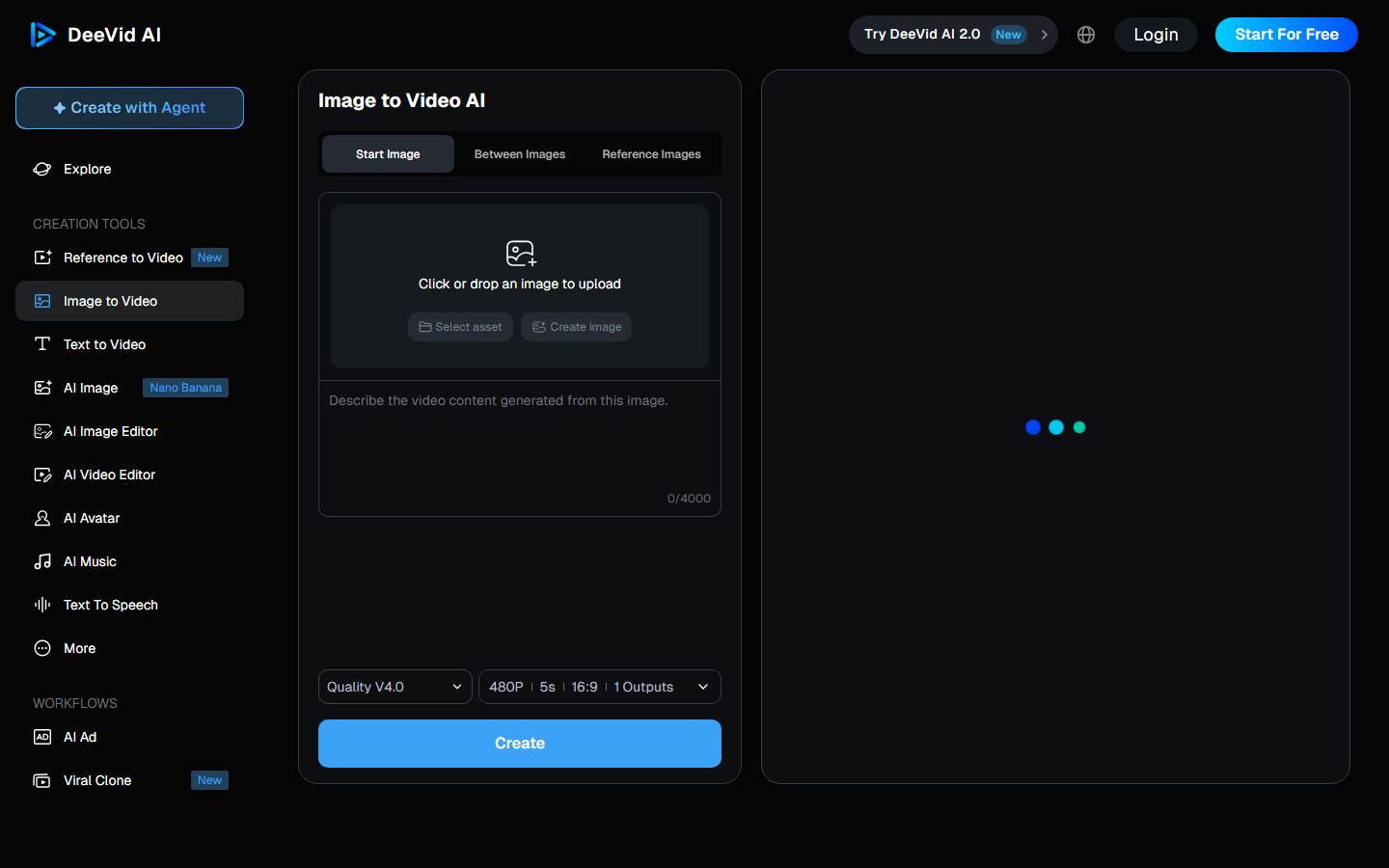
DeeVid AI Start to 10 $ per month in annual billingor 14 $ Monthly. Before that, registration gives 20 free credits, or about four videos, with watermark. That's the short answer. The rest of this page explains what these credits are actually worth, because that's where the formula is chosen.
📌 Essentials
- Free trial: 20 credits for registration, about 4 videos, with watermark (what free).
- Lite, 10 $ per month: 200 credits, up to 40 videos, but output limited to 720p.
- Pro, 25 $ per month : 600 credits and the transition to 1080p, the real useful level.
- Premium, 119 $ per month: 3 000 credits, reserved for production by volume.
- All formulas paid remove the watermark and allow commercial use.
Judge the quality first: Registration gives 20 credits, or about 4 videos.
Tester Deervid AIContents: Grid 2026 • The 20 free credits • What credits are worth • Lite or Pro • Premium • Pay less • What formula • Is it expensive? • FAQ
The tariff schedule for DeeVid AI in 2026
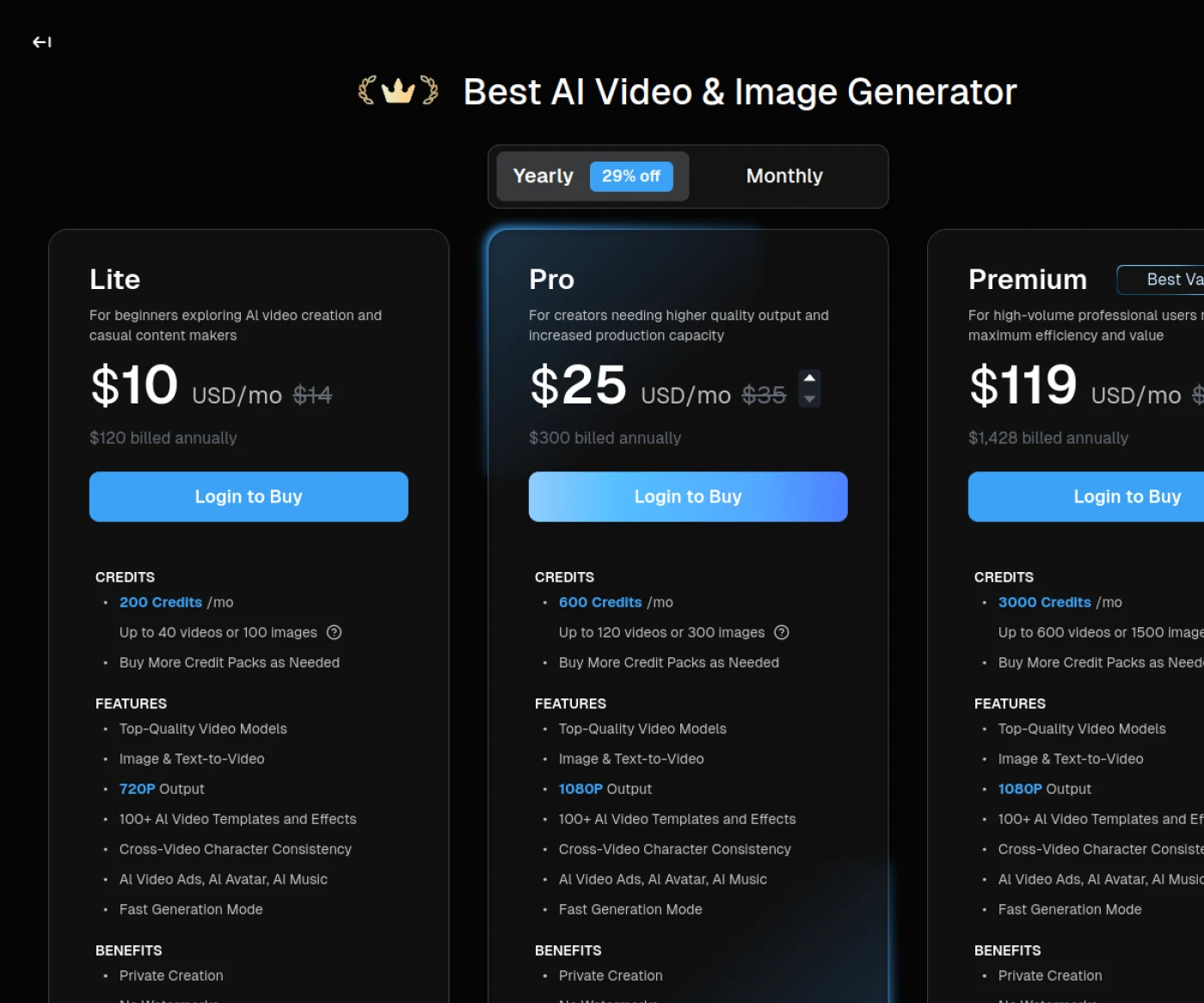
Be careful when reading this grid: the selector at the top of the page is positioned by default on the annual invoice, the one that displays 29% discount. The amounts set aside are the monthly rate without obligation. This is the most common source of confusion on the comparatives devoted to Deevid.
| Formula | Annual | Monthly | Credits | Definition |
|---|---|---|---|---|
| Test | 0 $ | 0 $ | 20 to registration | With watermark |
| Lite | 10 $ per month | 14 $ | 200 per month | 720p |
| Pro | 25 $ per month | 35 $ | 600 per month | 1080p |
| Premium | 119 $ per month | 159 $ | 3,000 per month | 1080p |
Over the year, this represents 120 $ for Lite, 300 $ for Pro and 1,428 $ For Premium. The three paying formulas share the same basic functions: high-end video models, generation from an image or text, more than 100 models and effects, consistency of characters from one video to another, avatars and music. They all remove watermarks and make creations private.
The 20 free credits: what they serve
Deevid does not propose a permanent free plan but a single one at registration: 20 credits, about four videos. This is not renewed every month.
⚠️ Four videos, that's very little. And they wear watermarks. Do not waste them in writing tests: prepare your quick to write, then launch the generation once you know exactly what you want to see.
This resource is used to answer a single question: Are image quality and movement suitable for your use? It does not assess the regularity of thetool on a real production, nor seriously test several styles.
We detail what this trial offer actually allows, and its limitations, in our article dedicated to DeeVid AI in free version.
What the credits really are worth
Deevid gives a useful benchmark, that a lot oftools competitors refuse to provide: the 200 credits of the Lite formula correspond to 40 videos or 100 images. A simple order of magnitude is derived.
| Formula | Credits | Videos | Images | Cost per video |
|---|---|---|---|---|
| Lite | 200 | up to 40 | up to 100 | about 0.25 $ |
| Pro | 600 | up to 120 | up to 300 | approximately 0.21 $ |
| Premium | 3 000 | up to 600 | up to 1,500 | about 0.20 $ |
The unit cost drops little from one formula to another: from about 25 cents a video to 20 cents. In other words, up in range at Deevid does not bring significant economies of scale. You pay mostly volume and definition, not a better unit rate.
Practical consequence: choose the formula that corresponds to your actual production, without hoping to profit from a higher plan. And know that additional credit packages can be purchased on demand, which avoids switching to an entire formula for a punctual peak.
Lite or Pro: the definition slice
Fifteen dollars separate the two, and the real difference is not the number of credits.
Lite comes out in 720p. Pro comes out in 1080p. This is the decision point, and it is heavier than it seems. A 720p video remains correct on a phone, in a short vertical format. It becomes much less convincing on a computer screen, YouTube in full screen, or as soon as it is integrated into a editing with high definition sources.
💡 Good Arbitration: if your videos are for short vertical formats, Lite is enough and you save 180 $ per year. If they have to hold on a large screen or mix with other rushes, take Pro directly: enlarge 720p after the blow does not recover the lost detail.
The volume comes second: 200 credits represent about 40 videos, or about ten a week. It's already a steady pace for a single creator. If you exceed, you produce in series, and the subject then becomes the definition as much as the quantity.
Want to judge quality before choosing?
Registration gives 20 credits, or about four videos.
Premium to 119 $ : for whom, really
The jump is brutal: from 25 to 119 $, almost five times the price, for five times the credits and the same definition as in Pro. The calculation is therefore strictly proportional, with no tariff advantage.
Premium is justified only by the gross volume: 3,000 credits, i.e. up to 600 videos per month, with priority support. It is an agency or automated production rhythm, no individual creator.
Before you subscribe, do the following test: count your videos published last month. If the figure is less than 120, Pro is enough, and the difference is 1 128 $ over the year is better elsewhere. Credit packages on demand cover exceptional months without commitment.
How to Pay Cheaper
Four reflexes significantly reduce the bill, without changing the formula.
- Write and reread your prompt before generating. This is the first economic position. Every re-launch to correct a poorly formulated intention consumes credits, while a re-reading costs nothing.
- Do not take every year until after two months of use. The 29% discount is real, but it hires you over 12 months. Start the month, measure your consumption, then switch.
- Use the credit packs for peaks. An exceptional month is better covered by a one-off package than by a formula climb that will follow you all year round.
- Choose the definition based on the final support. Generating in 1080p what will end in a vertical format of nine seconds is a pure waste.
A particular case is worth noting: if your activity is seasonal, there is no requirement to remain a subscriber all year round. Two or three months of monthly subscription at the time of your peaks often come back cheaper than an under-used annual commitment, even with the discount.
What formula for which use
| Your situation | Recommended formula | Why? |
|---|---|---|
| You discover the video AI | Free trial | Four videos are enough to judge the rendering, not to produce |
| Short vertical formats, social networks | Lite, 10 $ | The 720p holds on mobile, saving 180 $ per year |
| YouTube, website, editing mixed | Pro, 25 $ | The 1080p becomes indispensable from the big screen |
| Daily production, agency | Premium, 119 $ | Only the volume justifies it, not the unit rate |
| One-time and seasonal need | Pro per month | No commitment, with credit packages if needed |
The most frequent case remains that of the creator who regularly publishes on social networks and hesitates between Lite and Pro. Ask yourself one question: Will these videos ever be seen elsewhere than on a phone? If yes, even occasionally take Pro.
DeeVid AI Is it expensive in the face of competition?
At 10 $ entry-level watermark-free, Deevid is one of the most accessible offers in the video generation market. For comparison, the first formula watermark-free of the HeyGen starts at 29 $, as we detail in our page on the tariffs HeyGen.

The shade is due to positioning. Deevid aims at the rapid generation of short clips, where HeyGen focus on speaking avatar and dubbing. They're not replacing each other. Faced with a more direct competitor, our comparison DeeVid AI against Kling AI examines the duration of the plans and the quality of movement, two criteria where the gap widens.
To judgetool beyond its price, our full review of Deevid AI details what generations actually give. And to locate the entire market, see our comparison video software AI.
Our verdict on value for money
🎯 Verdict
Deevid is one of the most affordable offers to generate video watermark-free, but the real choice is on definition and not on credits. Lite to 10 $ suitable for short vertical formats; as soon as your videos have to hold on a large screen, you have to switch to Pro to 25 $ for the 1080p. Premium only defends itself for serial production. A point to know before paying: the unit cost is just falling from one formula to another, rising in range therefore does not bring any economies of scale.
Frequently asked questions about the prices of DeeVid AI
DeeVid AI Is it free?
Not permanently. Registration gives 20 free credits, about four videos, which are not renewed each month. These videos carry a watermark, removed from the first pay formula.
How much does it cost DeeVid AI a month?
Three formulas: Lite to 10 $ per month in annual terms (14 $ per month), Pro at 25 $ (35 $ the month) and Premium to 119 $ (159) $ month). Over the year, this gives 120 $, 300 $ and 1,428 $, annual billing offering 29% discount.
How many videos with 200 credits?
Up to 40 videos, or 100 images, as indicated by Deevid for the Lite formula. This represents a unit cost of about 25 cents per video, which drops to just 20 cents on the higher formulas.
What difference between Lite and Pro?
The output definition above all: 720p for Lite, 1080p for Pro. The volume is added, 200 credits against 600. If your videos are for short vertical formats, Lite is enough. For a large screen or a editing Combining several sources, Pro imposes.
Videos Deevid Do they have watermarks?
Only those produced with free trial credits. The three pay formulas remove the watermark and make the creations private, with authorized commercial use.
Can we buy extra credits?
Yes, Deevid offers packages of credits that can be purchased on demand on the paid forms. It is often more economical than moving to the higher formula to absorb an exceptional month of production.