HitPaw sells a family of AI software for video, photo and audio. The two products we talk about most in France are VikPea, which improves the quality of a video (up to 8K announced), and Video Object Remover, which erases an object, person or annoying element of a sequence. This review takes stock of what each individual does tool, what it costs, what is free, and what users say about the publisher's reliability, because it is on this last point that HitPaw divides.
Prices quoted on the official pages of HitPaw on 23.10.2026. This page contains partner links.
Contents: HitPaw, what exactly is it? • HitPaw VikPea: improving and expanding a video • Remove object and watermark : Video Object Remove • Is HitPaw free? • Is HitPaw reliable? What the review • HitPaw facing alternatives • Who is HitPaw made for? • FAQ
Essentials
- VikPea (video enhancement) 42.99 € the month, 99.99 € year or 189.99 € under perpetual license, price excluding taxes recorded on 23.10.2026 for Windows.
- Video Object Remove : 39.99 € the month, 59.99 € year or 99.99 € perpetual, duty-free.
- Free version : one can try and preview, but export requires a pay license, according to VikPea's official FAQ.
- Point of vigilance : many review public complaints about automatic renewal and denied refunds. Read the refund policy and note the renewal date.
- Our review : one tool convenient to repair or enlarge some videos, to test before paying. Not a purchase to make eyes closed.
See HitPaw on the official website
HitPaw, what exactly is it?
HitPaw is a consumer software publisher that sells applications for Windows and Mac, mobile applications and software tools online. On the official French websiteThese include:
- VikPea, video enhancer by AI ;
- FotorPea, enhancer and photo editor;
- Removal Subject Video and Delete Photo object ;
- Editakor, an all-in-one video editor;
- Univda video converter;
- VoicePea, a voice changer in real time.
The publisher also offers a free online version of several tools (watermark removal, image enlargement, compression), and an API for video and photo enhancement. Here we cover products of greater interest to readers of this site: video enhancement and removal of elements.
HitPaw VikPea: improving and expanding a video
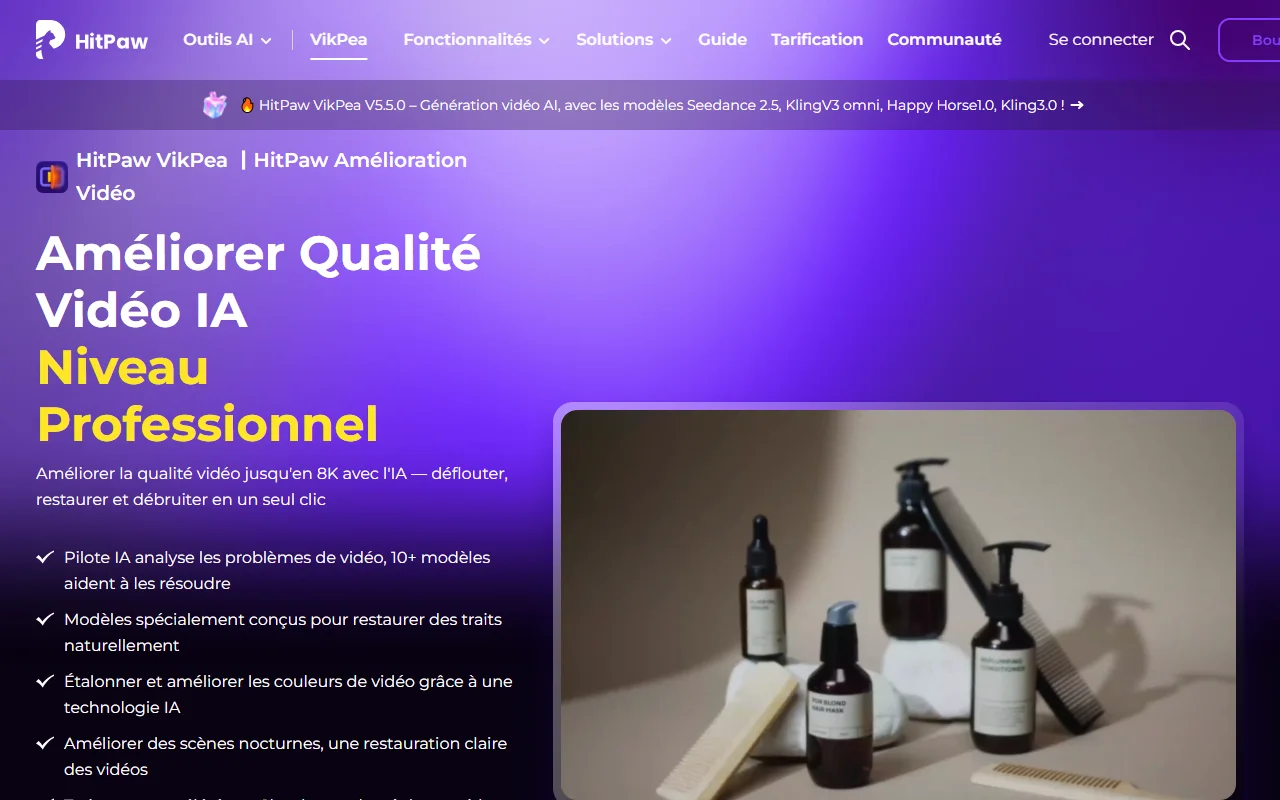
VikPea (also known as HitPaw Video Enhancer) takes a blurred, noisy or low-resolution video and tries to make it clearer. After official product page,tool proposes:
- expansion up to 4K and up to 8K;
- more than 10 models AI (delivery, restoration, portrait, quality repair, UHD restoration);
- reduction of noise and grain, and correction of compression artifacts;
- black and white video colouring and archive restoration;
- SDR conversion to HDR, improvement of dark scenes and color correction;
- Interpolation of images (from 24 to 60 or 120 frames per second), stabilization and idle;
- repairing corrupt videos and batch processing;
- since version 5, one generator of AI videos which relies on third-party models like Seedance, Kling or VEO 3.
VikPea prices
The following prices are displayed on the purchase page for Windows, tab « Individual », excluding taxes (« HT »). They were raised on 23.10.2026.
| Formula | Display price (HT) | Barred price | Renewal |
|---|---|---|---|
| Plan for a month | 42,99 € | 53,74 € | Automatic, cancelable at any time |
| One-year plan | 99,99 € | 124,99 € | Automatic, cancelable at any time |
| Perpetual plan | 189,99 € | 237,49 € | Single payment, major version updates included |
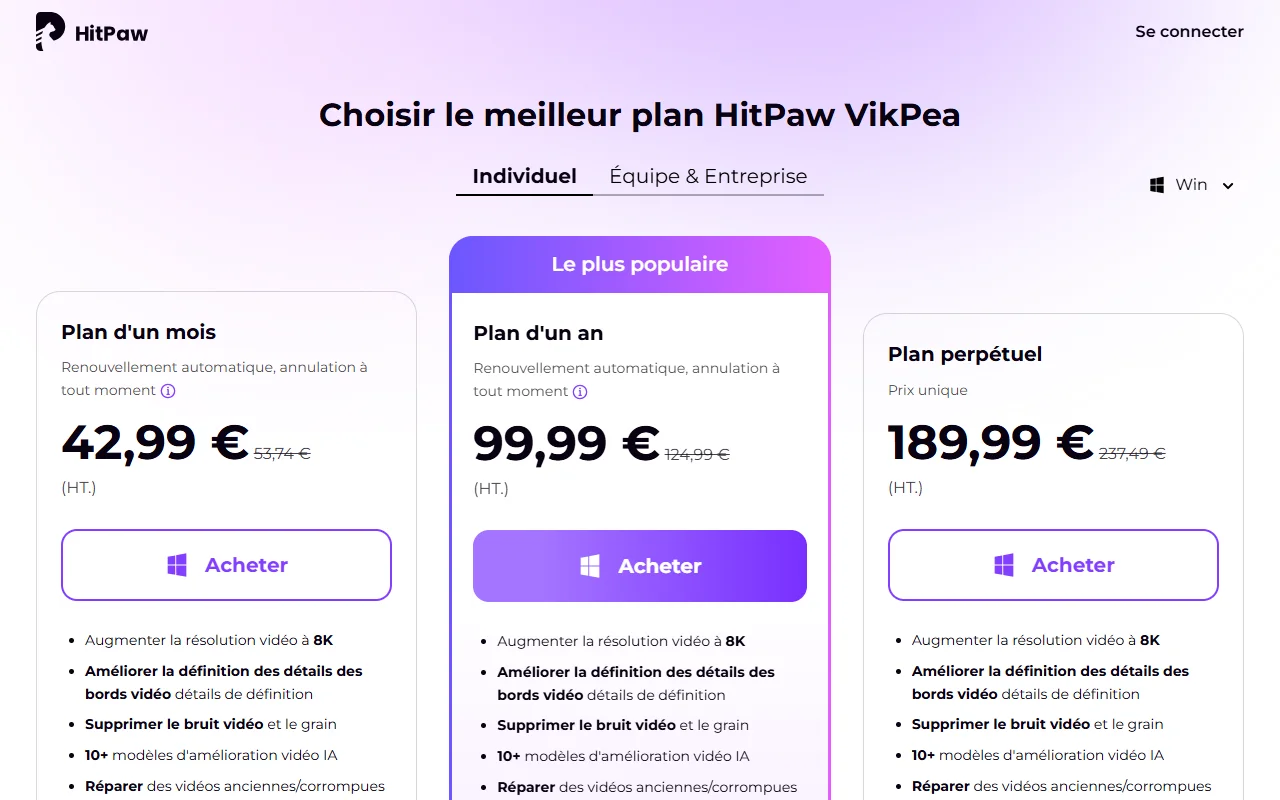
Three remarks. First, they are prices without taxes: VAT adds to the payment. Then, the site displays barred prizes, about 20% discount: we don't know how long, so don't take them for an exceptional promotion. Finally, the annual tariff (99.99) €) is about 8.33 € per month compared to 42.99 € monthly: If you have more than two or three videos to process, the annual is quickly more reasonable than the month. For a one-time need, the month is sufficient to terminate on time.
Configuration, Test and Limits
On Windows, HitPaw indicates a minimum of Windows 10 or 11, 8 GB of RAM and 4 GB of disk space, with 16 GB of RAM and a recommended Intel i5 or AMD Ryzen 5 processor. On Mac, you need macOS 13 or more and an Apple chip from the M series. A calculation of AI on long videos is slow on a modest machine: the page talks about a rendering « accelerated by the cloud », whose terms of credit are not detailed here.
The trial is free, but limited: the official FAQ explains that free license only allows previewing, and that it takes a pay license to export the enhanced video. The editor does not detail a time limit to explore l tool. So do your test on an extract, look at the result in the preview, and judge if the difference deserves the purchase.
Remove object and watermark : Video Object Remove
Page « Removal Subject Video » presents Windows and Mac software that removes unwanted objects, people or a video disorder, with automatic tracking of object movement. Select the area with a brush, refine, preview, and then record. L tool also remove the background of a video and replace it with a color, image or sequence. The accepted formats are MP4, MKV, MOV, AVI, WEBM and GIF, and the editor announces that there is no size or duration limit for imported videos.
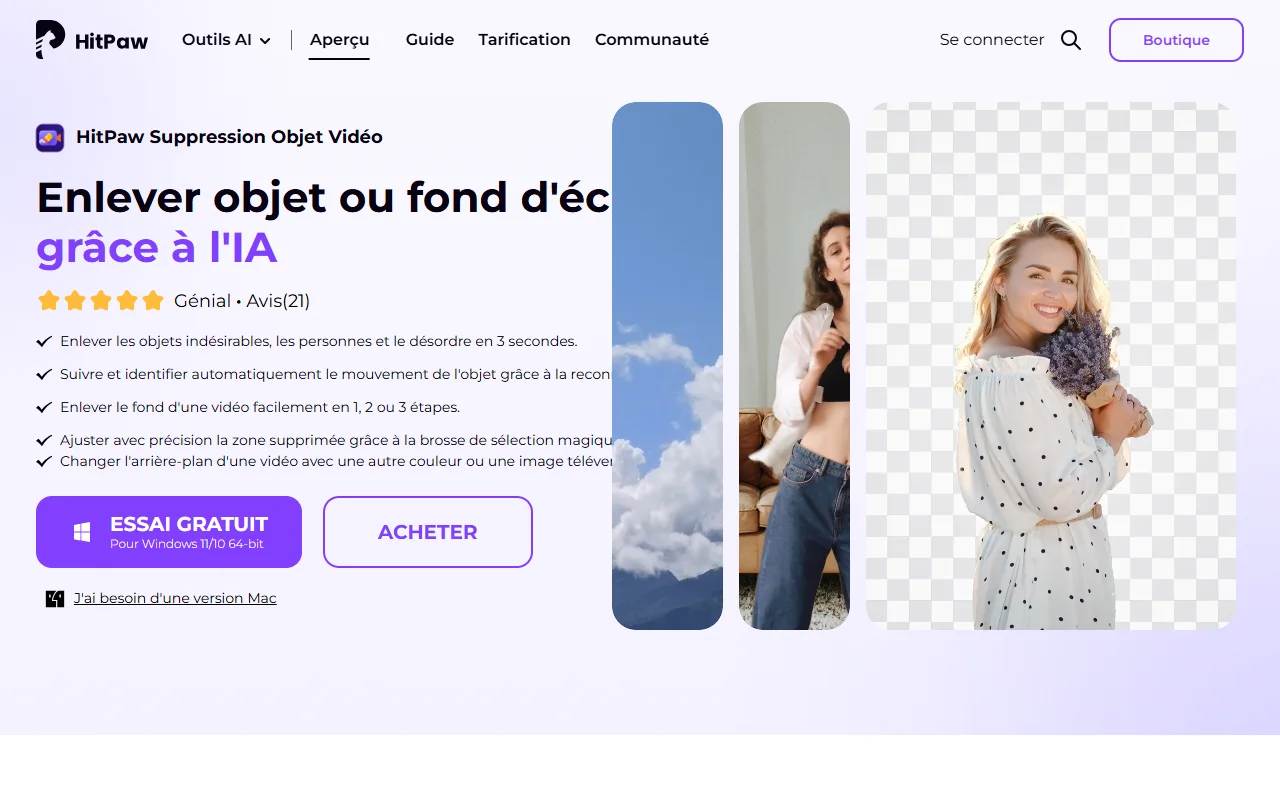
These are his prices, recorded on 23.10.2026 on the purchase page, excluding taxes:
| Formula | Display price (HT) | Barred price |
|---|---|---|
| Plan for a month | 39,99 € | 79,99 € |
| One-year plan | 59,99 € | 119,99 € |
| Perpetual plan | 99,99 € | 199,99 € |
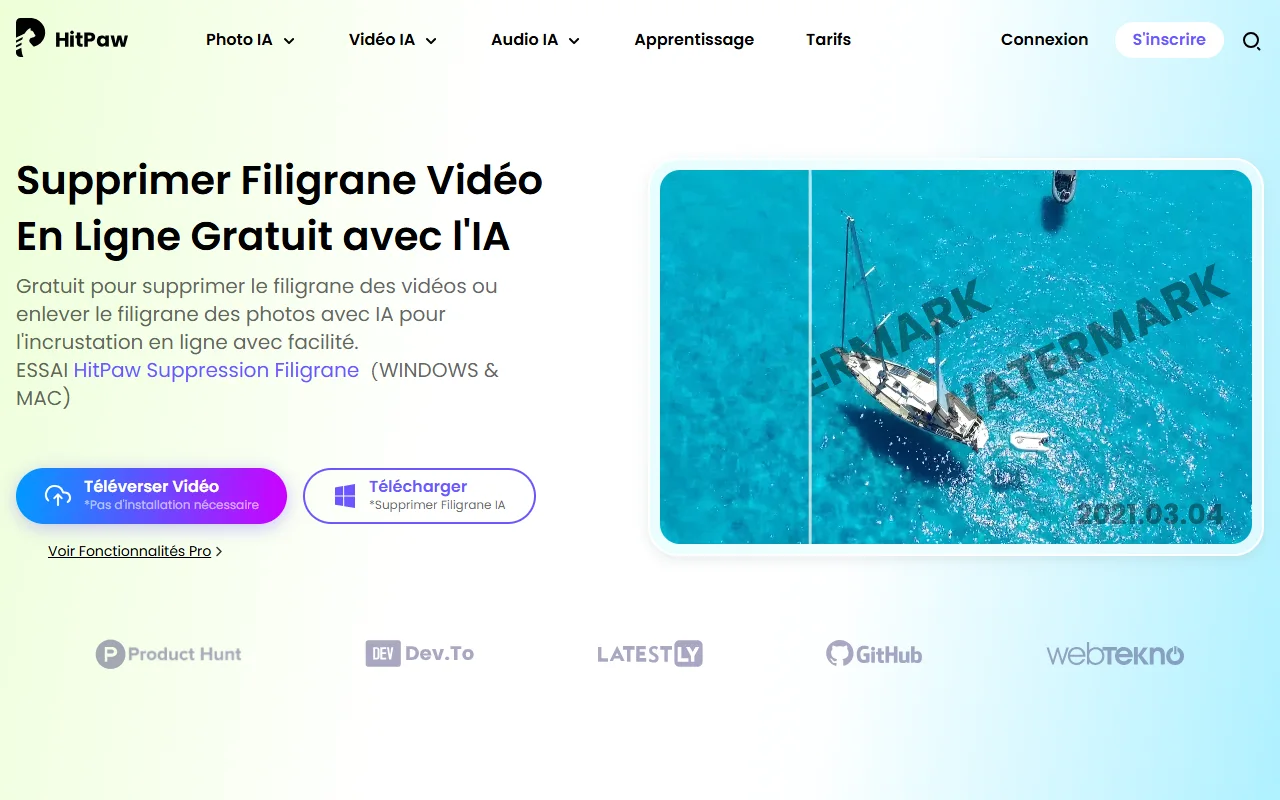
On the watermark side, HitPaw also offers a tool watermark removal line, presented as free: upload the video, select the watermark area, then export. The page gives no time limit or weight limit, and returns to « Pro features ». The actual conditions are therefore not legible before trying. A word about usage: removing a logo or date from your own images is one thing, deleting the watermark of a content that is not yours is another, and copyright applies. Detailed methods and precautions in our guide to remove a video watermark with AI.
Is HitPaw free?
Partly. Here is the distribution, according to the official pages:
- Testing of desktop software : free, with preview. VikPea's export requires a pay license.
- Tools online : several are presented as free (watermark removal, image enlargement), without any detailed limits.
- Video expansion elsewhere : if you are looking for an option without subscription, CapCut offers a video magnifier AI until 4K presented as free (see our guide on CapCut Pro free), and our comparison for improving the quality of a video with AI review eight tools.
Is HitPaw reliable? What the review
This is the question that everyone is asking, with good reason. This is based on the HitPaw Trustpilot page consulted on 23.10.2026, knowing that it only gives an overview.
- Page records 2,745 review, of which 318 in the last 12 months, with 80% d review five stars and 17% of a star.
- Trustpilot does not display an overall score: the page indicates that the score is suspended for breach of platform rules, and indicates that false review have been withdrawn. Read with caution.
- The praises relate to the responsiveness of the medium and to the effectiveness of certain tools (photo restoration, voice change).
- The complaints concern the automatic renewal and unanticipated withdrawals from refunds refused even within the announced deadline, on the unclear cost of credits, on activation problems and on a sometimes disappointing quality (deformed faces, smooth details).
What does HitPaw say himself? Its refund policy provides a 30-day warranty, with several exceptions: automatic renewal fees are not refundable if you have not cancelled before the date, and credit products can be refused beyond a limit. Applications are excluded if usage exceeds 5 minutes or 100 MB of enhanced video (or 10 minutes of video translation, or 20 API credits).
The trap to avoid
On FotorPea's purchase page, a tooltip specifies that the purchase of this software entitles you to a free 7-day trial of VikPea, which then automatically renews each month to 42.99 € (-20%) if you do not terminate before. It's written, but it's easily read wrong. Before any purchase, look for renewal statements, take a capture, and note the end date of trial in your calendar.
HitPaw facing alternatives
VikPea ranks in the category of video enhancers by AI, faced with post solutions like Topaz Video AI, tools in line like those of Canva, d-Adobe or Krea, and to the enlargement of CapCut. Our comparison improving the quality of a video with AI details these tools including HitPaw Video Enhancer, with their prices and limits. For the photo, see improving the quality of a photo with AI, and for video detouring, delete background of a video with AI.
In summary, HitPaw is distinguished by a perpetual tariff (rare in this sector, where subscription dominates) and a wide range of tools under the same publisher. Its weakness is less related to functions than to the readability of the purchase conditions, depending on the review public.
Who is HitPaw made for?
Yes, if you have some old, blurred or low-resolution videos to improve (family archives, camera extracts, old YouTubeur videos), and you prefer a software to install rather than an online service. VikPea's perpetual plan can then be interesting, once you have checked the result in the preview.
No, I don't. you are looking for a tool free without condition, if you only have one small file to process (first try the free enlargers), or if you are not ready to monitor an automatic renewal.
Our method of purchase: try on a short extract, compare the preview to the original, choose the monthly rather than the annual at the first purchase, settle a termination reminder, and keep proof of payment and purchase for the 30-day warranty.
Our verdict
HitPaw proposes AI Tools useful to repair, enlarge or clean a video, at reasonable prices, with the advantage of a perpetual license. The review However, there is a need for real caution on renewal and refunds. Try for free, judge the preview, and only buy to know the conditions.
See HitPaw on the official website
Link partner. Price excluding taxes recorded on 23.10.2026.
Frequently Asked Questions
Is HitPaw free?
There is a free trial of desktop software, with preview: for VikPea, the free license only allows preview and export requires a pay license. Several tools online are presented as free, with no detailed limits.
How much does HitPaw VikPea cost?
Statement on 23.10.2026 on the official website, excluding taxes: 42.99 € for a month, 99.99 € for one year and 189.99 € under perpetual license, on Windows.
Is HitPaw reliable?
The review are shared. Trustpilot page displays 80% d review five stars and 17% of a star, with complaints about automatic renewal and denied refunds. The publisher announces a 30-day money back guarantee, with exceptions. Read the conditions before buying.
Can HitPaw improve a video in 4K or 8K?
The publisher announces the expansion up to 4K and 8K with VikPea. The result depends on the original video: judge it on the free trial preview before buying.
Can HitPaw delete a video watermark?
HitPaw proposes a tool online presented as free to delete a watermark, and a video object removal software. Reserve them to your own content: removing watermark from content that is not yours poses a copyright problem.
Does HitPaw VikPea work on Mac?
Yes. HitPaw indicates a Mac version, which requests macOS 13 or more and an Apple chip from the M series. There are also mobile applications and an online version.
Can we get a refund from HitPaw?
The official policy provides for repayment within 30 days, with exceptions: automatic renewal not cancelled on time, usage beyond certain limits, late applications. Keep your proof of purchase.
What is the difference between VikPea and Video Object Remover?
VikPea improves the quality of a video (clearness, resolution, noise, colors). Video Object Remove erases objects or people from a video and replaces the background. These are two separate products, with separate prices.