The free plan Fliki AI still exists in October 2026, without credit card. But he changed his logic: we no longer talk about « minutes available »We're talking about 3 credits per month. And a Fliki credit isn't worth a minute. It all depends on the voice you choose, the workflow you launch and what you ask for.AI to generate. I took over the official line by line grid to know what these 3 credits actually produce, and when the Standard plan becomes the right calculation.
Contents: Essential · What the Free Plan contains · How many videos with 3 credits · What you can do · What you can't do · Create a free video step by step · Tips · Price of paid plans · FAQ
📌 Essentials
- Fliki AI free = 3 credits per month, without credit card, according to the official tariff page noted on October 10, 2026.
- Export in 720p with watermark Flikivideos up to 5 minutes, 100 scenes per project.
- 300 standard voices in more than 80 languages free of charge. Voices « ultra-realistic » are reserved for paid plans.
- No commercial rights, no voice cloning, no davatar, no translation or publication YouTube Free.
- Standard: 24 € per month (18) € for 180 credits, 1080p, watermark withdrawal and commercial use.
Is Fliki AI really free in 2026?
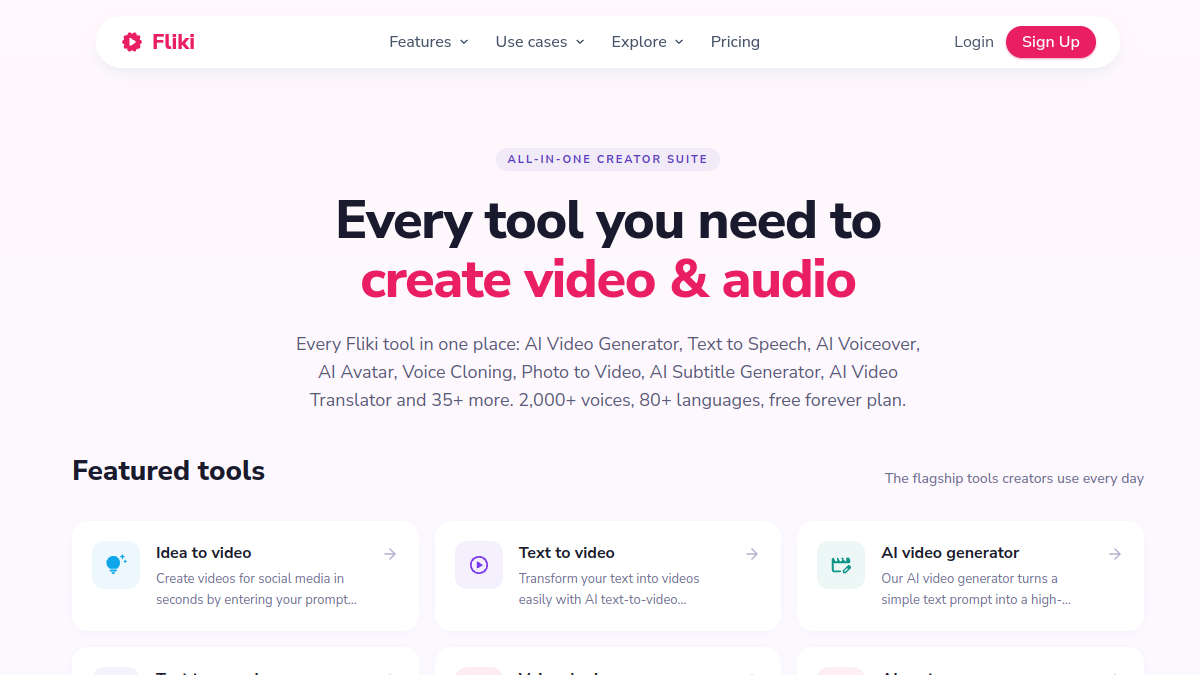
Yes, in the strict sense: Fliki displays a plan Free « free forever »without credit card and without time-limited testing. You create an account, you have access to the publisher, and your balance is charged monthly. What moved was the unit of measure. On the Fliki tariff page, the Free plan is announced at 3 credits per month, while the FAQ on the same page still talks about « 5 minutes of free audio and video content per month ». Both formulas coexist. In fact, the credit counter decides.
Here's what list the comparison official for the free plan, noted October 10, 2026:
- Credits Three a month.
- Export period : 5 minutes maximum per video.
- Resolution 720p (HD), with watermark Fliki.
- Scenes 100 per project.
- Votes : 300 standard voices, no ultra-realist voices.
- Workflows : idea, script, blog article and PPT to video, access « limited ».
- Media : bank of images, clips and music stock, generation of images AI and miniatures.
- Support E-mail only.
On the publisher side, Fliki claims over 14 million users and over 100 million videos created. It's his numbers, not ours, but they're in the middle of it.tool We're not on a garage start-up that will close next month.
How many videos can we make with 3 credits Fliki?
This is the question that counts, and the answer is less simple than before. Fliki publishes a guide appropriationupdated on September 30, 2026, which details the cost of each action. Positions that affect the free plan:
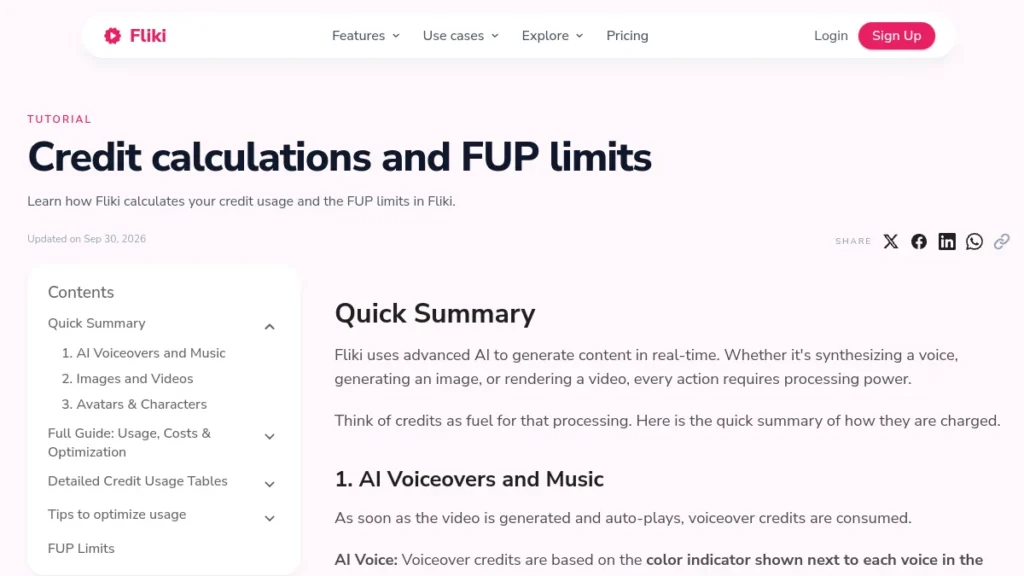
| Action in Fliki | Cost in credits |
|---|---|
| Launch « Idea to video », « Script to video » or « Blog to video » | 0.5 credit per launch |
| Launch « PPT to video » | 1 credit |
| Voiceover AI (blue/green/yellow/violet tablet) | 0.25 / 0.5 / 1 / 2 credit per minute |
| Export video | 0.1 credit per minute |
| Image AI generated | 0.05 to 1.5 credit according to model |
| Stock or imported media, imported audio (MP3, WAV) | 0 credit |
| Play a video without changing the text | 0 credit |
Three typical examples can be drawn from this grid. These are calculations, not measurements: the real cost varies if you change your text, because Fliki recalculates the voice of each retouched scene.
- A 3 minute video with a green voice : 0.5 (launch) + 1.5 (voice) + 0.3 (export) = 2.3 credits. You've got 0.7 credits left for retouching.
- Three one-minute videos with a blue voice : 3 × (0,5 + 0,25 + 0,1) = 2.55 appropriations. Three shorts in the month, no big margin of error.
- A 5 minute video with a blue voice : 0,5 + 1,25 + 0,5 = 2.25 appropriations. This is the maximum duration allowed in Free.
What struck me by doing these calculations: the real trap is not the duration, it is the retouch. Change a sentence in a 12-second scene with a green voice costs 0.1 credit according to the guide. It doesn't sound like anything. Ten corrections is a third of your month. The right reflex in Free: write and reread the entire script before clicking on « Submitted », since the whole preparation phase (prompt, voice choice, model) costs nothing.
💡 Tip: the color of a voice can change according to your plan. Fliki specifies that some voices turn on a lighter engine in Free, so in a cheaper slice. The selector always displays the rate that will actually be charged to you: look at the tablet before choosing.
Fliki free: what you can really do
Test text-to-video on your own content. This is the most honest use of the free plan. You stick a script or URL to an article, Fliki cuts into scenes, poses a voiceover and go get visuals from his stock bank. In one or two videos, you know if the rendering fits your tone and audience.
Compare French voices. Fliki announces more than 80 languages and more than 100 dialects. With 300 free voices, you can listen to several French voices in the selector before generating anything, since the preparation is free. It is an inexpensive way to find the voice of a future channel. To compare with other engines, we classified the options in our guide of the Best AI of the voiceover in French.
Transform an article or presentation into a video. Workflows « Blog to video » and « PPT to video » are open in Free, with the mention « limited ». For a trainer or a blogger, this is the most telling test: take a content that already exists and see what Fliki gets from it.
Generate Some AI Images And a miniature. The generation of images and miniatures is included in the free plan. Attention to cost: from 0.05 to 1.5 credit per image according to model. A high-end model can swallow half your month in two images.
Produce some personal shorts. Three one-minute videos hold in the quota with a blue voice. For a personal account that doesn't try to monetize, and if the watermark doesn't bother you, it helps.
Fliki free: what you can't do
Export watermark-free. The Free plan includes the Fliki watermark on each export. Watermark removal is one of the benefits listed from the Standard Plan.

Monetize. The comparison official does not give commercial rights to the Free Plan. Fliki FAQ makes it upside down: subscriptions give a commercial license on the content created, including to publish and monetize on YouTube. A monetized channel, a commercial or a customer, is therefore a paid plan.
Clone your voice or use an avatar. The voice cloning Starts with 1 cloned voice on Standard, 3 on Premium. The avatars stock are « limited » on Standard and complete on Premium. Free of charge, neither. Contouring possible: record your own voice or generate it elsewhere, then import, since imported audio costs 0 credit from Fliki. If you want a quality clone, ElevenLabs remains the reference, with an instant cloning that starts on its first paid level.
Make long format. 5 minutes maximum per Free export, 15 minutes on Standard, 40 minutes on Premium after the table (Fliki FAQ still evokes 30 minutes for Premium, another incoherence of the page). For a video YouTube 10 minutes, the free does not follow.
Translate, publish, work in series. Video translation, publication YouTube direct, series and video clips AI generated are missing from the free plan. Ultra-realistic voices too, and that's probably what is most visible in listening.
⚠️ Attention: unused credits are useless the following month, and a failed export is replenished. Fliki reminds him in his guide : if you export, mark a fault and re-export, export is invoiced twice. Look at the entire preview ahead.
How to create a free video with Fliki, step by step?
The course is short. The challenge, with 3 credits, is not to waste anything between idea and export.
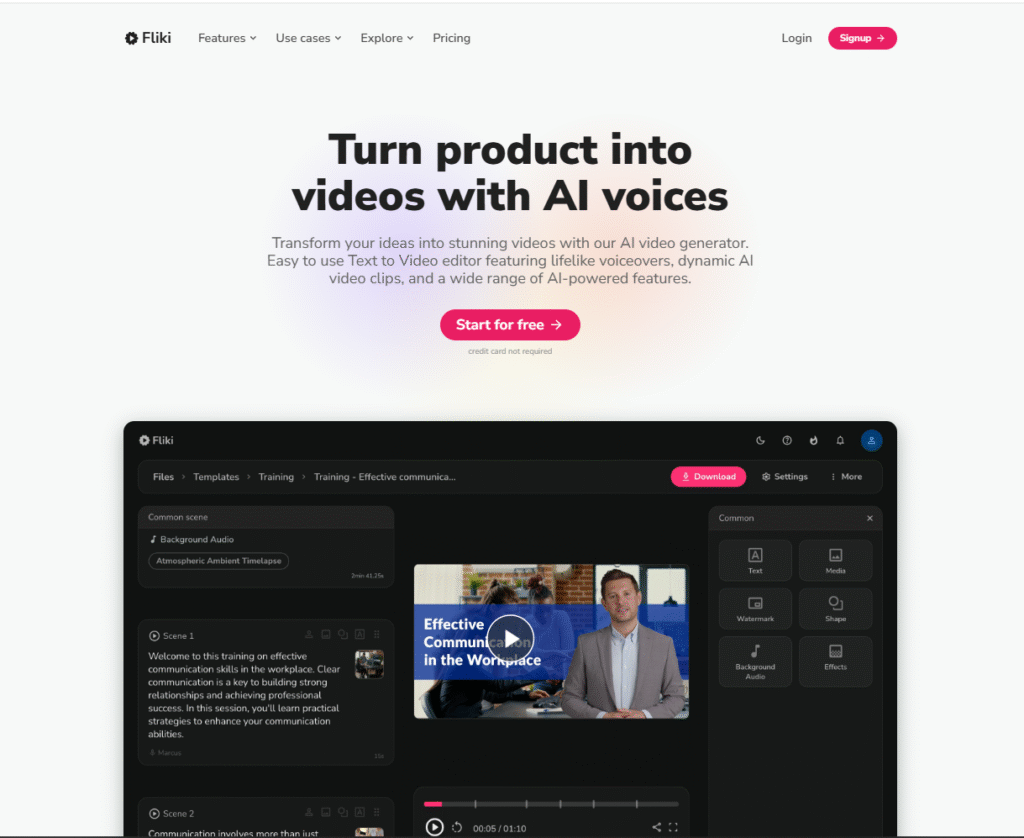
- Create account on Fliki AI with your email address. No card is required for the Free Plan.
- Choose the right workflow : « Script to video » If your text is ready, « Blog to video » If you leave a URL, « Idea to video » If you only have one subject. All three cost 0.5 credit at launch.
- Set everything before you validate : language, voice (looks at its color tablet), format 16:9 or 9:16, tone of script. This phase is free.
- Read the script generated scene by scene, correct turns and proper names. Each correction after generation recalculates the voice of the scene.
- Replace visuals which do not stick by other stock media, free, rather than by images AI.
- Watch the full overview, then export only once in 720p.
If your goal is above all to produce a complete video from a simple prompt, with no voices to choose from or scene to cut, InVideo AI works differently. We have detailed its current limitations in our article InVideo Free AI.
5 tips to get the most out of Fliki free
1. Focus blue voices on testing. At 0.25 credit per minute, a blue voice costs four times less than a yellow voice. To validate a format, it is largely sufficient. Keep the voices more expensive for the day you pay.

2. Stay on stock media. They cost 0 credit. Only one image AI on a high-end model can cost 1.5 credit, i.e. half the month.
3. Import your audio. An imported MP3 or WAV consumes nothing. If you record your voice on the microphone, Fliki only charges you the launch and export.
4. Recover script. Text generated by « Idea to video » or « Blog to video » is reusable elsewhere: in InVideo AI, in Descript or in a simple editor. Even if the video doesn't convince you, the script stays.
5. Book Fliki with multilingual content. It is its historical background: voice synthesis in more than 80 languages. To decline the same video in several languages, Fliki is more logical than a tool centered on the avatar speaking as HeyGen. In free, machine translation is not included: you will have to provide the translated text yourself.
How much does Fliki cost when you pay?
The prices below are those displayed in euros from France on the tariff page on 10 October 2026. The FAQ indicates that the reference prices are in dollars: the amount may vary according to your country and the promotions of the moment (a banner « 40 % off » appeared on the site on the same day).
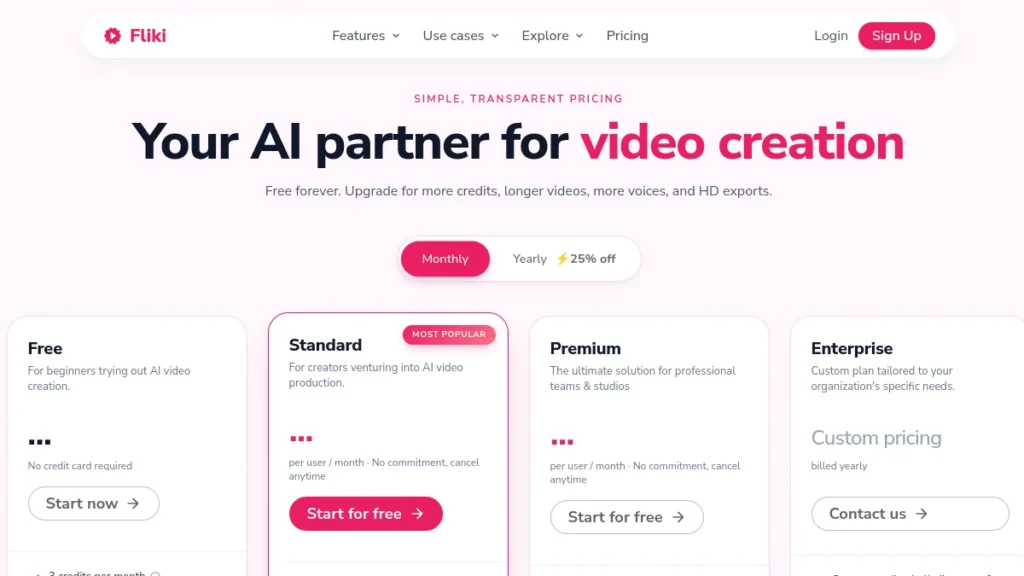
| Plan | Monthly price | Annual price | Credits / months | Export max | Resolution |
|---|---|---|---|---|---|
| Fliki Free | 0 € | 0 € | 3 | 5 minutes | 720p, watermark |
| Fliki Standard | 24 € | 18 € / month (216 € per year) | 180 | 15 min | 1080p |
| Fliki Premium | 75 € | 56.25 € / month (675 € per year) | 600 | 40 min | 1080p |
| Enterprise | On request | Invoiced per year | Customised | n.e.c. | n.e.c. |
Standard is the level that really changes usage: 180 credits (60 times the free), 1,000 voices including 500 ultra-realist, 1 vocal clone, commercial rights, watermark withdrawal, translation and 50 publications per month. Fliki estimates that with this plan we can produce an average of 60 videos of one minute, 12 videos of 5 minutes or 6 videos of 10 minutes, depending on the frequency of editing.
Premium targets teams: 600 credits, more than 2,000 voices including more than 1,000 ultra-realistic, 3 vocal clones, all avatars, the generation of video clips AI, API access and priority support. For a solo creator who publishes one video per week, Standard is enough.
When the free plan is no longer enough
Threshold 1: You publish more than one video per month. With 3 credits, a 3 minute video and two editings, it's over. As soon as the rhythm becomes weekly, Standard imposes.
Threshold 2: The video serves a project that reports. Monetized channel, customer, advertising: without commercial rights, the free plan is not an option.
Threshold 3: You want your voice or an avatar. Cloning and avatars start on Standard. Complete avatars and several clones require Premium.
Fliki free or InVideo free of charge: Which Should You Choose ?
Both tools Don't do the same job. Fliki starts with the text and the voice: you keep your hands on the script, the voice, the cutting. InVideo AI from a quick start and entrusts the essentials to its agents, with generative models such as Veo, Sora or Kling. In 2026, InVideo no longer publishes an encrypted quota for its free plan on its tariff page: its aid speaks of limited credits reset to zero every Monday. Fliki, on the other hand, posted his 3 black-on-white monthly credits.
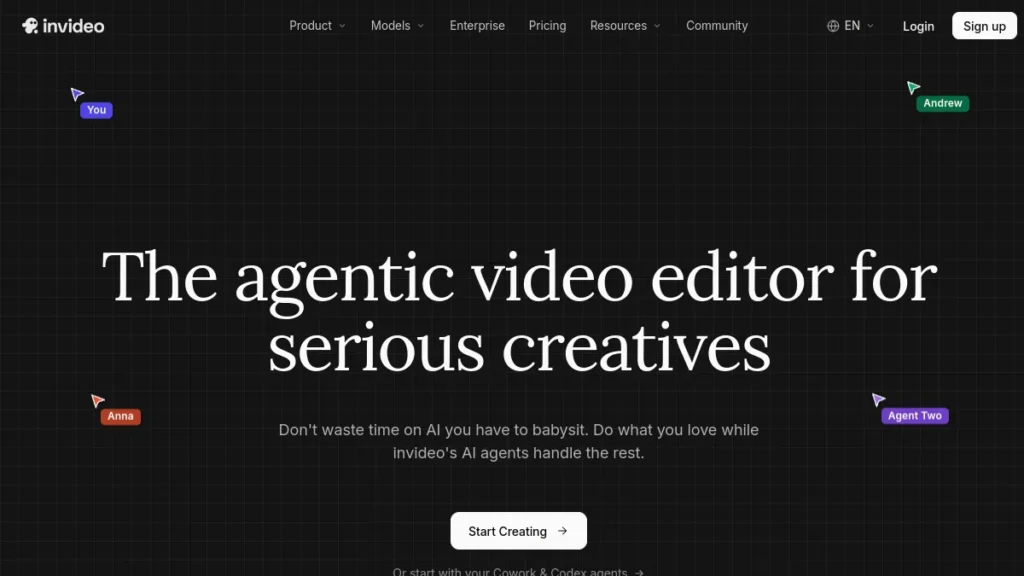
My review : for an explanatory video in French with a neat voice, starts with Fliki. For a video generated from end to end from an idea, test InVideo. And if you still hesitate, our review complete on Fliki AI details the paid functions, and the comparison alternatives to Fliki reviews other options.
FAQ: FAQs about Fliki AI free
Is Fliki AI really free?
Yes. Fliki offers a permanent free plan, without credit card, with 3 credits per month. Exports are in 720p with watermark, limited to 5 minutes, and the plan does not give commercial rights.
How many videos can we create with the Fliki free plan?
According to the official credit grid, a 3-minute video with a standard green voice costs about 2.3 credits, and a one-minute video with a blue voice about 0.85 credit. Includes a video of a few minutes or three shorts of one minute per month, including retouches.
Can we monetize a video made with Fliki free on YouTube ?
No. Commercial rights are not included in the Free Plan. Fliki states that its subscriptions give a commercial license to publish and monetize on YouTube.
How to remove the Fliki watermark?
Switching to the Standard or Premium plan: Watermark withdrawal is one of the paid benefits. There is no official option for exporting watermark-free free of charge.
Does Fliki AI speak French?
Yes. Fliki announces more than 80 languages and more than 100 dialects, including French. The free plan gives access to 300 standard voices. The ultra-realistic, more natural voices are reserved for paid plans.
How much does Fliki AI cost a month?
On October 10, 2026, from France: Standard at 24 euros per month or 18 euros per month in annual, Premium at 75 euros per month or 56.25 euros per month in annual. Enterprise is on offer.
Are there other AI video generators free?
Yes: InVideo AI, CapCut or Canva offer a free formula, each with its limits, and HeyGen defend yourself if you're looking for a speaking avatar. We compared the free options in our guide of the generator AI video free and in comparison alternatives to Fliki.
Fliki or InVideo Free AI: Which Should You Choose ?
Fliki for text and voice-driven videos, especially in several languages. InVideo AI to generate a full video from a prompt. Both free plans add a watermark.
🎯 Verdict
Free fliki serves one thing, and he does it well: check that text-to-video with voiceover You're all right. before you pay. With 3 credits, you produce a video of a few minutes or three shorts, in 720p and with watermark. To publish every week or monetize, the standard plan of 24 euros per month (18 in annual) becomes indispensable. If you're looking for a video generated from A to Z from a prompt, look at the side of it.InVideo AI.