📌 Essentials
To remove the background of an image,AI does the work in one click: you import your photo, ltool detects the subject and clears the background, then you download a PNG with a transparent background. Best free online services (without software): remove.bg, Photoroom, Canva, Pixelcut and iLoveIMG. No retouching skills required, and it also works from a phone.
To turn a photo around by hand in Photoshop used to require long minutes of work with lasso or feather. Today,artificial intelligence removes the background of an image automatically, in a second, and for free. Be it for a product sheet, a profile photo, a editing or a transparent background visual, the result is bluffing — including on hard contours like hair. Here's how to step by step, the best tools online and on mobile, how to get a real transparent background (PNG), and some tips for an impeccable rendering.
Contents: How to do • The best tools free • On the phone • Transparent fund (PNG) • What's the point? • AI or Photoshop? • ChatGPT • Advice • FAQ
How to remove the background of an image with AI
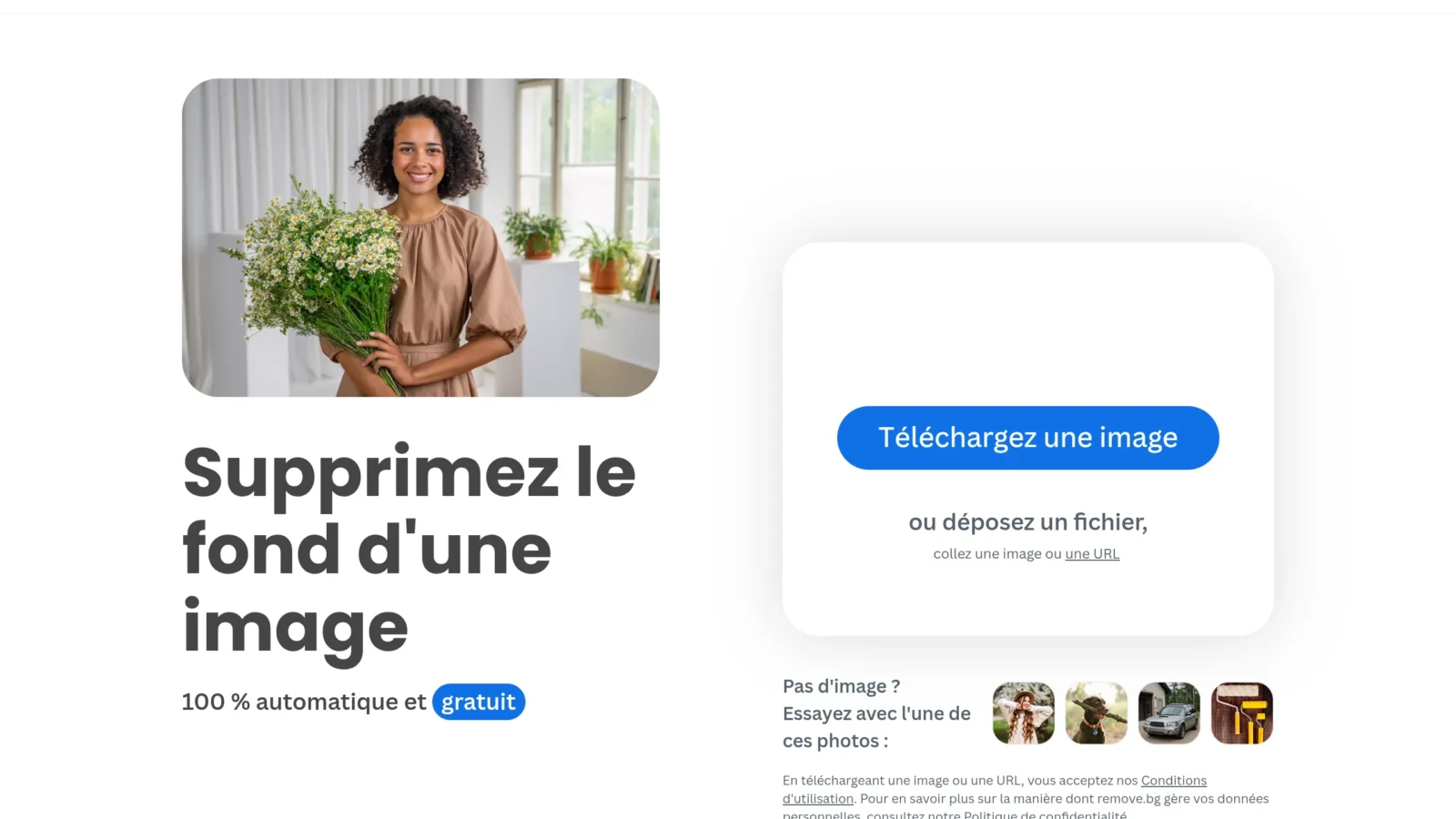
The principle is identical in all cases. AI Tools, and has four stages:
- Import your image drag-and-drop or via the button « Load ». JPG, PNG and WebP formats are accepted; aims for a clean and well-lit photo for a better result.
- LAI detects the subject (person, product, animal, object) and erase the background in one to two seconds, without any action on your part.
- Refine if necessary : most tools offer a brush « restore / erase » to recover a poorly detoured detail (hair strand, cup handle, thin object).
- Download in PNG to maintain transparency, or directly add a single background, gradient or other image in place.
Everything happens in the browser: no software to install. The same logic exists for video — see our guide for delete background of a video.
The best tools free to remove background
| Tool | Free | None | Strong point |
|---|---|---|---|
| remove.bg | Yes (low resolution) | Yes | Fastest, industry reference |
| Photoroom | Yes | No | Ideal e-commerce (product base) |
| Canva | Yes (Pro offer) | No | Integrated with a complete editor |
| Pixelcut | Yes | Yes | Mobile + product retouch |
| iLoveIMG | Yes | Yes | Nexttools free image |
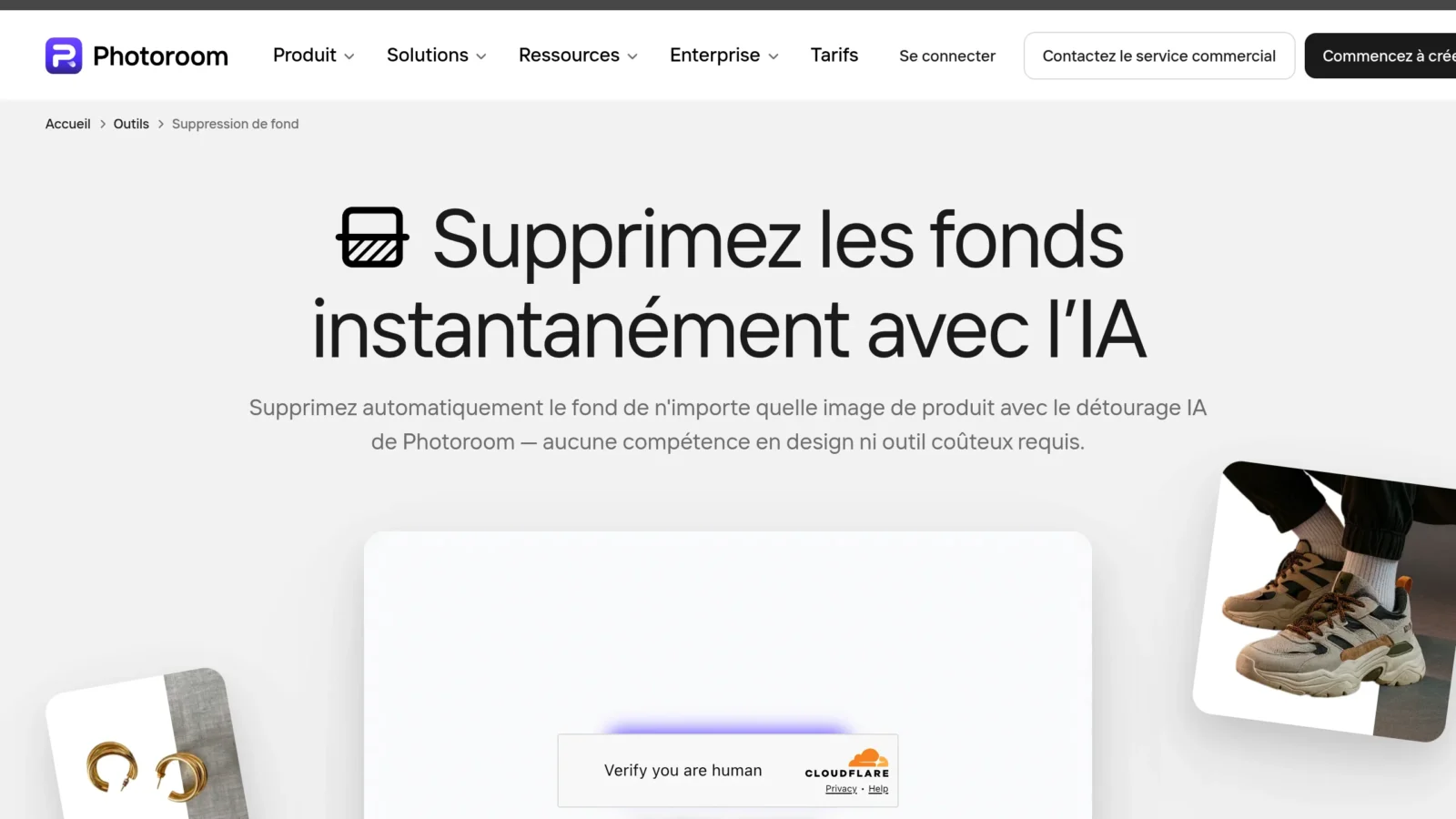
remove.bg remains the reference for speed and quality of contours, but limits resolution in free. Photoroom shines on product photos (he even offers generated e-commerce funds). Pixelcut and iLoveIMG ask no account, perfect for one-time use. To go further than simple detouring (replace an element, modify the scene with a text instruction), a publisher AI as Nano Banana is very practical.
Remove the background of an image on phone (iPhone and Android)
No computer need: all tools above work in the mobile browser, and Pixelcut as Photoroom have a dedicated app. On iPhone, iOS even incorporates a native function: presses the subject of a photo at length in the Photo app, then « Copy » or « Share » — the subject is automatically diverted. On Android, the Google Photos and some galleries offer « Magic gum » and an equivalent subject breakdown. For fine control (export PNG, retouching edges), an app AI However, it remains more comprehensive.
How to get a true transparent background (PNG)
To make the background really transparent (not white), only one rule: download in PNGNever in JPG. The JPG format does not manage transparency and automatically adds a white background instead. The PNG, on the other hand, keeps the empty area (represented by a grey and white checker in the editor): it is this file that you can superimpose on any background, integrate into a logo or place on another photo. WebP also manages transparency if you need a lighter file for the web.
What is the purpose of removing the background of an image?
- E-commerce : standardize its product sheets on a white background (mandatory on Amazon and most marketplaces) or create visuals on a coloured background.
- Profile photo : to isolate his portrait for LinkedIn, a CV or a badge, on a clean and neutral background.
- Installations and visuals : divert a subject to integrate with a poster, a miniature YouTube, a story or a editing.
- Printing and printing : prepare a sticker, sticker or flyer where the subject must appear without background.
AI Or Photoshop: Do you have to turn around again by hand?
For the vast majority of cases (portraits, products, well contrasted objects),AI enough and saves a considerable time: the result rivals with a manual detour, in a fraction of the time. Hand detouring (Photoshop, tool Feather, GIMP) only keeps an interest in very complex images: fine hair strands on loaded background, glass, smoke, transparent veils, or professional rendering requiring a pixel control. Good news: Photoshop now also includes a selection of topics based on theAI, which often serves as a starting point before retouching.
ChatGPT Can it delete the background of an image?
Yes, partly: with built-in image generation, ChatGPT can isolate a subject or recreate an image on a neutral background. But the result is less accurate and slower than a tool dedicated as remove.bg, and especially it recreated image rather than turning yours to the pixel — the details can change. For a faithful detour of your exact photo, it is better to tool specialized; ChatGPT is more suitable when you want to replace the scene.
Tips for a net detour
- Take the starting photo : a subject well lit and contrasted with the background gives a much cleaner detour.
- Checks hair and edges : zooms in to spot residual pixels or areas eaten, then corrects to brush.
- Keep resolution : some tools free compress export; for printing, choose a high resolution option (sometimes paid).
- Think about the outline : a slight « smoothing of edges » avoids the too sharp cutting effect once the subject is placed on a new background.
In summary
Removing the background of an image has never been easier: a tool AI, one click, a PNG export, and the trick is played — on computer as on mobile, and free in most cases. Hold on to three reflexes: choosetool according to your usage (remove.bg for speed, Photoroom for e-commerce, Canva to chain on a visual), always exports in PNG to keep the transparency, and checks the zoom contours on delicate areas like hair. With this, you get a clean detoured subject, ready to pose on any background.
FAQ
How to remove the background of an image for free?
Import your photo on a tool AI like remove.bg, Pixelcut or iLoveIMG: the background is deleted automatically in a second, then you download the image in PNG. It's free and without software.
Can we remove the background of an image without an account?
Yes. remove.bg, Pixelcut and iLoveIMG allow to remove background without inscription. Canva and Photoroom, however, request the creation of a free account.
How to make the background of an image transparent?
After deleting the background, download the file in PNG format (not JPG). PNG maintains transparency, allowing you to put the subject on any other background.
What is the best tool to remove the background?
remove.bg remains the reference for speed and accuracy. For e-commerce, Photoroom is excellent; For a full suite, Canva. The best depends on your use, but all give a good result for free.
How to remove the background of an image on iPhone?
In the Photos app, press the subject at length: iOS automatically detours it, so you can copy it or share it. To export a transparent PNG, go through an app like Pixelcut.
Does removing the background damage the image quality?
No, the detour does not affect the definition of the subject: it only removes the background. Simply make sure to export in a sufficient resolution (some tools free limit output size), and in PNG to maintain transparency without destructive recompression.